As an Admin or HR, you can view and manage the attendance status of all employees. This includes details like Present, Absent, Week Off, Leave, and Half-Day.
Below are the steps through which one Admin/HR can update the Attendance Status for any employee:
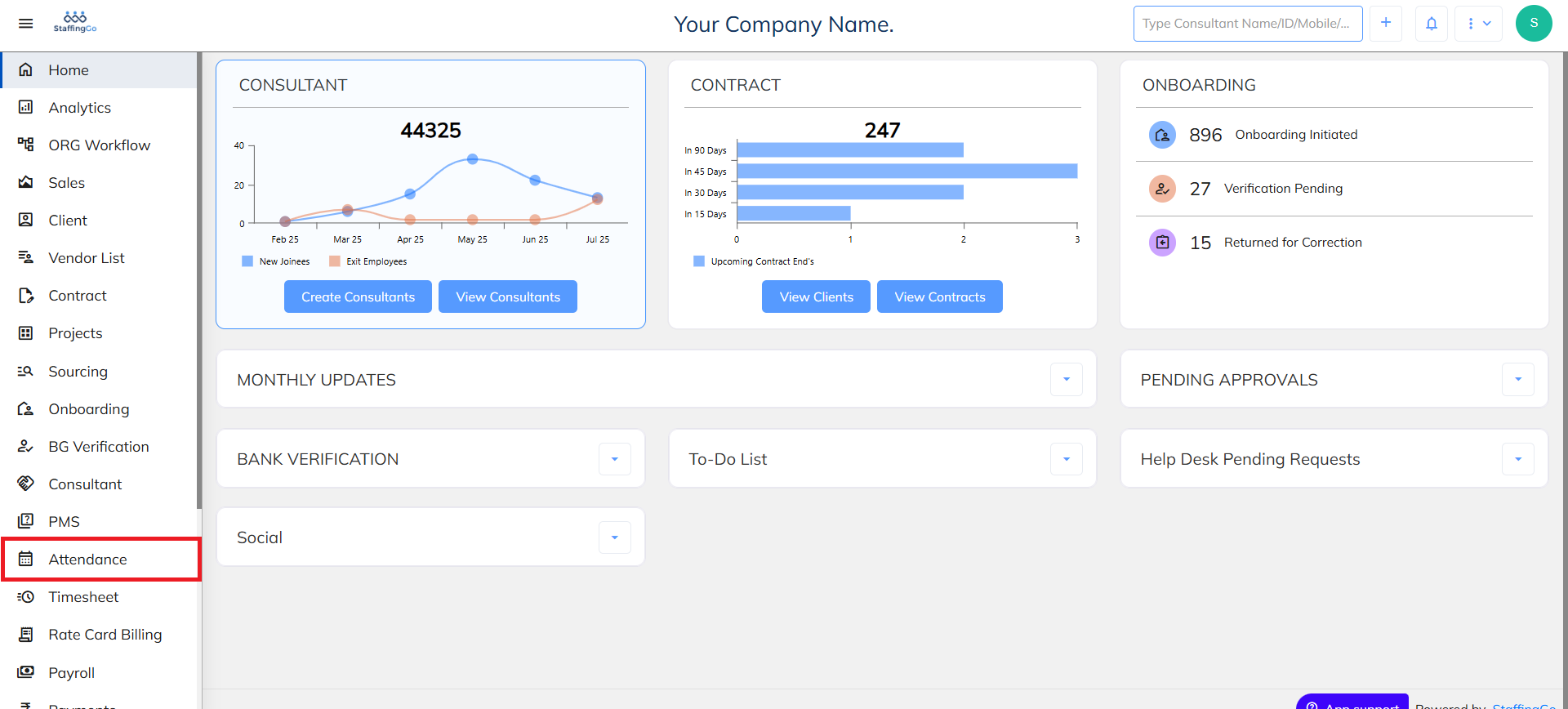
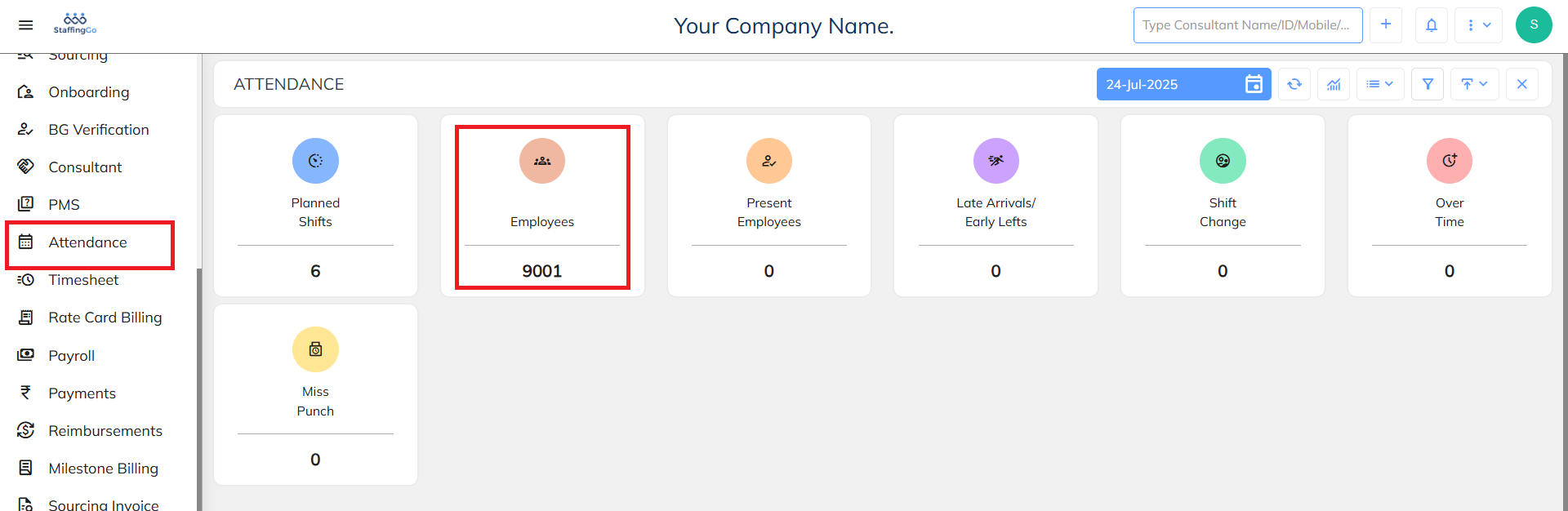
1. Click on Attendance ---> Click on Employees in the Attendance Dashboard
2. Filter the attendance based on employee and based on dates
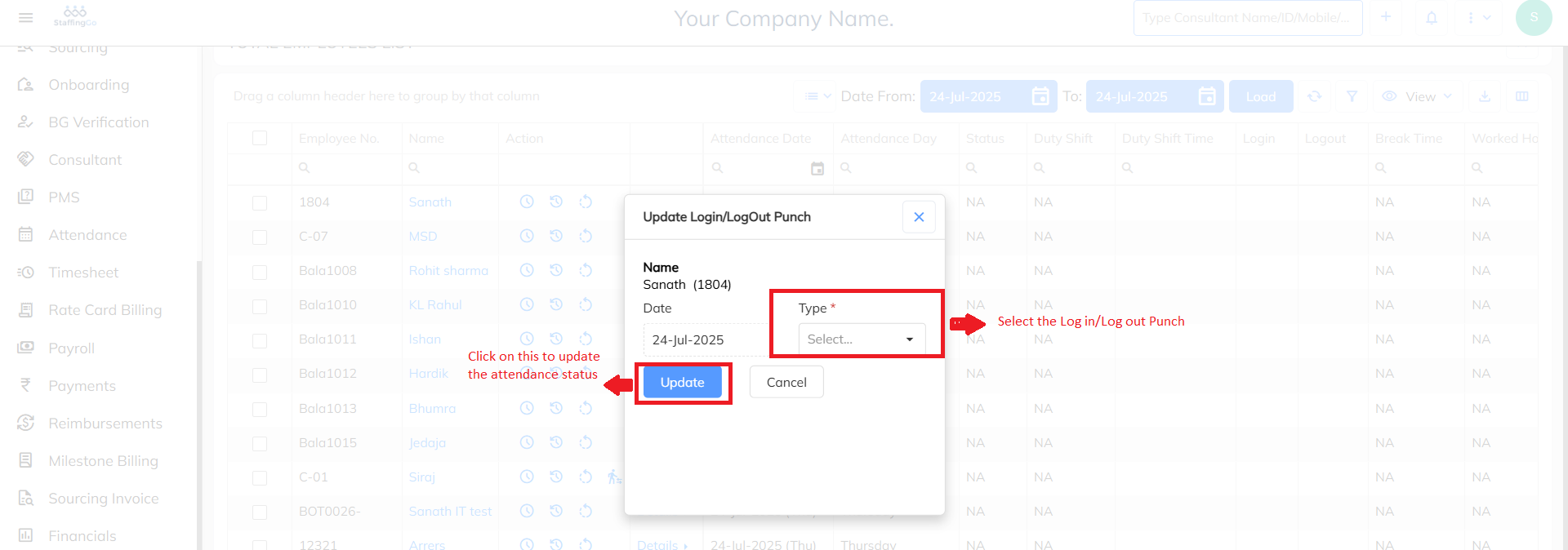
3. Once filtered, click on the below icon to update the Attendance status for the employee for the particular day

4. Once done click on update to update the attendance detail and the attendance status will be updated accordingly.
Need Help?
If you have any doubts or need further assistance regarding client creation or any other feature, feel free to reach out to our support team at support@staffinggo.in. We’re here to help you!
Was this article helpful?
That’s Great!
Thank you for your feedback
Sorry! We couldn't be helpful
Thank you for your feedback
Feedback sent
We appreciate your effort and will try to fix the article