The Payment Status Update option in Payroll allows HR/Admin teams to mark employee salaries as Release Payment, Payment Initiated, or Paid after payroll execution. This ensures accurate payroll tracking and financial reporting.
Below are the steps one can Update the Employee Payment Status in Staffinggo:
UPDATING EMPLOYEE PAYMENT STATUS IN PAYROLL
- Login as an Admin/HR
- Then click on Payroll
- Navigate to; Payroll
- Click on; Locked transaction count.
Invoice locked employees will be displayed based on the client wise. Click on; count, it displays number of employee’s in locked transaction against the specific client.
Select/Choose Client and click on; Load Associate list to load all the employees whom you have to update status.
To filter the employees select the load associate list with filter to refine the search results.
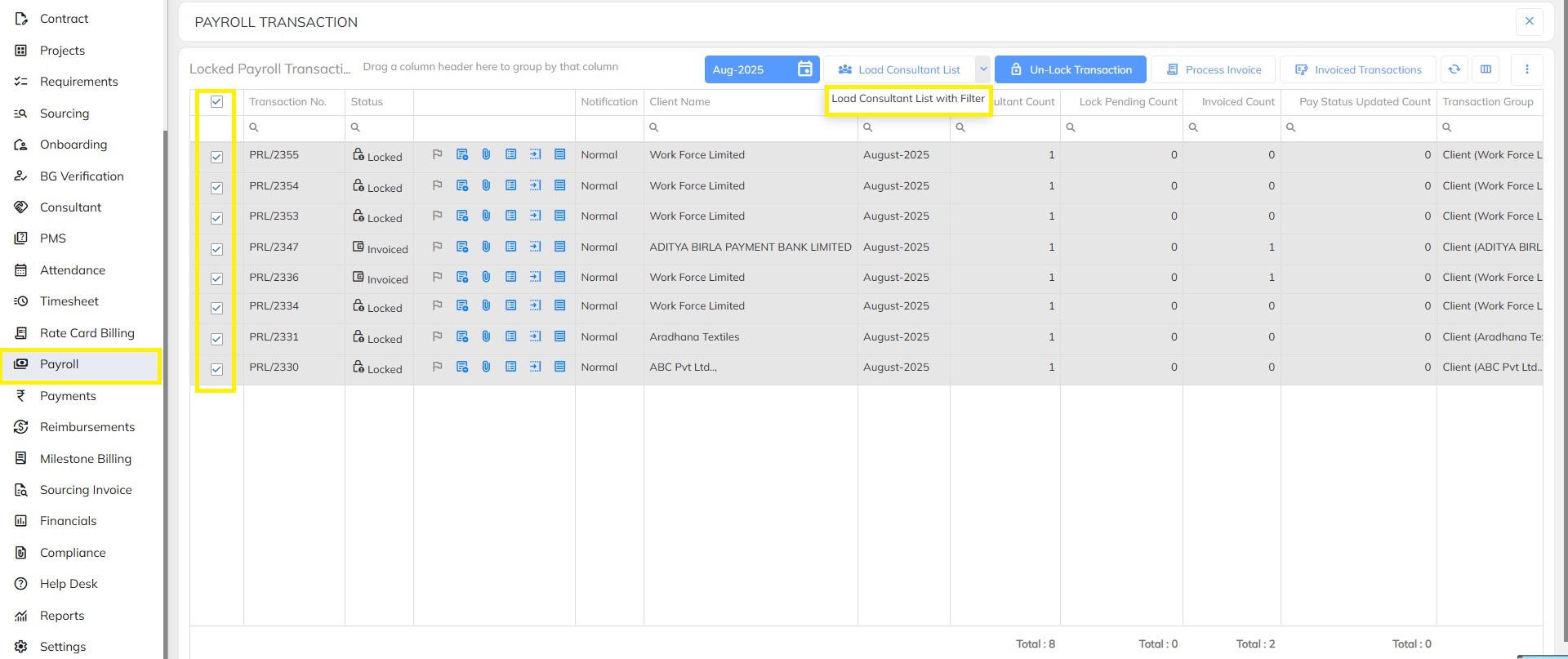
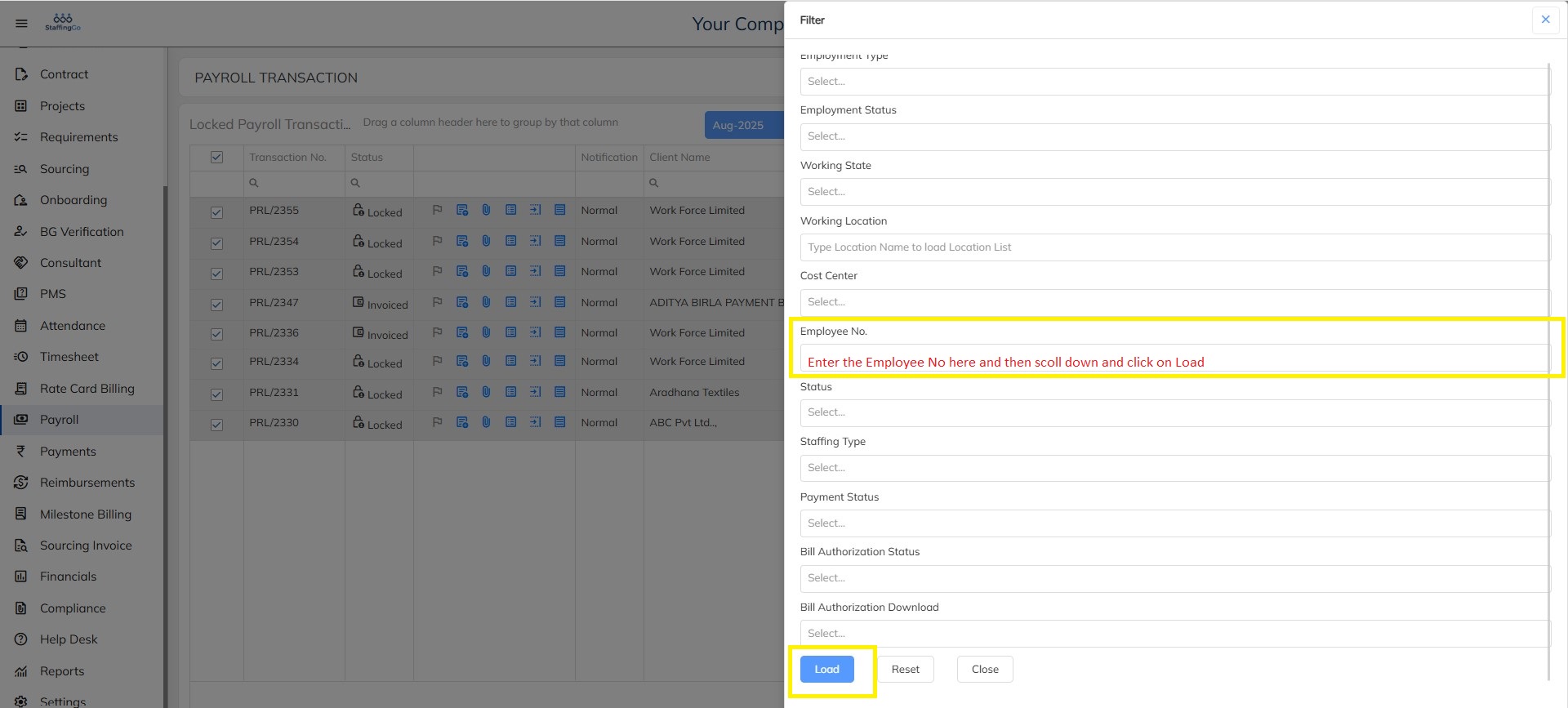
Select employee whom you need to update payment status clicks on; update payment status.
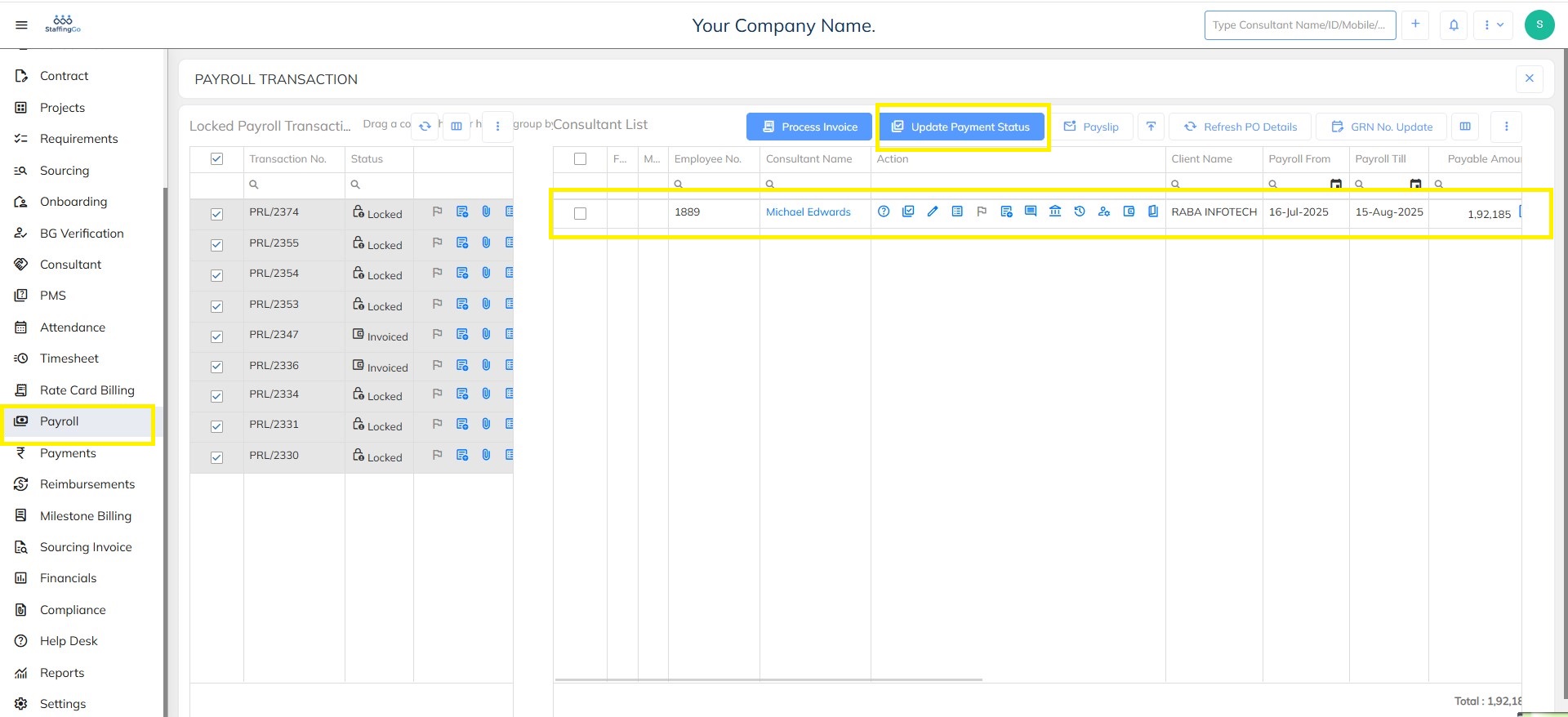
Select employee whom you need to update payment status clicks on; update payment status.
Against each employee click on; update status option to update the payment status details individually.
Input the required data and click on; Update button.
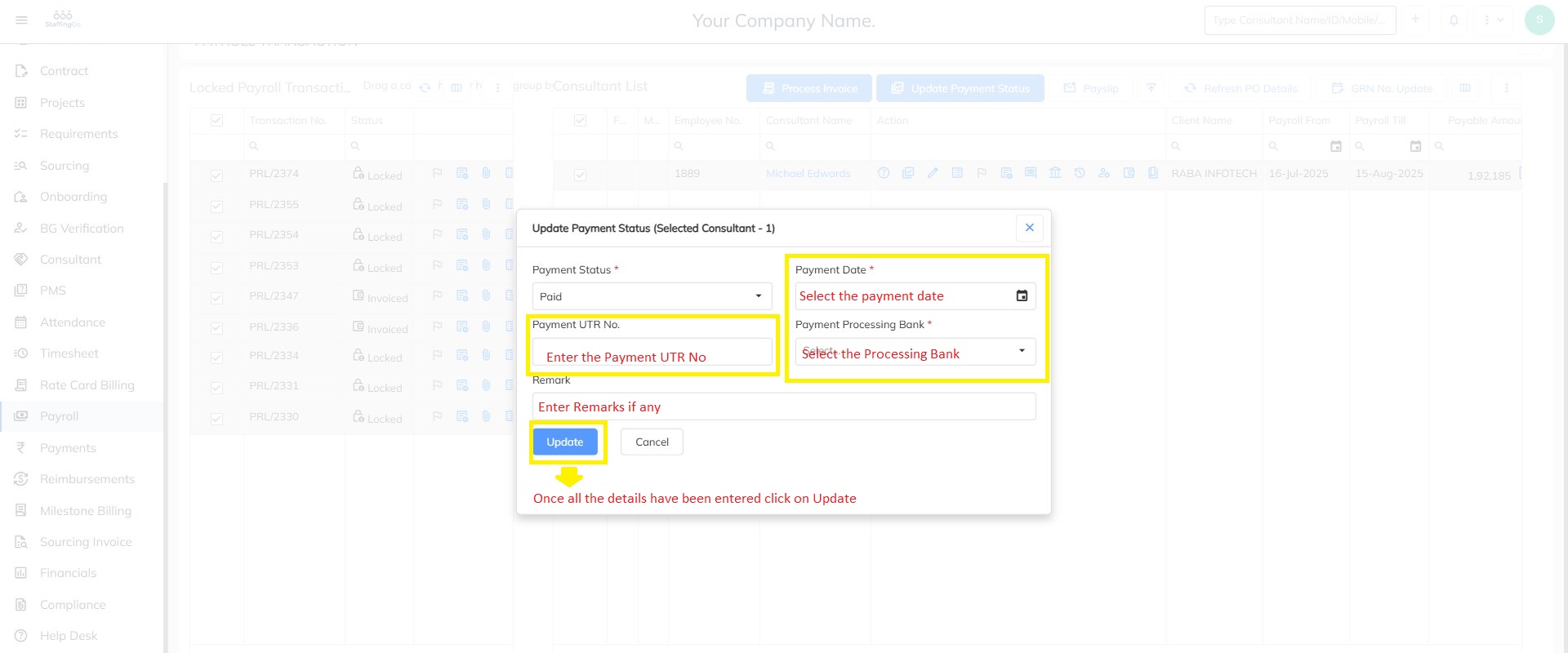
Click on; CANCEL option not to save the payment status details.
While updating payment status you have to choose the appropriate drop-down.
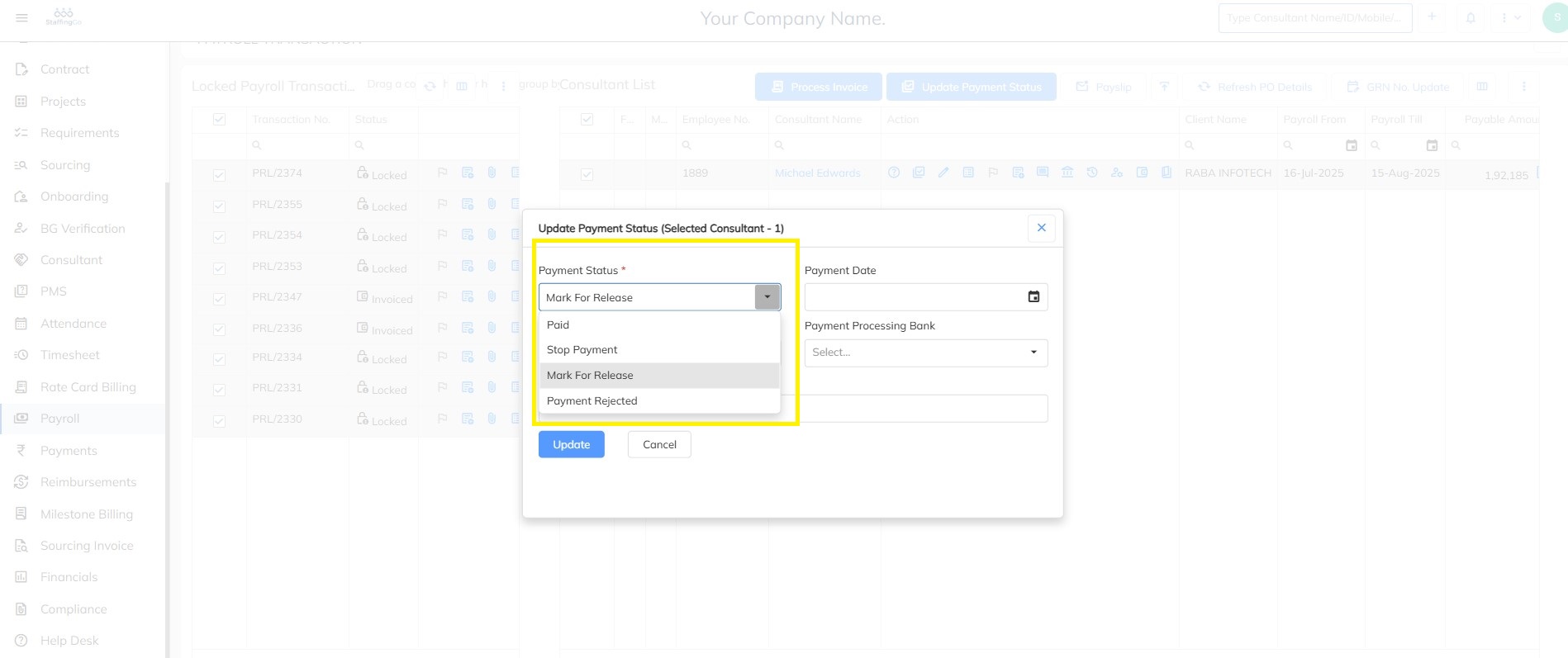
Below are the different types of payment status:
Paid- Payment status has to pay.
Stop payment- Payment status has stopped.
Release payment- Payment status has released.
Payment initiate- Payment status has initiated to pay.
Payment rejected- Payment status has rejected.
Need Help?
If you have any doubts or need further assistance regarding client creation or any other feature, feel free to reach out to our support team at support@staffinggo.in. We’re here to help you
Was this article helpful?
That’s Great!
Thank you for your feedback
Sorry! We couldn't be helpful
Thank you for your feedback
Feedback sent
We appreciate your effort and will try to fix the article