The Attendance Report in Staffinggo allows users to download and review employee attendance details for a selected period. This report helps HR/Admin teams track working days, leaves, late marks, and overall attendance compliance.
Below are the steps one can Downloading Attendance Report in Staffinggo portal:
ATTENDANCE REPORT IN STAFFINGGO
- Login as an Admin/HR
- Click on reports
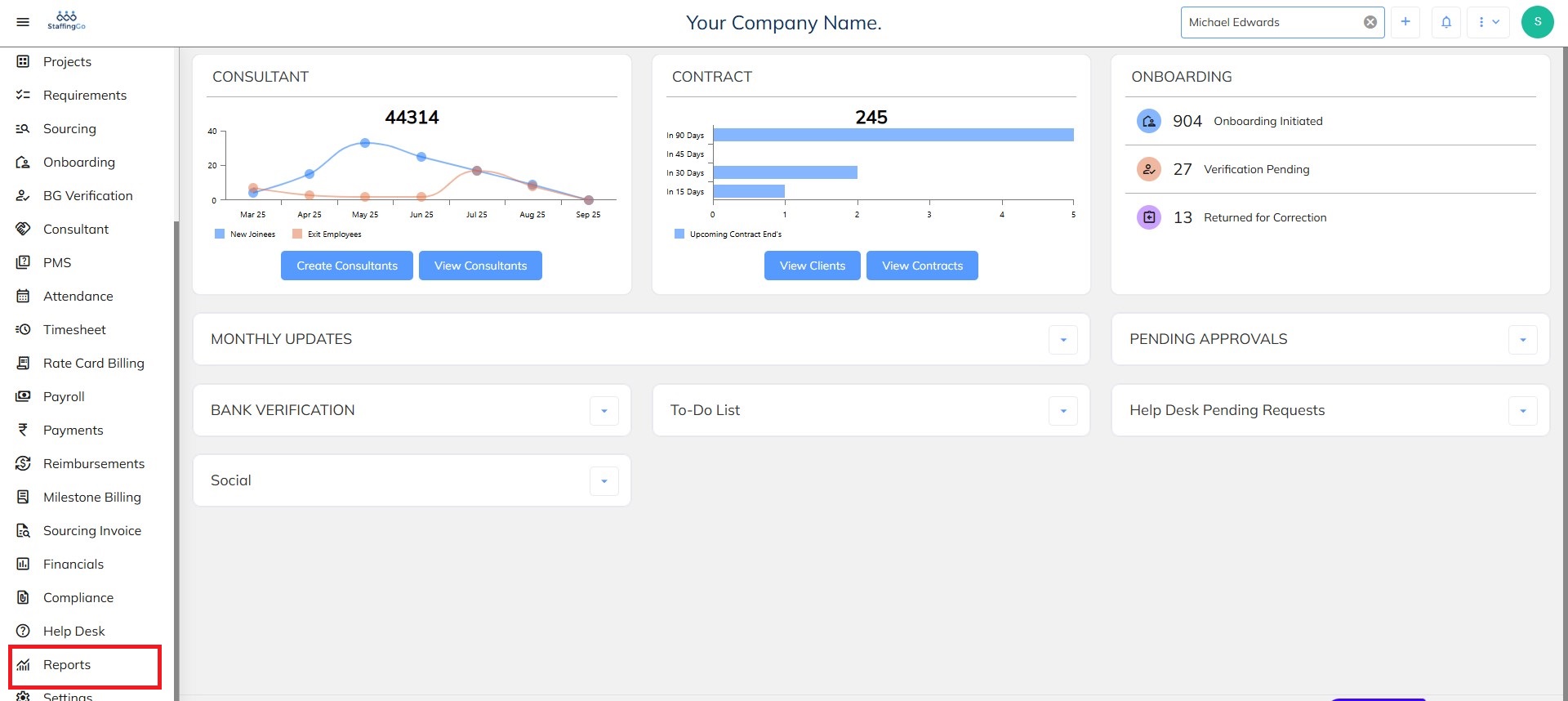
- Click under the Reports section where you will be able the various attendance reports section
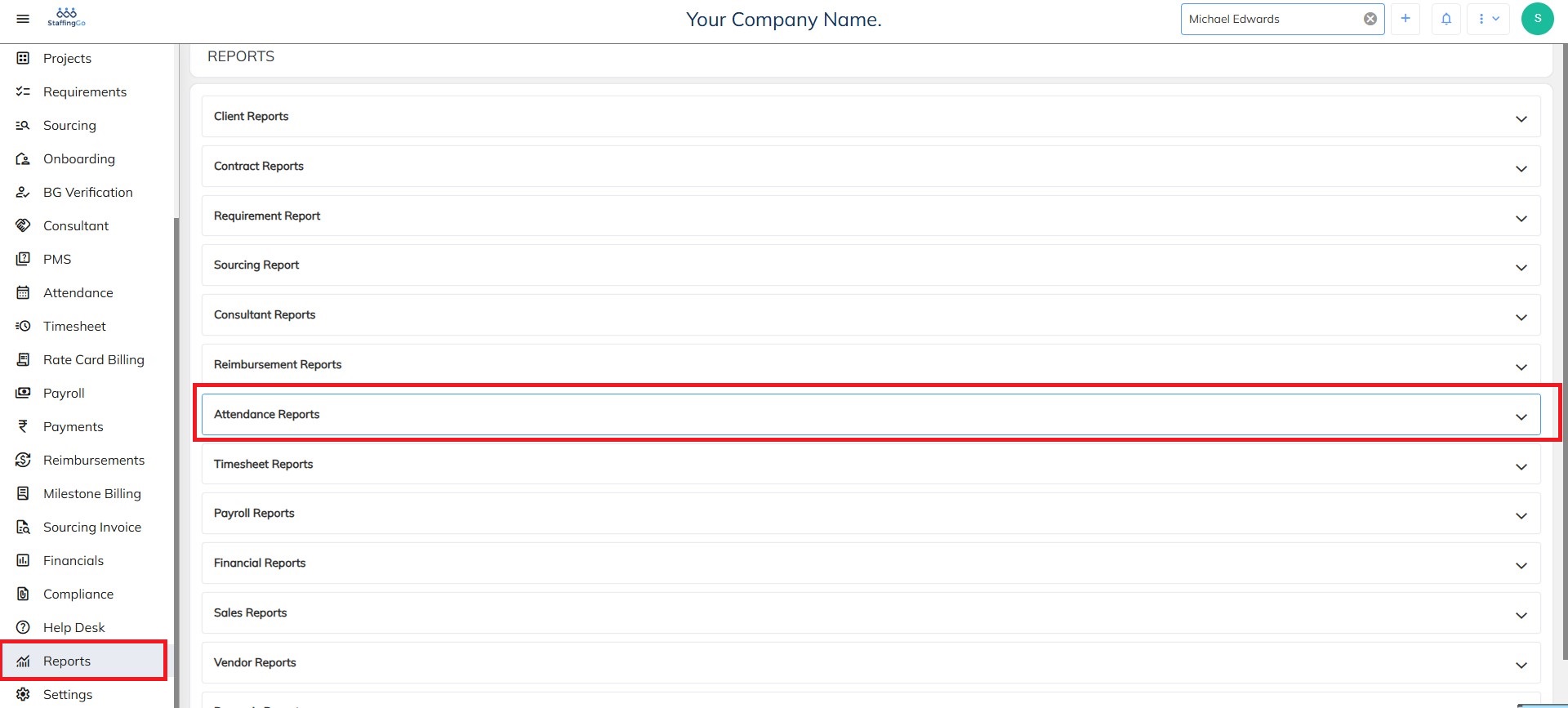
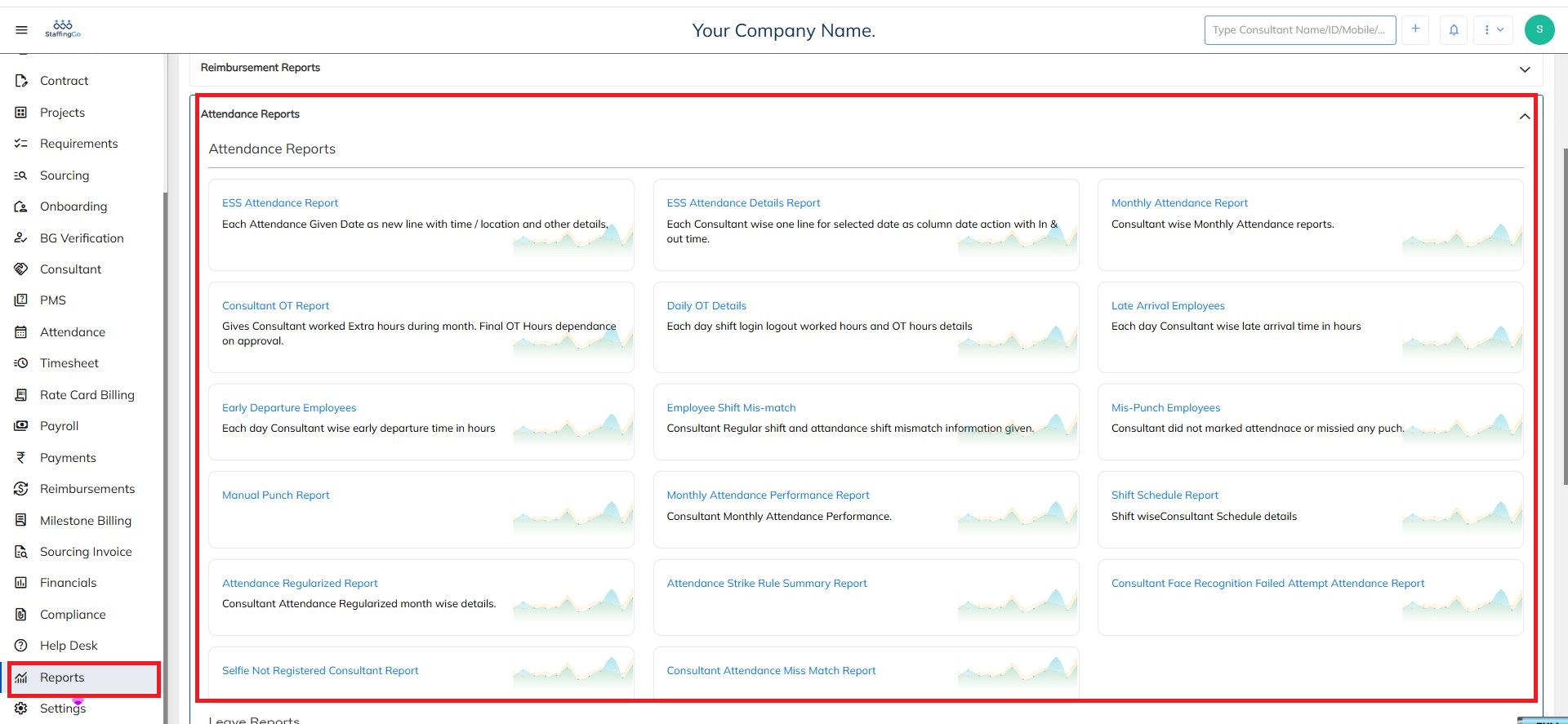
- Click on Attendance reports and you will be able to see various reports with the brief description of all the reports and what they are used for
Need Help?
If you have any doubts or need further assistance regarding client creation or any other feature, feel free to reach out to our support team at support@staffinggo.in. We’re here to help you
Was this article helpful?
That’s Great!
Thank you for your feedback
Sorry! We couldn't be helpful
Thank you for your feedback
Feedback sent
We appreciate your effort and will try to fix the article