StaffingGo – Monthly Release Notes
Release Month: March 2026
Release Date: March 13 2026
Invoice & Billing Enhancements
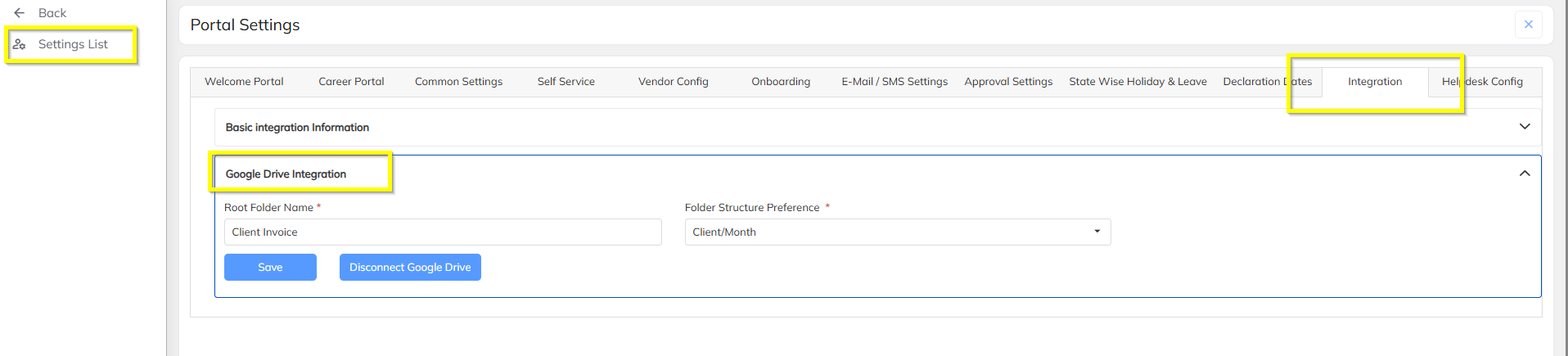
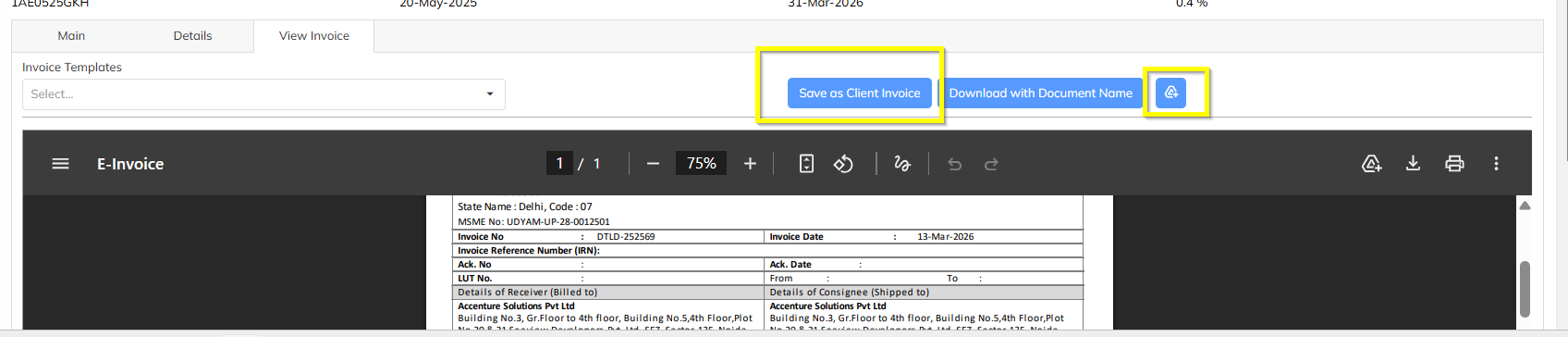
Google Drive Integration
Invoice documents can now be automatically synced to Google Drive, enabling centralized storage and easier access to billing documents.
Milestone Invoice Date Format
The Created Date format in milestone invoices has been updated to:
DD-MMM-YYYY (Example: 12-Feb-2026).
Invoice Pay Register Support
The system now supports Pay Register formats for the following invoice types:
Credit Note
Sourcing Invoice
Absorption Invoice
Invoice Bulk Download Enhancement
When downloading invoices in bulk, the Invoice Number will now be used as the file name, improving document traceability.
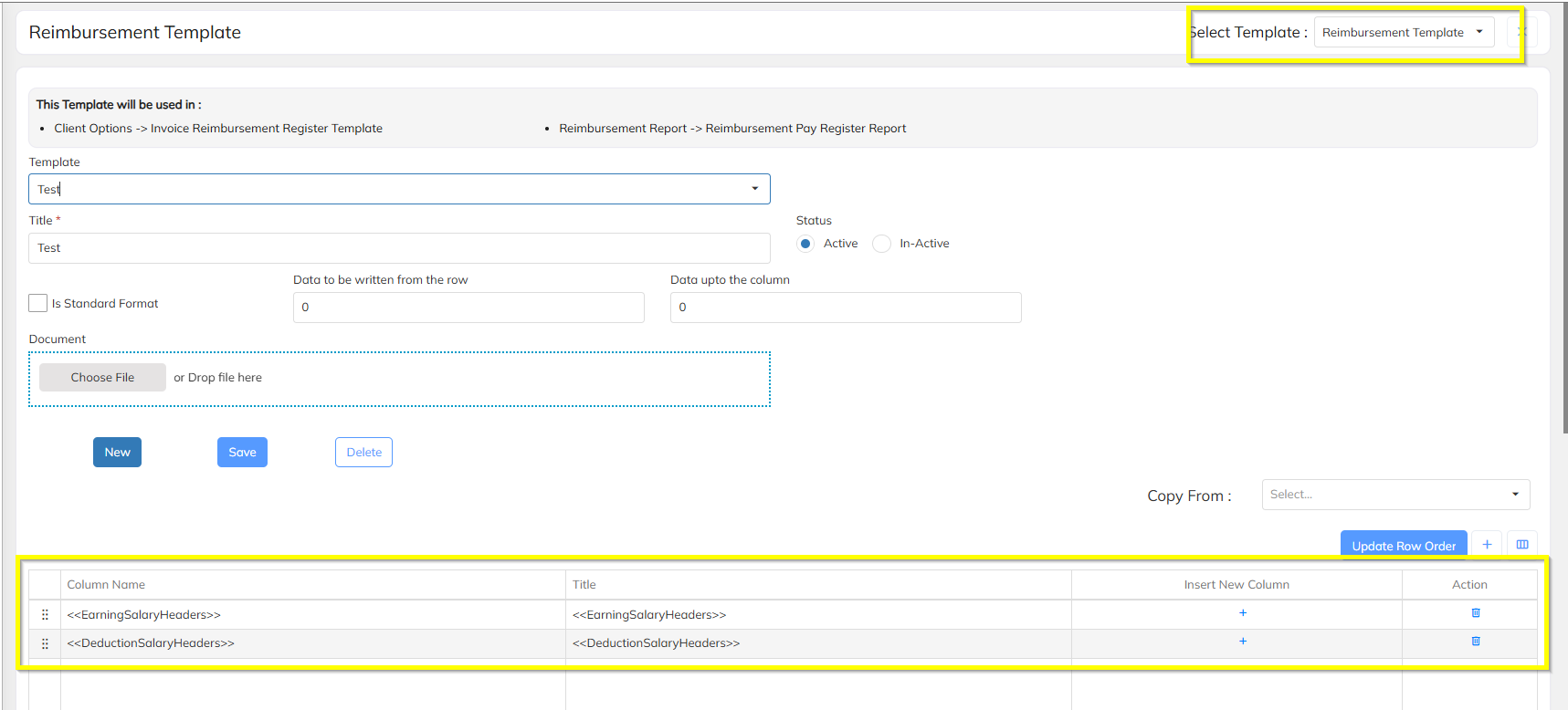
Reimbursement Dynamic Template Configuration
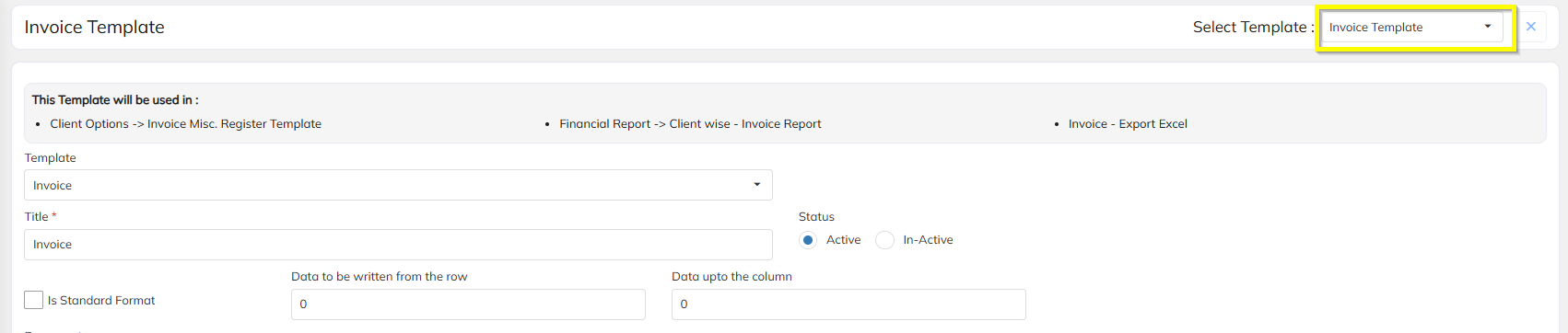
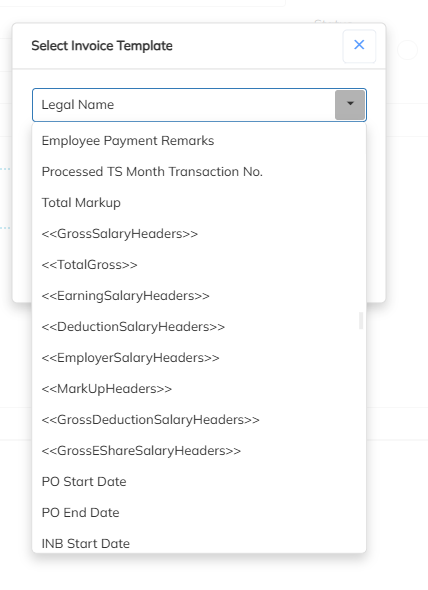
Dynamic template configuration now supports the inclusion of:
Reimbursement Earning Headers
Deduction Headers
Conso Report
New columns have been added to the Consolidated Report:
Cost
Bill Rate Markup
MSP Rate
Employee Management
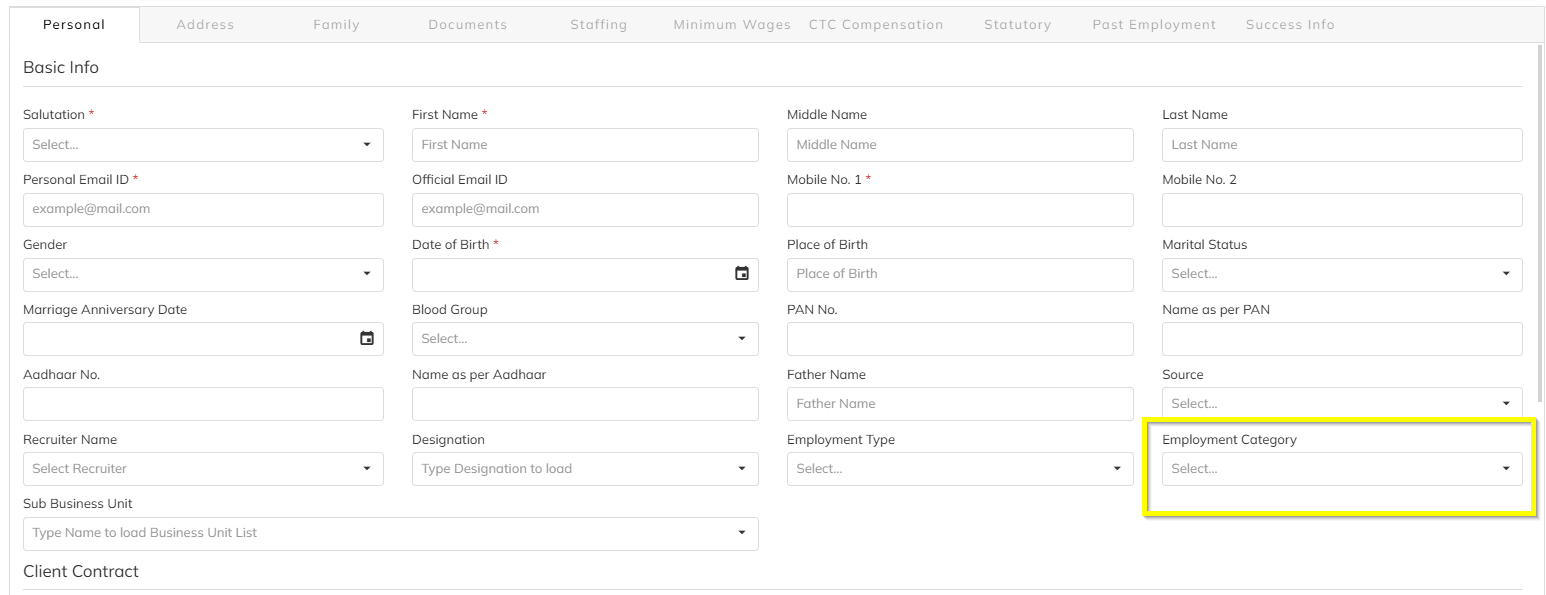
Employee Category Support
A new field Employee Category has been introduced while creating a New Consultant.
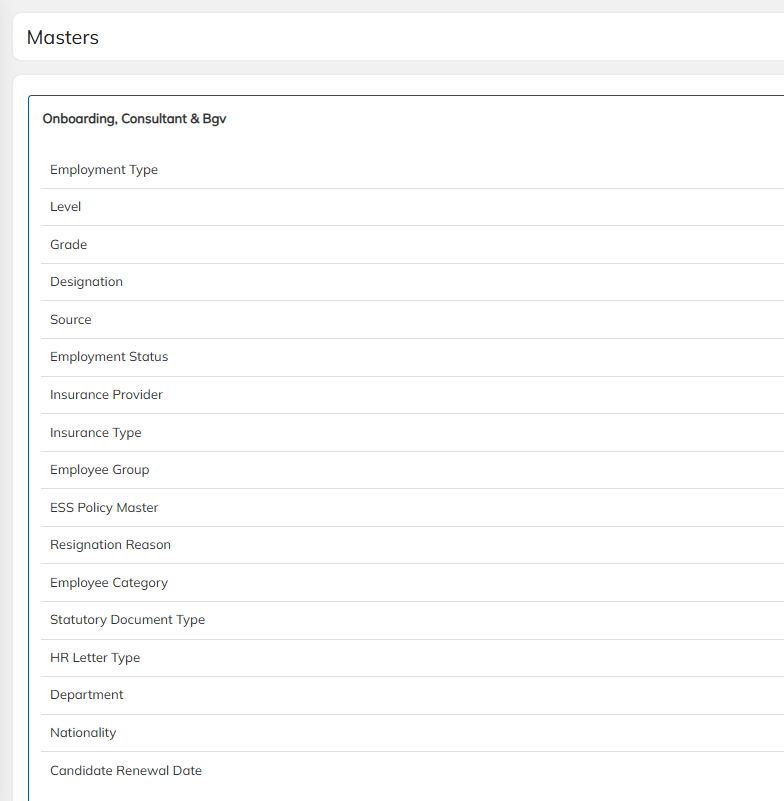
Employee Master Settings
Employee master configuration options are now accessible directly within the Employee Module, improving usability.

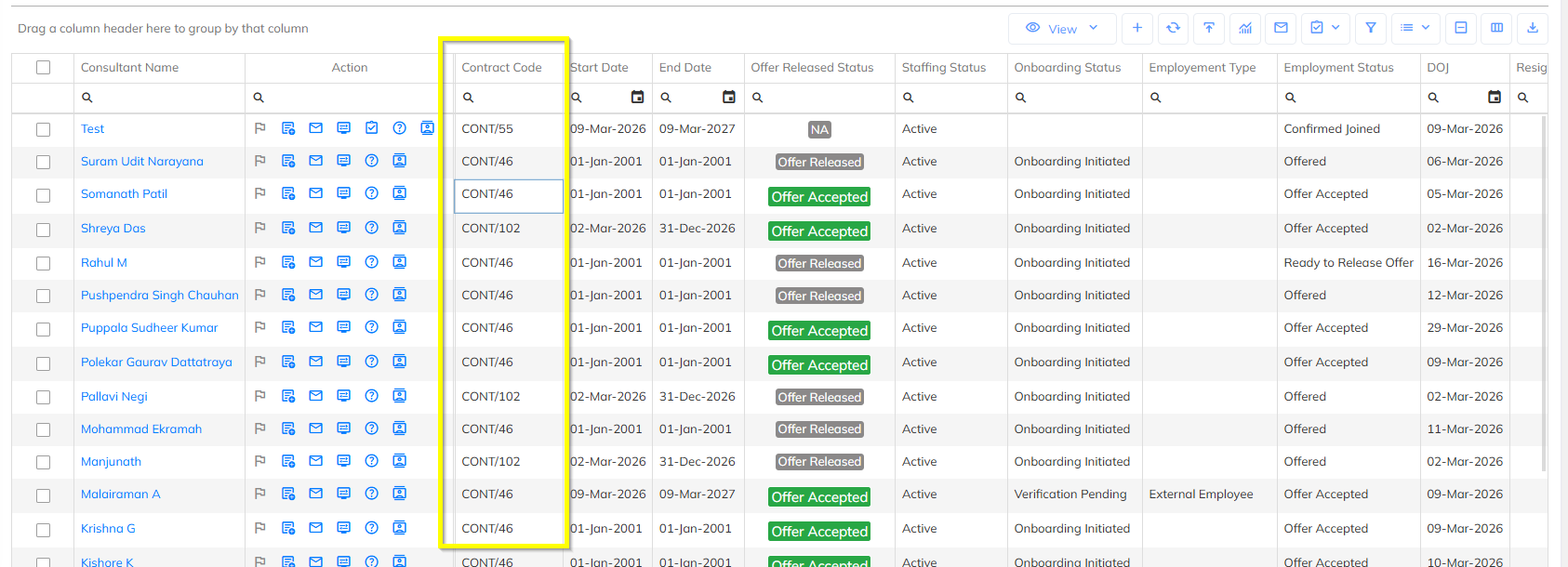
Contract Visibility
Contract Name is now available in the Column Chooser under the Employee List for the following dashboards:
Yet to Join
Active
Full & Final (F&F)
Notice Period Workflow
Notice period configuration logic has been enhanced under HR Option Configuration.
Two options are available:
1. Notice Period (Input)
If Input is selected, the notice period days can be entered manually.
2. Notice Period (Level wise)
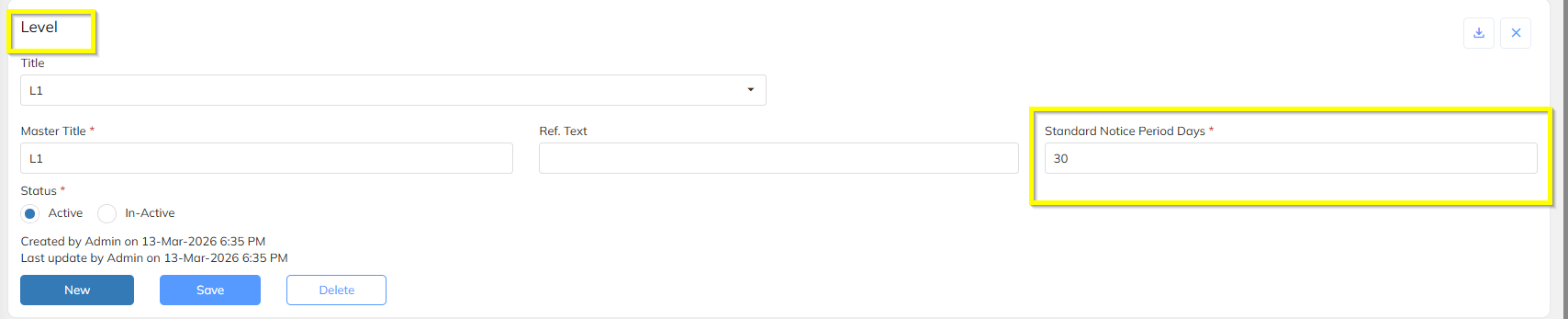
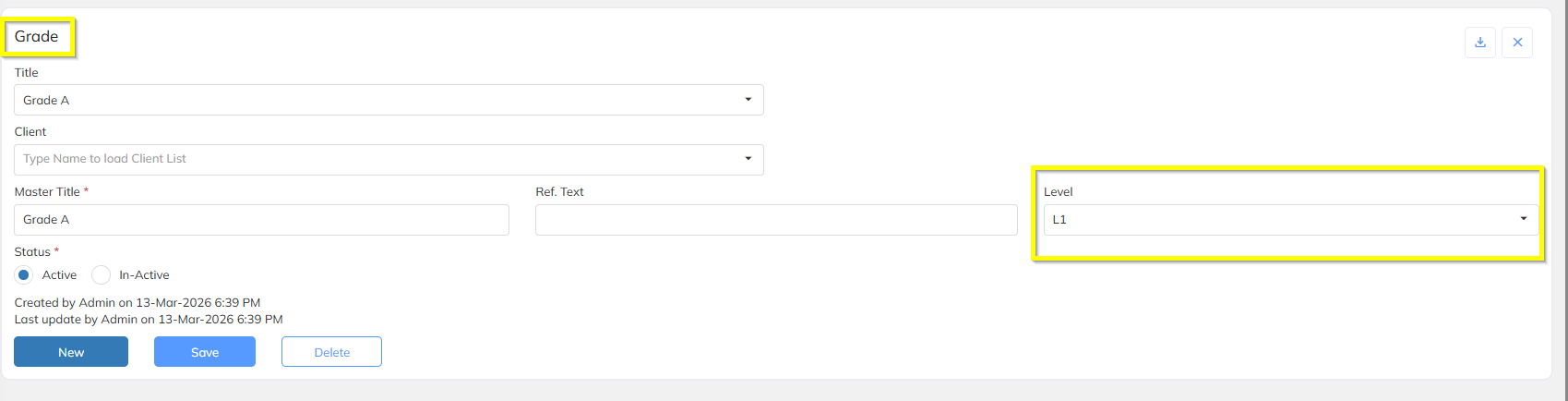
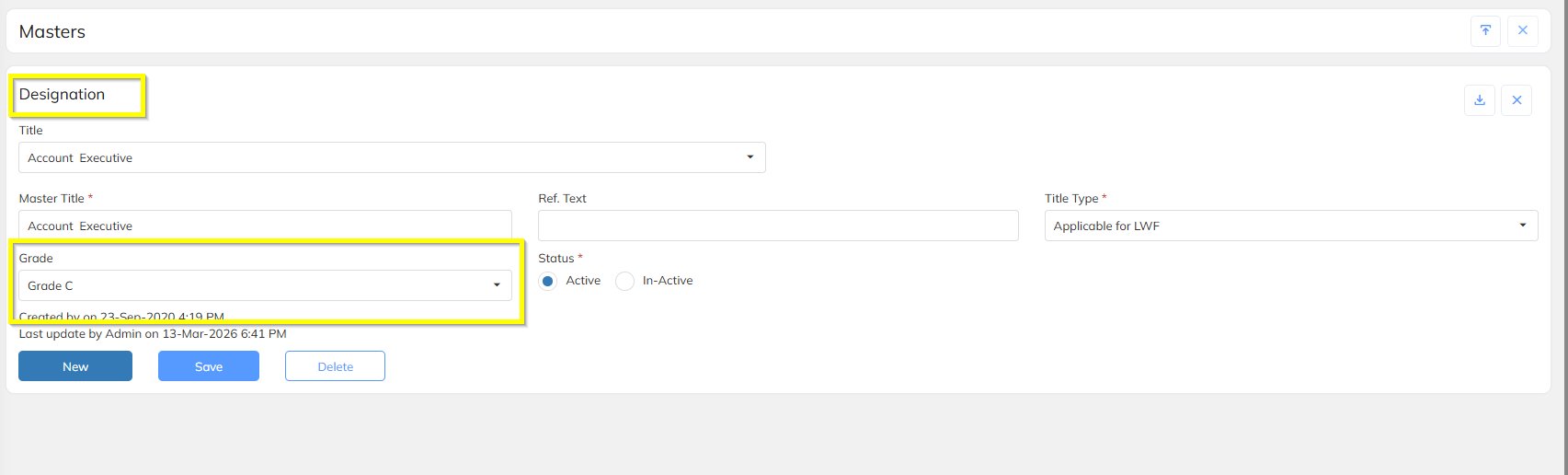
If Notice Period (Level wise) is selected, notice period will be derived based on the following hierarchy:
Level → Grade → Designation → Employee
When a designation is mapped to the employee, the corresponding notice period will be automatically applied.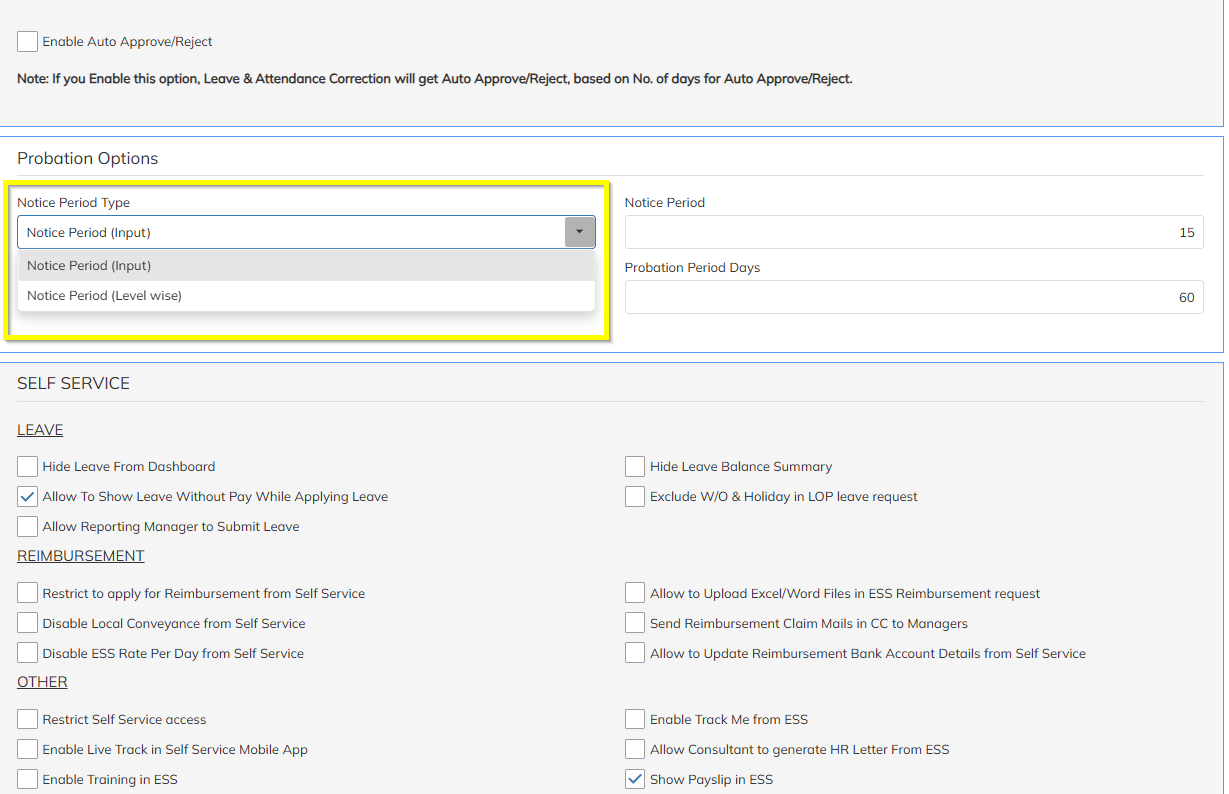
Attendance & Timesheet Enhancements
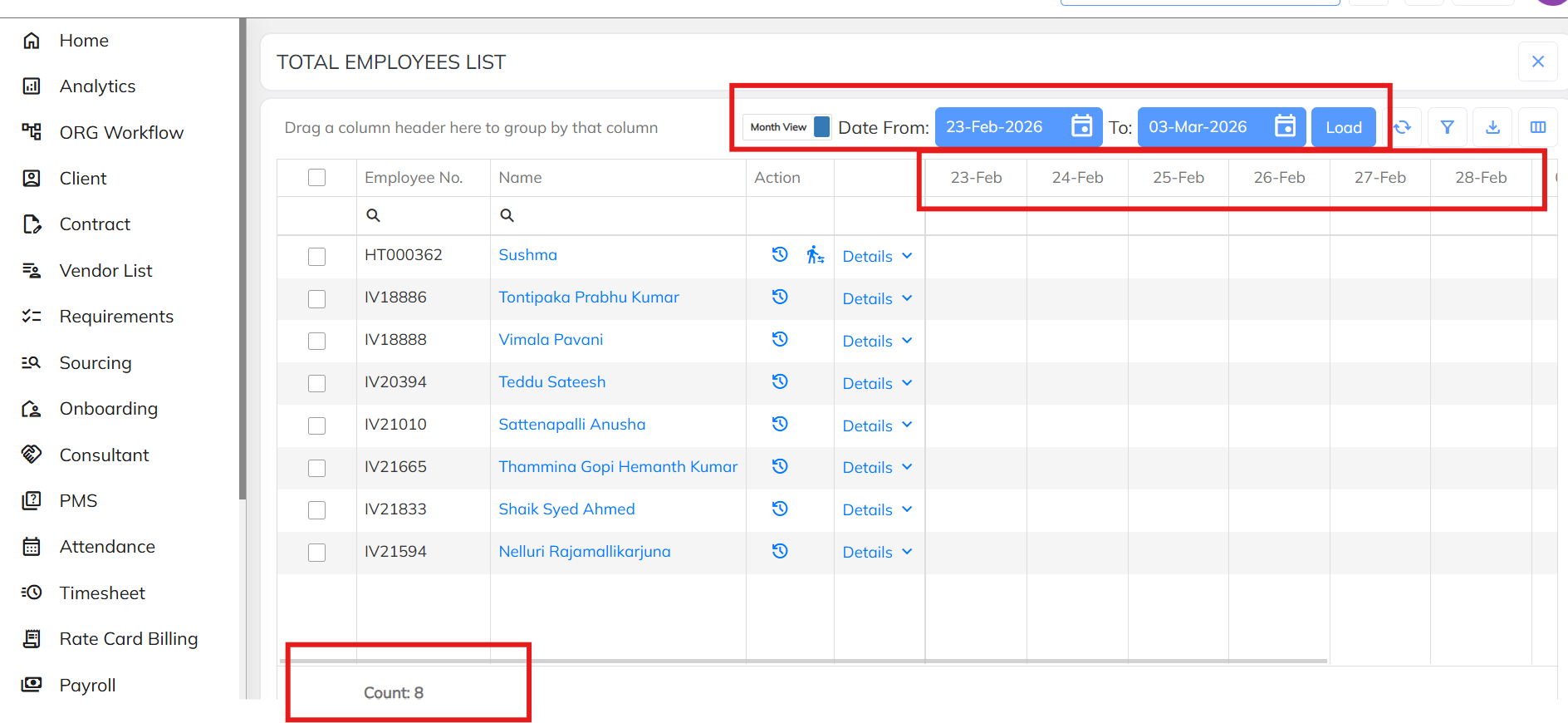
Attendance Summary Date Range
Attendance summary reports now support custom date range selection.
Timesheet Calendar Restriction
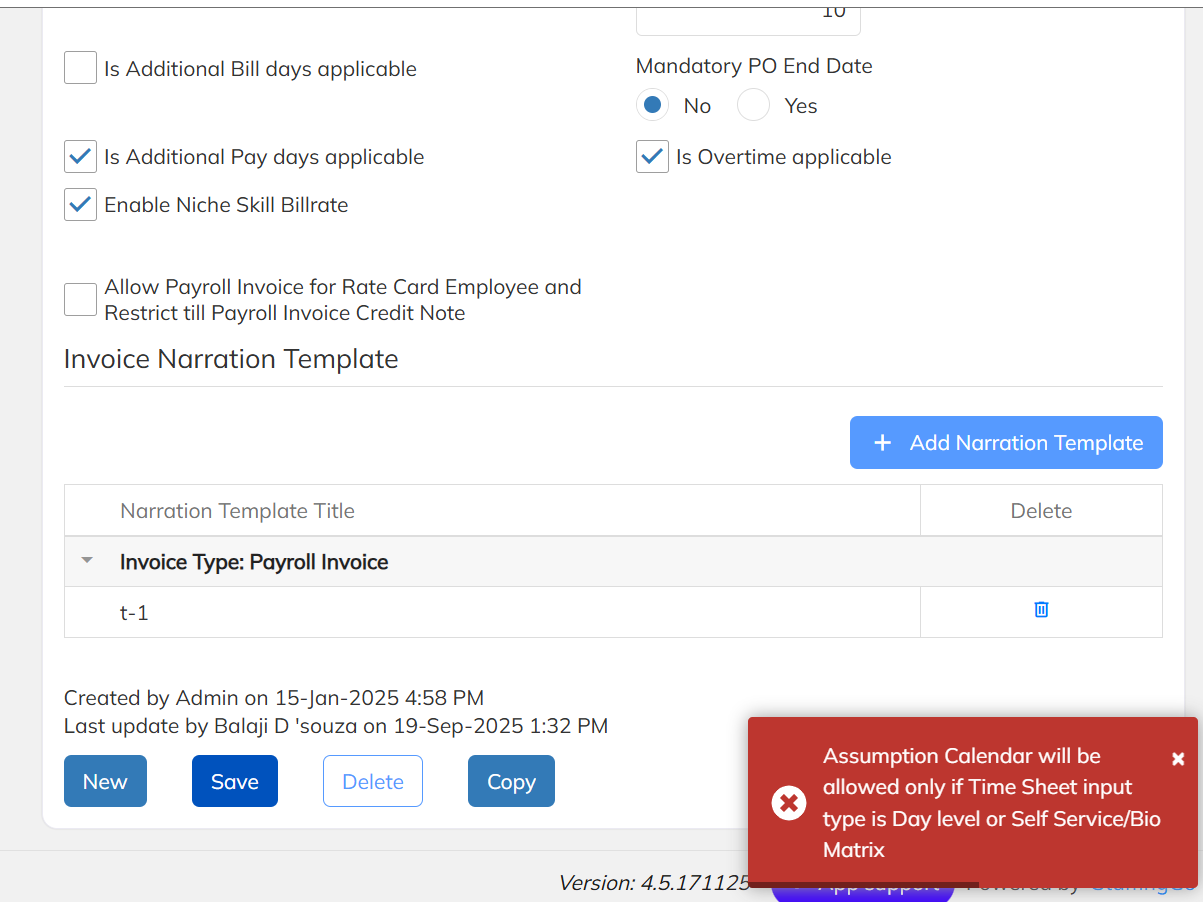
A new validation has been introduced in Billing Options.
Rule:
Assumption Calendar will be allowed only when the Timesheet Input Type is:
Day Level
Self Service – Bio Metric
Timesheet Excel Import Validation
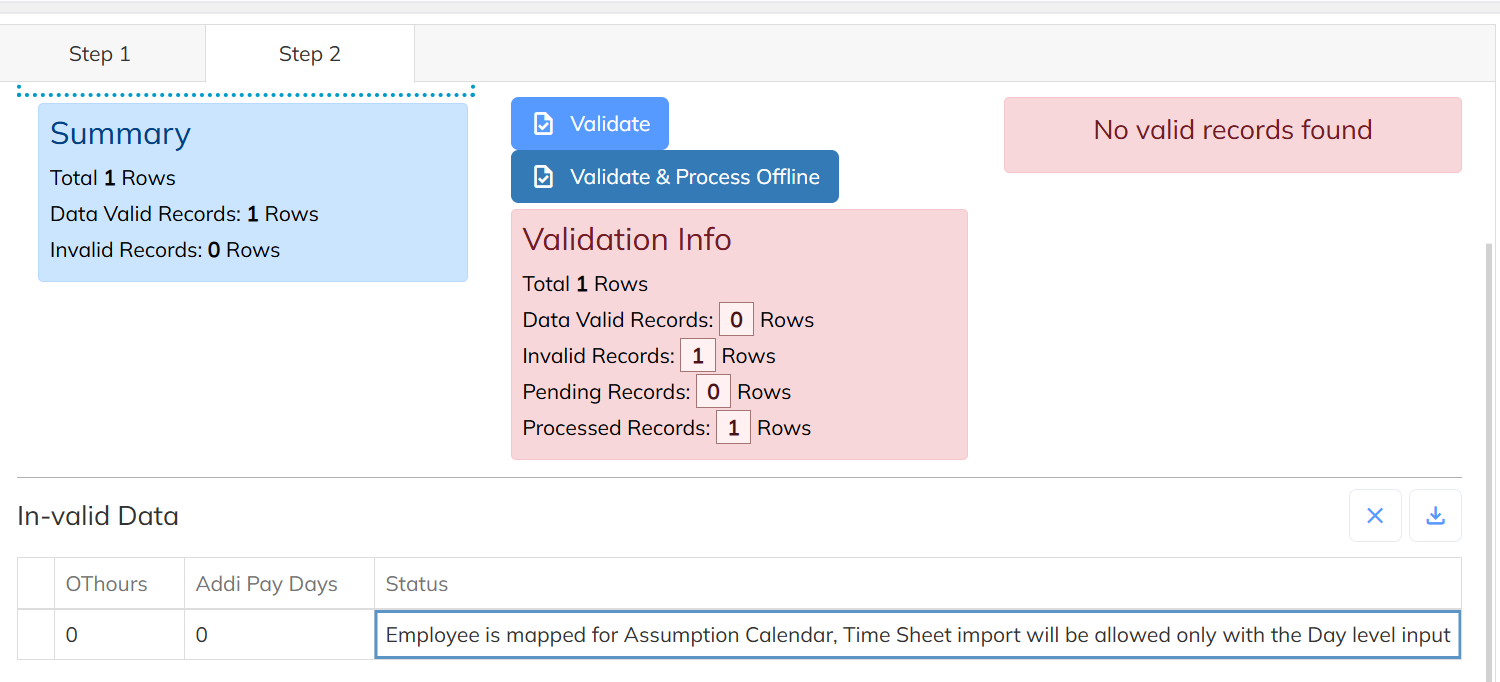
If an employee is mapped to an Assumption Calendar, only the following timesheet types will be allowed during Excel import:
Day Level
Self Service – Bio Metric
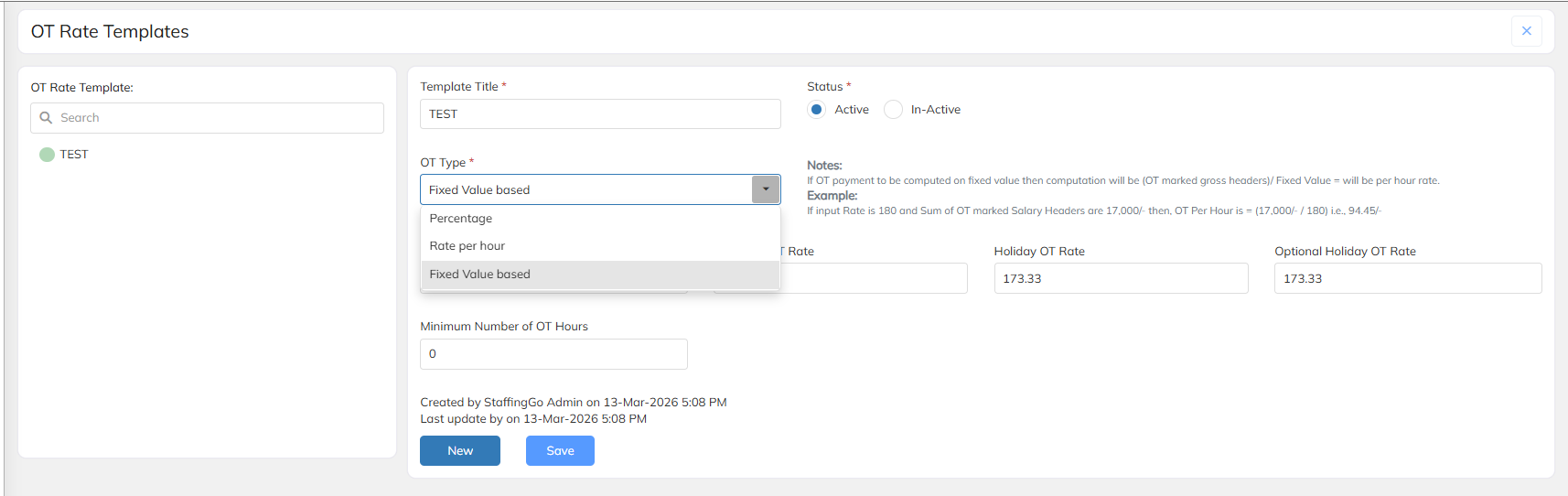
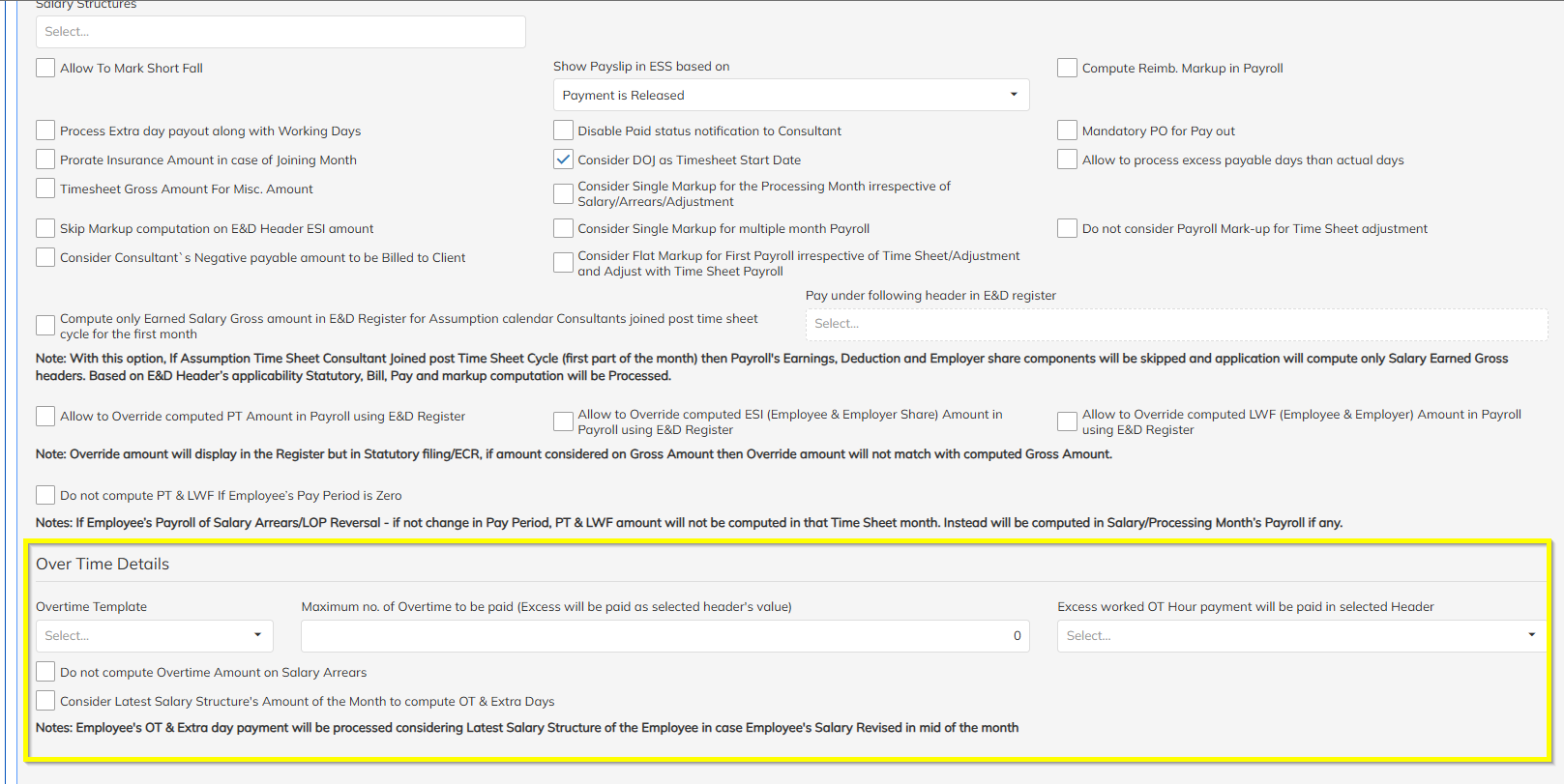
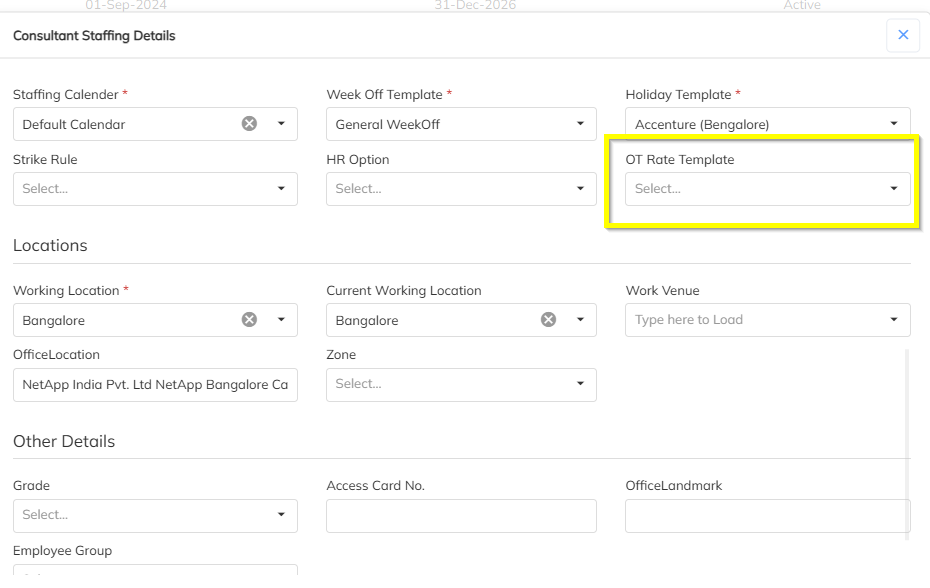
7. OT (Overtime) Configuration Enhancement
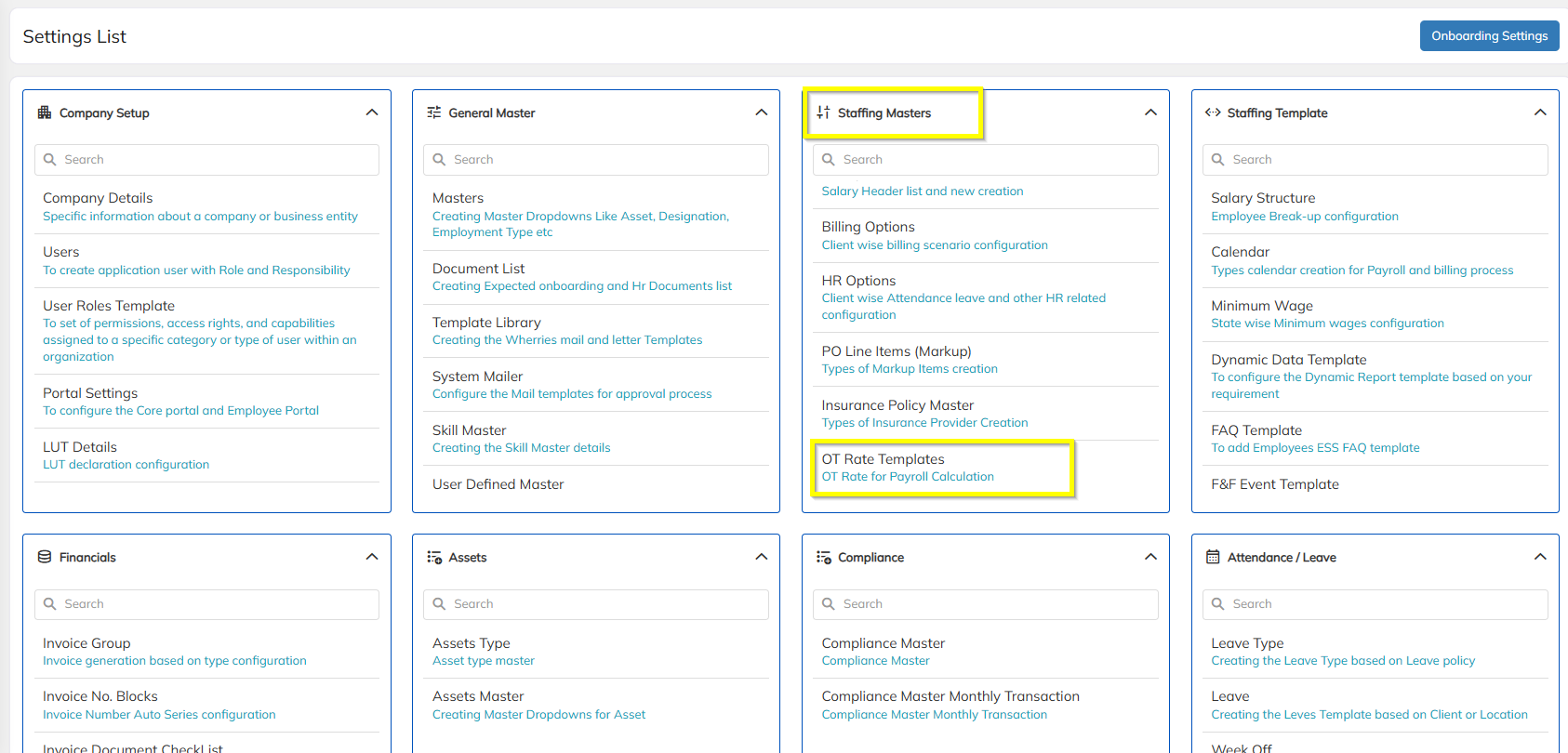
OT configuration has been redesigned with a template-based approach.
Key Updates
OT must now be configured using OT Templates.
OT Template will be mapped at Contract Level.
System also supports Employee-Level OT Template Mapping.
Stop Payment Employee – Credit Flow Enhancement
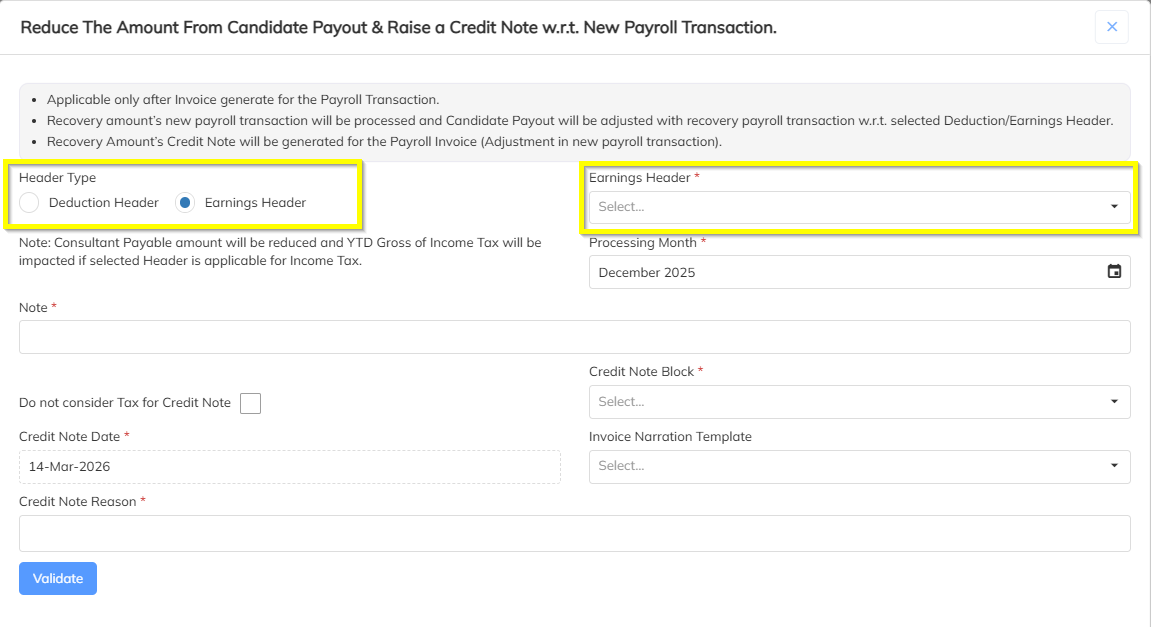
The payment reversal workflow for Stop-Payment employees has been redesigned.
Updated Process
User navigates to the Payment Tab.
Select the Stop Payment Employee record.
Click Reverse Payment (replaces the earlier "Reduce Payment" option).
System displays an Earnings Header dropdown (only Earning & Deduction headers).
User selects the appropriate header.
Click Generate Credit Note.
System Actions
Creates an adjustment entry with negative value for the selected earning header.
Generates a Credit Note against the previously generated invoice.
The reversal entry appears as a separate transaction row in the Conso Report instead of merging with the original transaction.


Duty Shift Management
Bulk Import for Past-Dated Duty Shift Changes
System now supports bulk import of past-dated duty shift changes, simplifying historical shift corrections.
10. ESS (Employee Self Service) Enhancements
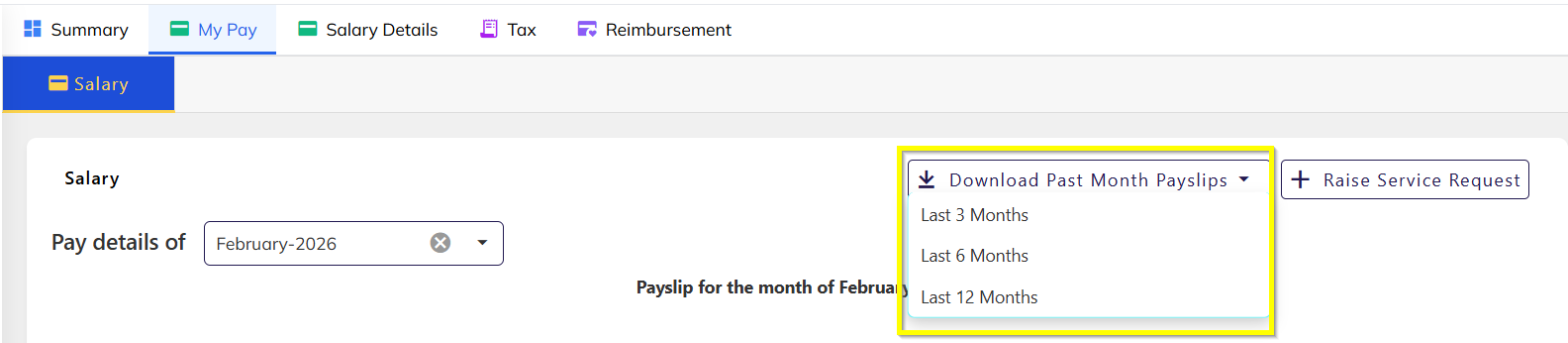
Payslip Bulk Download
Employees can now download the past 12 months of payslips in a single download from the ESS portal.
11. Letter E-Sign Enhancements
New configuration options have been added for Letter E-Sign functionality.
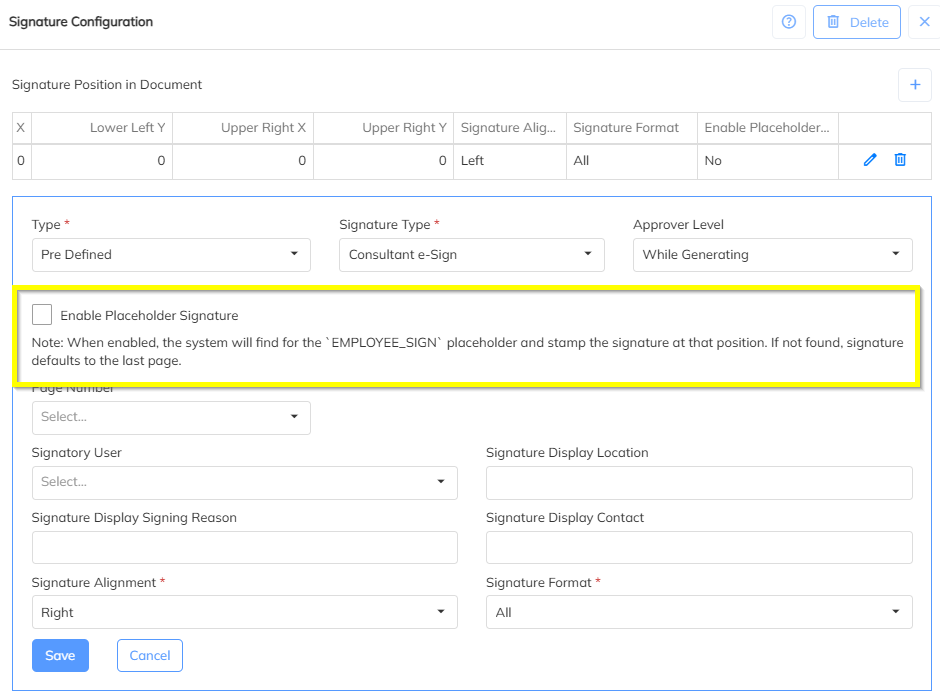
Enable Placeholder
Signature placeholders can now be added using tags.
Signature will appear automatically at the placeholder location in the letter.
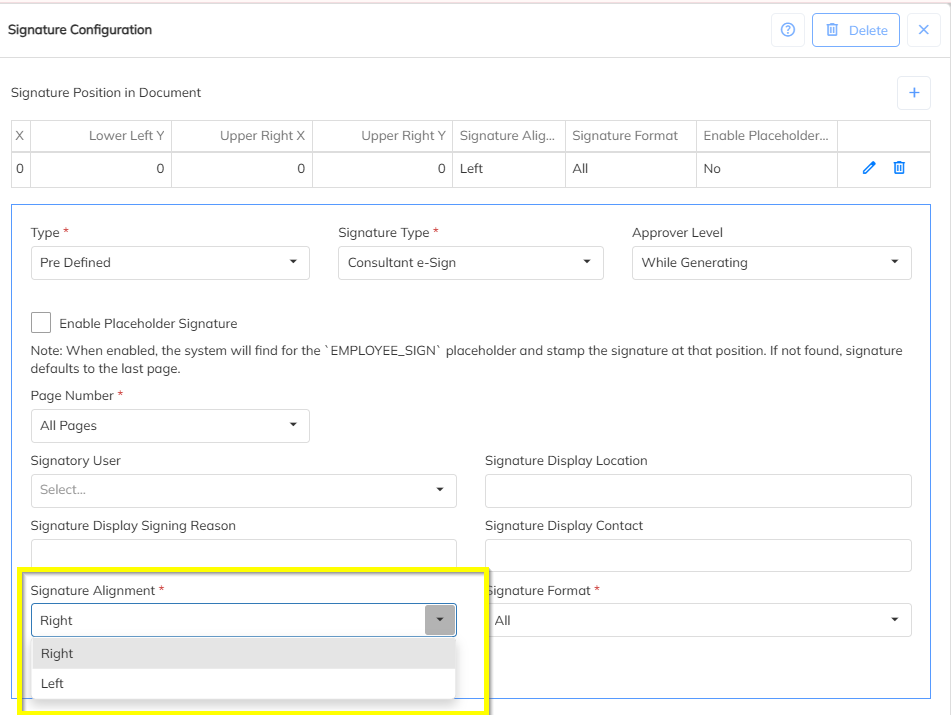
Signature Position
Users can select signature alignment:
Left
Right
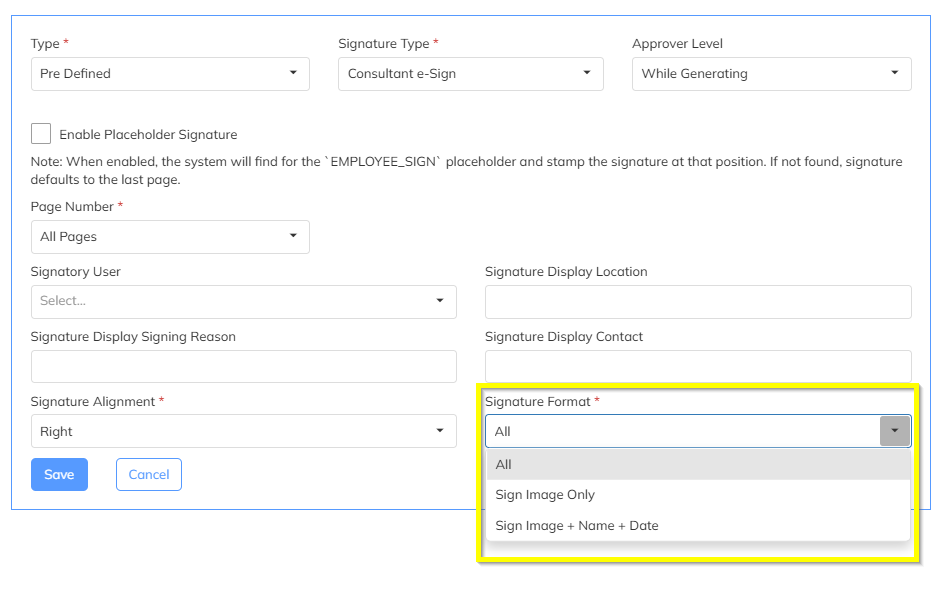
Signature Display Formats
The following formats are supported:
All Details (Default)
Signature Image
Name of Signatory
Date
Sign Image Only
Only the signature image will be displayed.
Sign Image + Name + Date
Signature image
Signed person name
Date of signing
12. Compliance & Payroll
ESI IP Report Enhancement
PAN Number column has been added to the ESI IP Report.
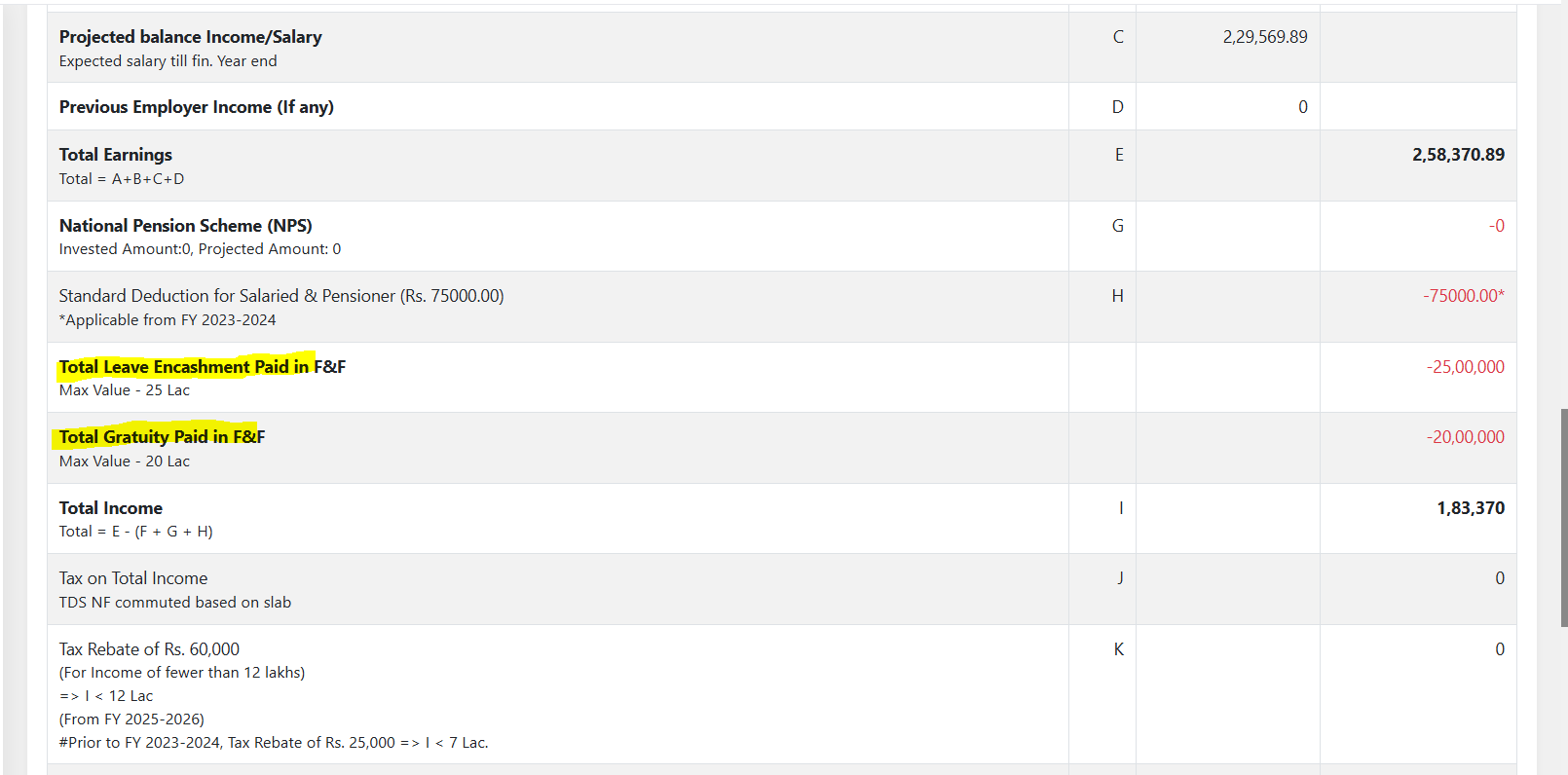
F&F Exemption Visibility
If the following components are processed in Full & Final settlement, they will now be shown under Tax Exemption:
Leave Encashment
Gratuity
Was this article helpful?
That’s Great!
Thank you for your feedback
Sorry! We couldn't be helpful
Thank you for your feedback
Feedback sent
We appreciate your effort and will try to fix the article