SOP: Employee not applicable for selected month/Calendar missing for the selected month
If you encounter this issue, please check the following details:
- Date of Joining to be checked
- LWD to be checked
- Employment status to be checked
Above mentioned pointer are correct Please sync the Calendar to employee through below mentioned process:
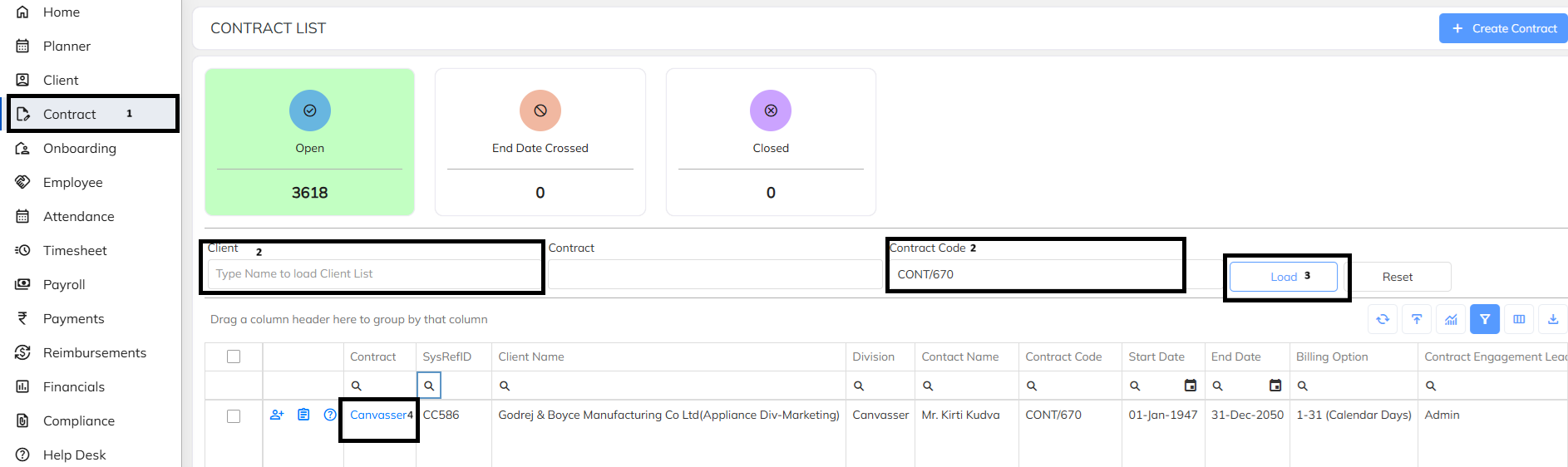
- Go to the contract through Side menu
- Search with Client Name or with Contract code
- Load the details
- Click on contract to open the contract details.
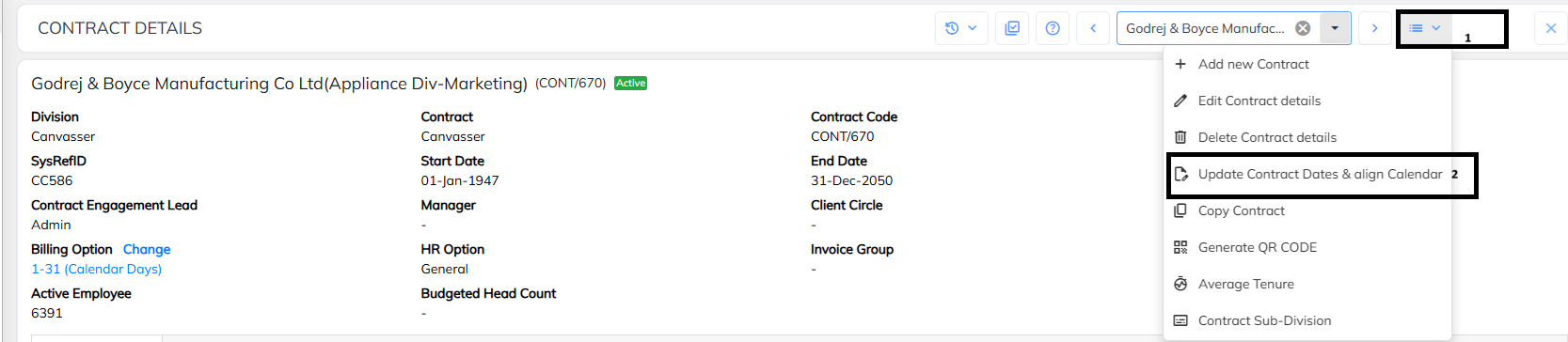
- click on the drop down and select Update contract date and align Calendar
- with this process calendar will be align for missing employees.
Was this article helpful?
That’s Great!
Thank you for your feedback
Sorry! We couldn't be helpful
Thank you for your feedback
Feedback sent
We appreciate your effort and will try to fix the article