If the system displays the error "Pay Period can't be greater than days in timesheet", in that case,
During timesheet submission, ensure that the employee's Pay Period and Billing Period fall within the applicable timesheet period not more that.
Example:
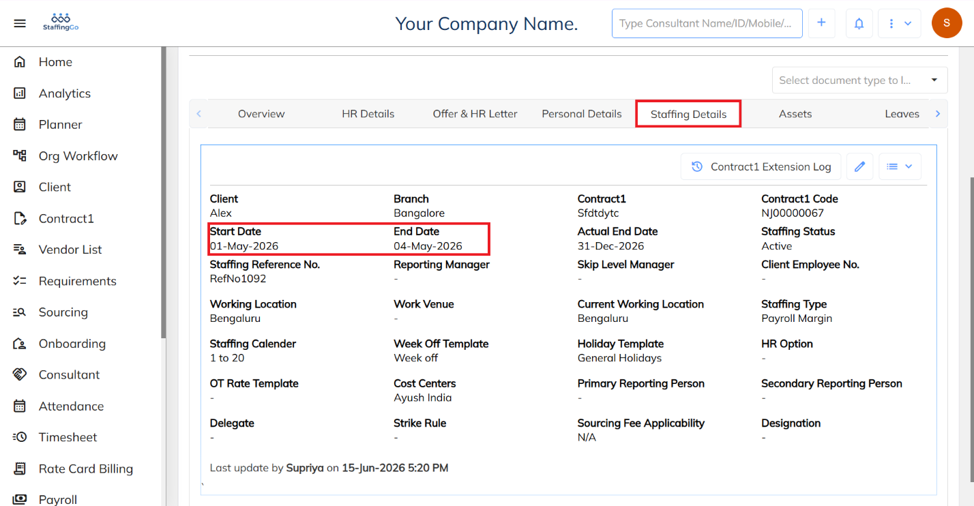
If an employee's Start Date is 01-Jun-2026 and End Date is 04-Jun-2026, the employee is eligible for only the actual working days within that period. If the employee enters 20 Pay Days while submitting the timesheet, the system will display an error because the entered pay days exceed the employee's eligible working period.
Under the Employee’s staffing details , Check whether the employee is eligible to submit a timesheet for the selected month by verifying the employee's Start Date and End Date.
Was this article helpful?
That’s Great!
Thank you for your feedback
Sorry! We couldn't be helpful
Thank you for your feedback
Feedback sent
We appreciate your effort and will try to fix the article