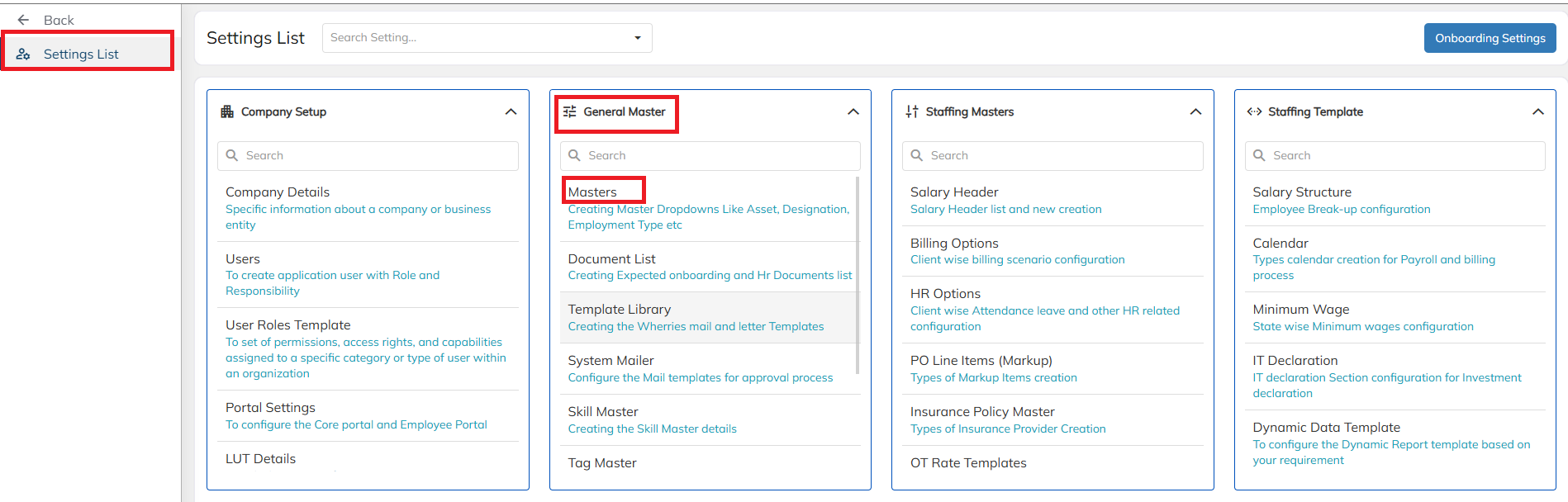
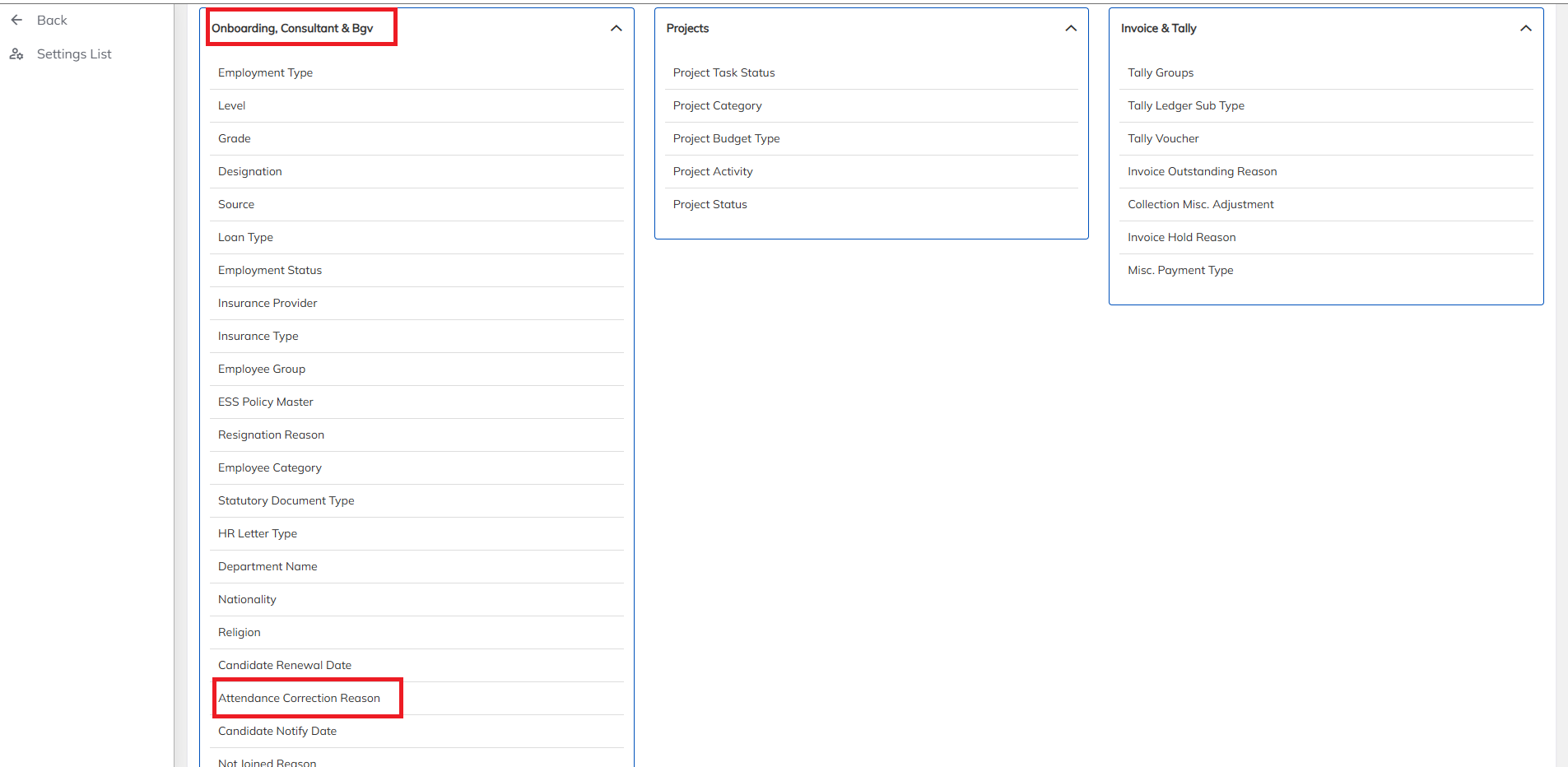
- Under Masters, click on Onboarding Consultant & BGV, then click on Attendance Correction Reason.
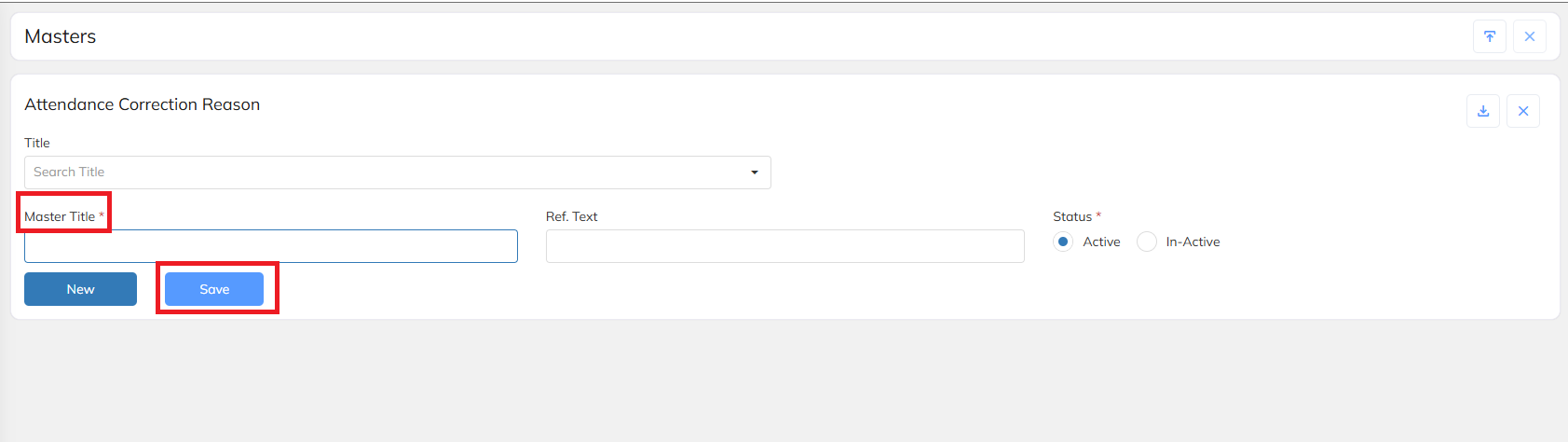
Enter the Master Title and click on Save.
Under Master Title, enter the Attendance Correction Reasons, such as:
Network/Connectivity Issue
Forgot to Punch
Was this article helpful?
That’s Great!
Thank you for your feedback
Sorry! We couldn't be helpful
Thank you for your feedback
Feedback sent
We appreciate your effort and will try to fix the article