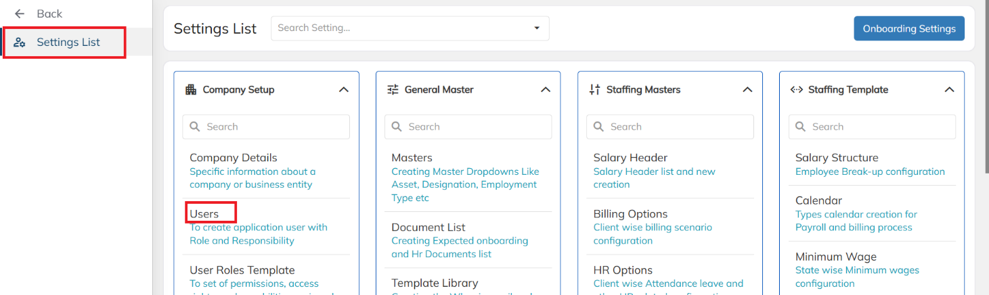
- Navigate to Settings List → Company Setup → Users.
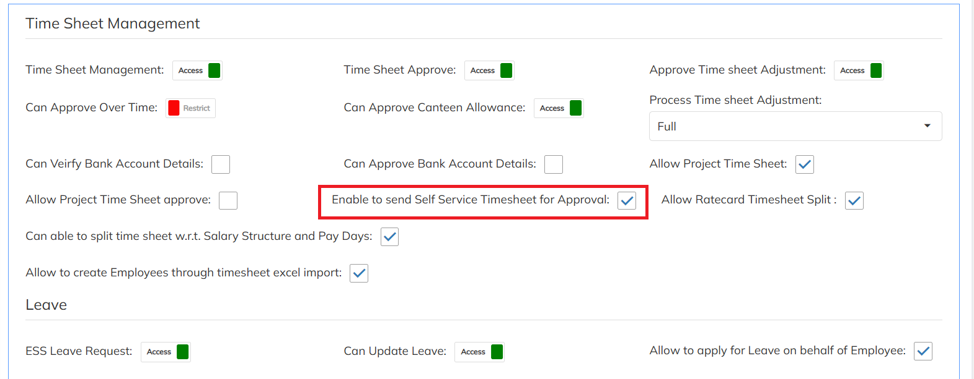
- Under User Settings, go to Timesheet Management and enable the Enable to Send Self Service Timesheet for Approval option.
- Enabling this option allows employees to submit their timesheets for approval.
Was this article helpful?
That’s Great!
Thank you for your feedback
Sorry! We couldn't be helpful
Thank you for your feedback
Feedback sent
We appreciate your effort and will try to fix the article