Configuration of Minimum Wages:
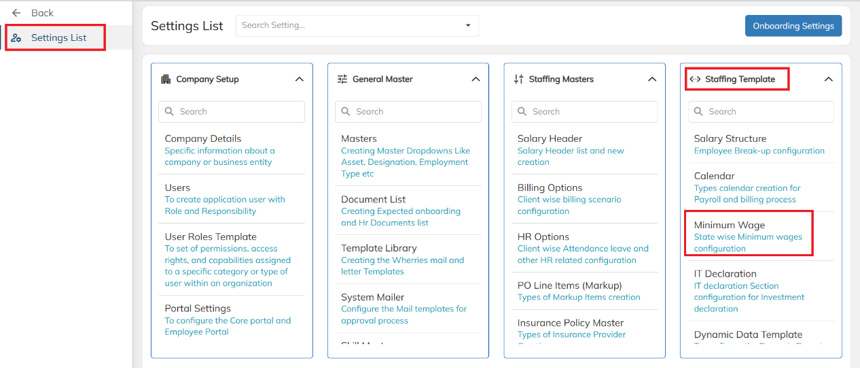
- Navigate to Settings List → Staffing Template → Minimum Wages.
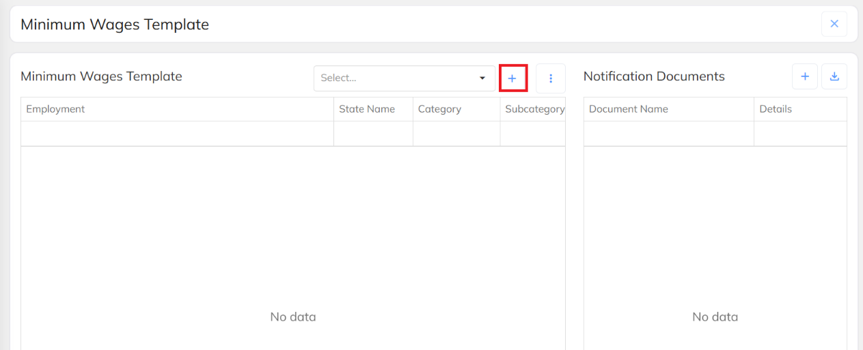
- Click on Add icon.
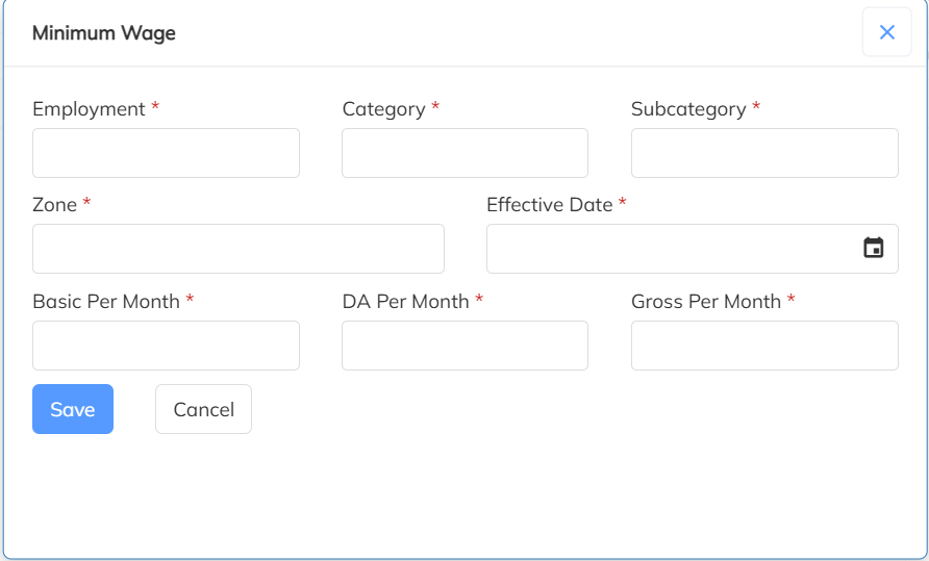
- Fill in the required details & Click on Save.
- Mapping Minimum Wages to Employees
1. Manual Way:
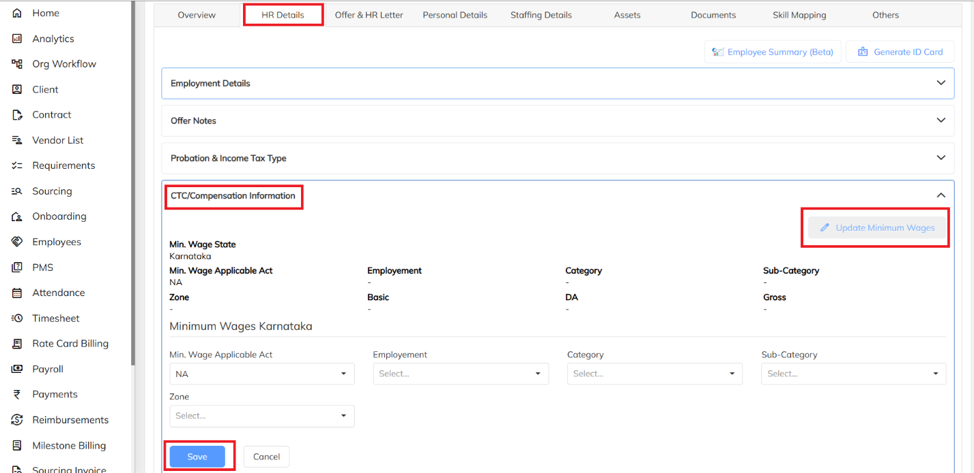
Navigate to the Employees section, select the required employee, and click HR Details.
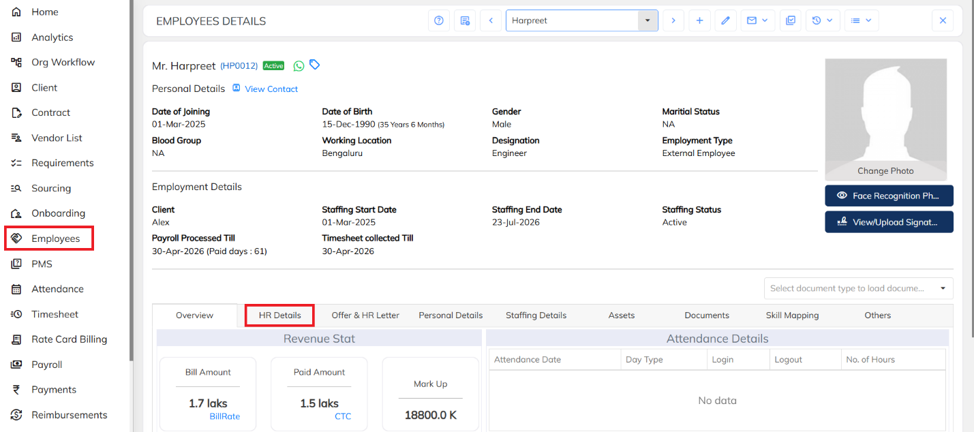
- Under HR Details, navigate to CTC Compensation Information, then click on Update Minimum Wages. Enter the required details and click Save.
2. Bulk Way
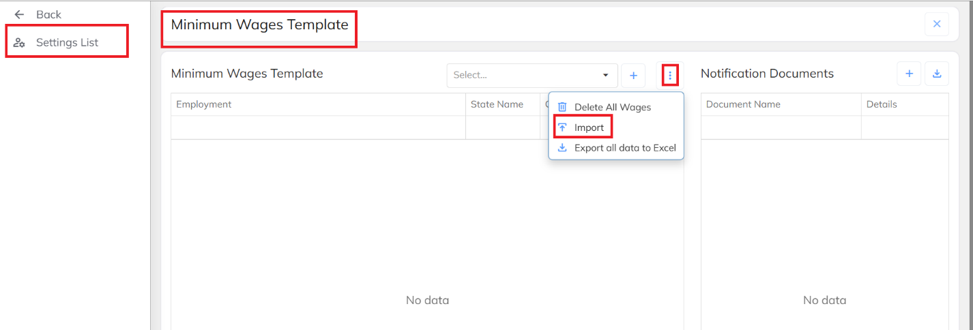
- Navigate to Settings List → Staffing Template → Minimum Wages, click on three dot icon and then select the Import option.
- Click on Download sample excel template.
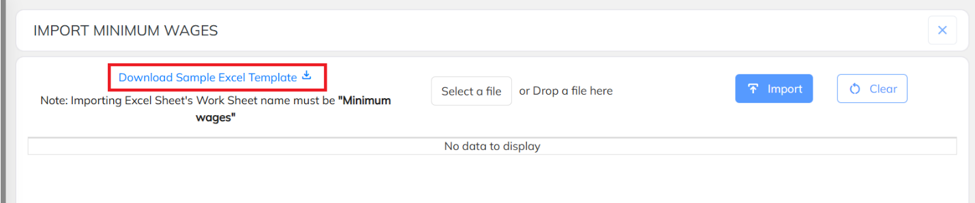
- Fill in the details and save your excel sheet.

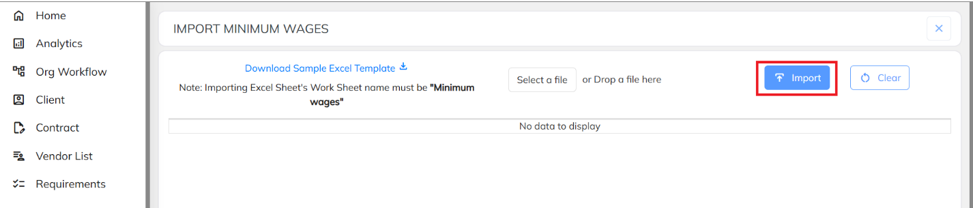
- Upload your excel sheet and click on import option.
- Updating Minimum Wages along with salary:
Navigate to Employees section, click on import option, click on Employees details import.
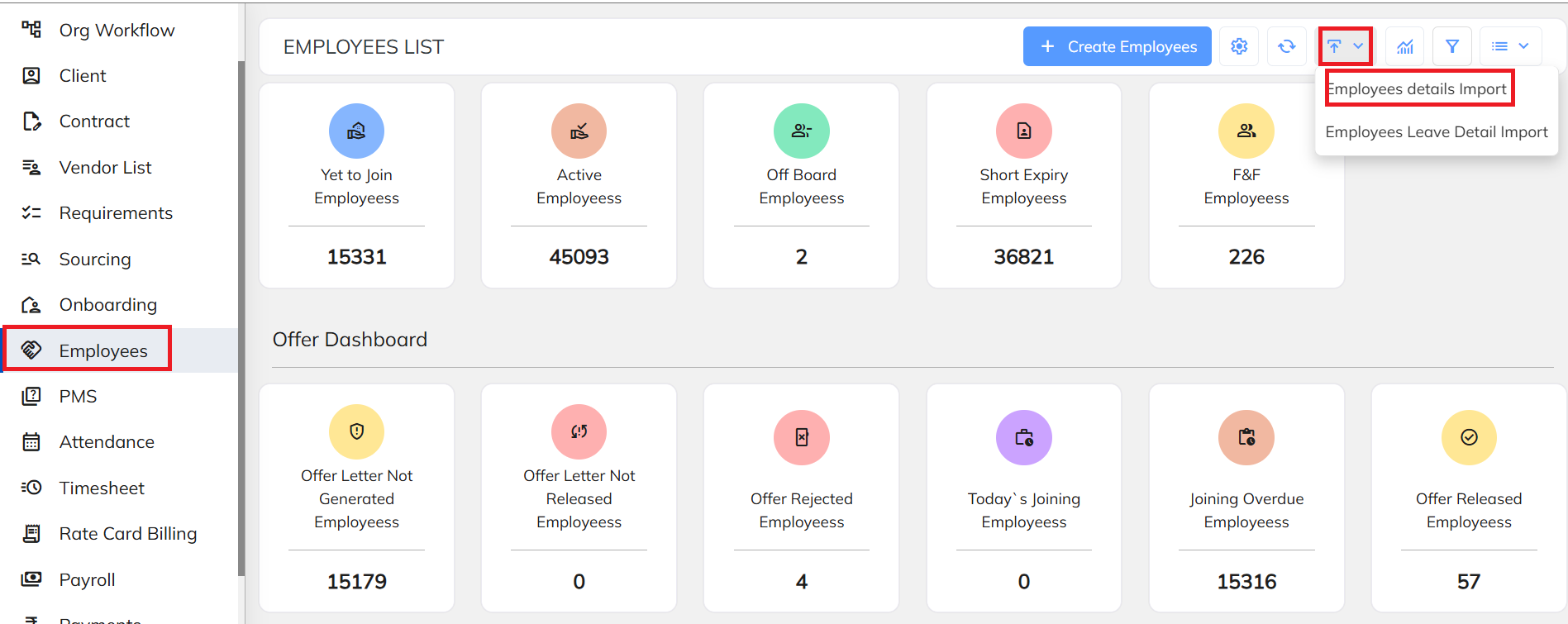
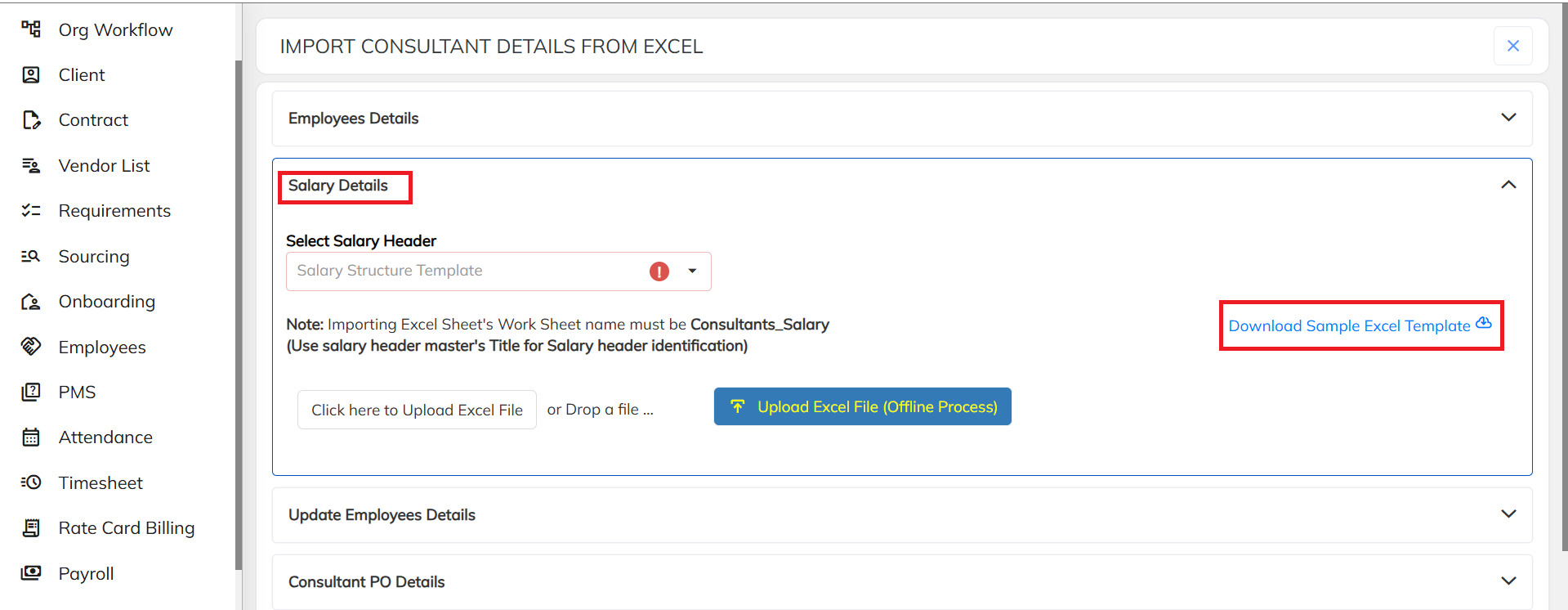
- Click on salary details, download the sample excel template
- From the instructions list , copy and paste the headers in excel sheet.
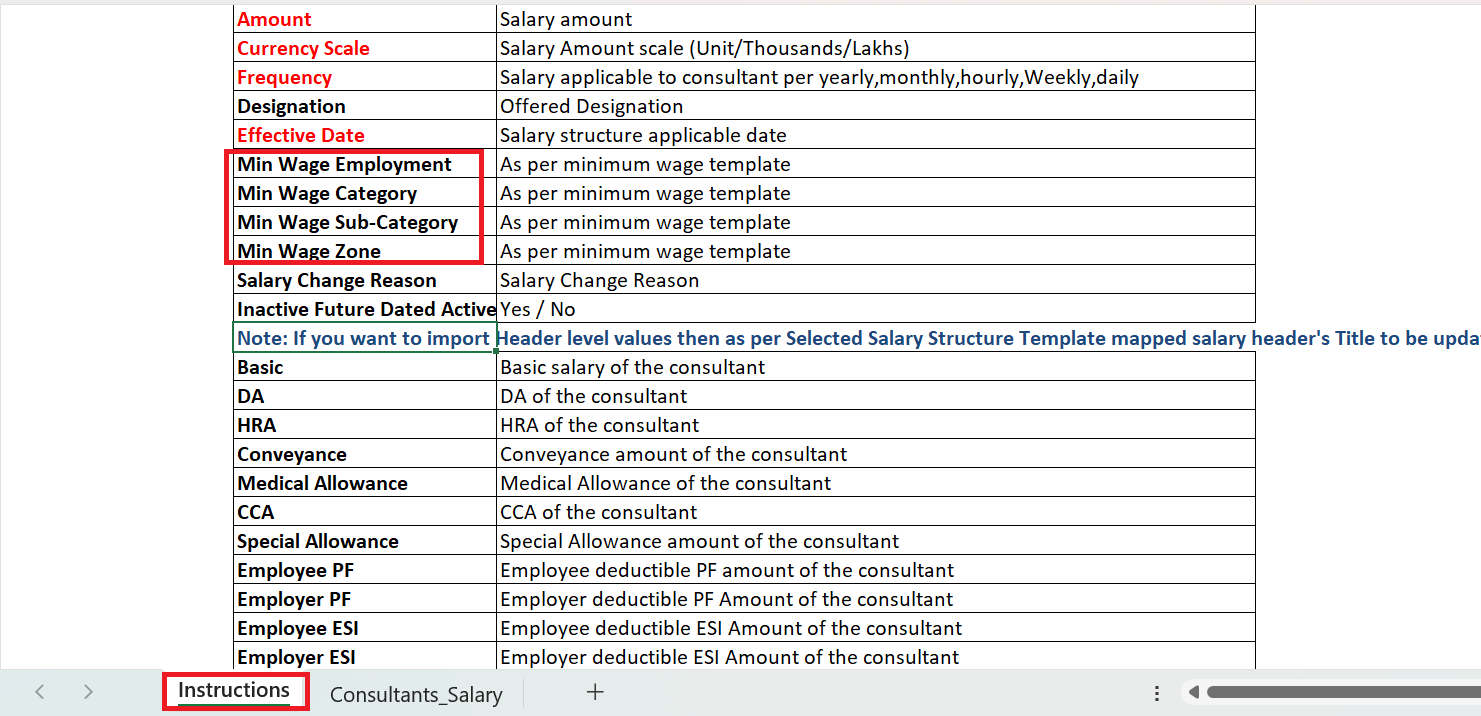
- Along with the salary headers, add minimum wages headers.

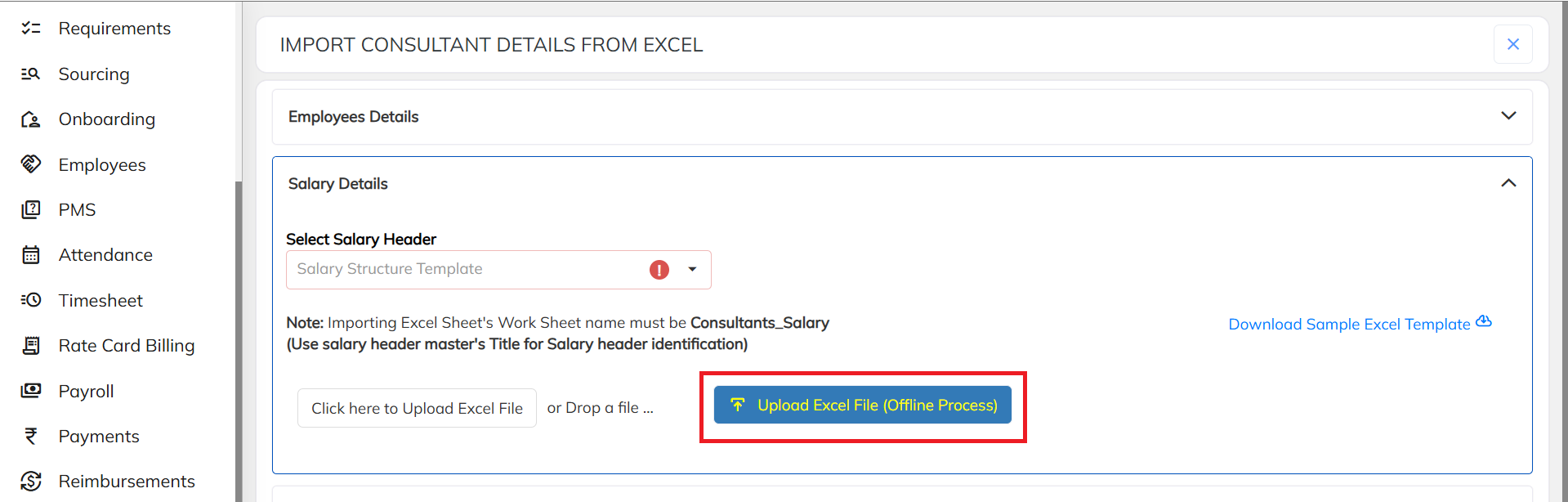
- Fill in the required details and upload your excel sheet.
- Minimum wages reports:
To view minimum wages reports:
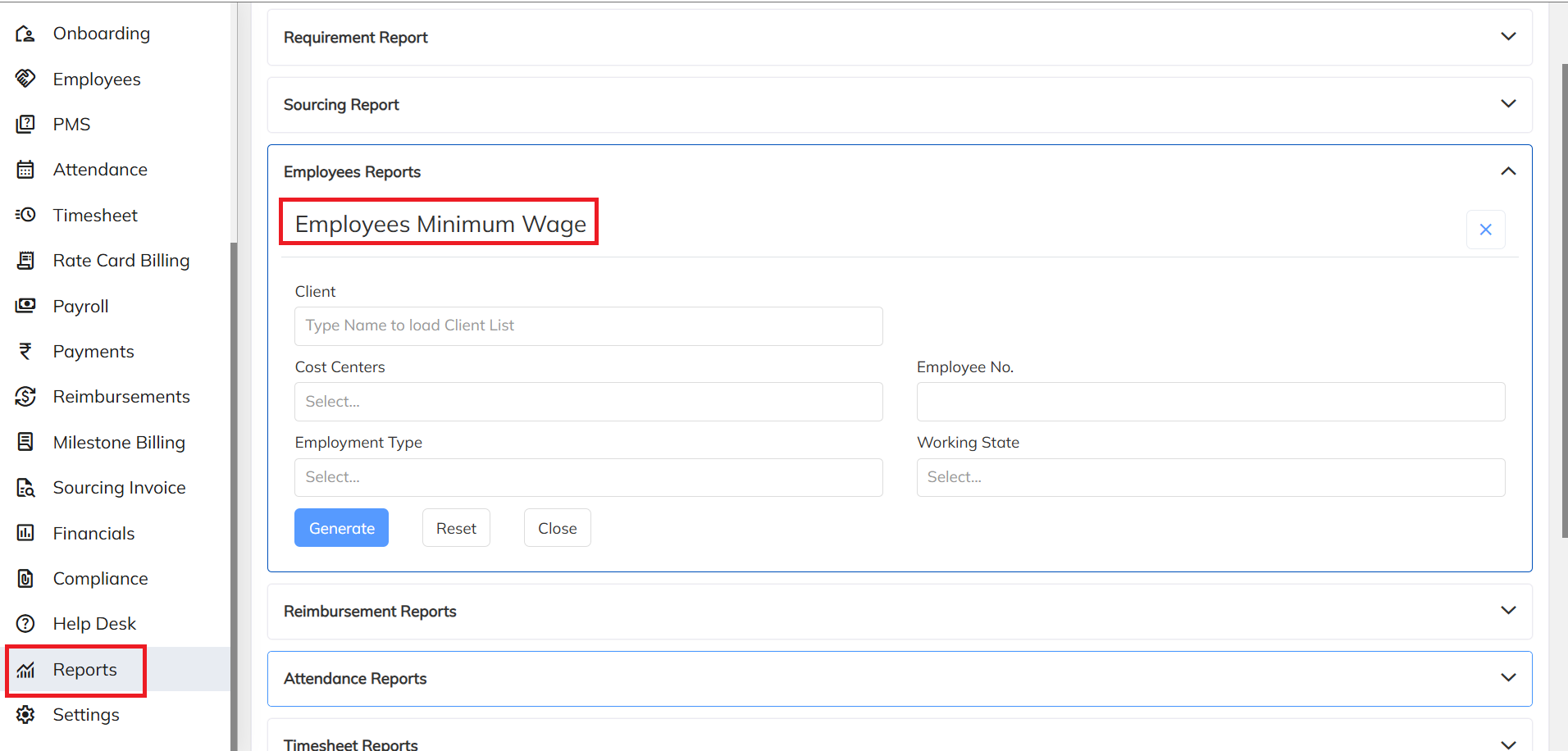
- Navigate to reports section, under Employee reports you can find the Employee minimum wage report.
- To View Minimum Wage Deviation report:
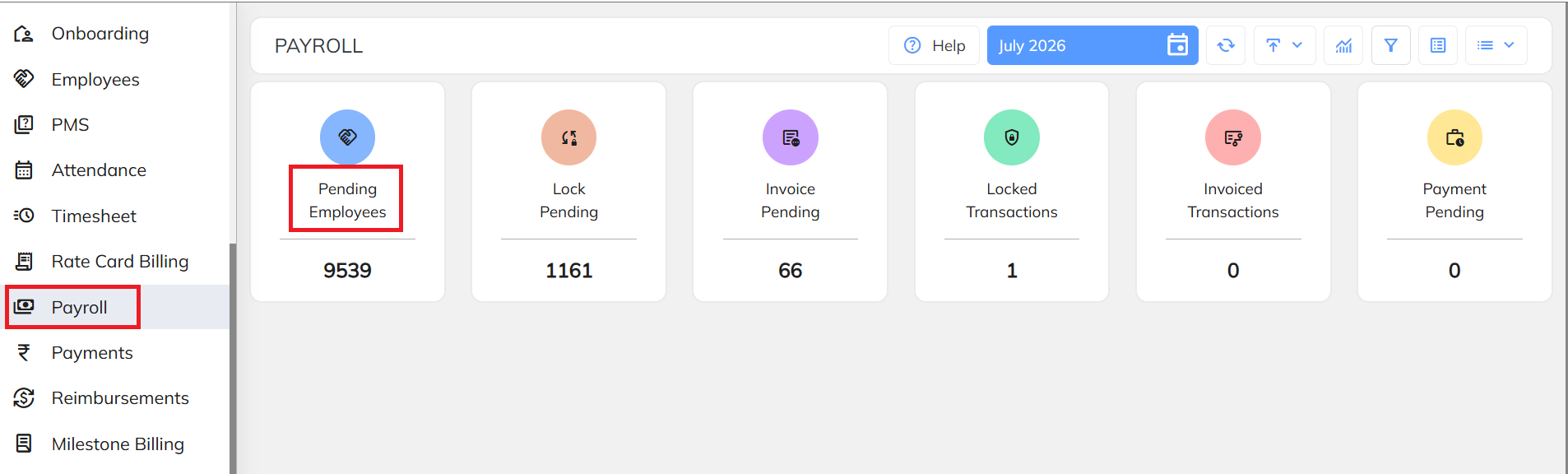
Navigate to Payroll section, Click on Pending Employees:
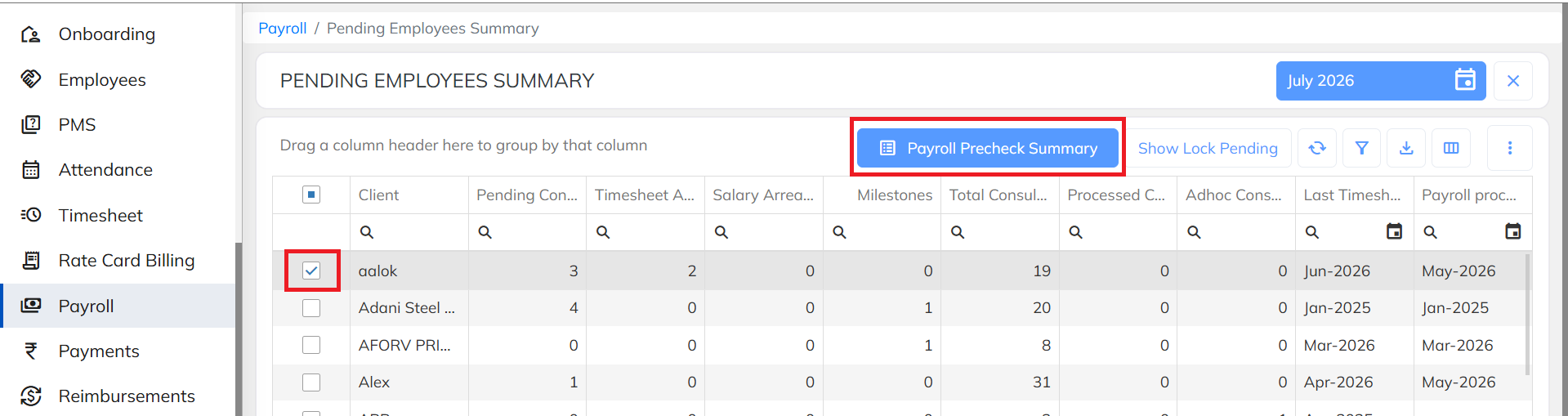
- Select the Client, Click on Payroll Precheck Summary.
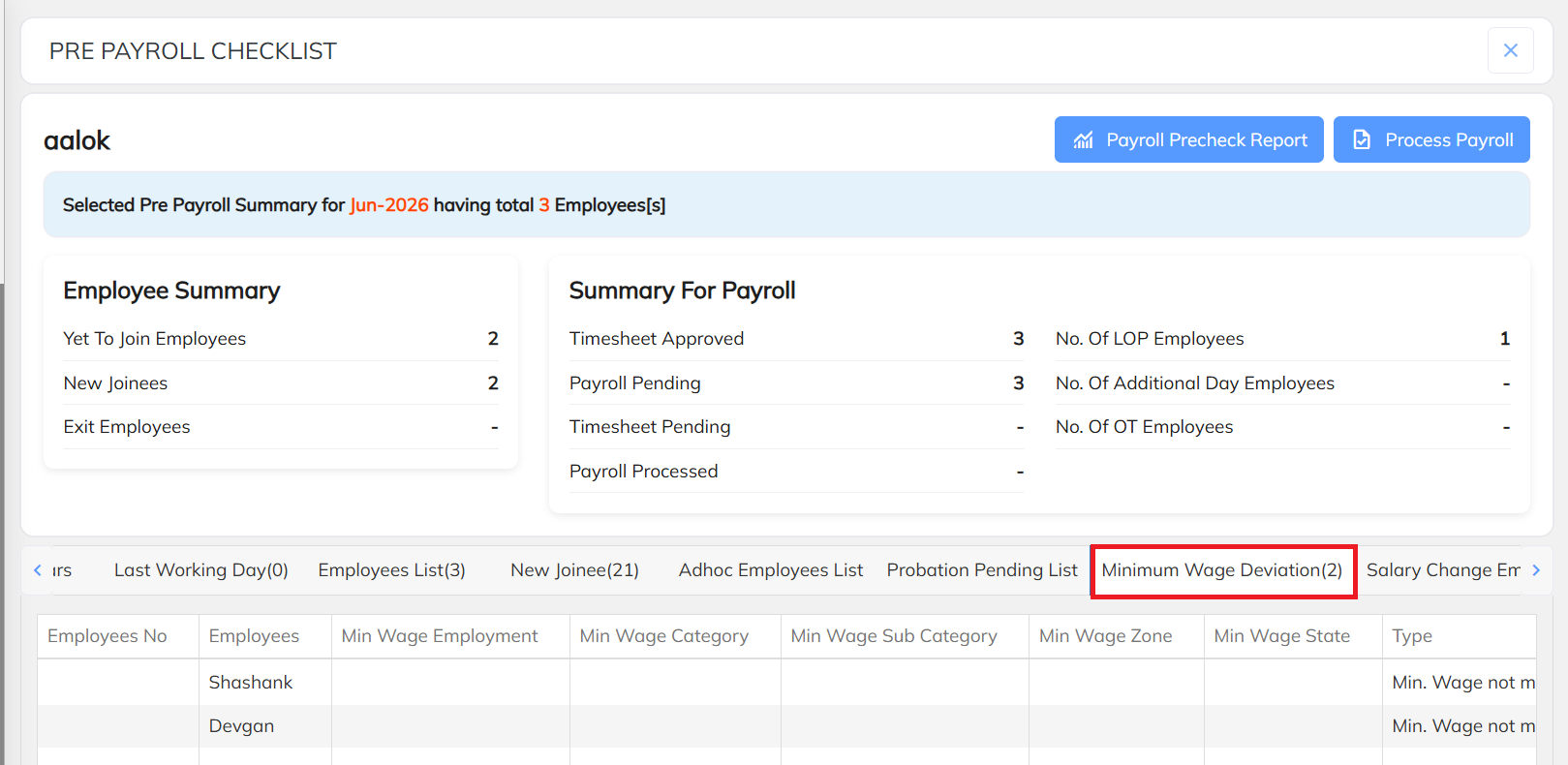
- Under Pre Payroll Checklist you can view the minimum wage Deviation report.
Was this article helpful?
That’s Great!
Thank you for your feedback
Sorry! We couldn't be helpful
Thank you for your feedback
Feedback sent
We appreciate your effort and will try to fix the article