- Reason for Unable to Sync Attendance in the Timesheet Tab:
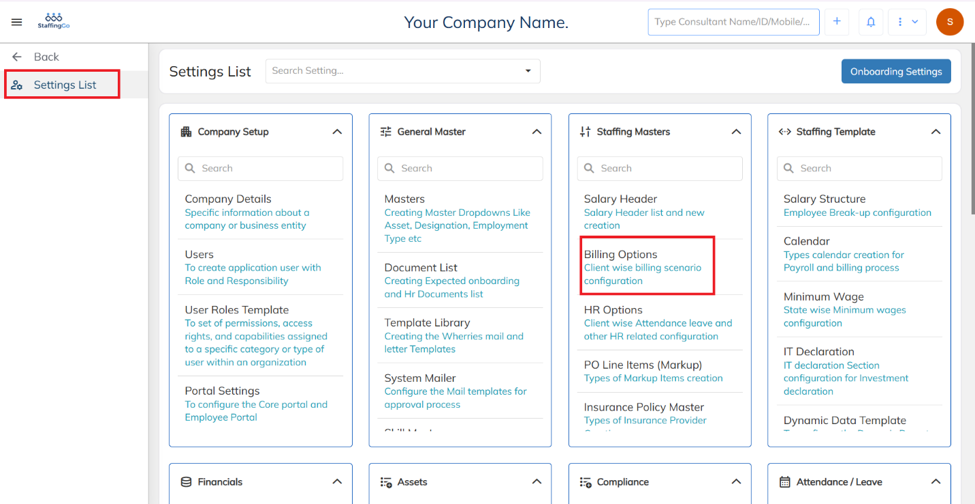
Navigate to Settings, Under Settings, click on Billing Options.
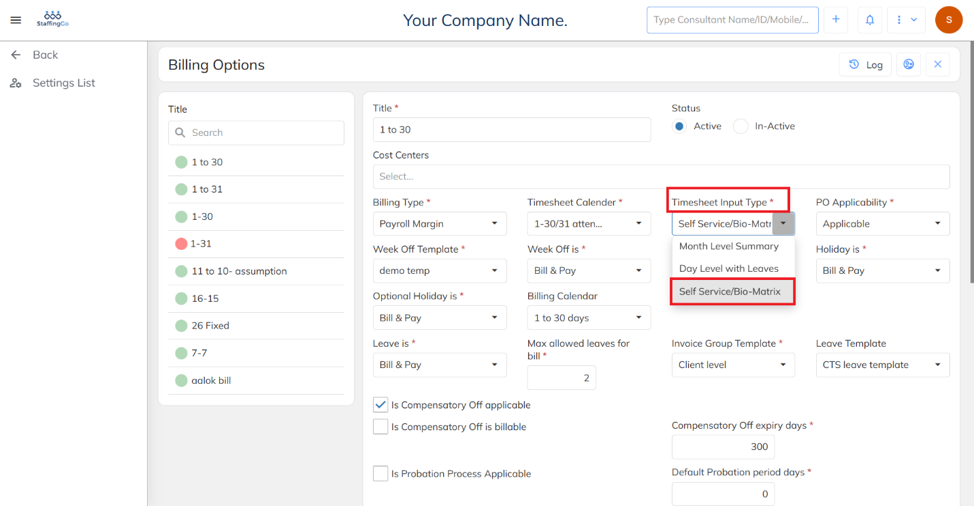
Under Billing Options, ensure the Timesheet Input Type is set to Self Service / Bio-Matrix.
Was this article helpful?
That’s Great!
Thank you for your feedback
Sorry! We couldn't be helpful
Thank you for your feedback
Feedback sent
We appreciate your effort and will try to fix the article