To create a nationality, perform the following steps:
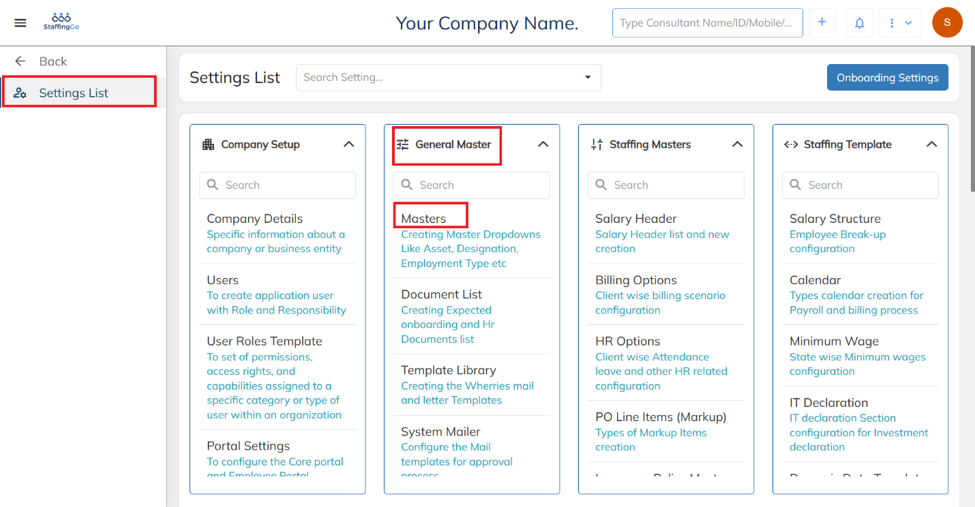
- Navigate to Settings → General Master → Masters.
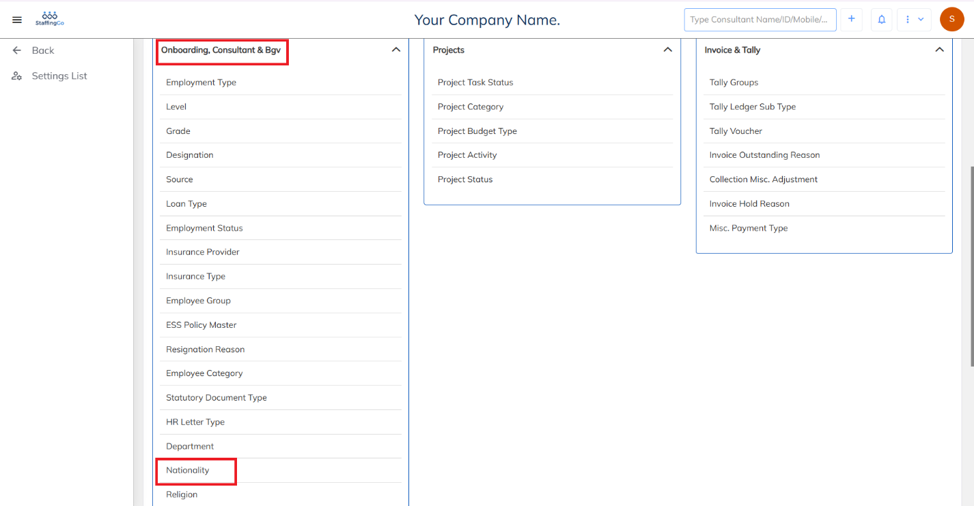
- Under masters, Navigate to Onboarding, Consultant & BGV → Nationality.
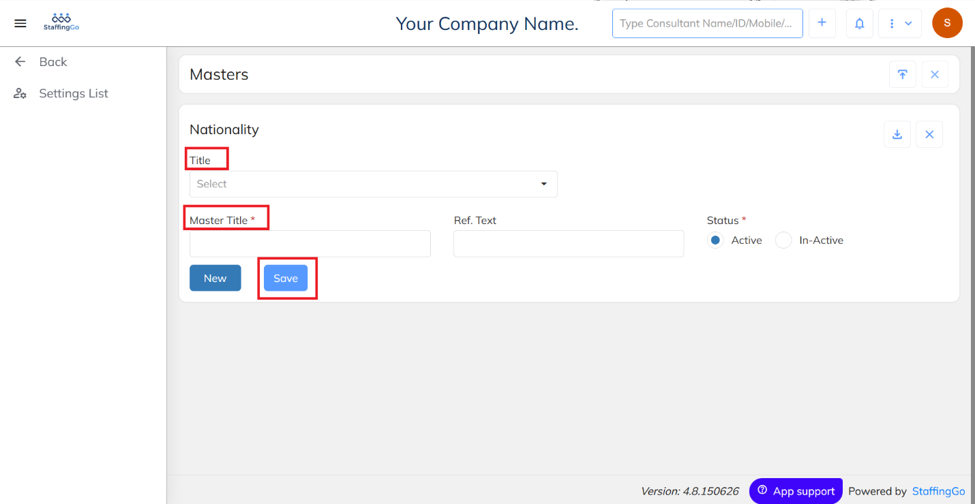
- Enter Title and Master Title → Save.
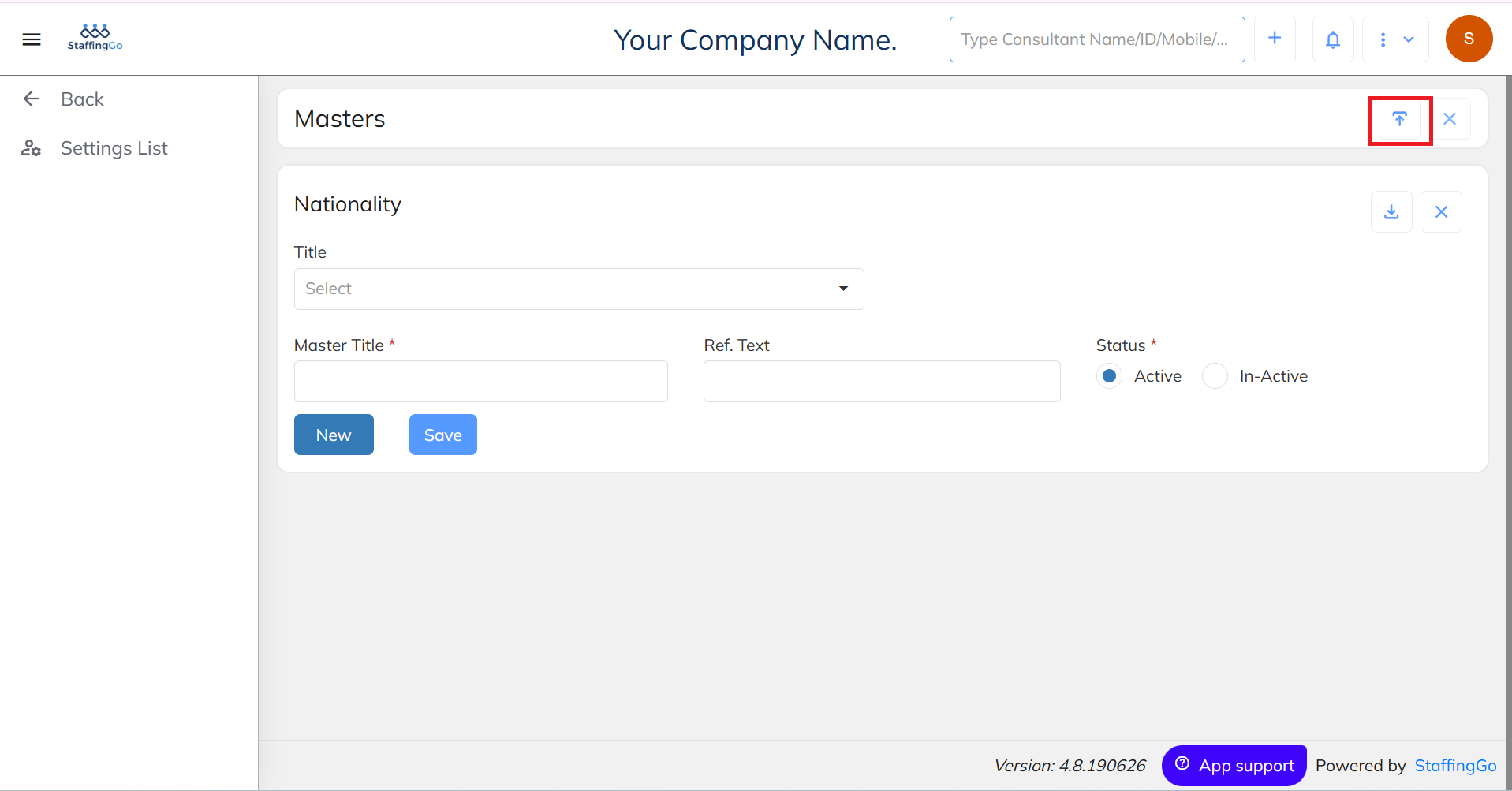
- To create in Bulk:
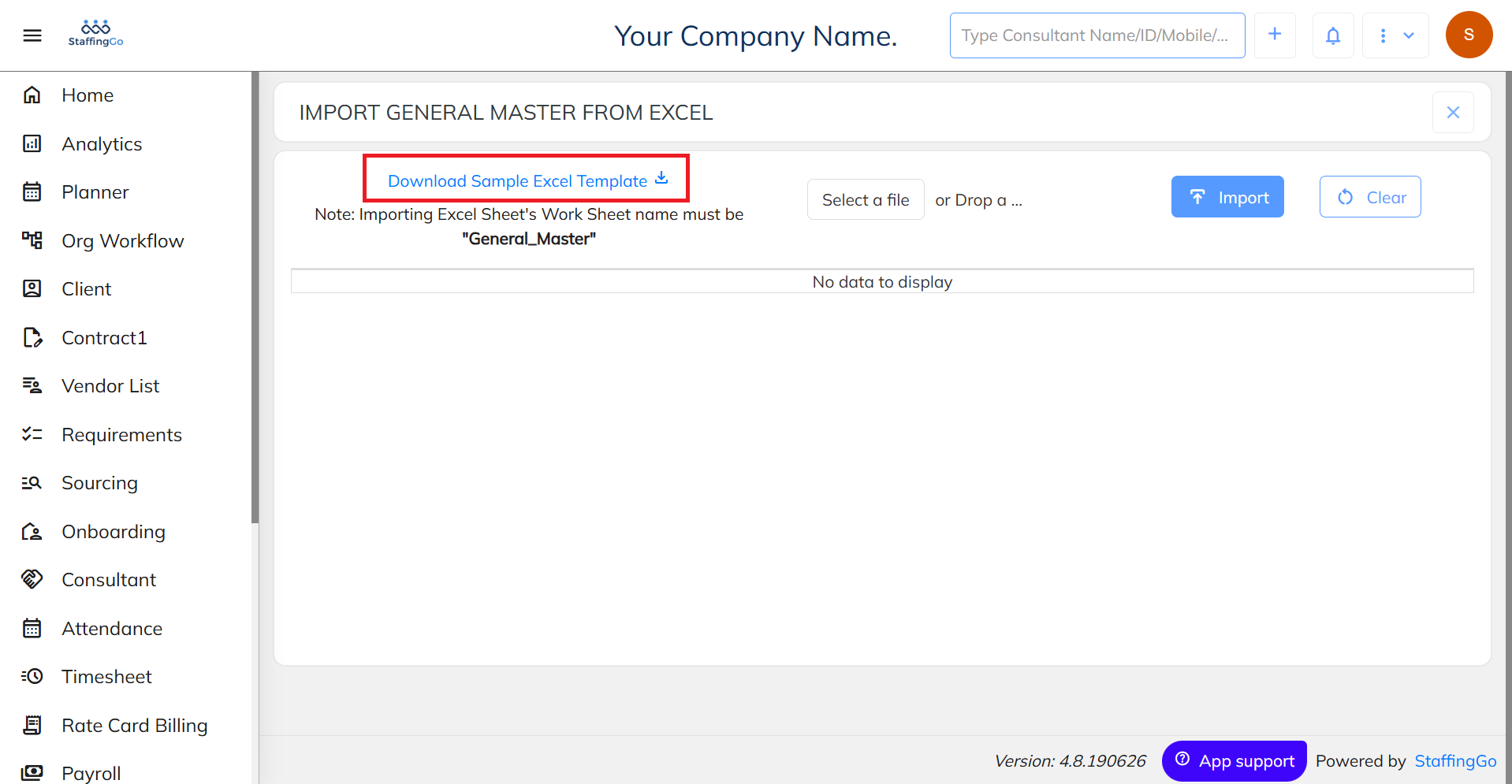
Click on Import option.
- Download the Sample Excel Template.
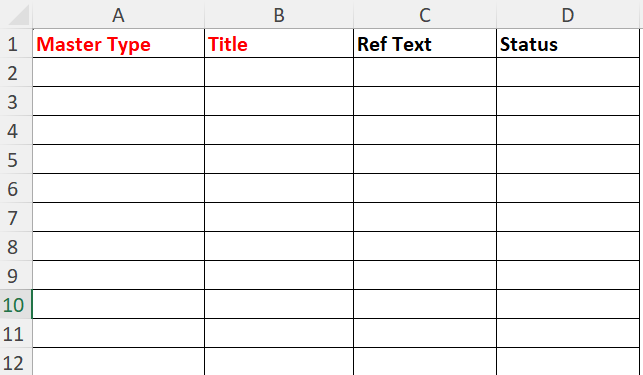
* Fill in the required details.
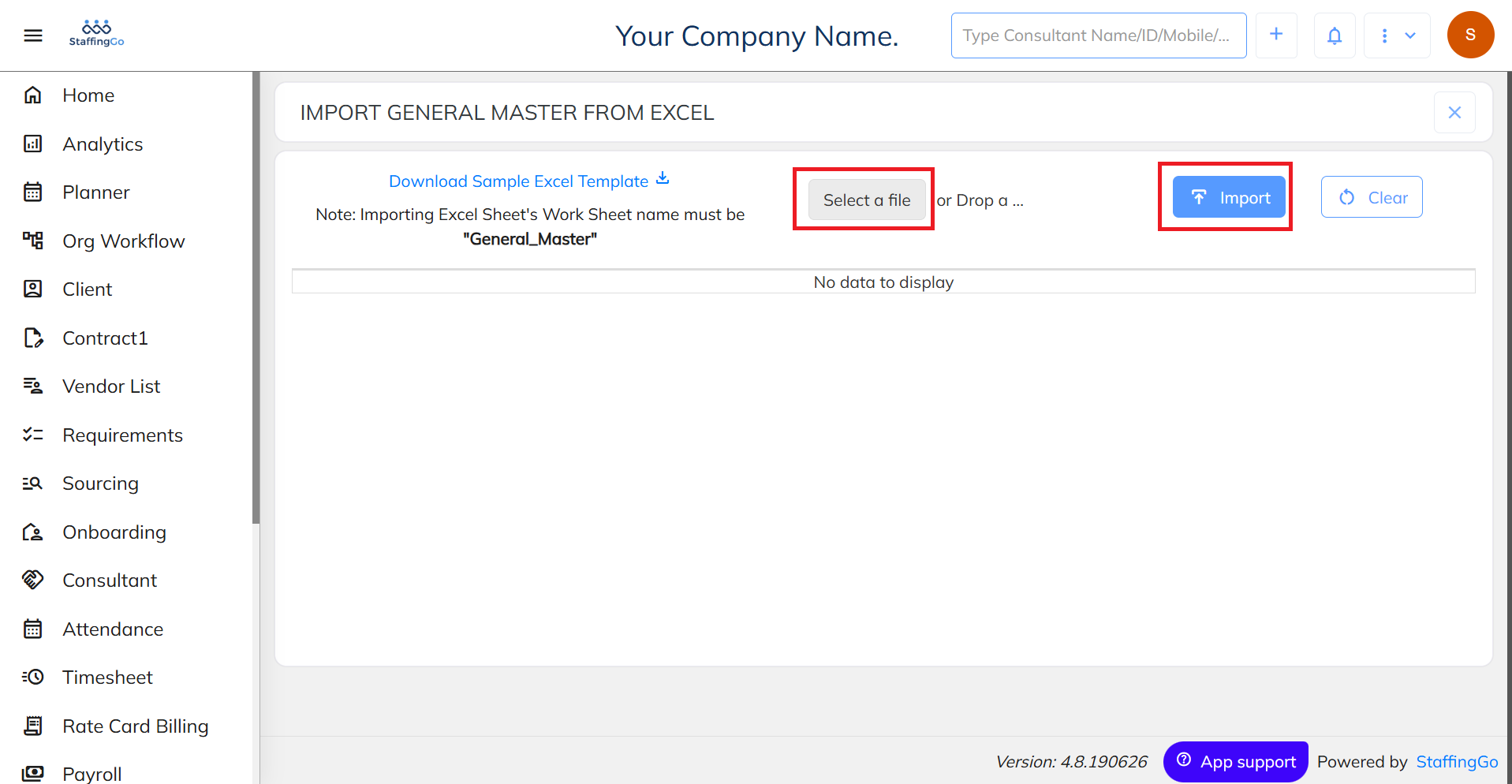
- Select a file and Click on Import option.
- Mapping of created Nationality:
- In Core Application:
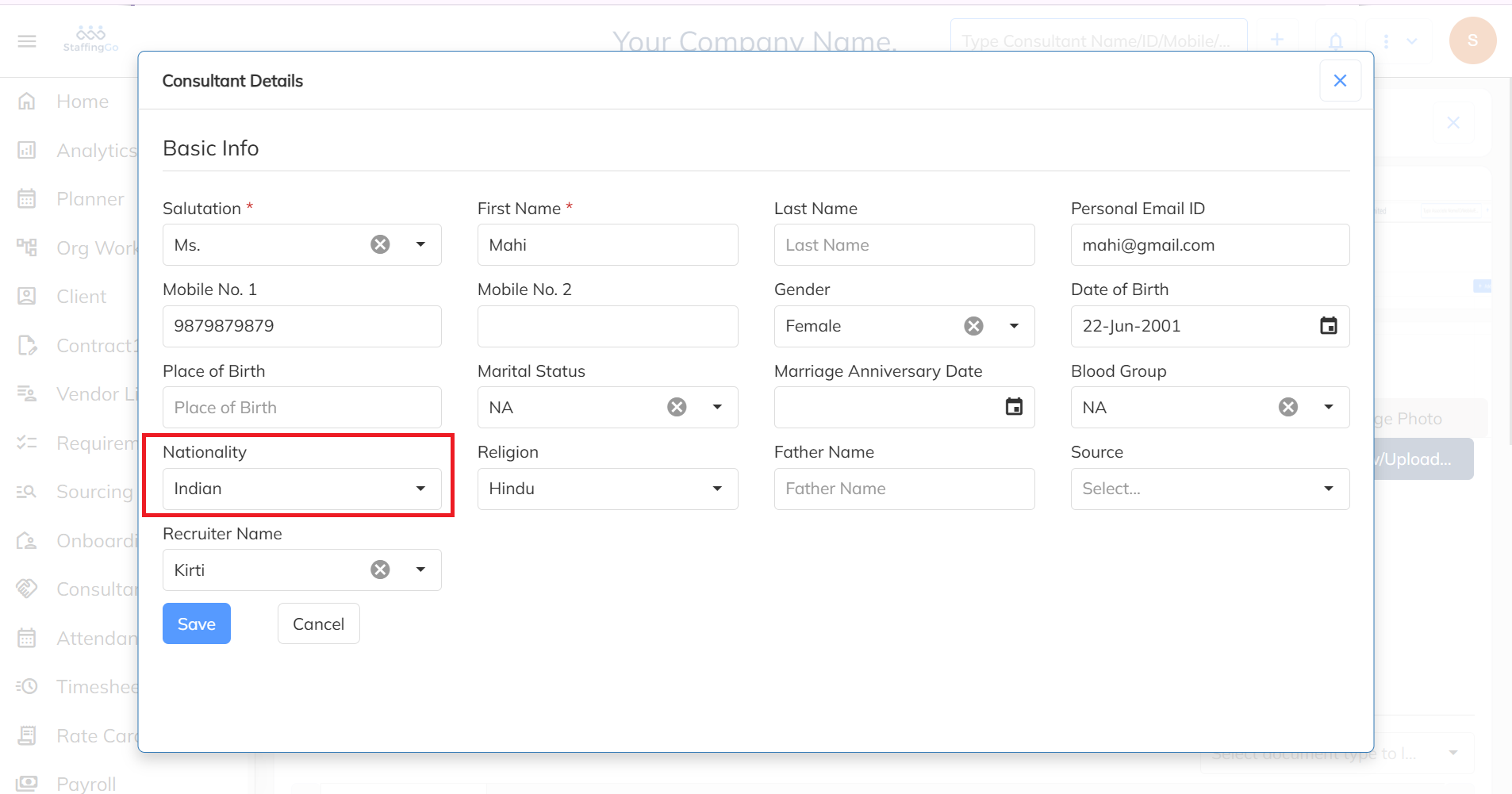
Once a nationality has been created in the Nationality Master, it can be mapped to a consultant during consultant creation.
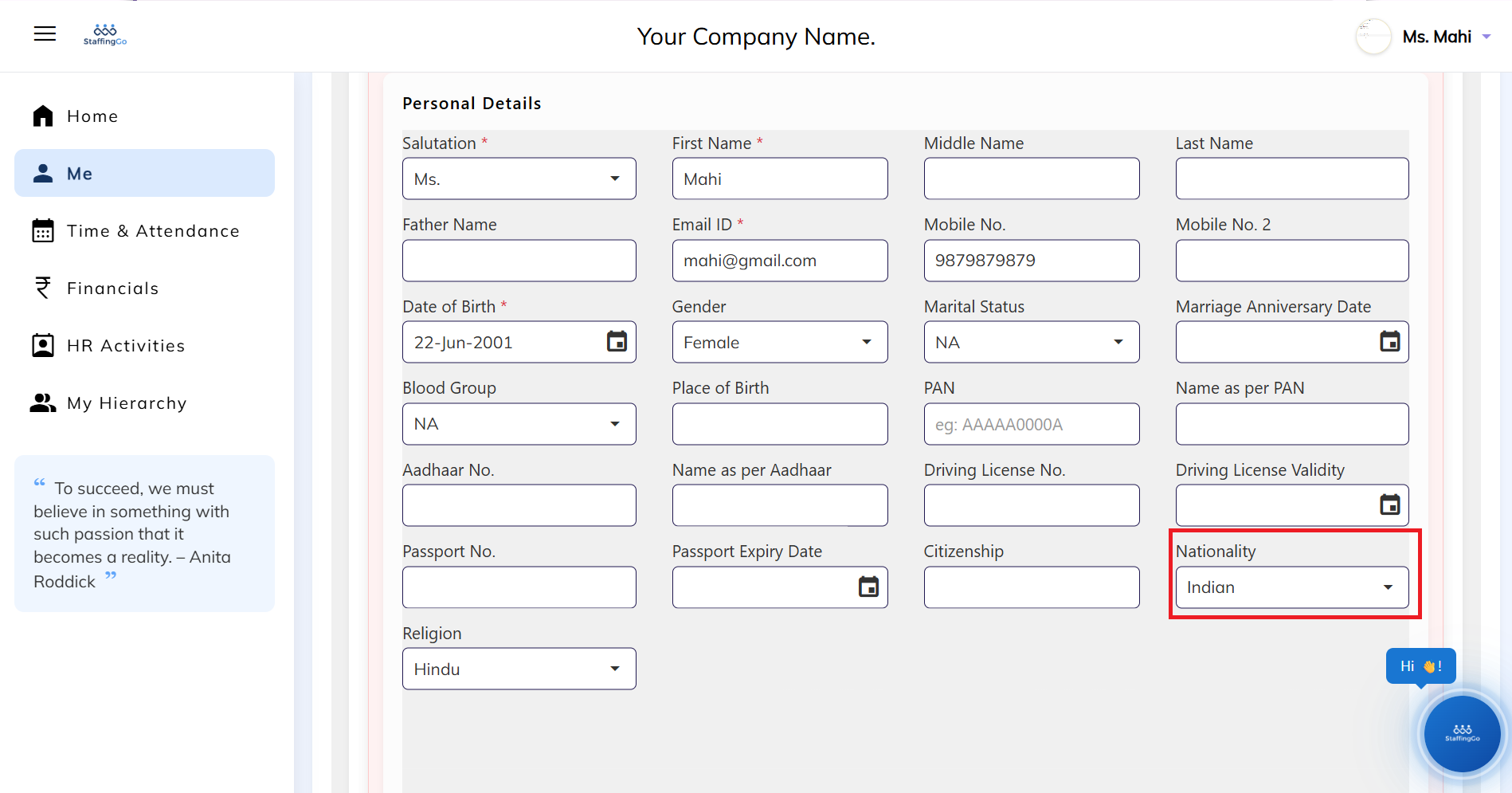
- To map in the ESS Portal:
Under the Me section, while filling in Personal Details, you can map the required Nationality.
Was this article helpful?
That’s Great!
Thank you for your feedback
Sorry! We couldn't be helpful
Thank you for your feedback
Feedback sent
We appreciate your effort and will try to fix the article