Overview
In RP Infra, based on the Label Configuration, the field previously called Contract has been renamed to Site.
When creating a new consultant, you must first select the Client. The Sites available for selection will then be based on that client as shown below:
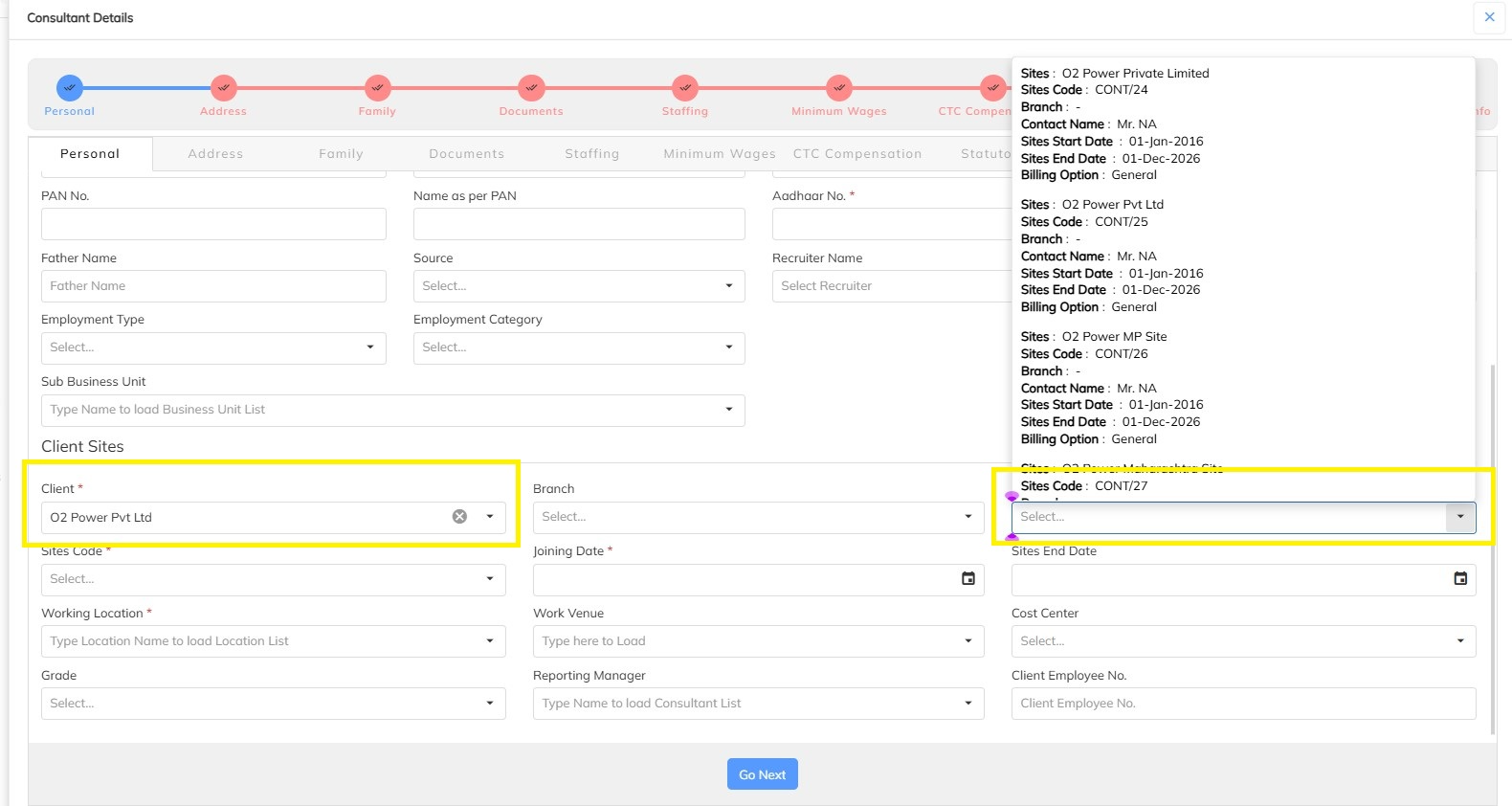
If the Site you need is not listed, you can create it using the Site Creation Help File, which covers both the Bulk Upload and Manual Creation methods.
Once a Site is created, it becomes available for mapping during consultant creation.
If an incorrect Site was mapped, or the correct Site wasn't available at the time of consultant creation, the Site can be updated later from the consultant's profile.
Updating the Site for an Existing Consultant
Step 1: Log in to the Admin Portal.
Step 2: Search for the required consultant.
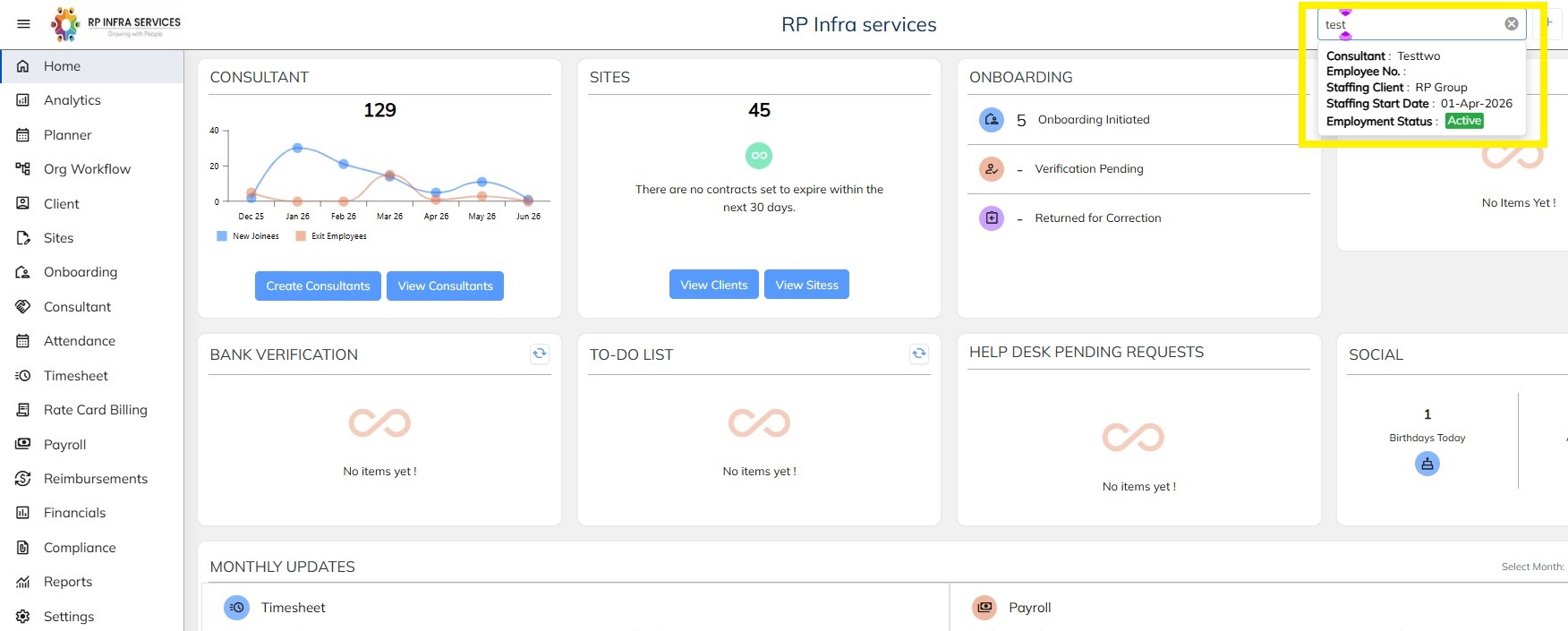
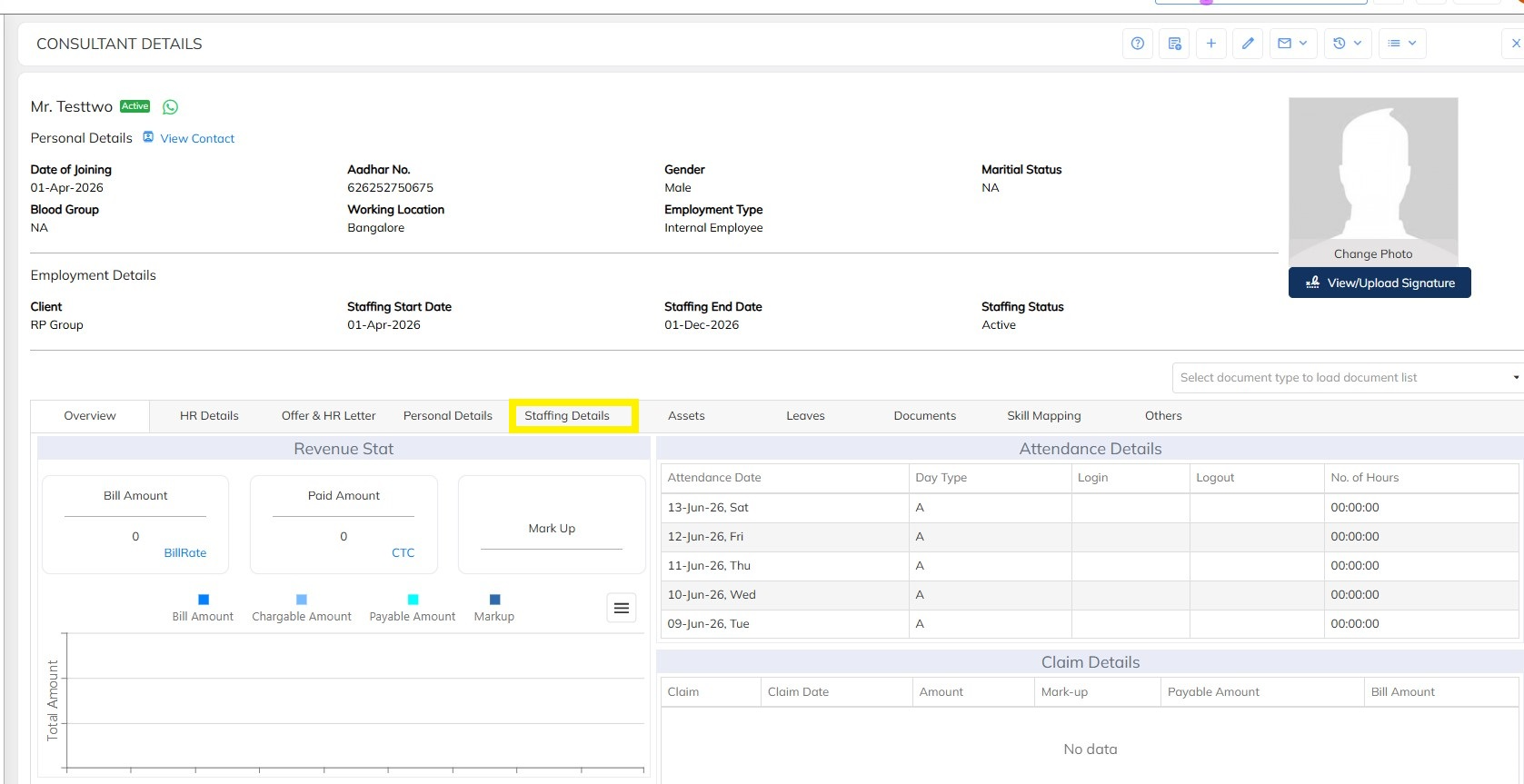
Step 3: Open the consultant's profile.
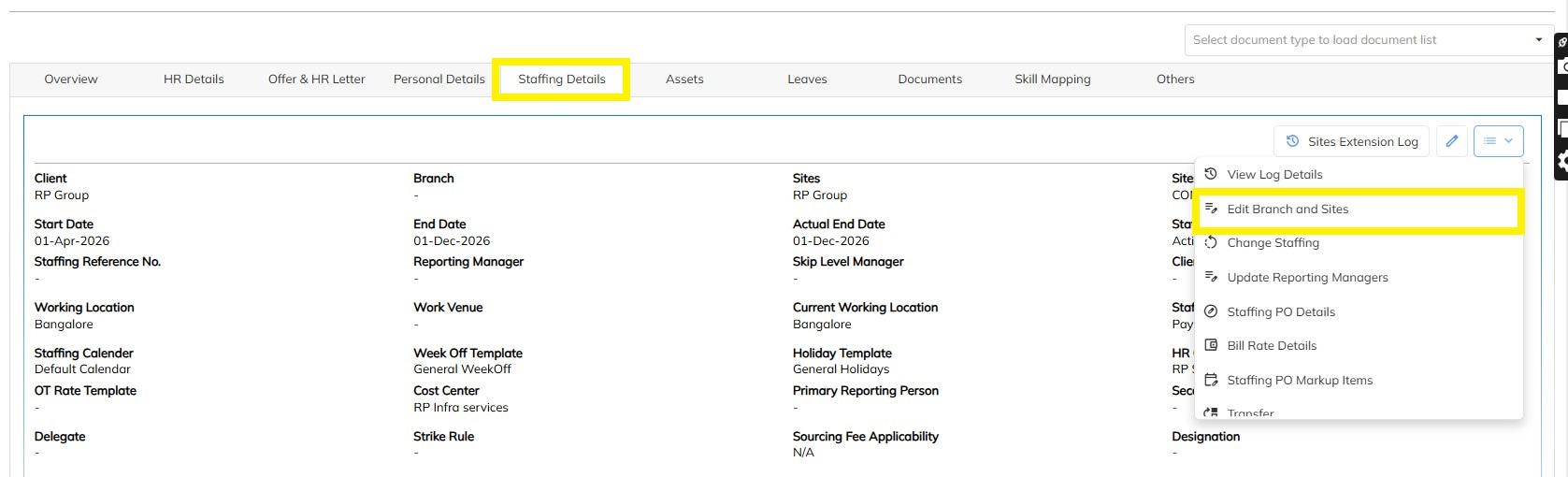
Step 4: Navigate to Staffing Details → Sites.
Step 5: Click the Edit Branch and sites button.
Step 6: Select the correct Site from the available list.
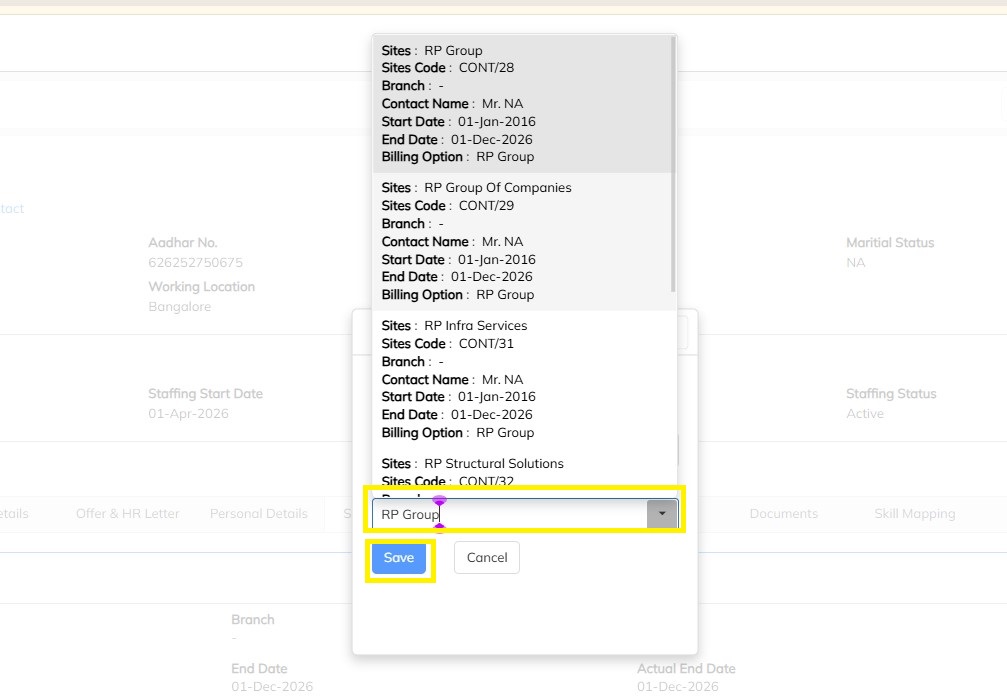
Step 7: Click the Save icon.
Step 8: The Site mapping is updated successfully.
Process Flow
Create / Verify Site Availability |
↓
Create Consultant |
↓
Select Client |
↓
Select Correct Site |
↓
Consultant Created Successfully |
↓
Need Site Correction? |
↓
Search Consultant |
↓
Open Consultant Profile |
↓
Staffing Details → Sites |
↓
Update Site |
↓
Save |
↓
Site Updated Successfully |
Note: If the required Site is not available while creating or updating a consultant, first create the Site using the Site Creation Help File, then proceed with consultant mapping. This ensures accurate employee allocation and reporting. |
Was this article helpful?
That’s Great!
Thank you for your feedback
Sorry! We couldn't be helpful
Thank you for your feedback
Feedback sent
We appreciate your effort and will try to fix the article