This help file explains how to update or map the Office Location for employees in the system. The office location can be updated either manually for individual employees or in bulk using the Excel import option.
1. Updating Office Location Manually
Follow the below steps to update the office location for a single employee:
Navigate to the Employee Module.
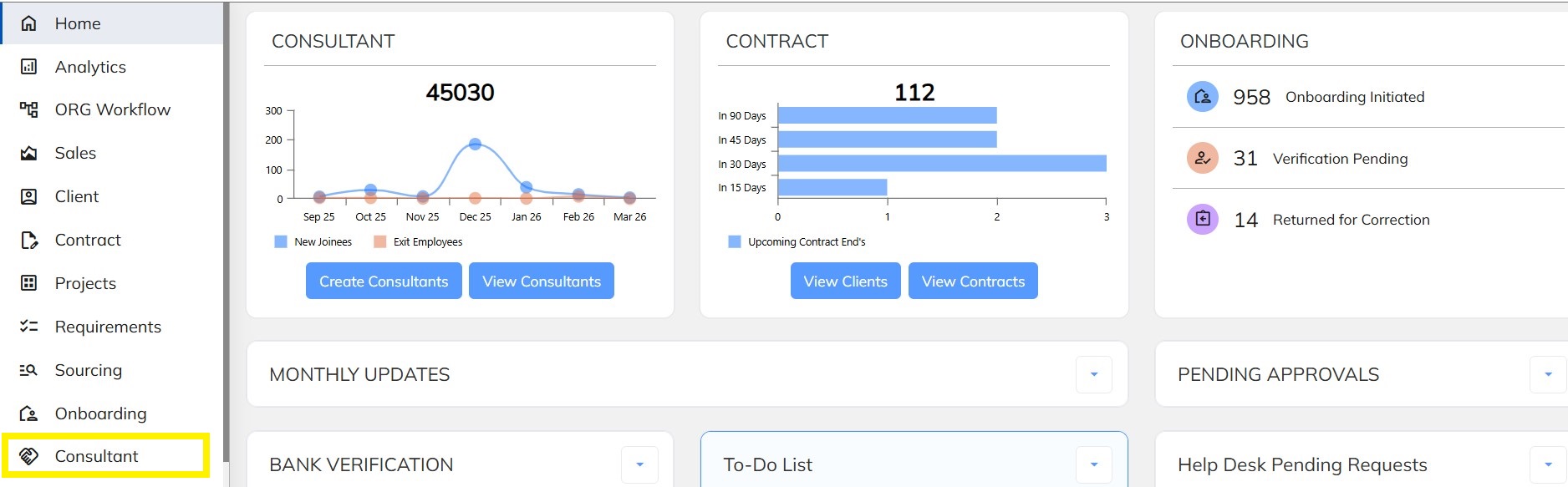
Search/Filter and select the respective employee.
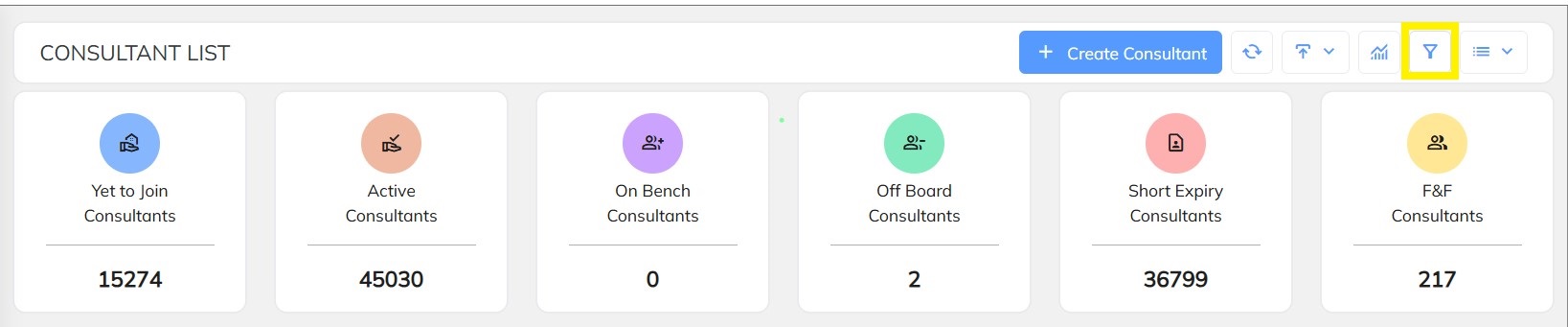
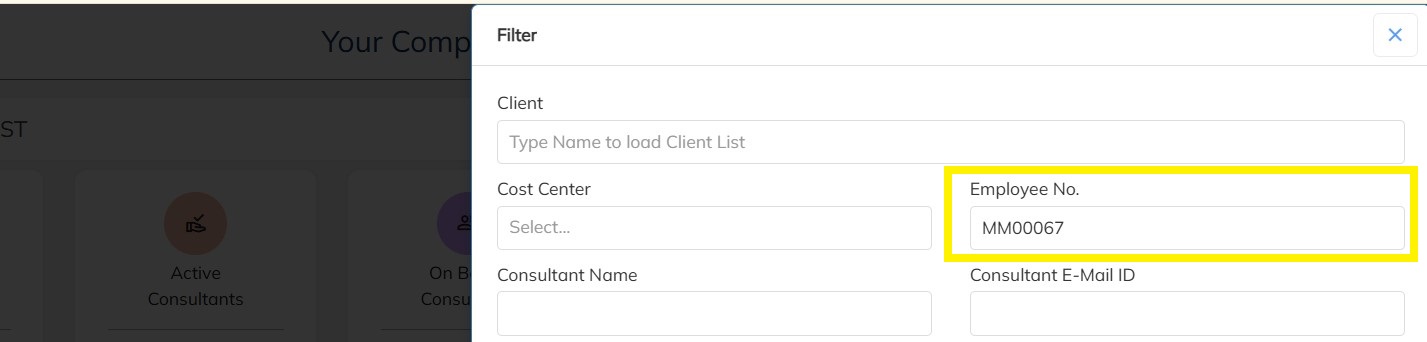
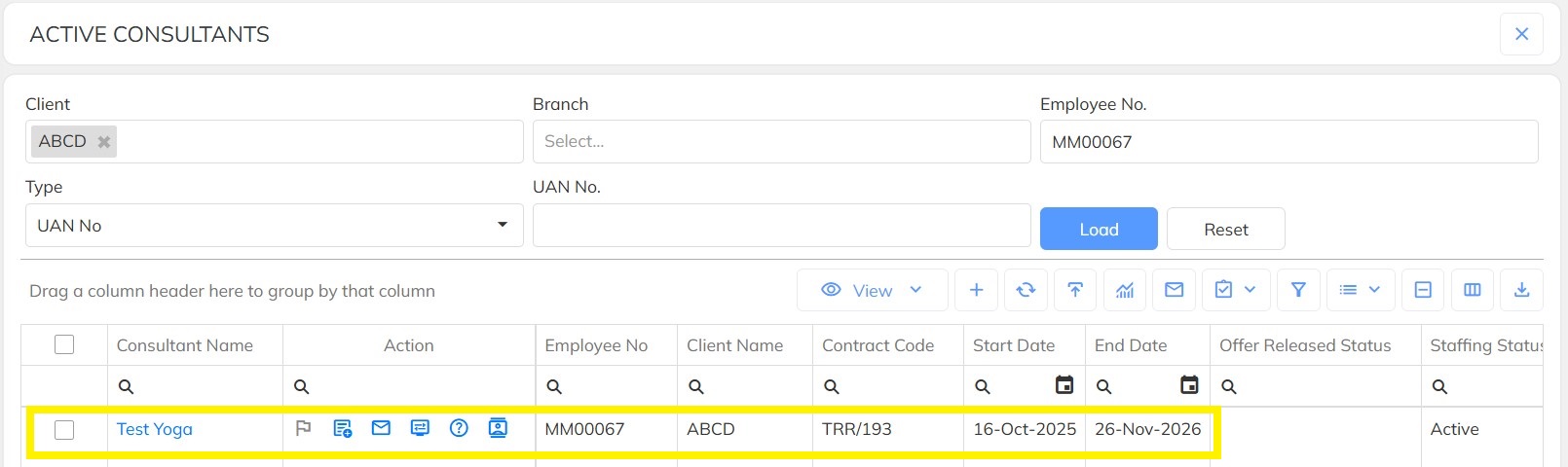
Click on Staffing Details and click on Edit icon.
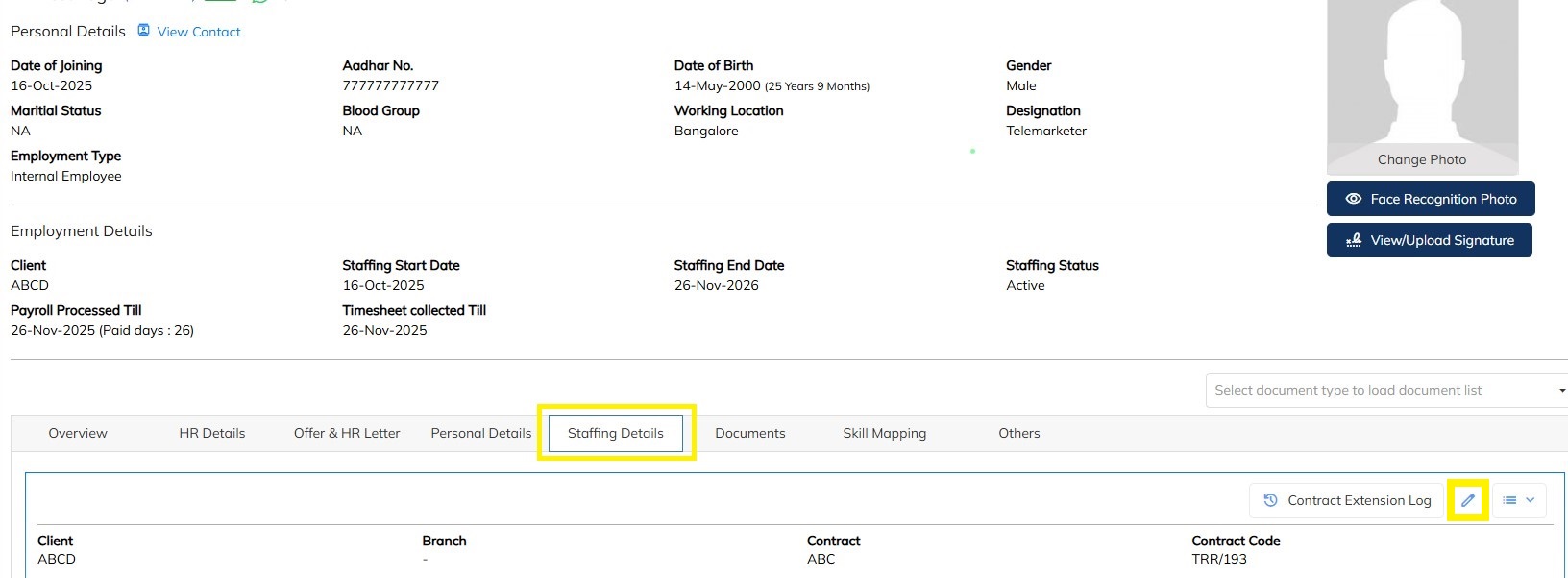
Scroll down to locate the Office Location field.
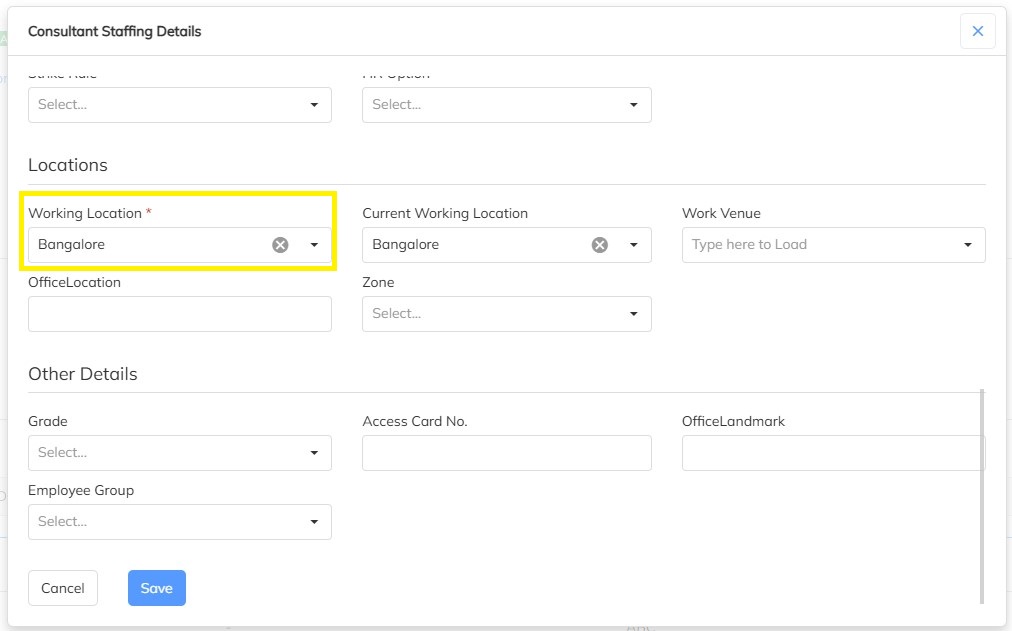
Select or update the required Office Location.
Click on Save to update the details.
Once saved, the office location will be successfully mapped for the selected employee.
2. Updating Office Location in Bulk
If you need to update the office location for multiple employees at once, you can use the bulk import option.
Follow the steps below:
Navigate to the Employee Module.
Click on Consultant/Employee Details Import.

Select Update Consultant Details.
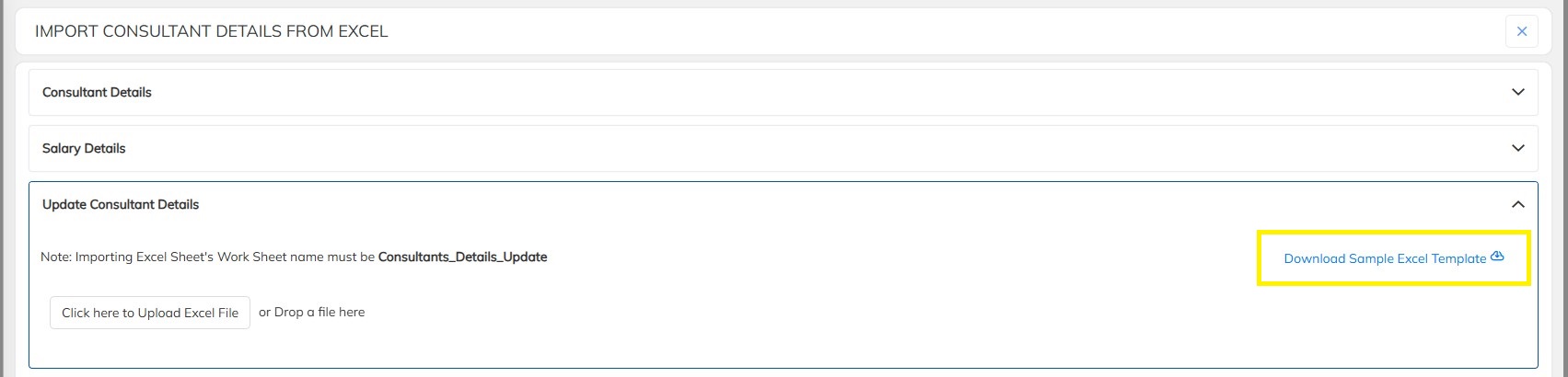
Download or open the Bulk Excel Template.
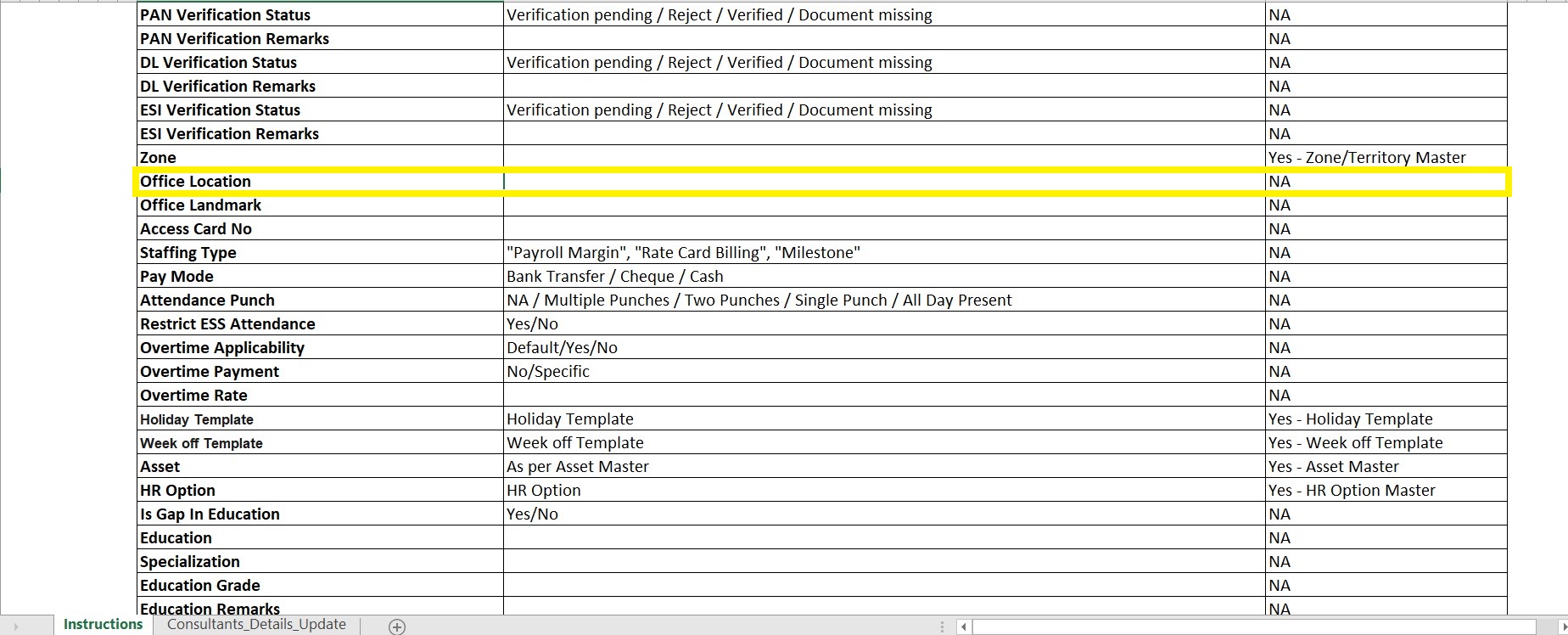
In the Excel file, locate the Office Location column.
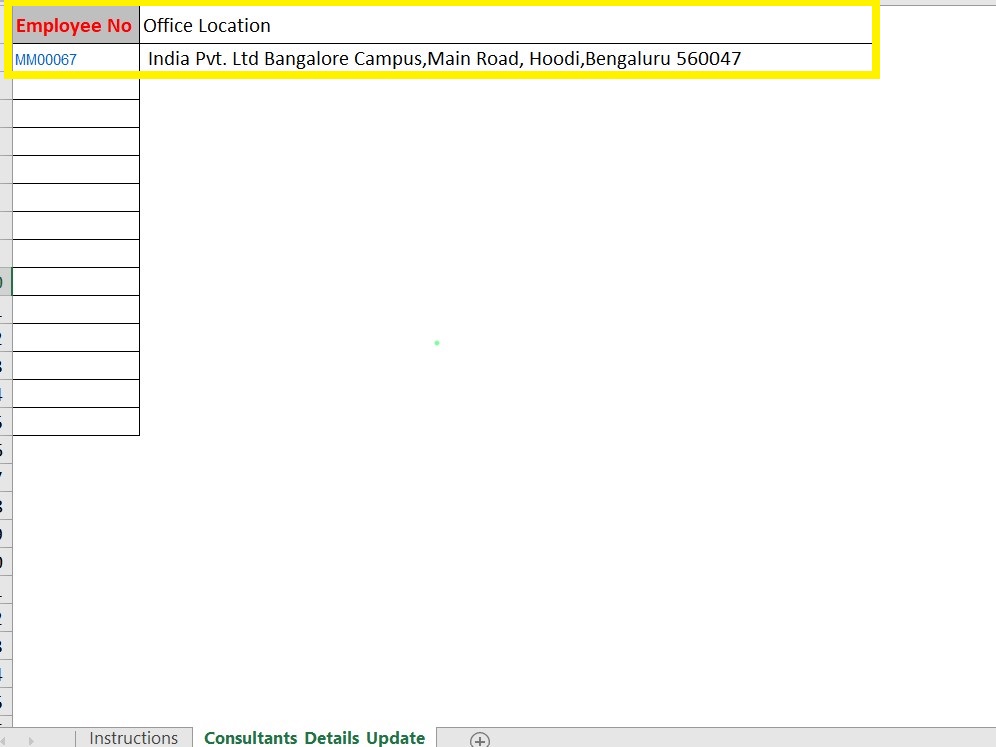
Enter the required Office Location details for the respective employees.
Save the Excel file after updating the information.
Upload the updated Excel file in the Update Consultant Details section.
Click on Import to update the records.
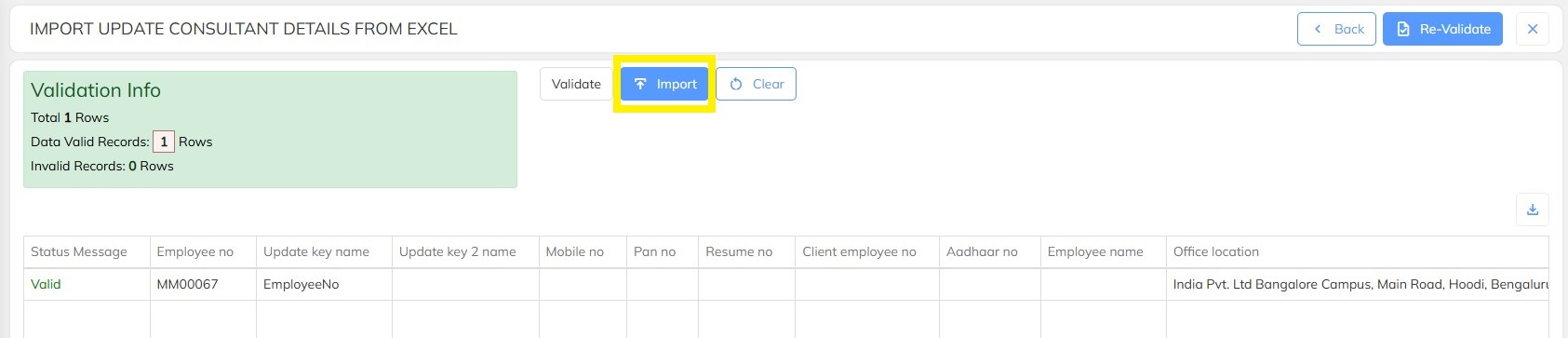
After the file is successfully uploaded, the office location details will be updated for all the employees included in the Excel file.
Need Help?
If you have any doubts or need further assistance regarding client creation or any other feature, feel free to reach out to our support team at support@staffinggo.in. We’re here to help you!
Was this article helpful?
That’s Great!
Thank you for your feedback
Sorry! We couldn't be helpful
Thank you for your feedback
Feedback sent
We appreciate your effort and will try to fix the article