Overview
The Designation field in an employee's staffing details is used to define the employee's role or position within the organization. Maintaining the correct designation is important for accurate employee records, reporting, and invoice generation.
If an employee's designation has changed or was entered incorrectly during onboarding, it can be updated directly from the employee profile through the Staffing Details section.
Updating Designation for an Employee
Step 1: Log in to the Admin Portal.
Step 2: Search for and open the required employee/consultant profile.
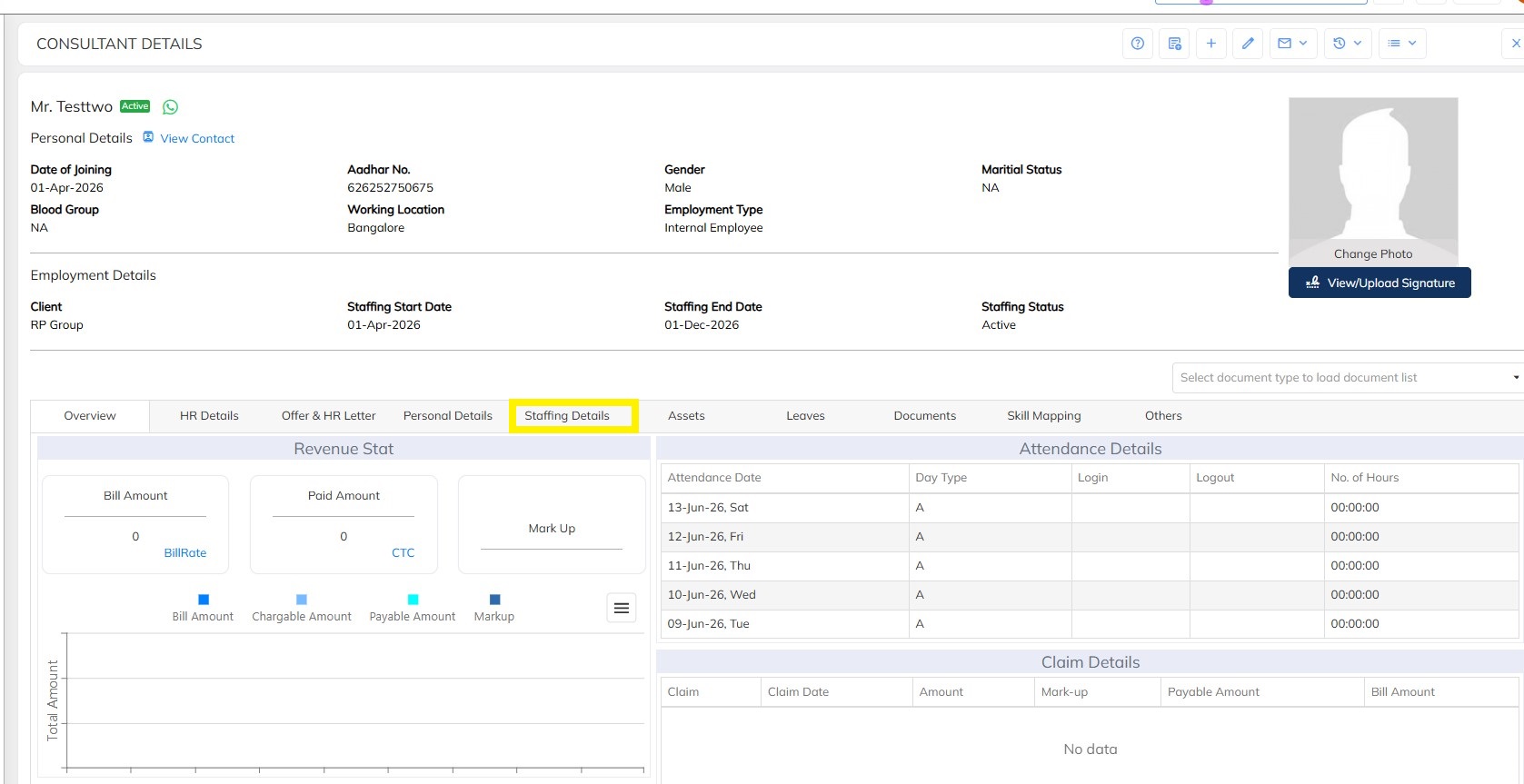
Step 3: Navigate to Staffing Details.
Step 4: Click on the Edit option.
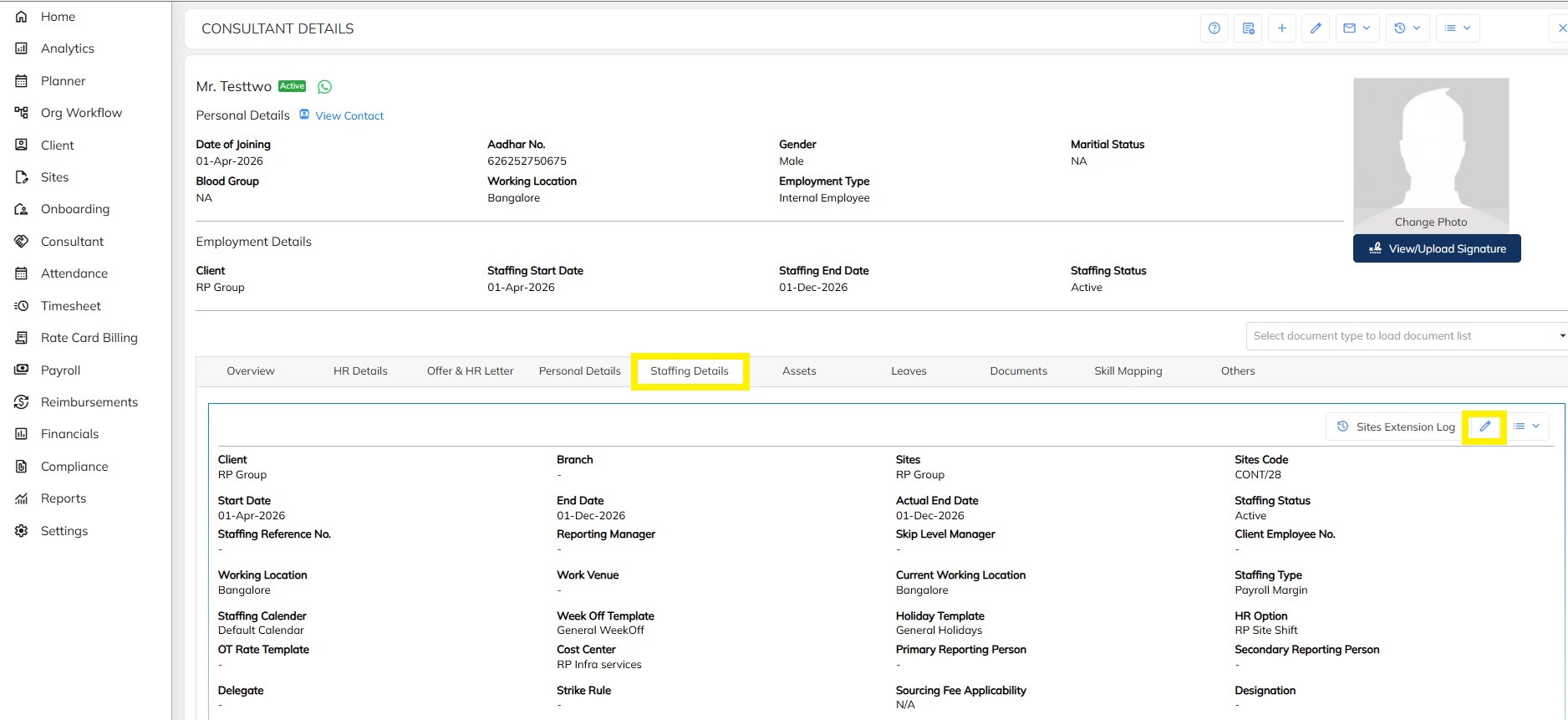
Step 5: Locate the Designation field.
Step 6: Enter or update the required designation.
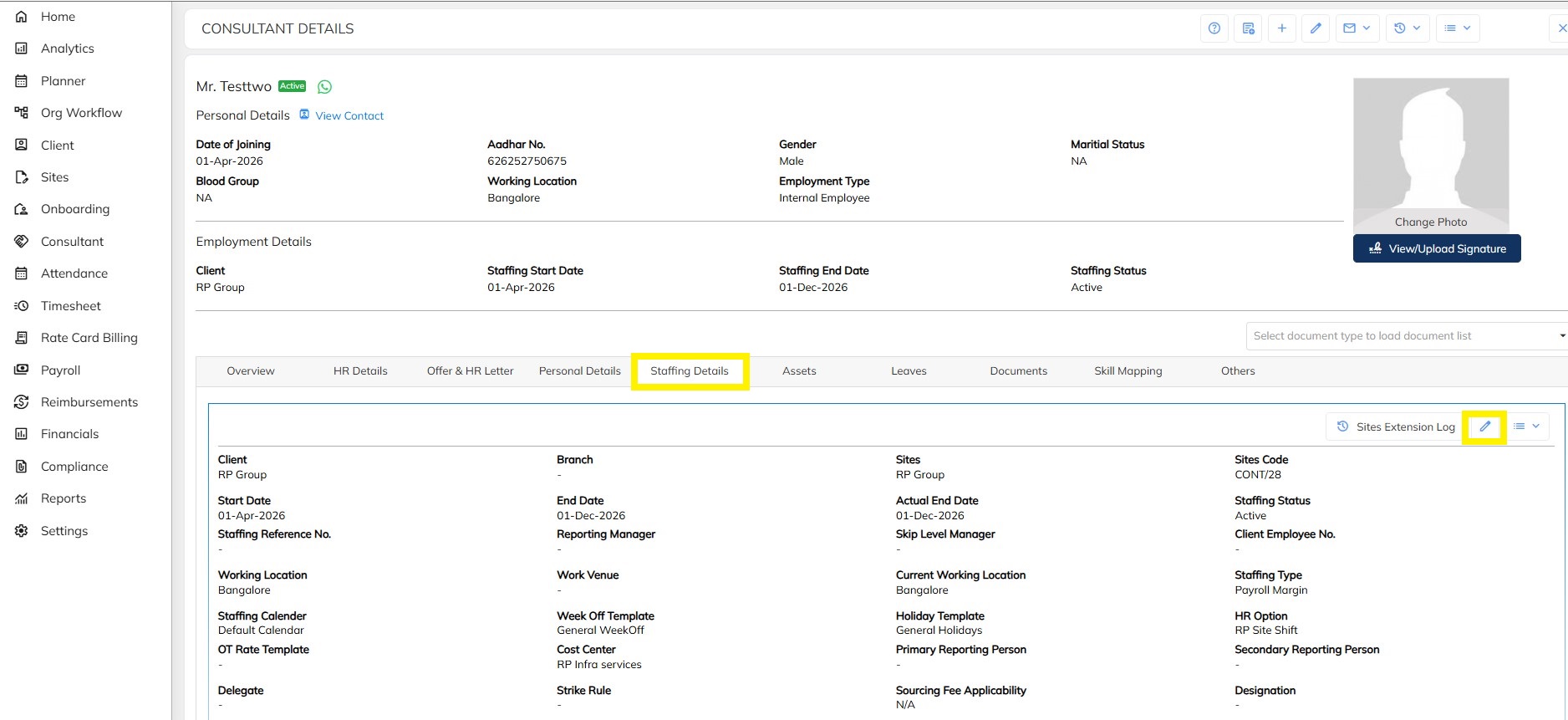
Step 7: Verify the entered designation.
Step 8: Click on the Save button.
Step 9: The designation is updated successfully in the system.
Process Flow
Search Employee |
↓
Open Employee Profile |
↓
Staffing Details |
↓
Edit |
↓
Update Designation |
↓
Save |
↓
Designation Updated Successfully |
Note: Ensure that the correct designation is updated before processing employee billing activities. The updated designation will be reflected in the employee records and can be used for invoice generation and reporting purposes. |
Was this article helpful?
That’s Great!
Thank you for your feedback
Sorry! We couldn't be helpful
Thank you for your feedback
Feedback sent
We appreciate your effort and will try to fix the article