Steps to Extend an Employee's Contract Date
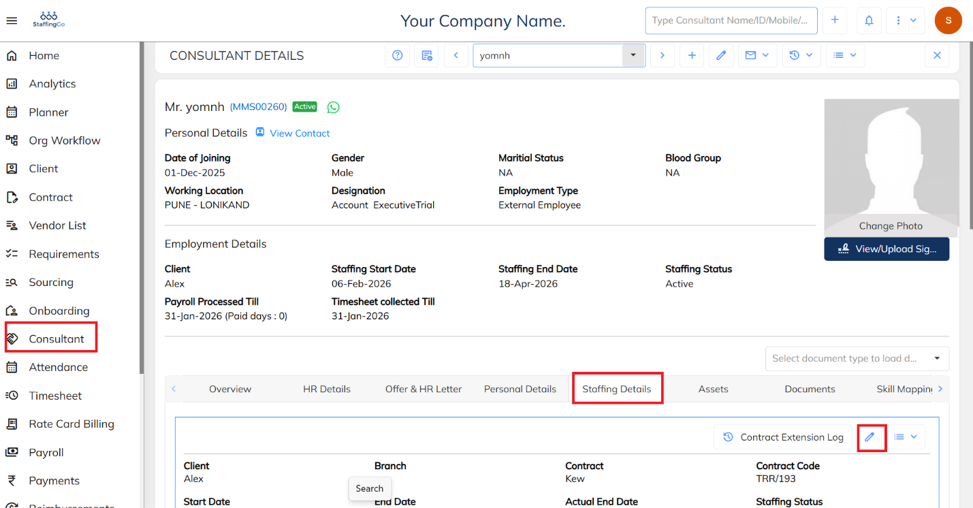
Navigate to the Consultant section, select the required consultant, and then go to the Staffing Details section, click on edit icon.
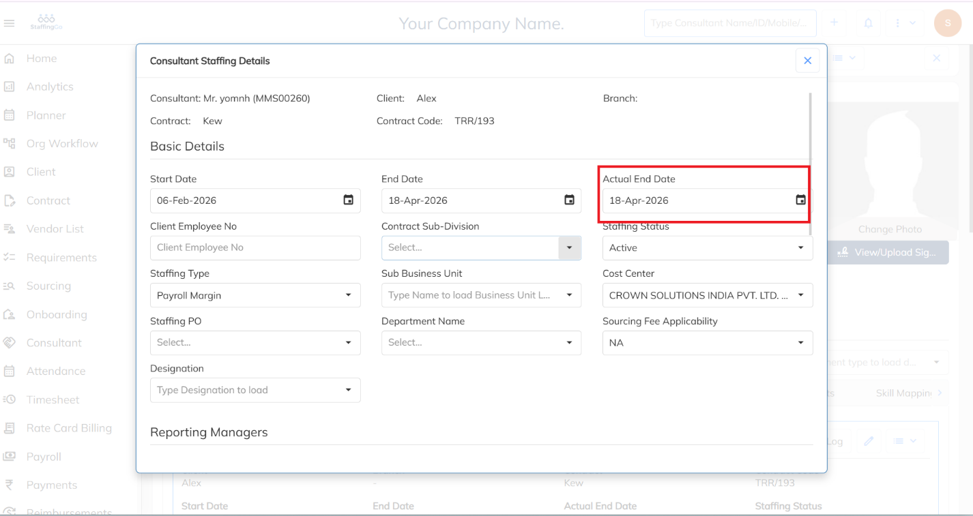
In the Actual End Date field, select the date until which you want to extend the contract. Then, click Save. The extension request will be submitted to the approver for approval.
Was this article helpful?
That’s Great!
Thank you for your feedback
Sorry! We couldn't be helpful
Thank you for your feedback
Feedback sent
We appreciate your effort and will try to fix the article