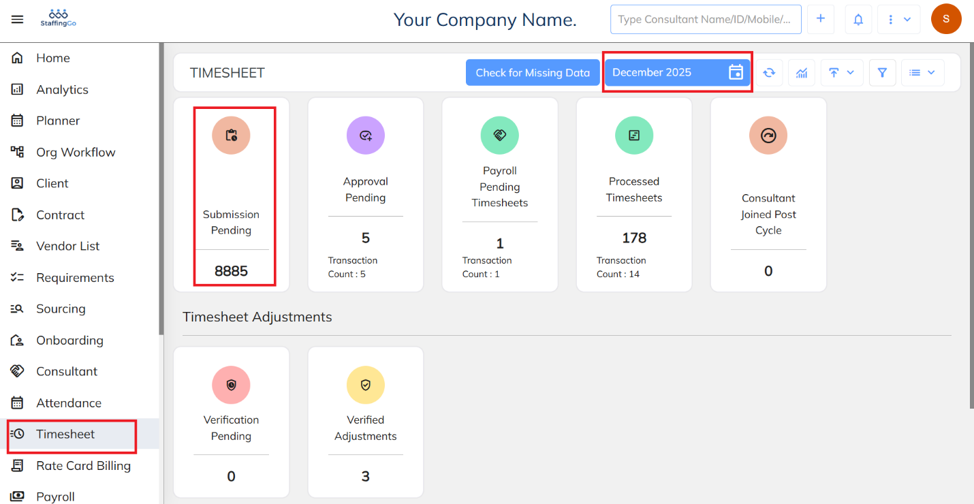
Navigate to timesheet select month and year and click on submission pending.
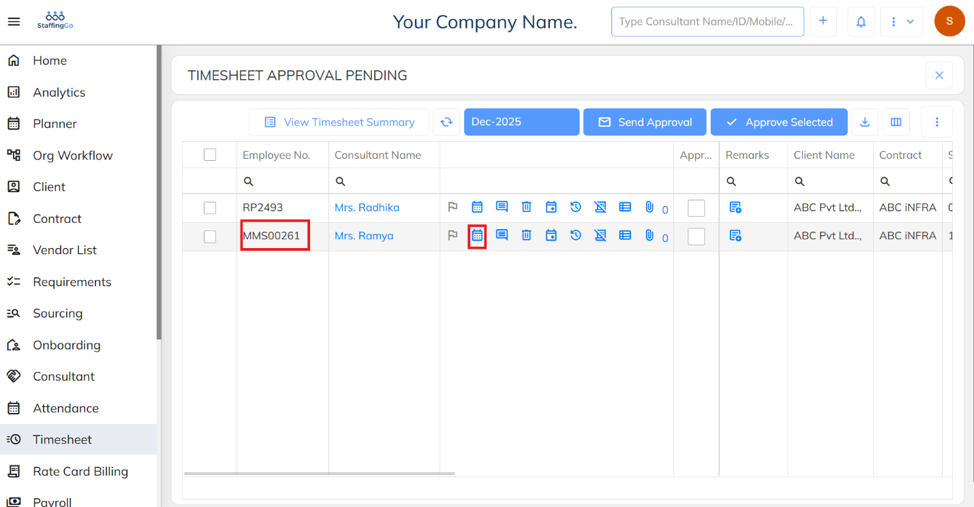
Select the required employee and click the Calendar icon to view or update attendance details.
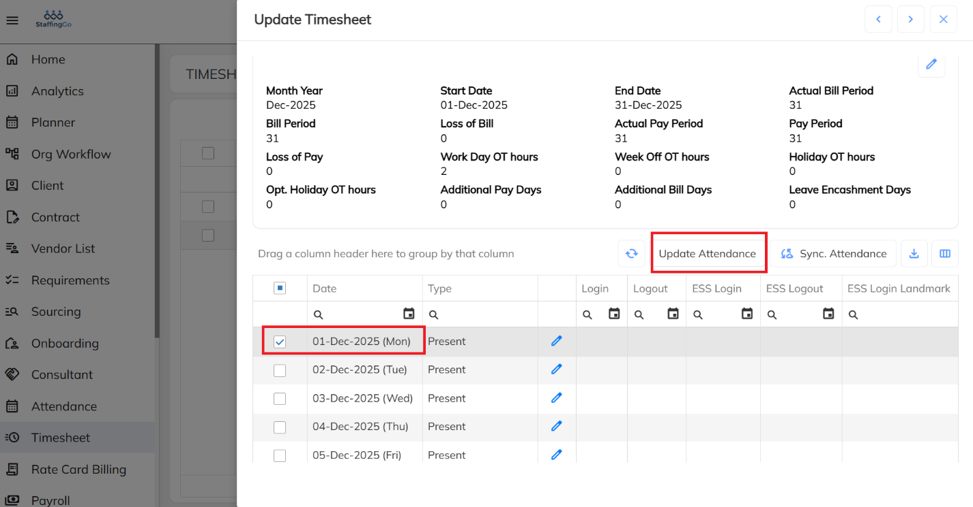
Select the required Date and click Update Attendance.
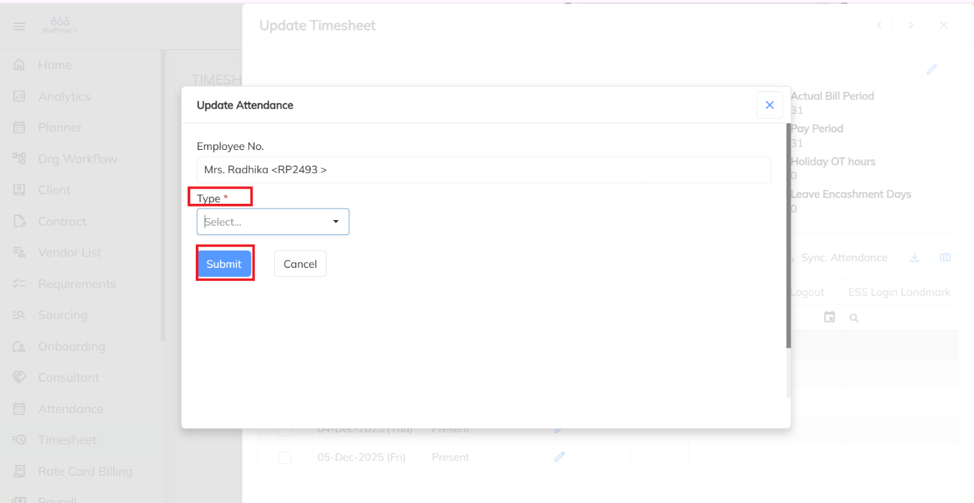
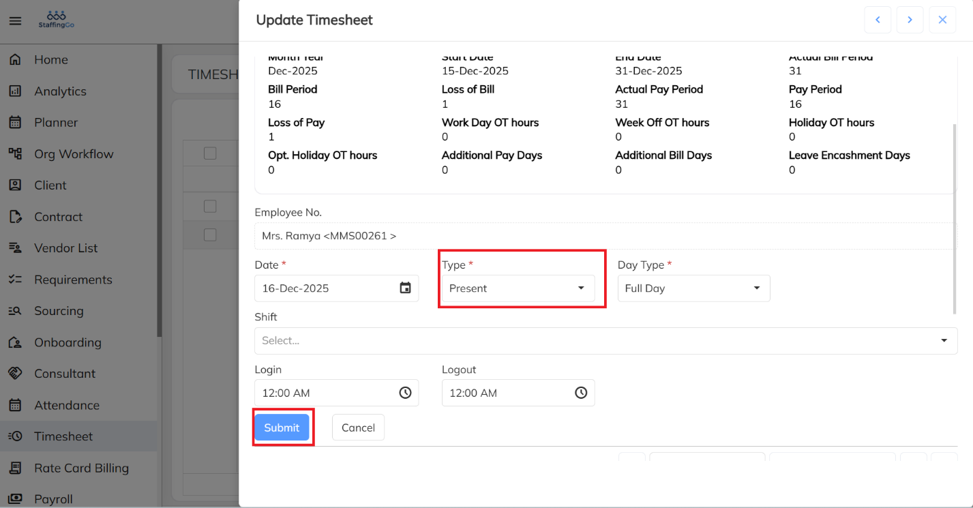
Select the attendance type (Present or Absent) and click Submit to save the attendance record.
Alternative Method:
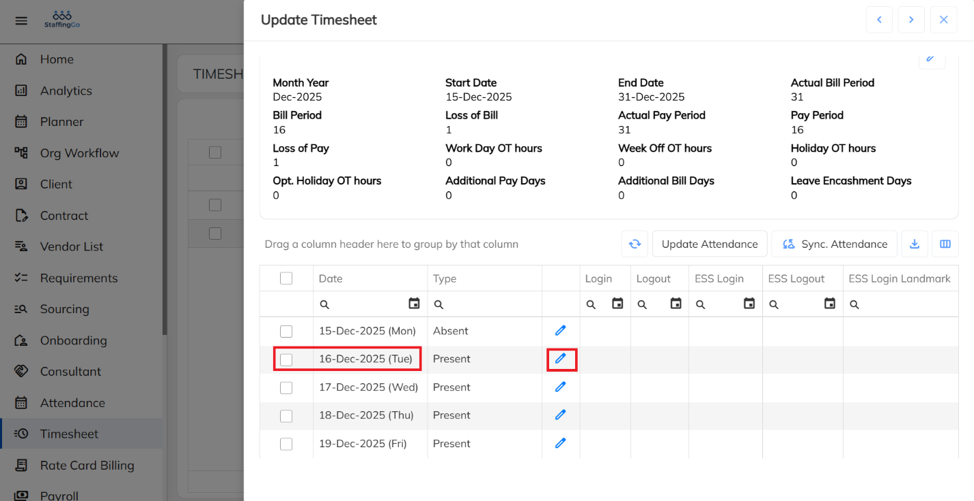
Select the required Date and click the Edit icon.
Select the attendance type (Present or Absent) and click Submit to save the attendance record.
Was this article helpful?
That’s Great!
Thank you for your feedback
Sorry! We couldn't be helpful
Thank you for your feedback
Feedback sent
We appreciate your effort and will try to fix the article