If any PO bill items are missed during the Payroll process, the corresponding PO items should be mapped at the Contract level.
Perform the following steps:
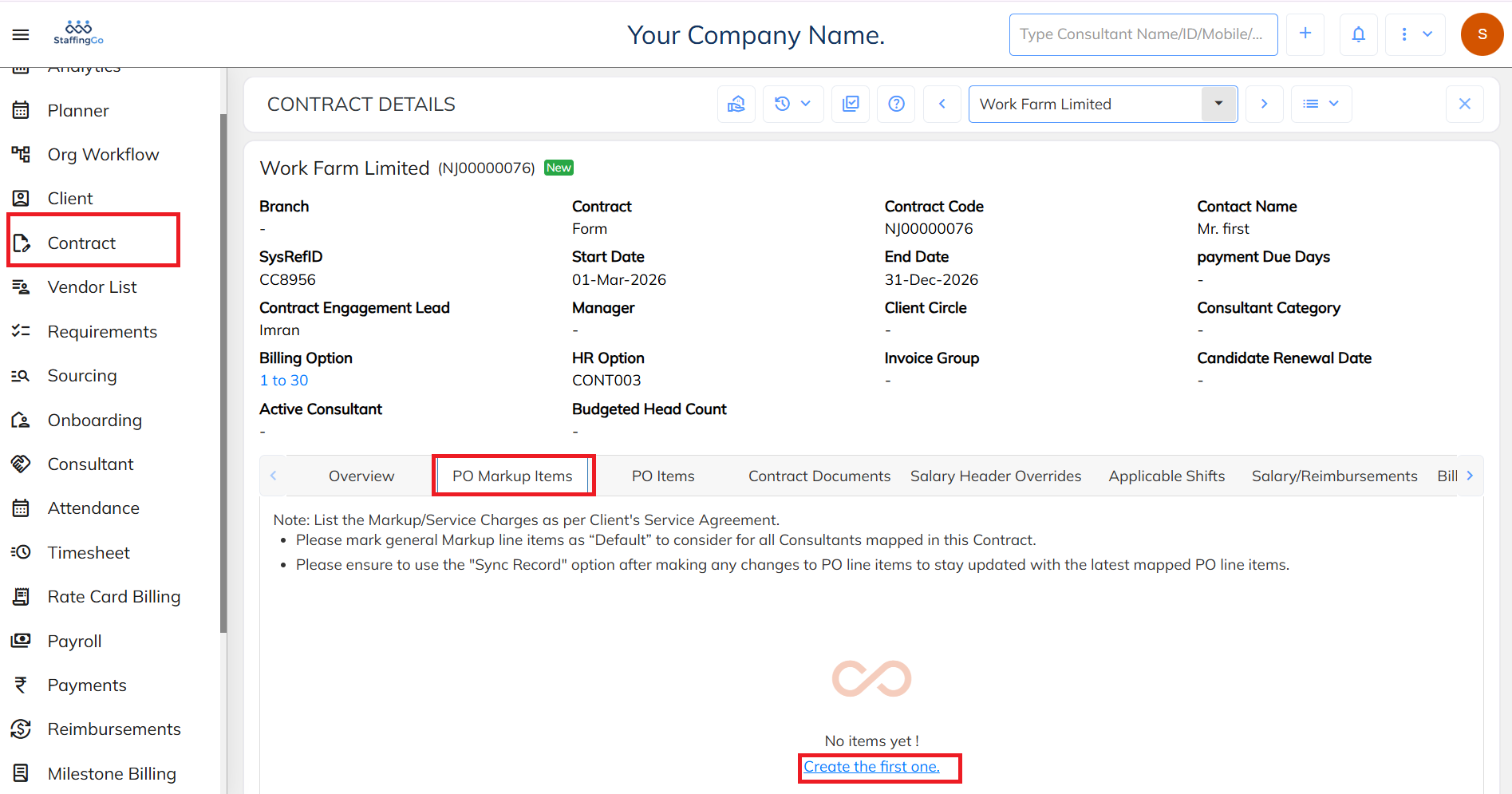
- Navigate to Contract section and select the required contract. Under the Contract, go to the PO markup items section.
- Click on Create the first one.
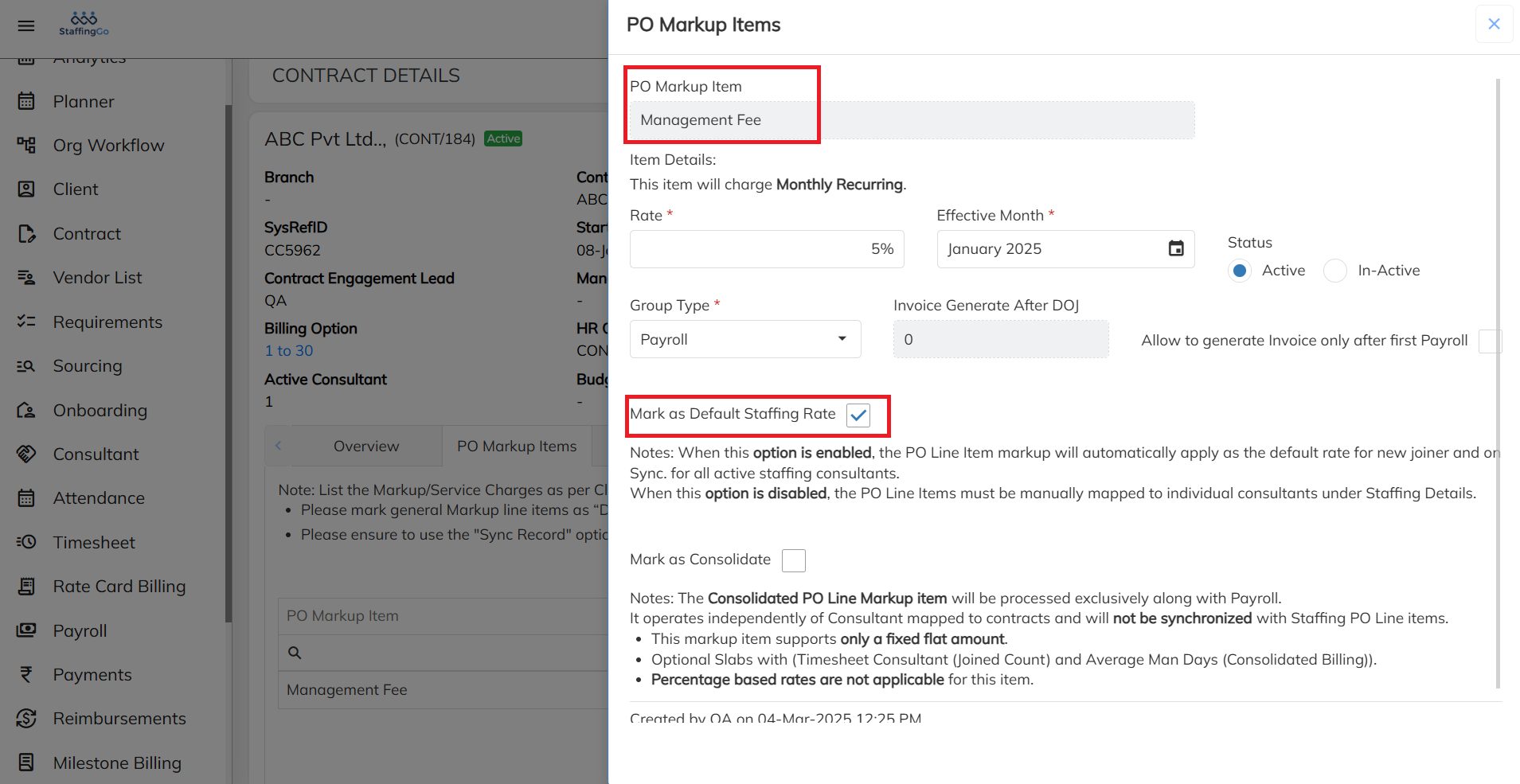
- Click on Create the First One, map the required PO Markup item and enable the Mark as default staffing rate option.
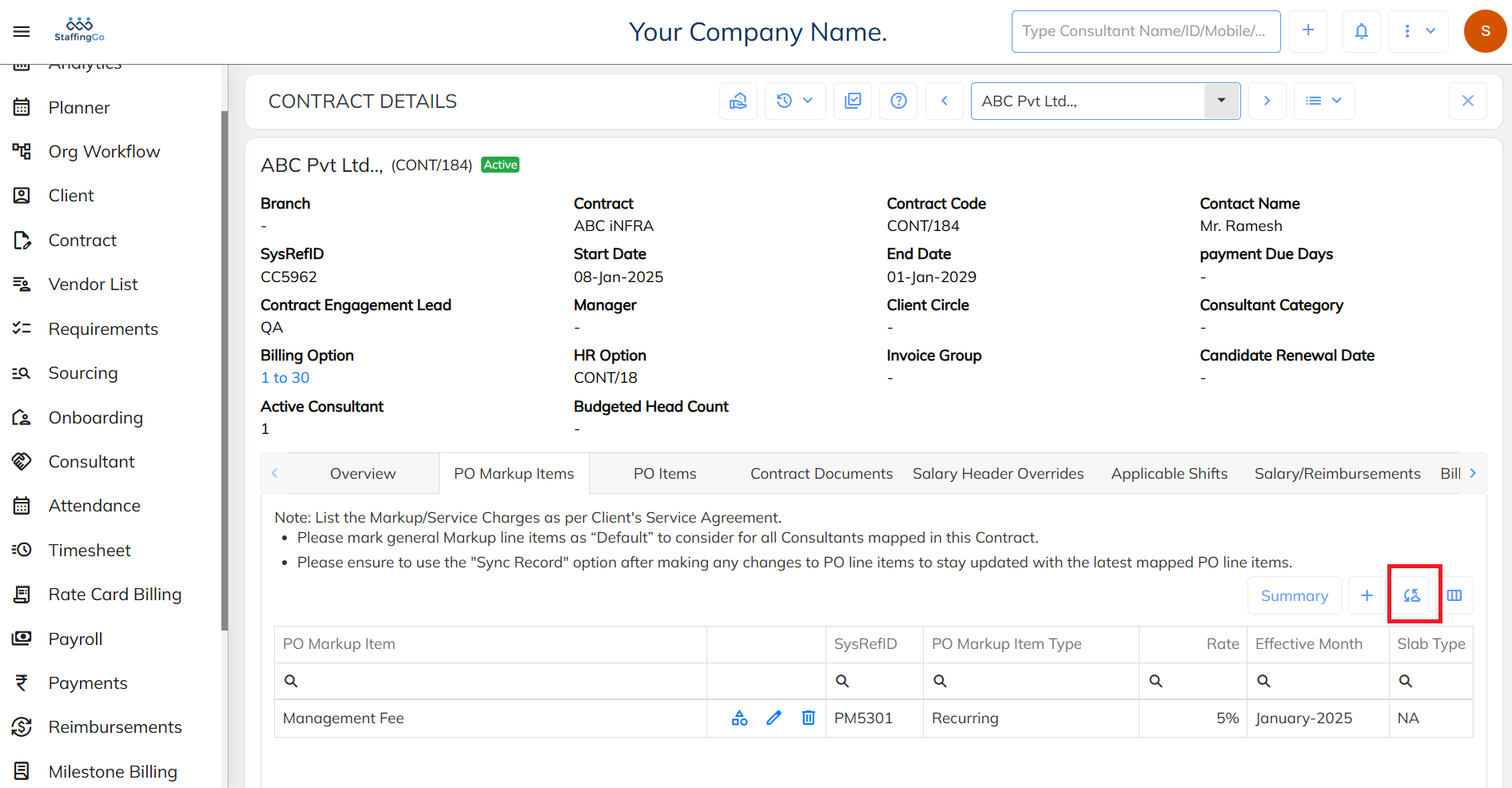
- After mapping the required PO Markup items, click on Save. Use the Sync Record option to ensure the latest mapped PO items are updated and reflected in the system.
Was this article helpful?
That’s Great!
Thank you for your feedback
Sorry! We couldn't be helpful
Thank you for your feedback
Feedback sent
We appreciate your effort and will try to fix the article