In the StaffingGo Application we do have an Auto Sourcing invoice process. This functionality applicable for the one time sourcing fees invoice separate from the payroll invoice.
Follow the below mentioned steps to get the auto sourcing invoice.
1. Configure the Sourcing markup:
- Create the Sourcing mark up under Master level - Navigate to settings >>Staffing Master >> PO line items>> Create the Sourcing mark up details.
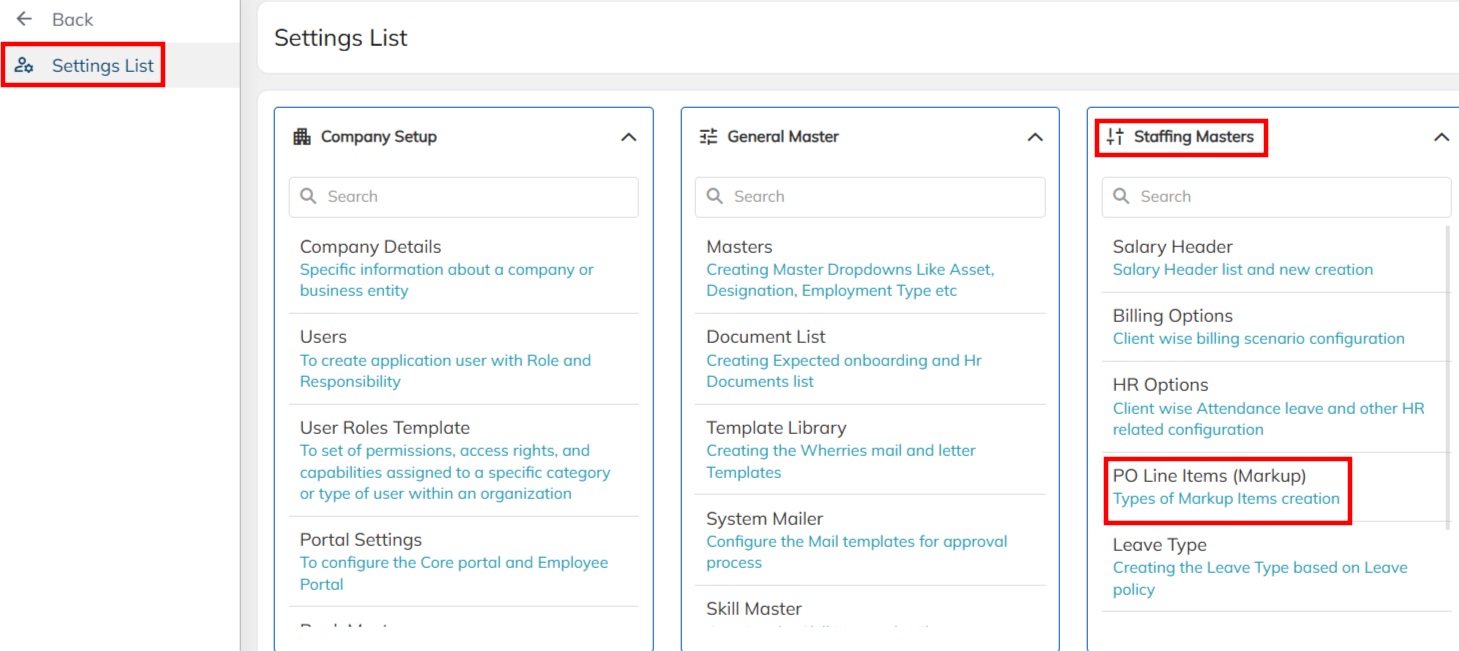
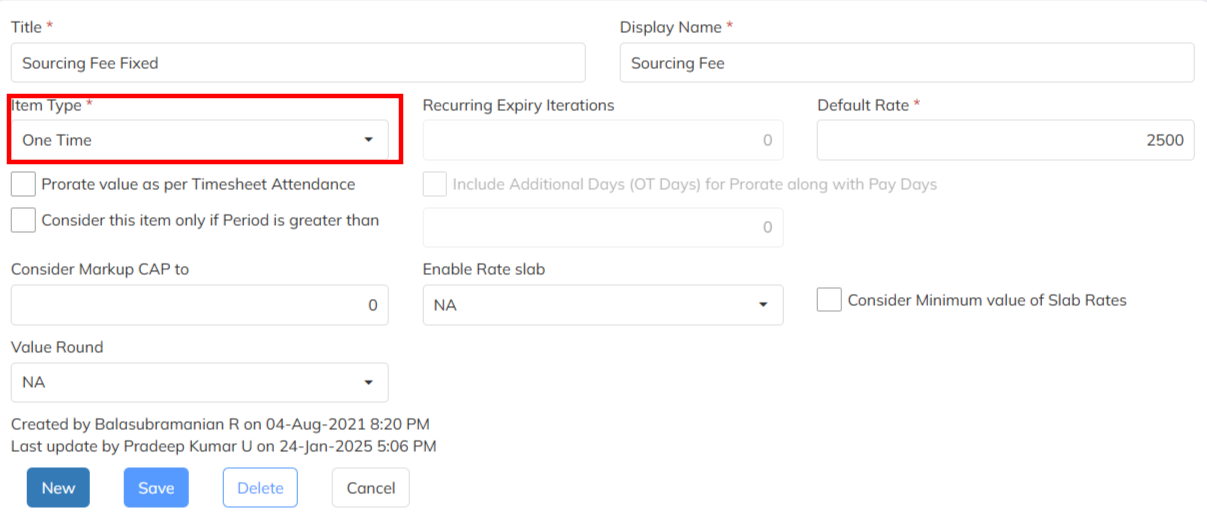
- Create the sourcing fees configuration with Item Type should be One time configuration. Add the client requirement mark up rate under Default Rate.
2. Configured the Sourcing mark up under Contract Level:
- Navigate to the Contract Module >> Select the specific client contract >> Choose the PO Markup item option to set up the sourcing mark up configuration .

- Click on the + Symbol to map the sourcing mark up under contract level in PO Markup Items.
- Select the created sourcing mark up under the PO mark up item and Choose the Group Type as Sourcing Fee is mandatory.
- Enable the Mark as Default Staffing Rate for auto allocation of new joiners and save the markup details with effective date.

- Once markup configured, Added new joiners in the application auto sourcing mark up default will get update and same employee will reflect in the sourcing Module.
- If Required Employment Category basis Sourcing Mark up computation, map the employment category under contract level mark up configuration. ( Employment category can create under >> General Master >> Master >> Employment category.

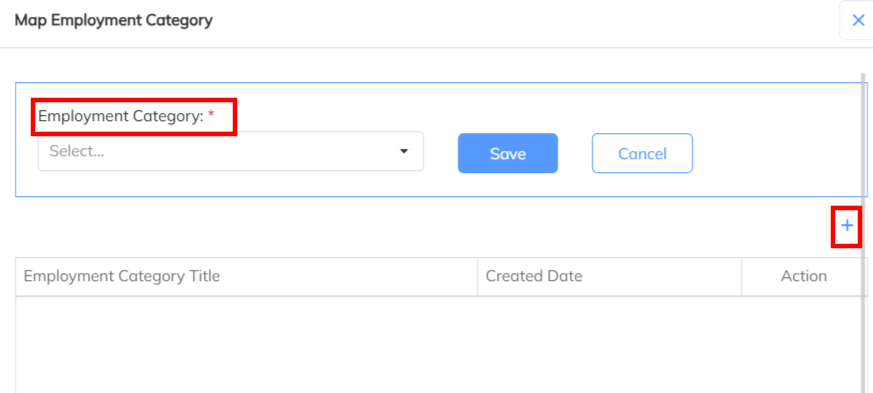
- Note : Employment Status Should be Active , Employee CTC break up should be mandatory to compute Sourcing mark up and Employment category should be mandatory to map for category wise mark up computation.
3. Sourcing invoice Process.
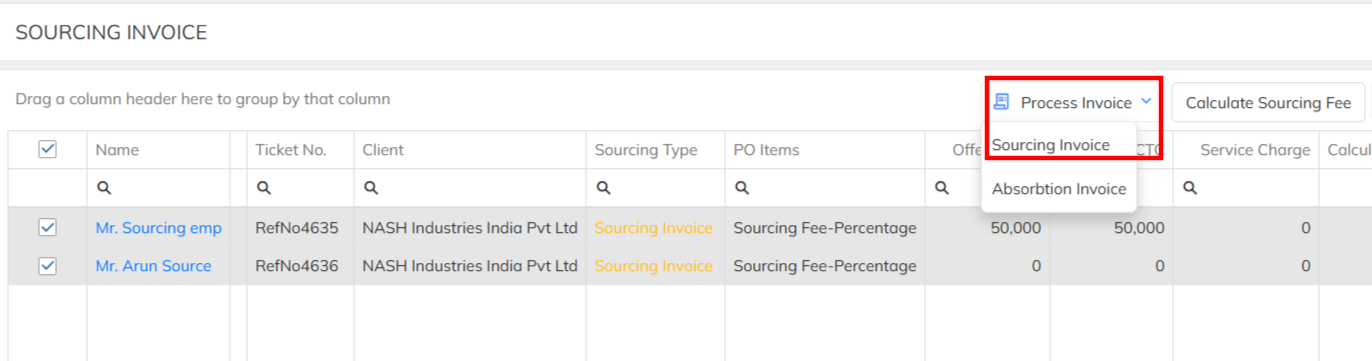
- Navigate to Sourcing Invoice Module >> Select the Sourcing invoice tab >> Sourcing mark up applicable employees will reflect under the same.
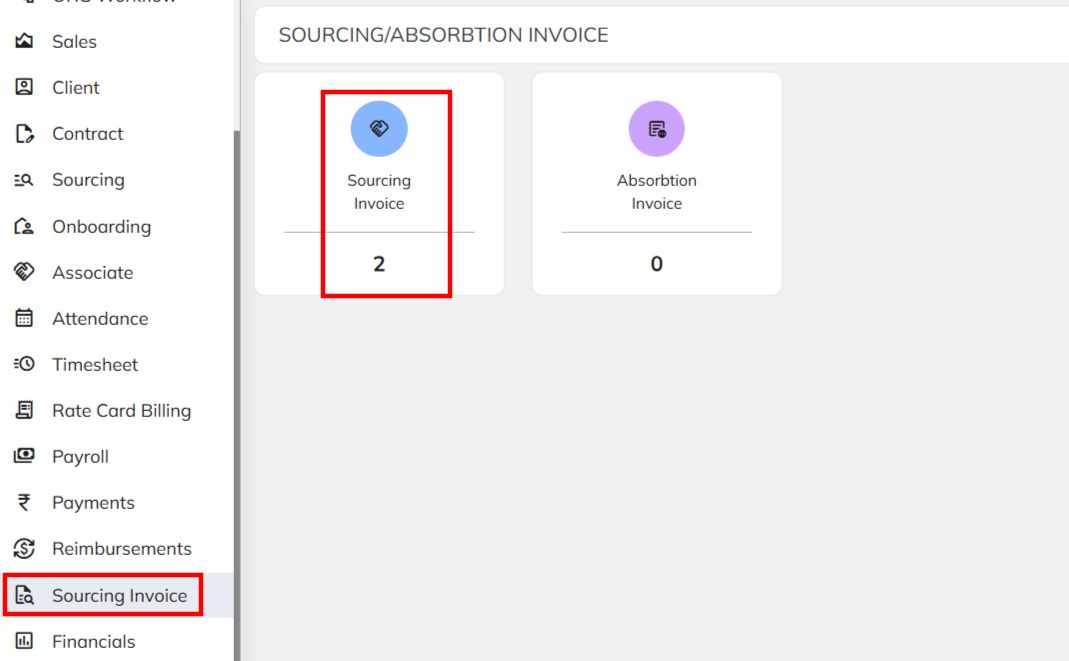
- Select the employees which need to raise sourcing invoice and use the calculate Sourcing fee option to compute Sourcing mark up bill amount based on the Fixed/ Percentage amount.

- Once the compute the billing amount Using the Process invoice option raise the invoice.
Was this article helpful?
That’s Great!
Thank you for your feedback
Sorry! We couldn't be helpful
Thank you for your feedback
Feedback sent
We appreciate your effort and will try to fix the article