Prerequisites
Before performing the data input, ensure the following:
Employee are created in the system.
Required access to Employee Offer Module.
Billing-related fields are configured in the system.
Procedure
Step 1: Login to the Application
Login to the application with valid credentials.
Navigate to the Employee Module.
Search the required employee using Employee Code / Name.
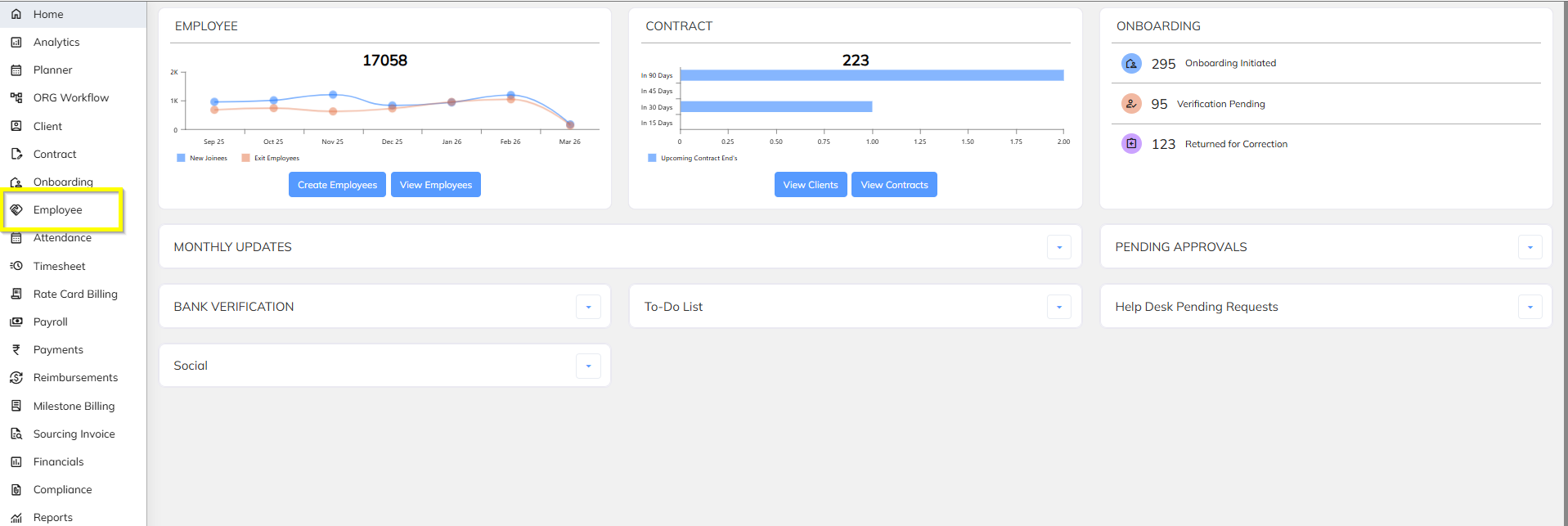

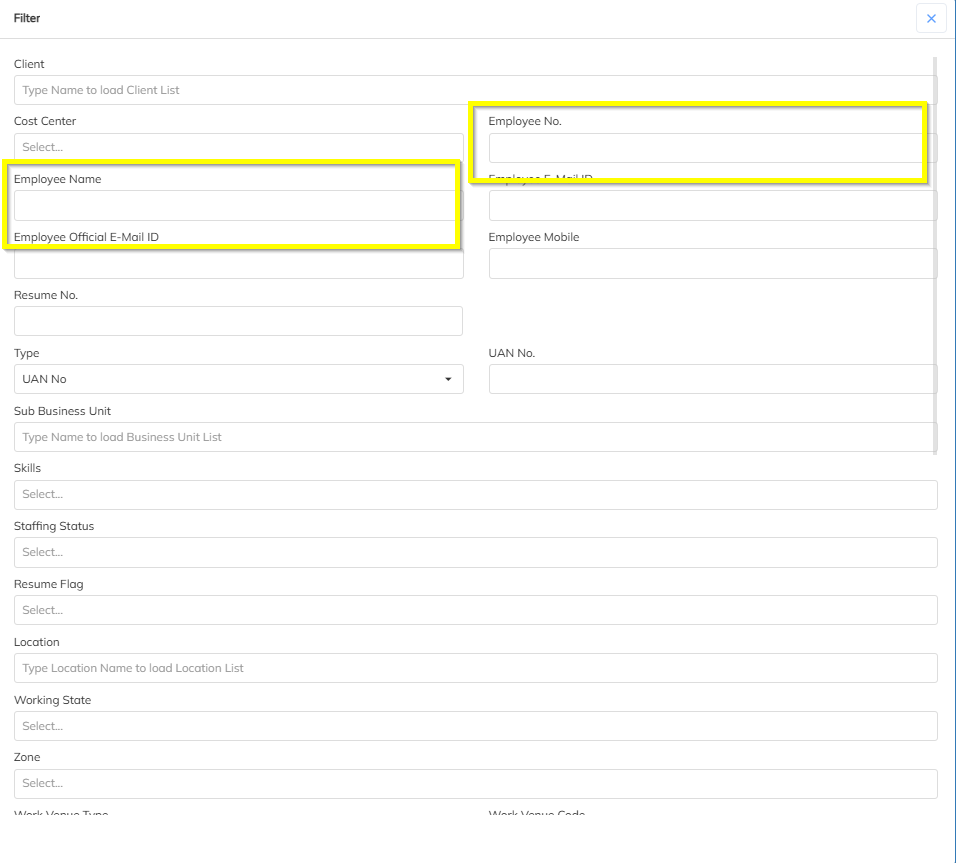
Step 2: Open Employee Offer Details
Open the employee profile.
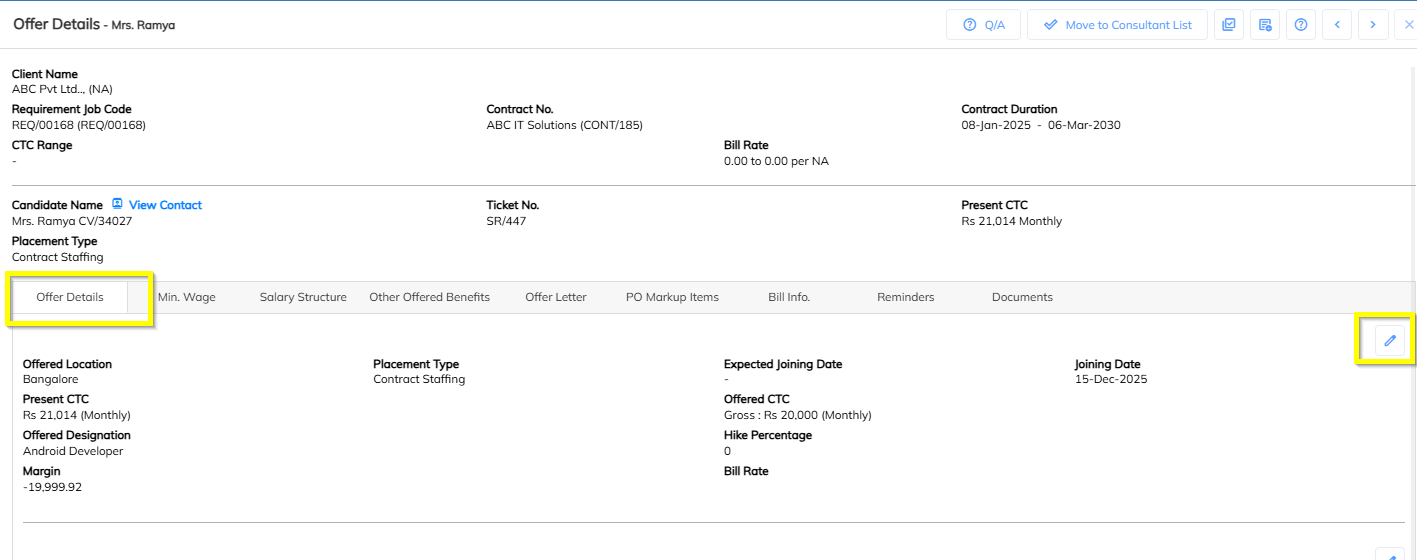
Navigate to Offer Details section.
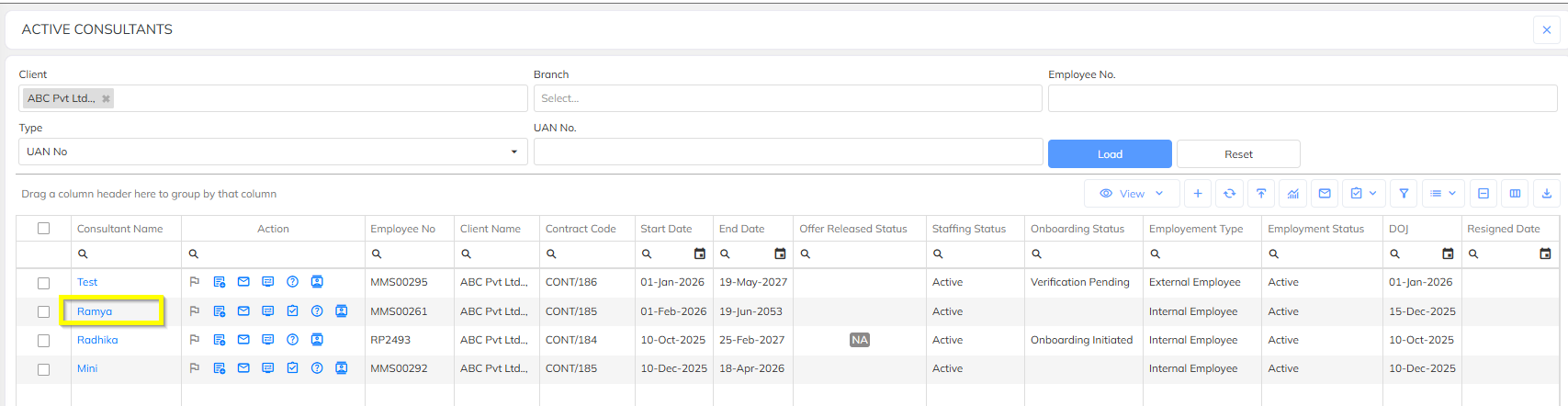
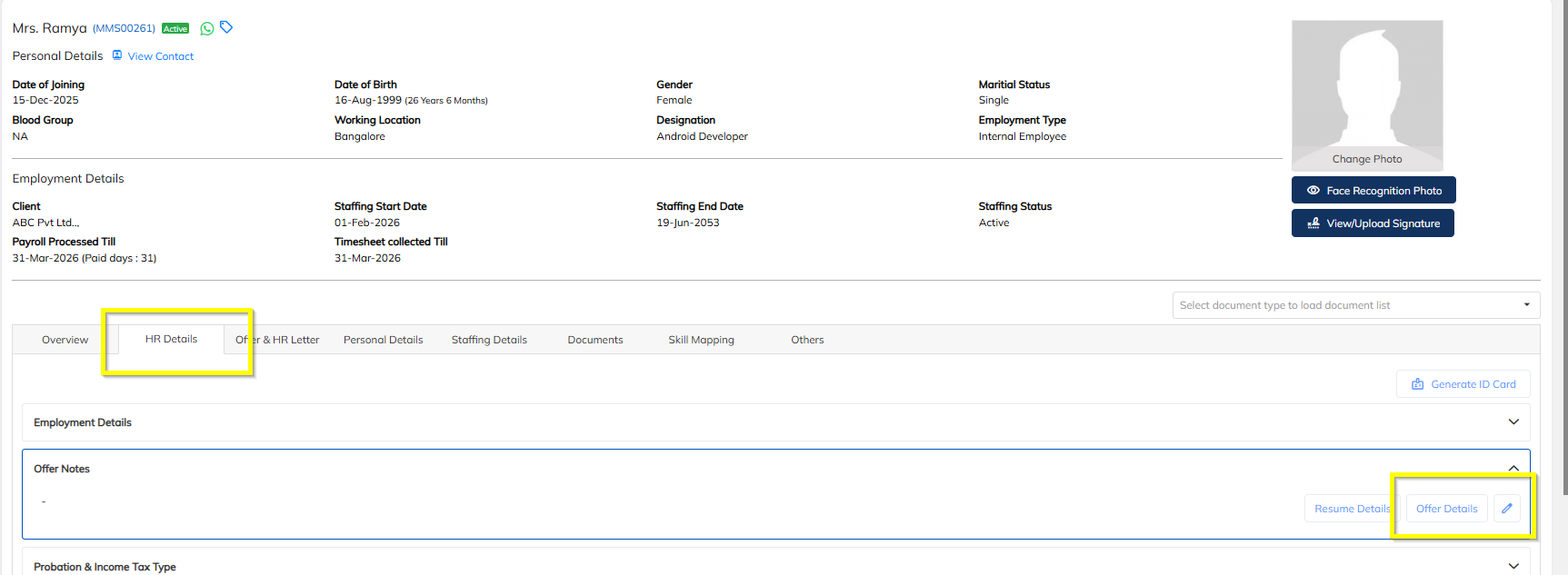
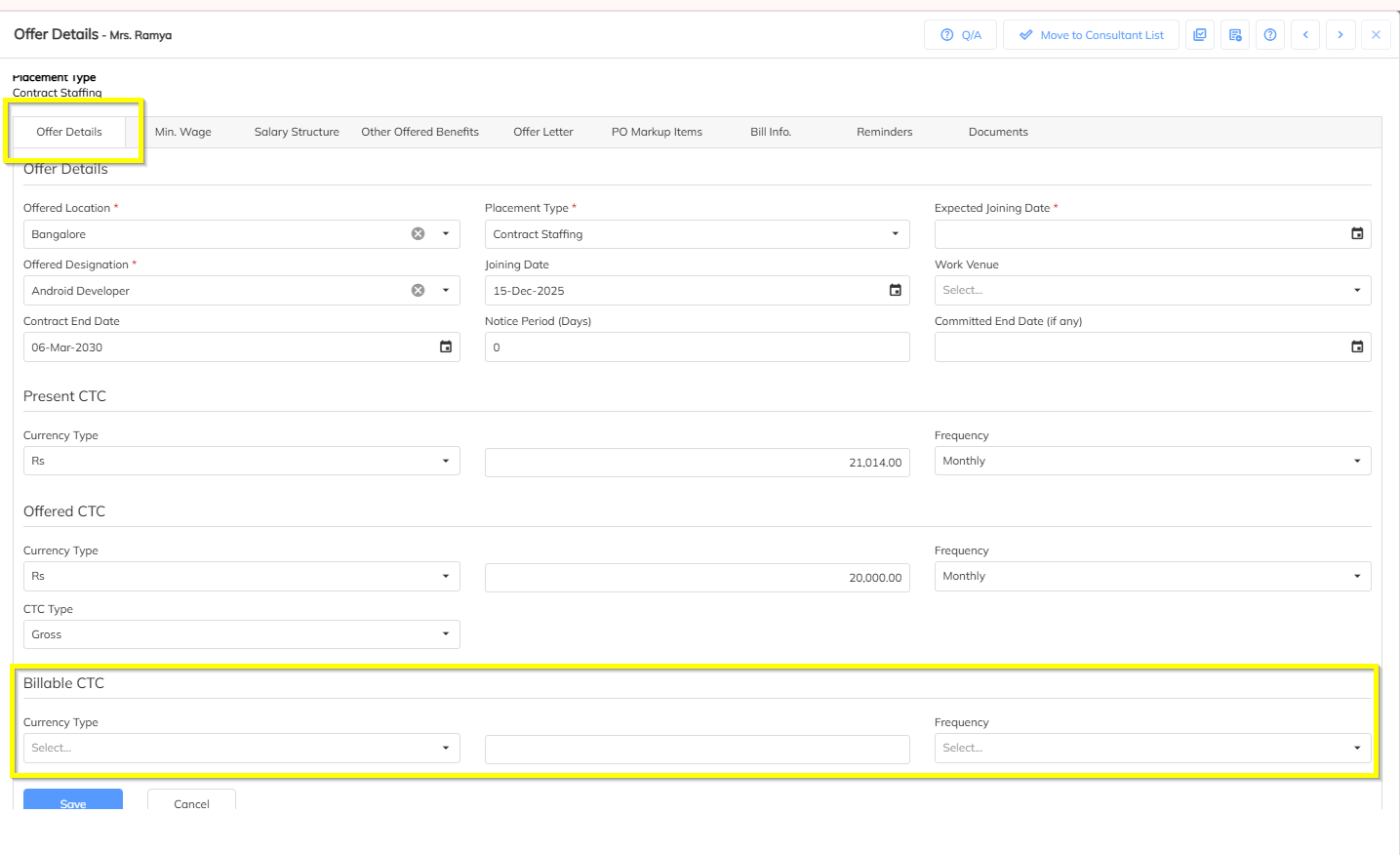
Step 3: Enter Billable CTC
Purpose: Billable CTC is used for invoice calculation.
In Employee Offer Details, locate the field Billable CTC.
Enter the correct Billable CTC value based on the employee’s offer.
Step 4: Enter Markup
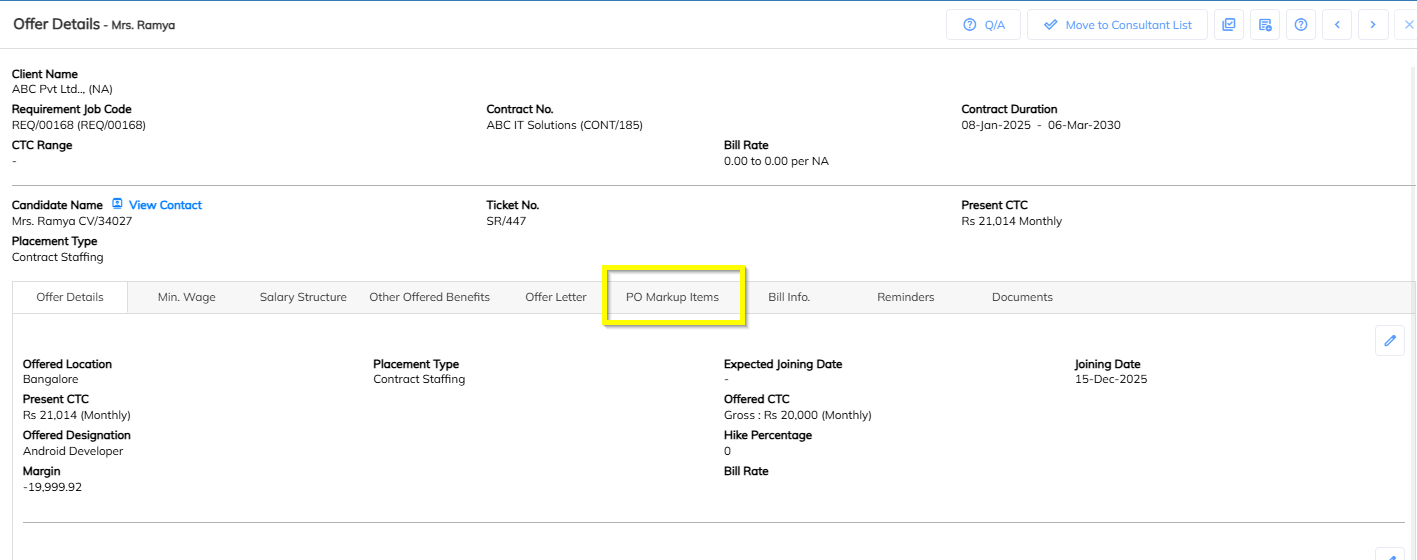
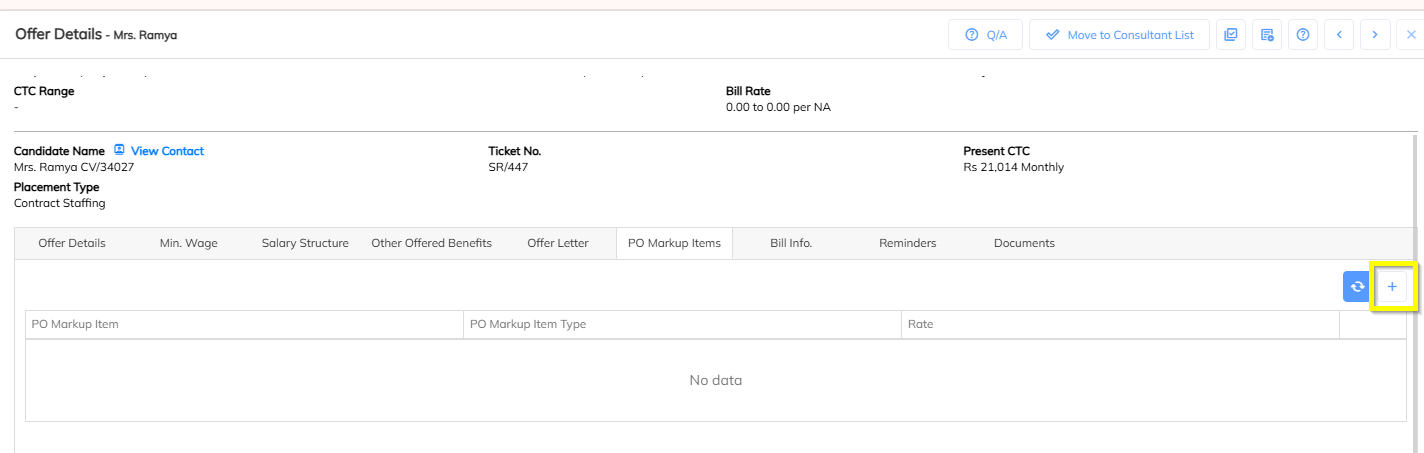
Purpose: Markup defines the additional margin applied for billing.
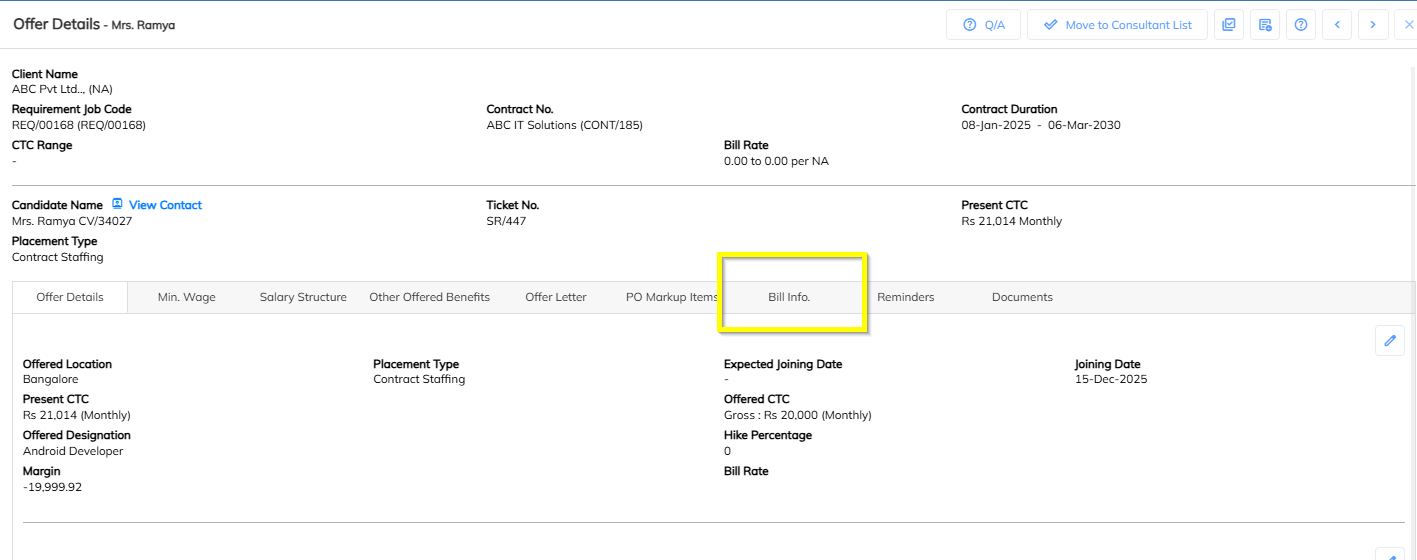
In Employee Offer Details, locate the section PO Markup Items.
Enter the applicable Markup value.

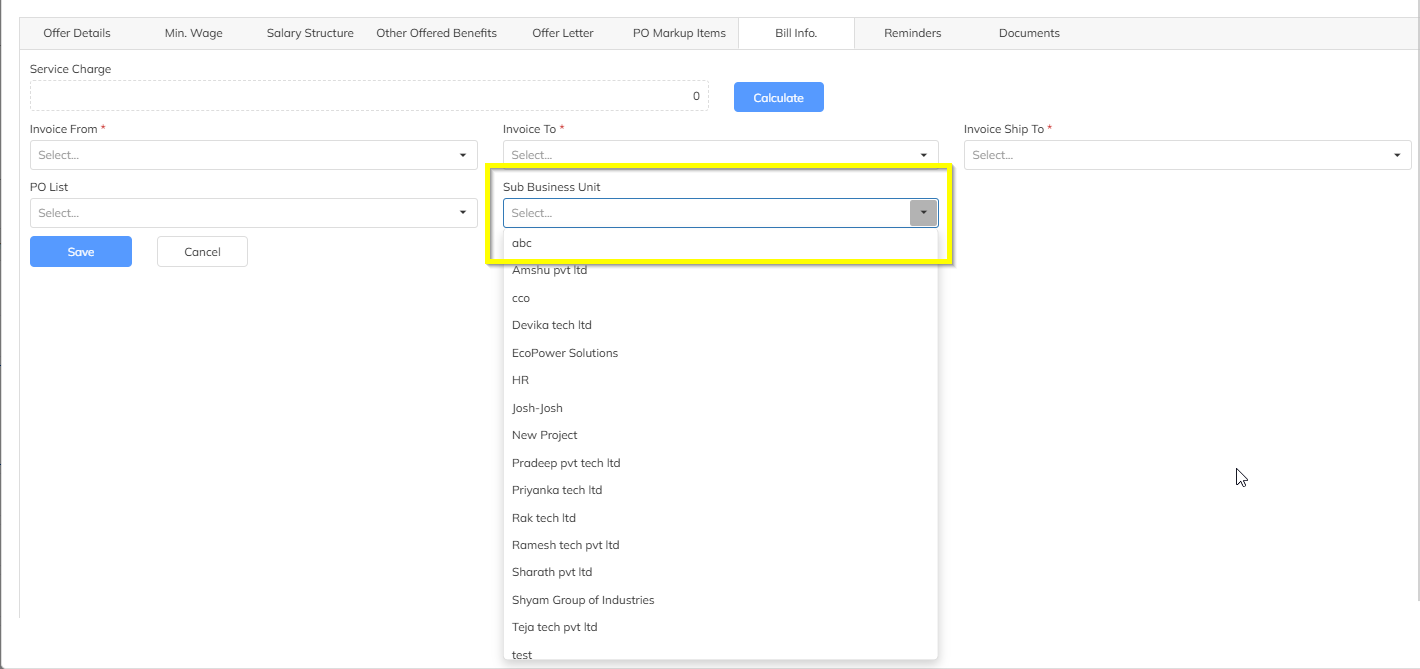
Step 5: Update SBU Information
Purpose: SBU determines the business unit used for billing classification.
Navigate to Employee Offer Details.
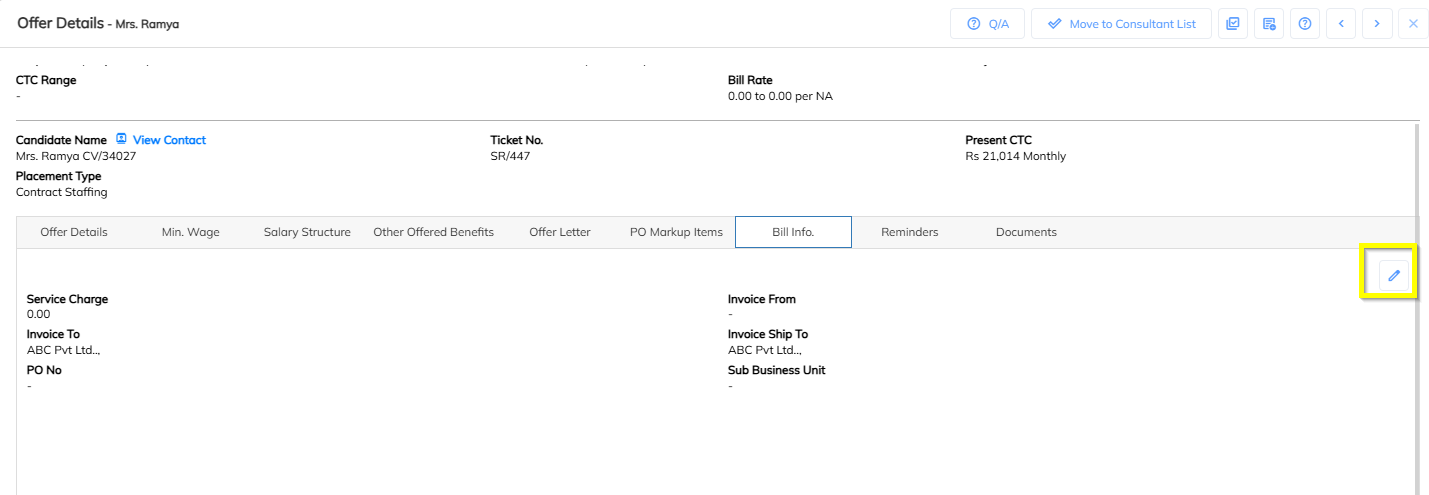
Locate the Bill Info
Click on the edit Button
Update correct SBU.
5. Validation Checklist
Before completing the process, verify the following:
| Validation | Check |
|---|---|
| Billable CTC entered correctly | ✔ |
| Markup configured in PO Markup Items | ✔ |
| Correct SBU selected | ✔ |
Was this article helpful?
That’s Great!
Thank you for your feedback
Sorry! We couldn't be helpful
Thank you for your feedback
Feedback sent
We appreciate your effort and will try to fix the article