Overview
This document explains how to map the applicable Municipal Corporation for Professional Tax (PT) at the employee level in the application.
The mapping can be updated either:
- Individually through Employee Profile
- In bulk using Employee Details Update Import
1. Mapping Municipal PT Slab Through Employee Profile
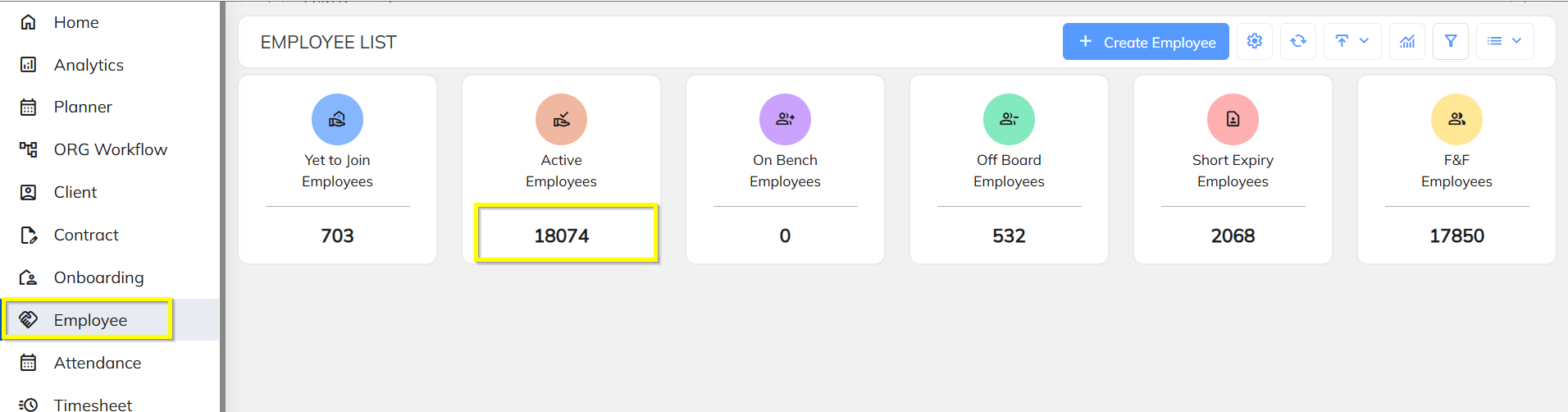
Step 1: Navigate to Employee Module
Go to:
Employee → Employee Profile
Step 2: Open Statutory Information
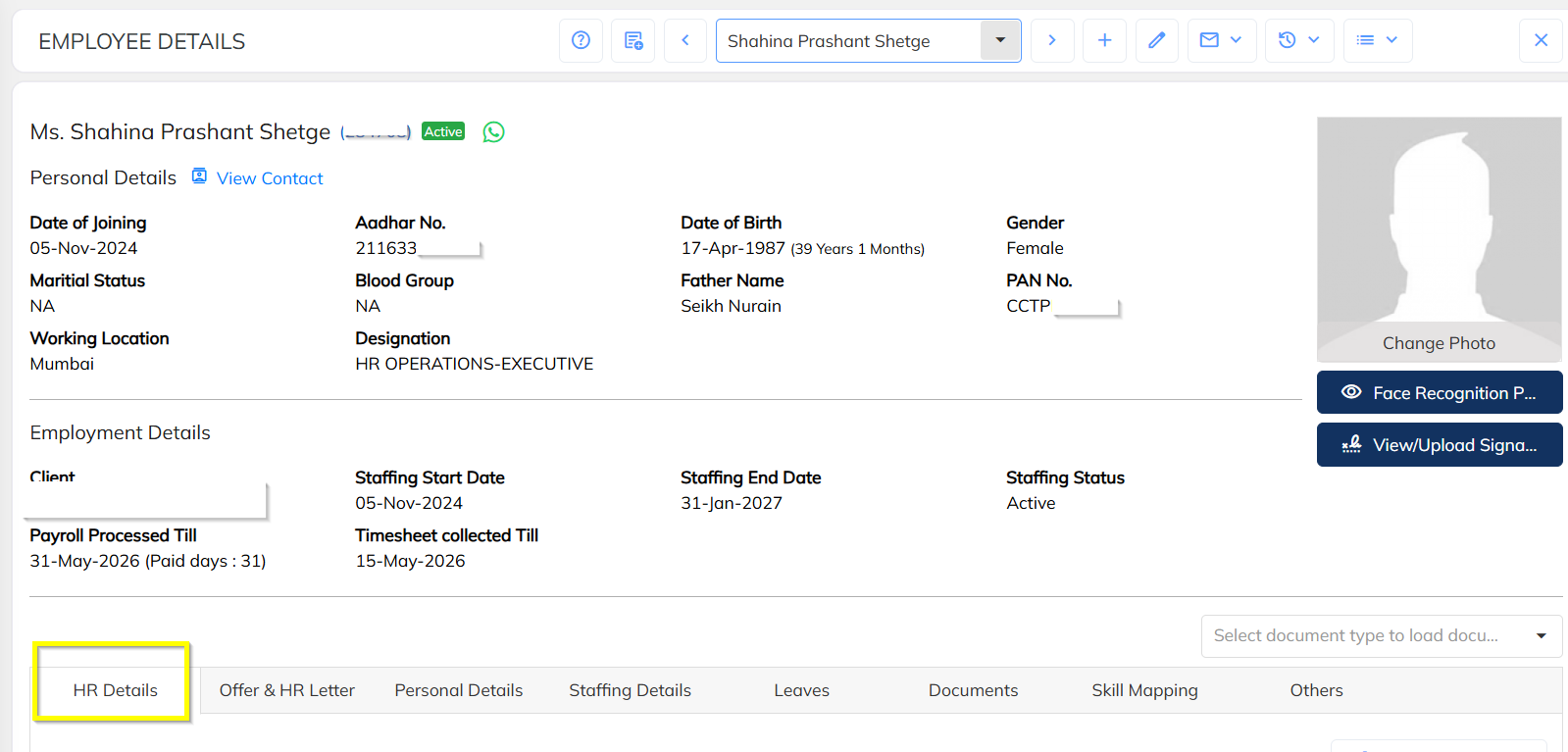
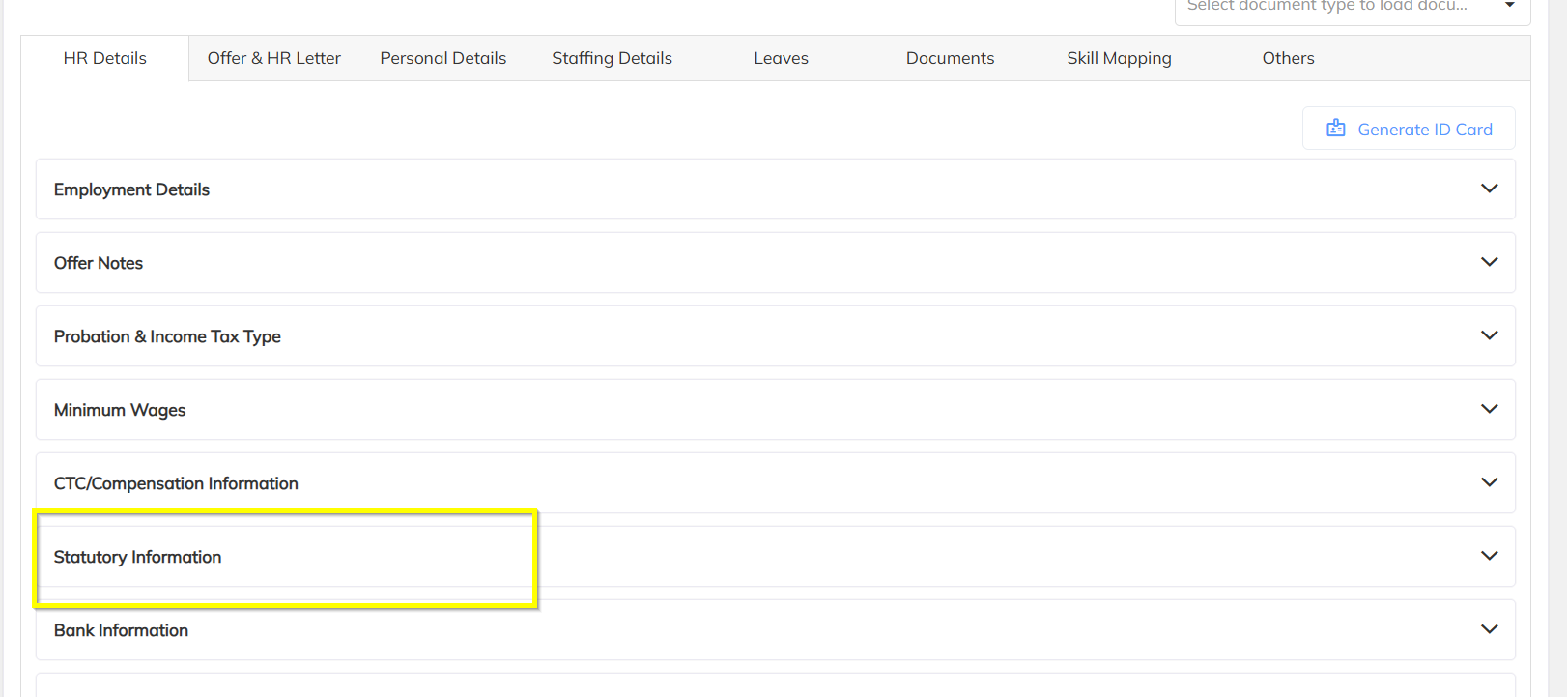
- Search and open the required employee profile.
- Navigate to the Statutory Information section.
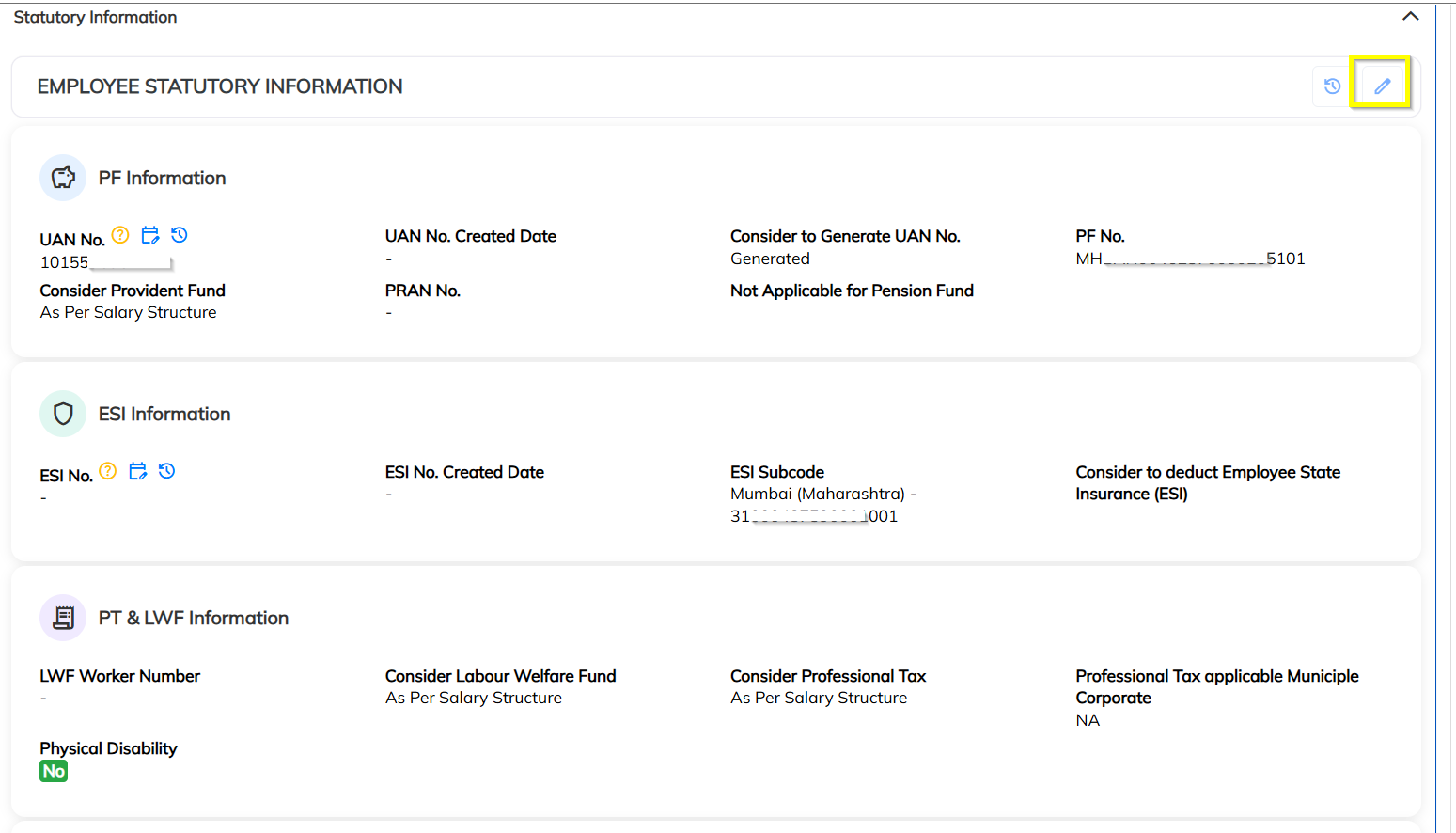
- Click on Edit.
Step 3: Select Applicable Municipal Corporation
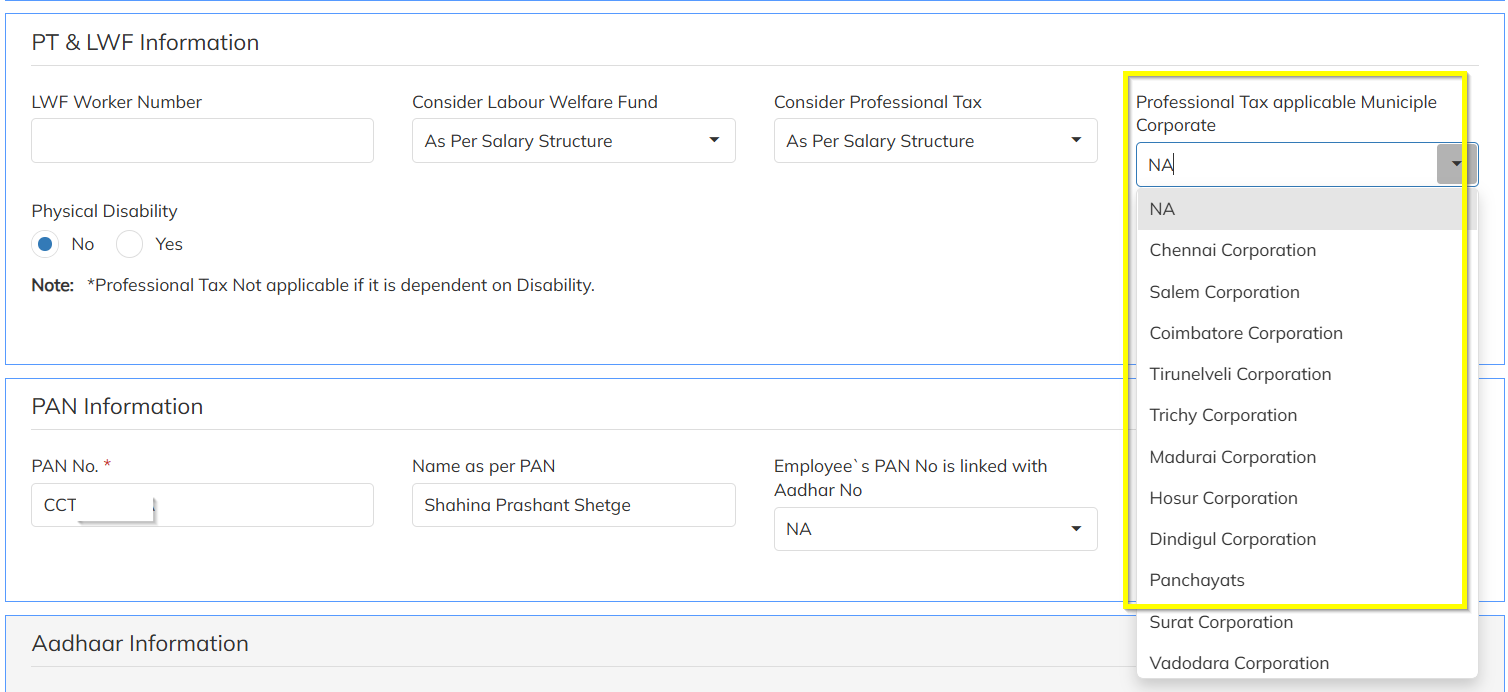
Under the PT Information section:
Locate the field:
Professional Tax Applicable Municipal Corporation
- Select the applicable Municipal Corporation from the dropdown list.
Example:
- Chennai Municipal Corporation
- Hosur Municipal Corporation
- Salem Municipal Corporation
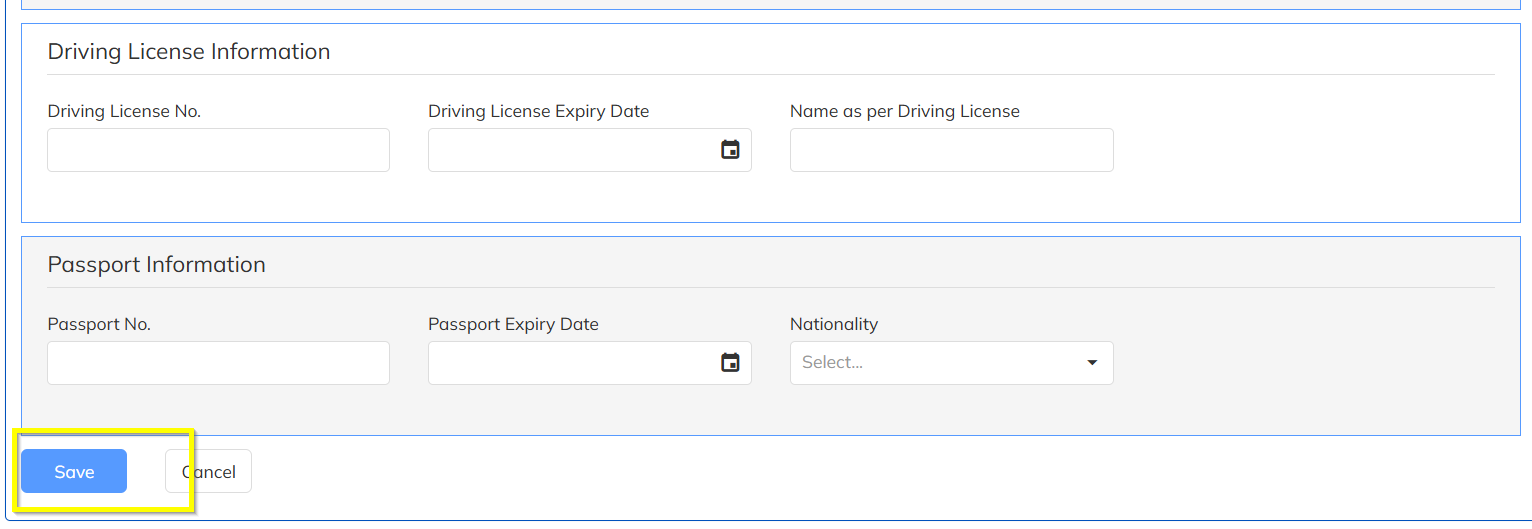
Step 4: Save the Information
- Click on Save to update the employee PT mapping successfully.
2. Bulk Update Through Employee Details Update Import
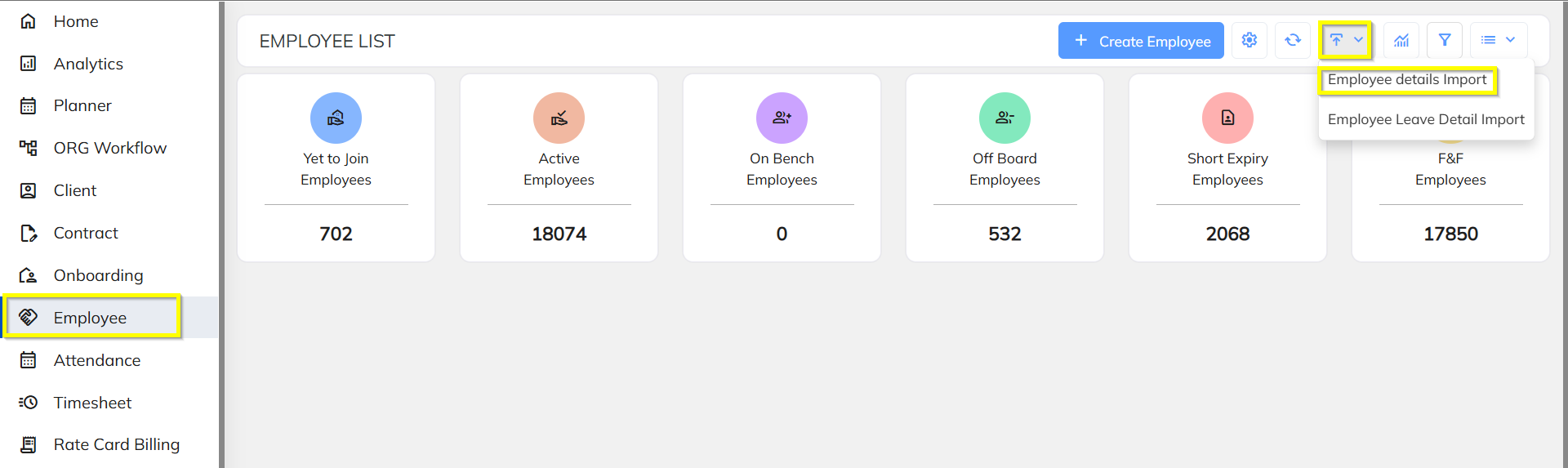
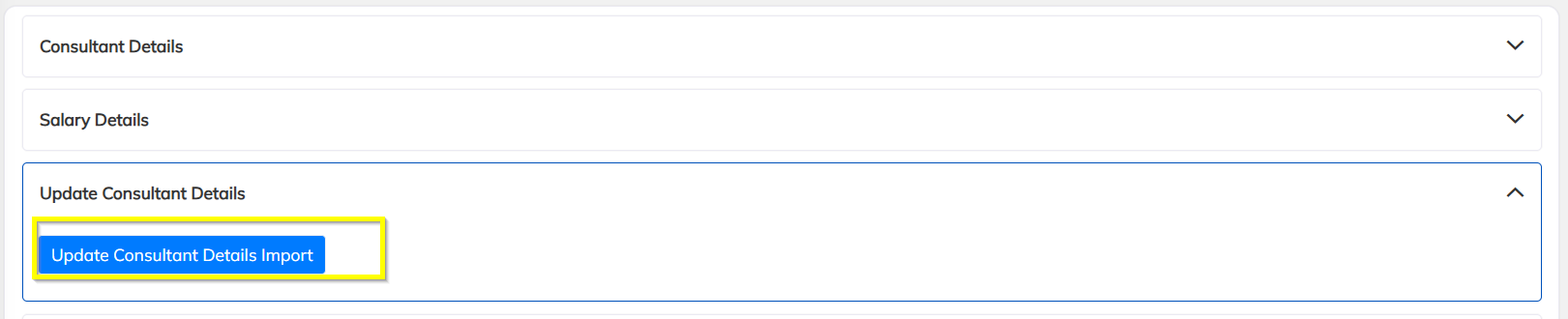
The same Municipal Corporation mapping can also be updated in bulk using the Employee Details Update Import option.
Step 1: Download Sample Excel
Navigate to:
Employee → Employee Details Update Import
- Download the Sample Excel Uploader.
Step 2: Prepare the Excel File
Important Instructions
- Open the downloaded sample file.
- Refer to the Instruction Sheet.
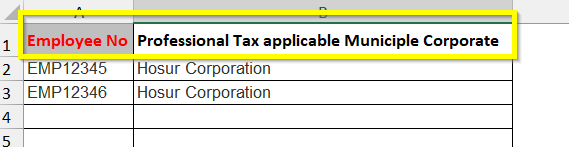
- Copy the column name:
Professional Tax Applicable Municipal Corporation
- Add this column in the main upload sheet if not already available.
Required Columns
Step 3: Enter Employee Data
Update the Excel sheet with:
- Employee Number
- Applicable Municipal Corporation
Example:
| Employee Number | Professional Tax Applicable Municipal Corporation |
|---|---|
| EMP001 | Hosur Corporation |
| EMP002 | Hosur Corporation |
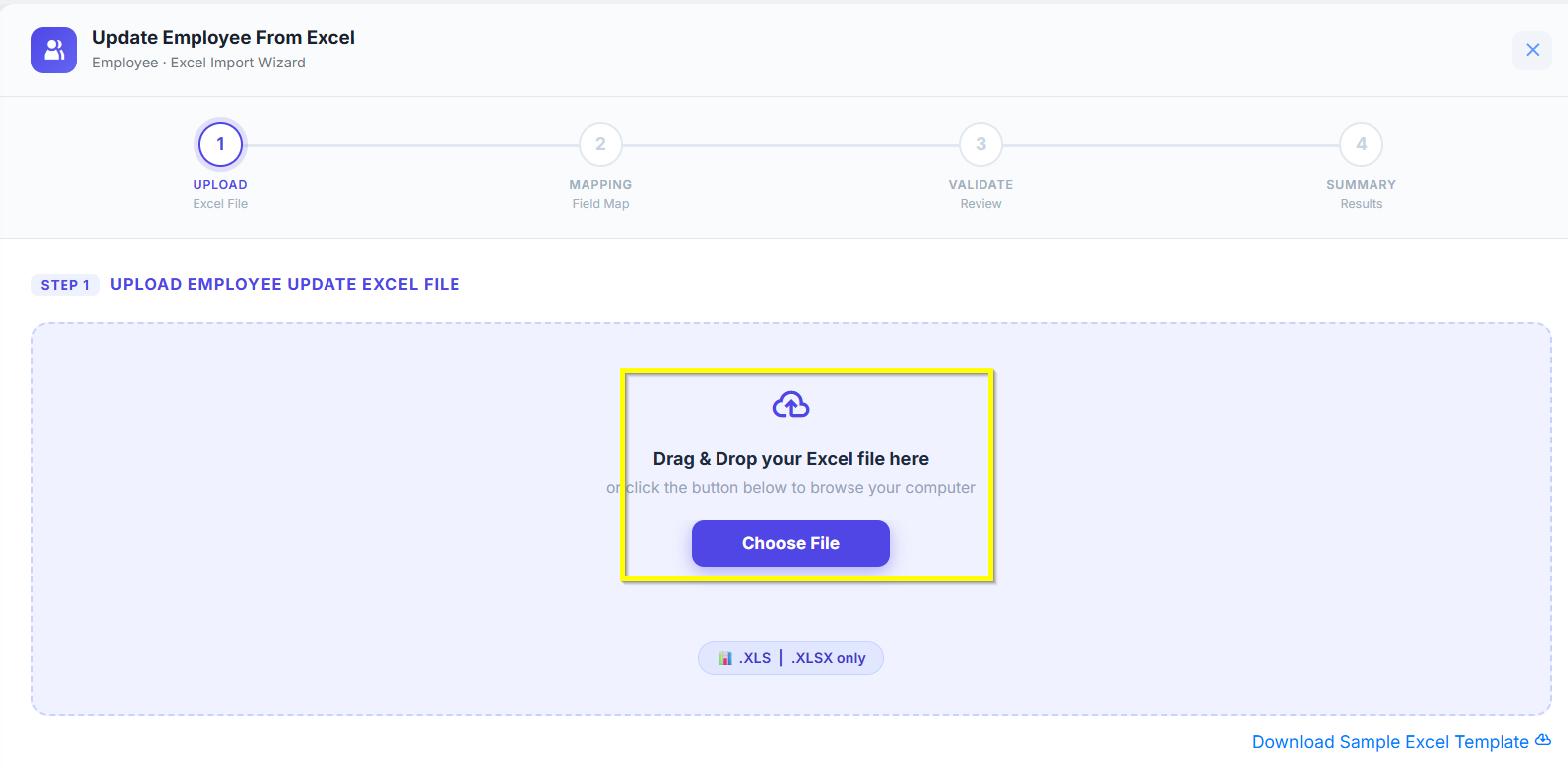
Step 4: Save and Upload the Excel
- Save the updated Excel file.
- Upload the Excel into the system.
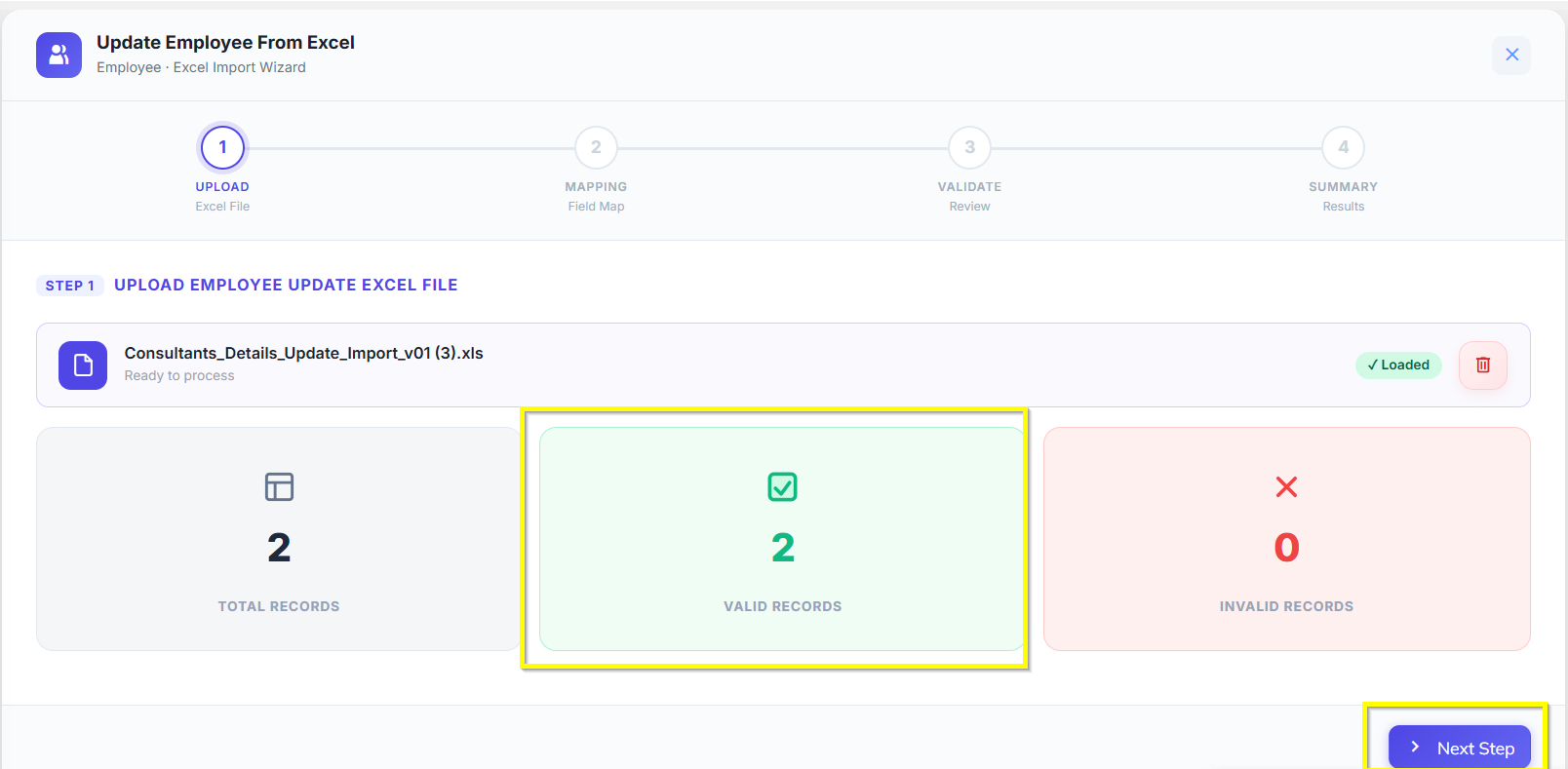
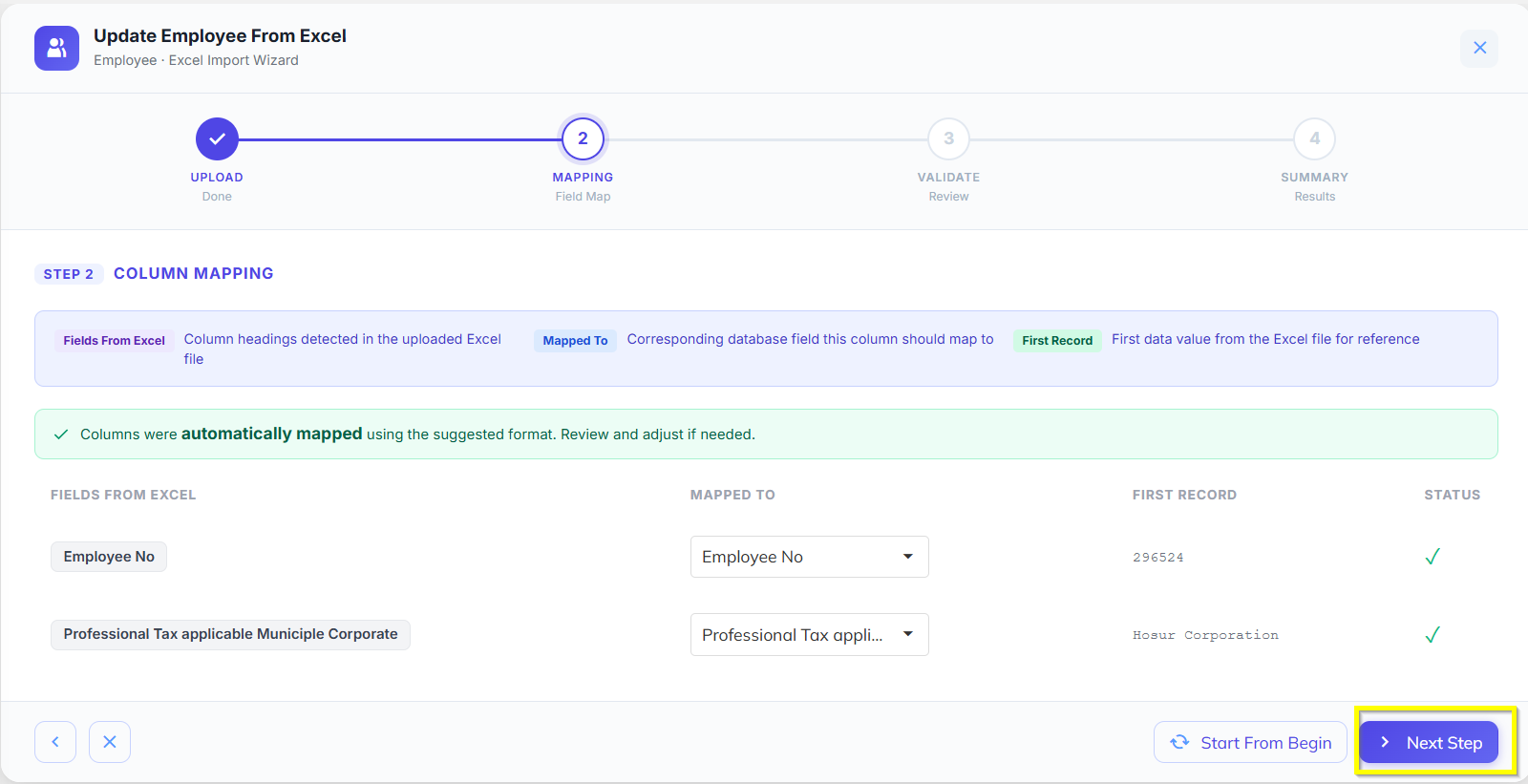
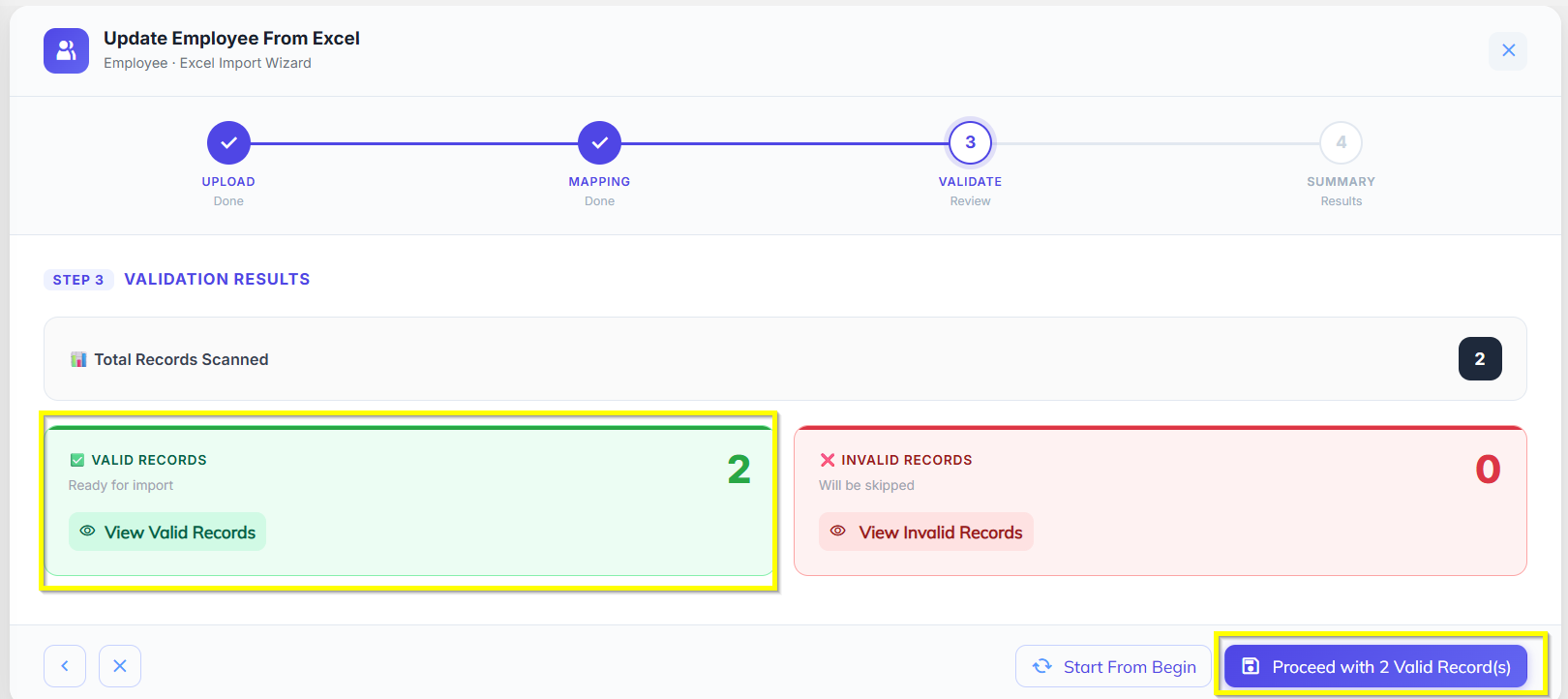
Step 5: Validate and Save
- The system will validate the uploaded data.
- Once validation is completed successfully:
- Click on Save.
The Municipal Corporation PT mapping will be updated for all uploaded employees.
Was this article helpful?
That’s Great!
Thank you for your feedback
Sorry! We couldn't be helpful
Thank you for your feedback
Feedback sent
We appreciate your effort and will try to fix the article