In the application we can able to verify the mails sent log on the day basis , date range basis and User basis. Follow the below mentioned steps to validate the mail summary log.
1. Navigate to to LOGIN ICON >> Choose the User Setting Option>> Select the Log Option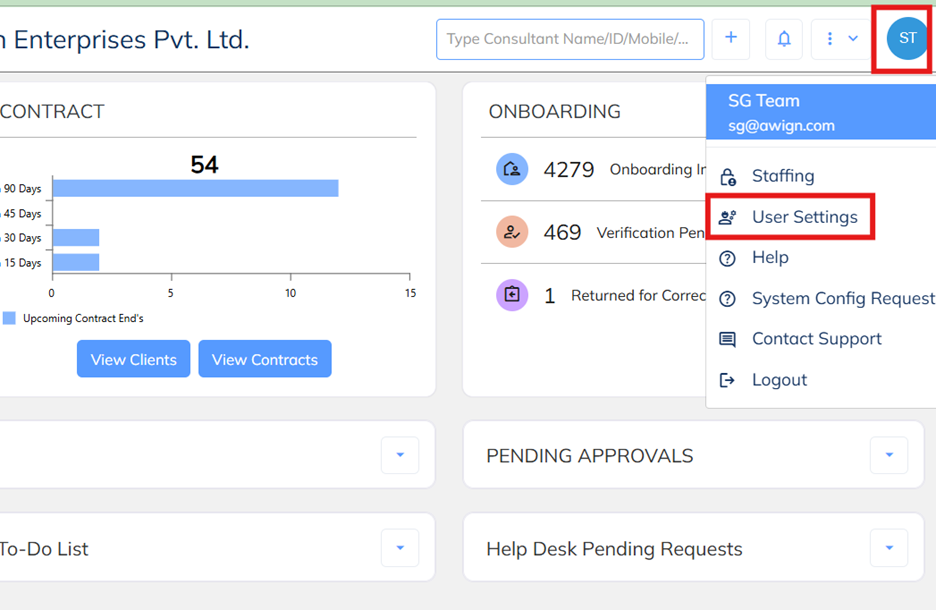
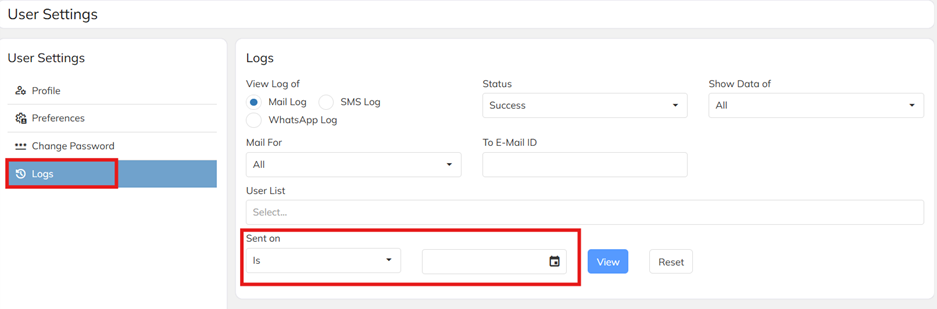
2. Choose the Selected Date Range which your required Review the mail logs and use the option of View to load the mail log details. Use the filed such as user name wise mails log, date wise, date range wise and Status wise
3. Use the download option to get the mails details to export.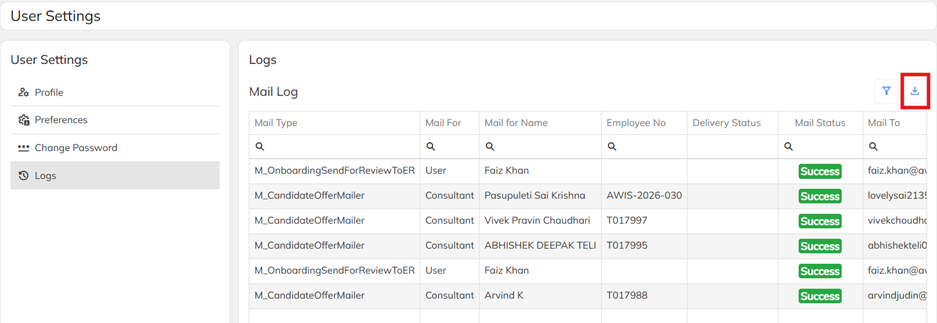
4. Log summary option is access based. Which are the user having the access those only can able access the log details. Refer the attached log access functionality. Enable the same option for the use mapped user roll template.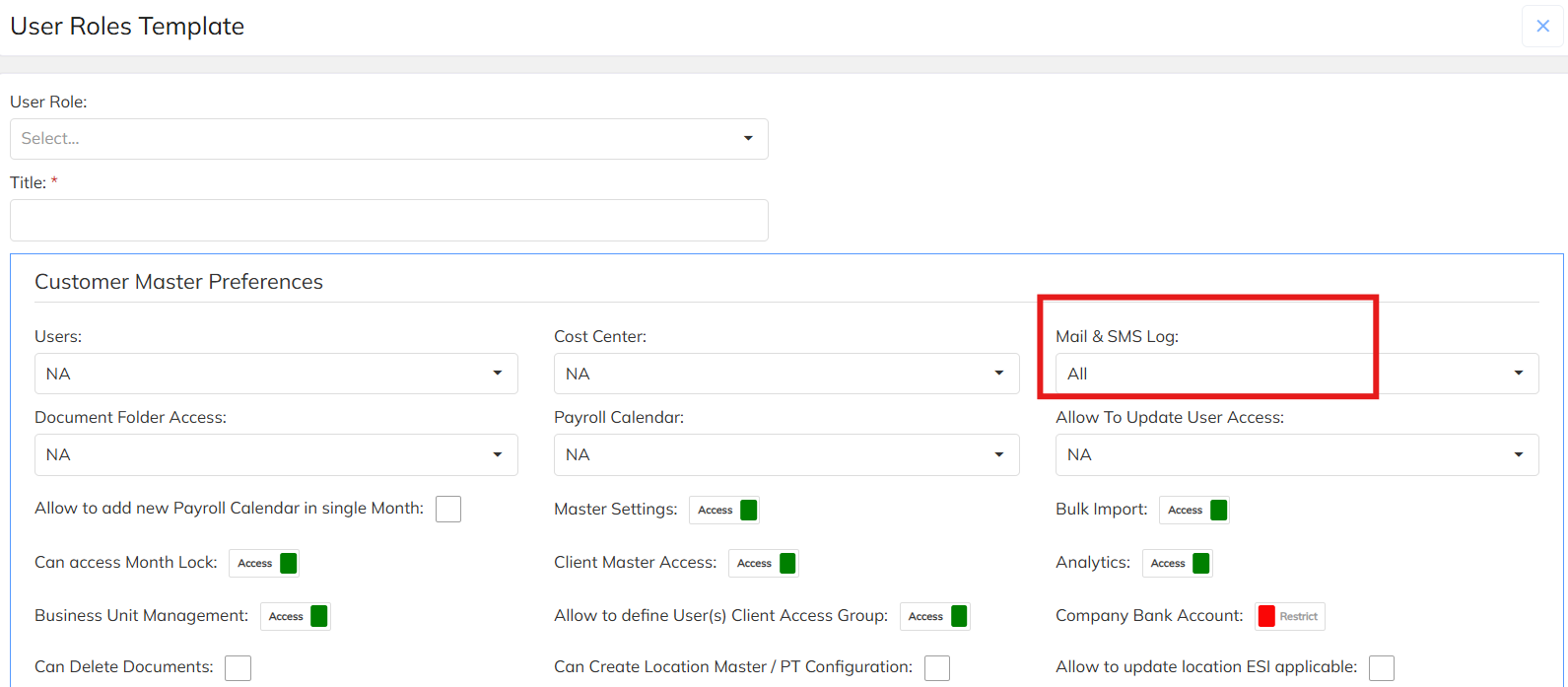
Was this article helpful?
That’s Great!
Thank you for your feedback
Sorry! We couldn't be helpful
Thank you for your feedback
Feedback sent
We appreciate your effort and will try to fix the article