Invoice discounting is a financial process where a business receives advance payment against unpaid customer invoices from a bank or financial institution instead of waiting for the customer payment due date.
To allocate the discount in the raised invoice within the StaffingGo application, please follow the steps mentioned below:
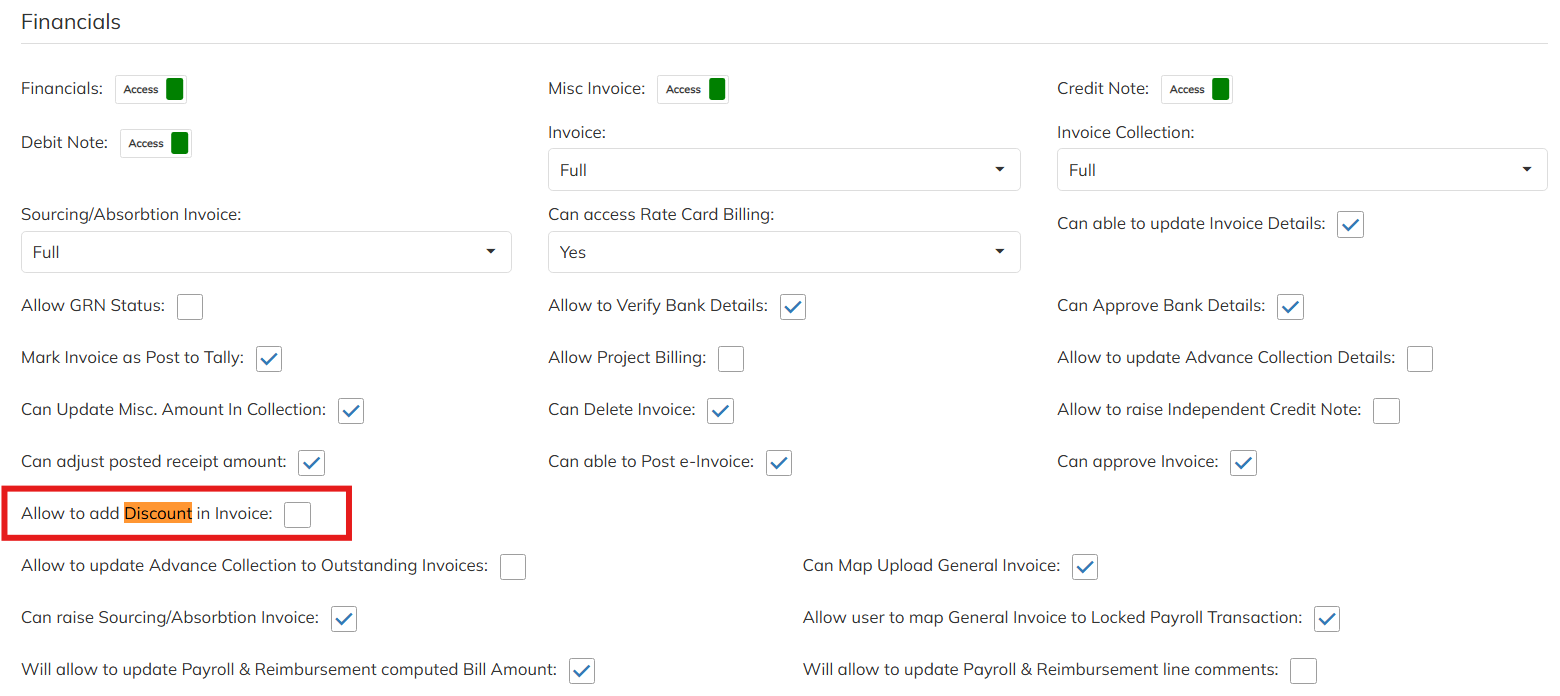
Step-1: Enable the Discount option access under invoice module to users
- Navigate to settings>> Company set up >> User roll template >> Select the user mapped user roll template and enable the Allow to add Discount in Invoice option and save.
- Once the access enabled re-login to application to get the access
Step -2 : Update the Discount details in the selected invoice
- Navigate to Financial Module >> Select the particular invoice which needs to update the discount details.
- This activity need follow before e-invoice, Tally Posting & digitally signed.
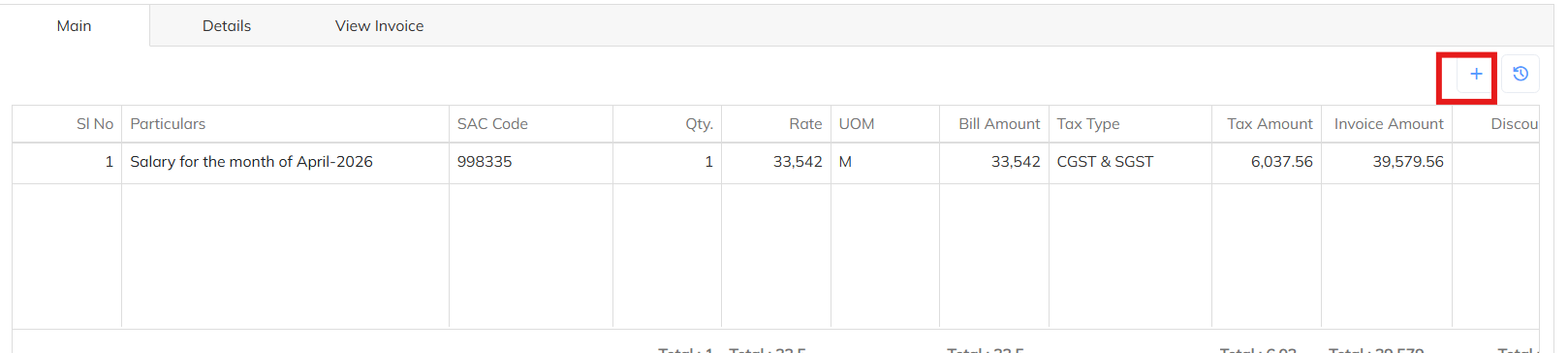
- Navigate to selected invoice under main particular details and click on the + Symbol to allocate the discount details.
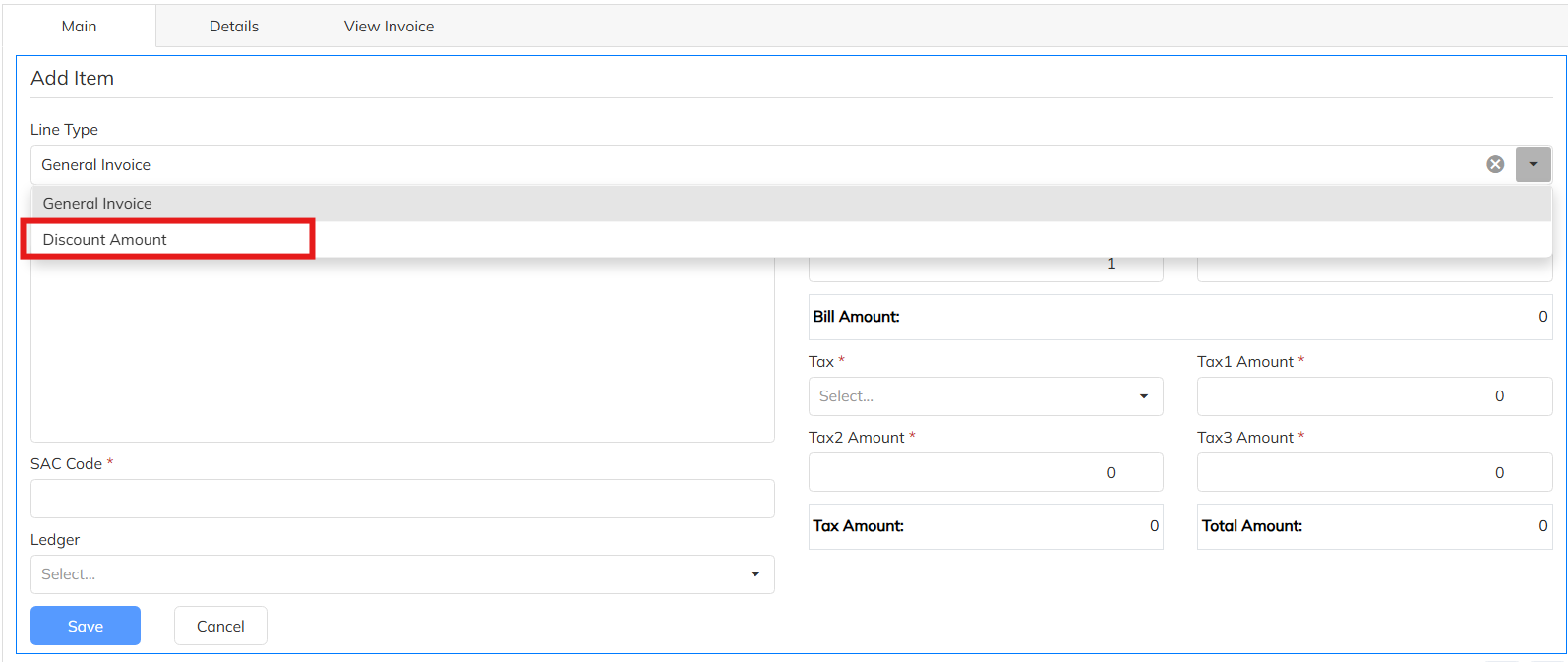
- Choose the line type as Discount Amount and add the discount details along with narration and details. Save the input discount details
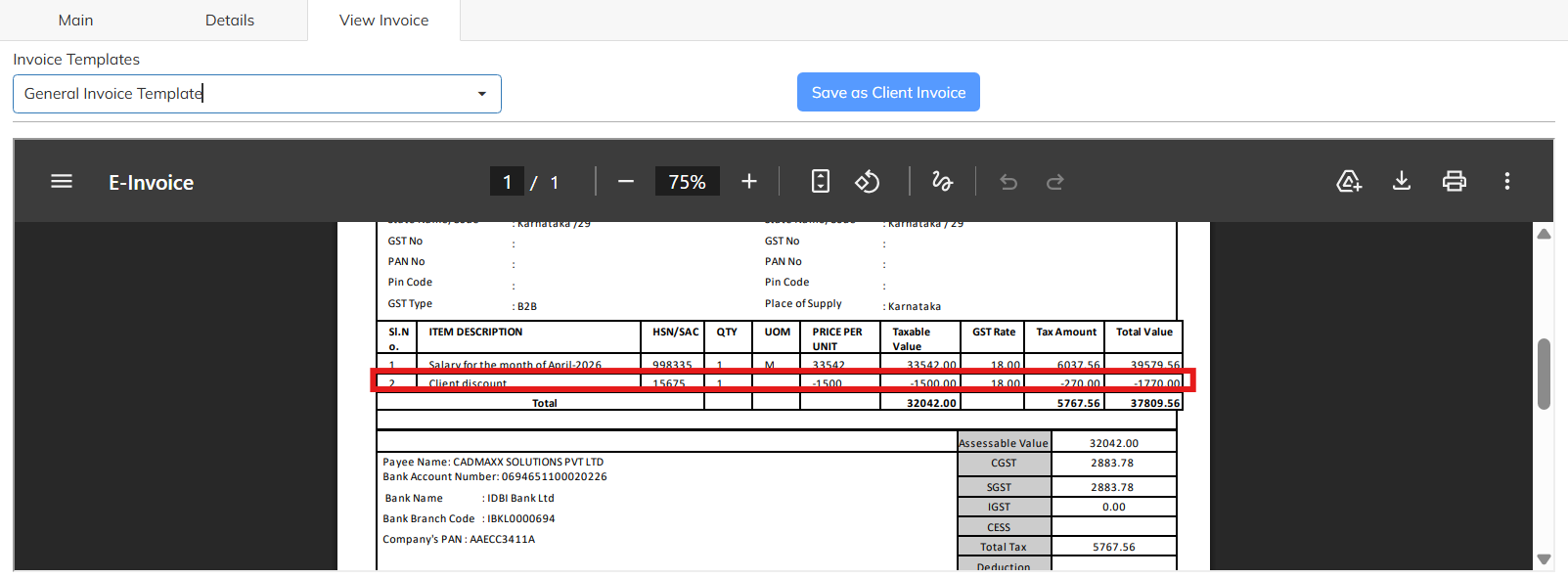
- Allocated discount amount will reduce the total Invoice value. It will deduct from the total invoice value.
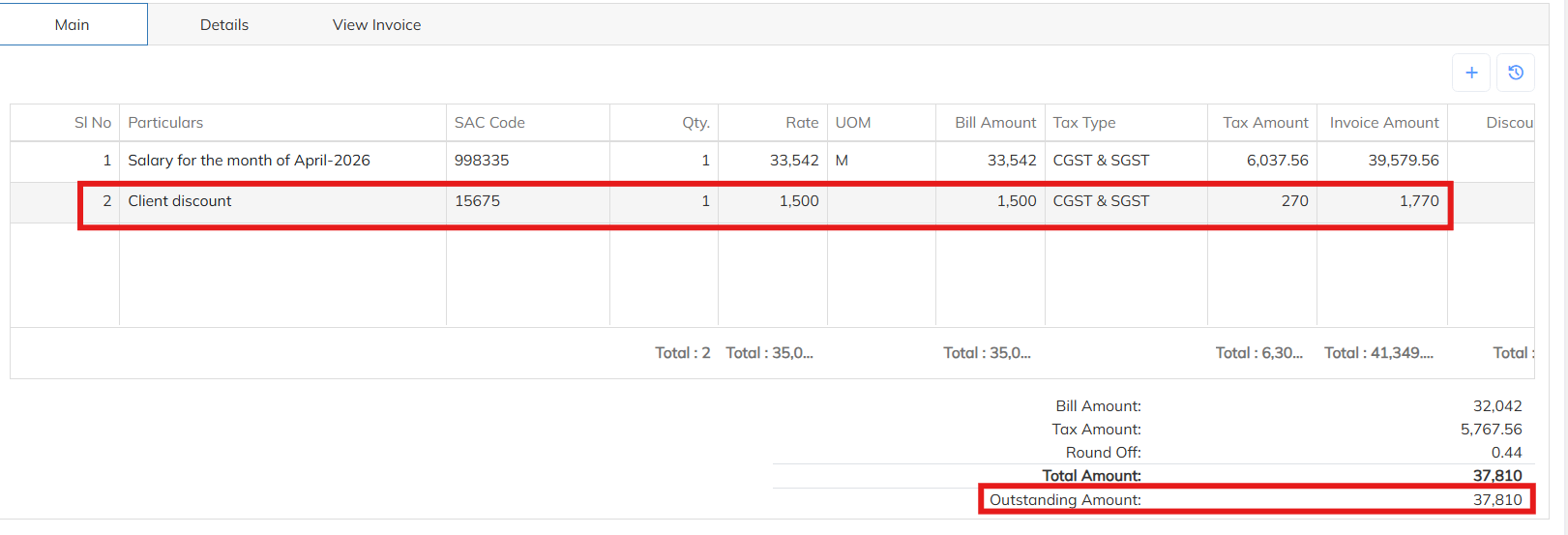
- In the invoice documents also discount amount will reflect along with invoice details.
Was this article helpful?
That’s Great!
Thank you for your feedback
Sorry! We couldn't be helpful
Thank you for your feedback
Feedback sent
We appreciate your effort and will try to fix the article