Income Tax Override:
For Income Tax deduction with expected input deduction , use Income Tax Override Excel Import.
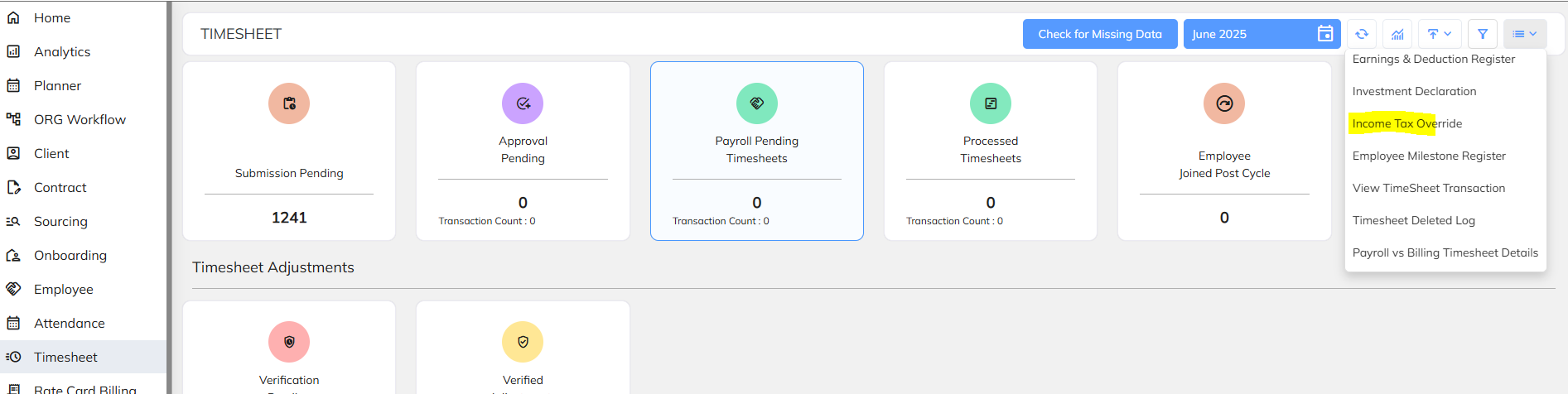
Steps 1: Navigate to income tax override option which is available under Time sheet module & Payroll module .
Refer the attached screenshot.
Navigate to Time sheet Dashboard >> Go to Extension Dropdown button >> Select "Income Tax override" button
Steps 2: Choose the bulk import option to update the income tax deduction amount and download the sample sheet.
Fill the all inputs details with tax amount.


Steps 3: Once prepare with excel import sheet upload the same with validate & save. Refer the attached sample import sheet for your reference.
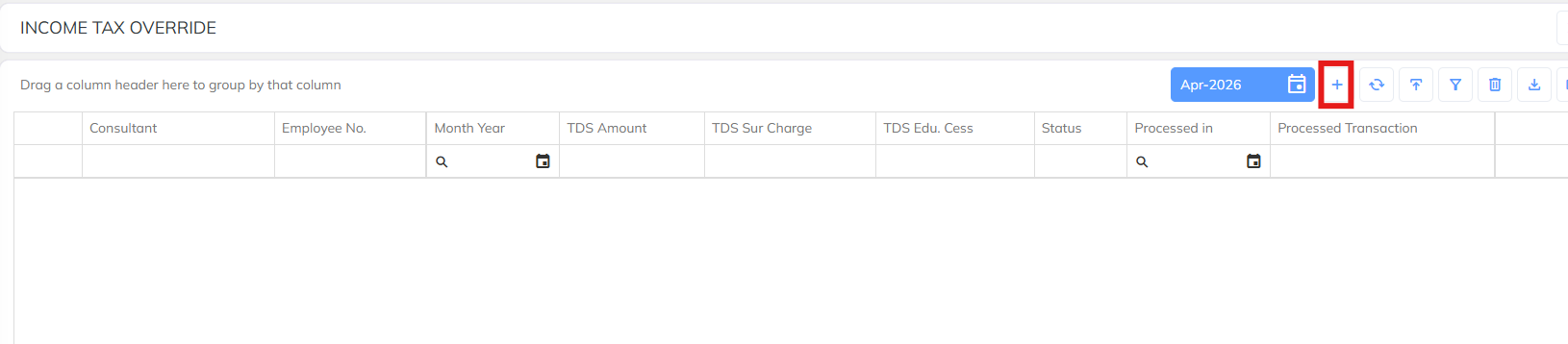
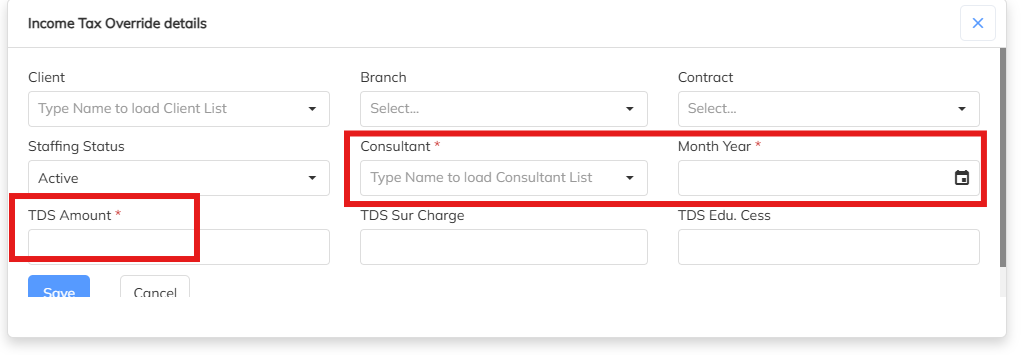
Steps 4: For Manual each Employee income tax amount update use the + symbol to update the TDS amount and same will deduct in the payroll also.
During the manual updating Employee Name/ ID, Month & TDS amount input is mandatory.
Was this article helpful?
That’s Great!
Thank you for your feedback
Sorry! We couldn't be helpful
Thank you for your feedback
Feedback sent
We appreciate your effort and will try to fix the article