Step-by-Step Procedure
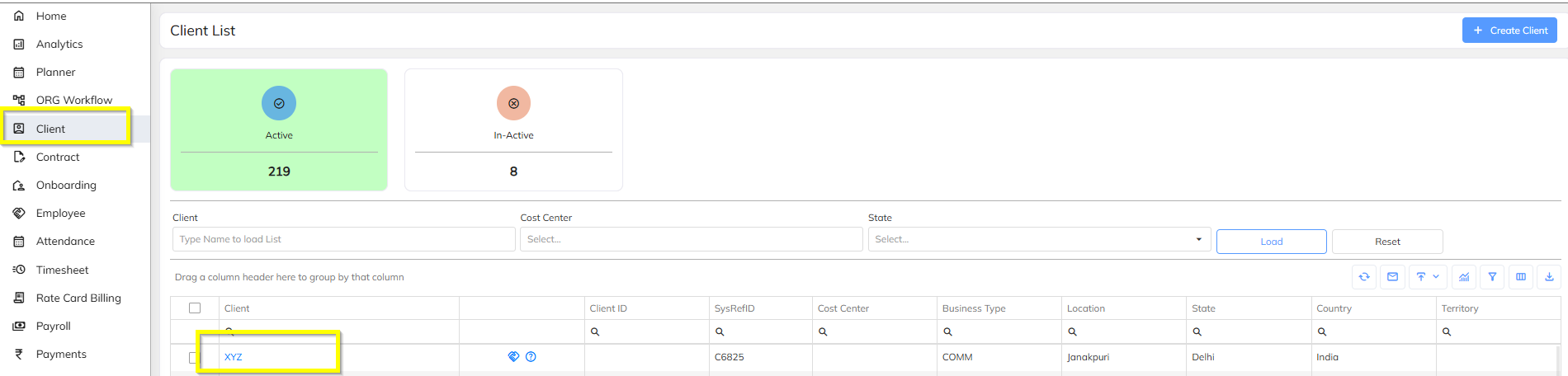
Step 1: Navigate to Client
- Go to the Client Module
- Search for and open the required client
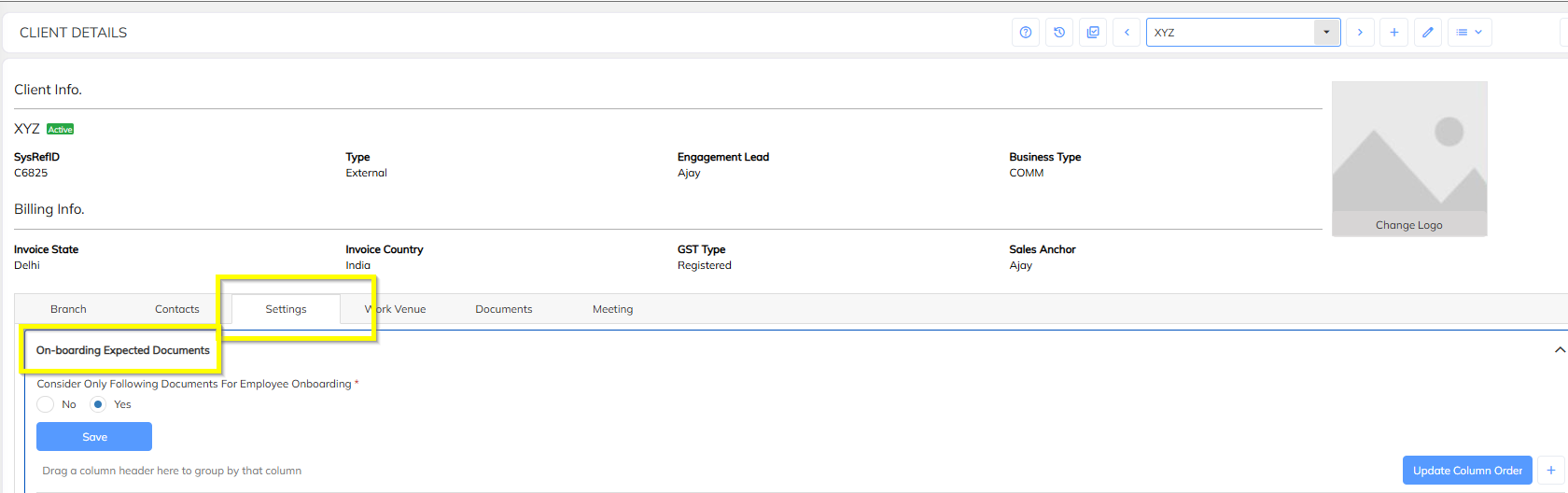
Step 2: Open Onboarding Expected Documents
- Inside the client profile, navigate to Settings
- Click on Onboarding Expected Documents
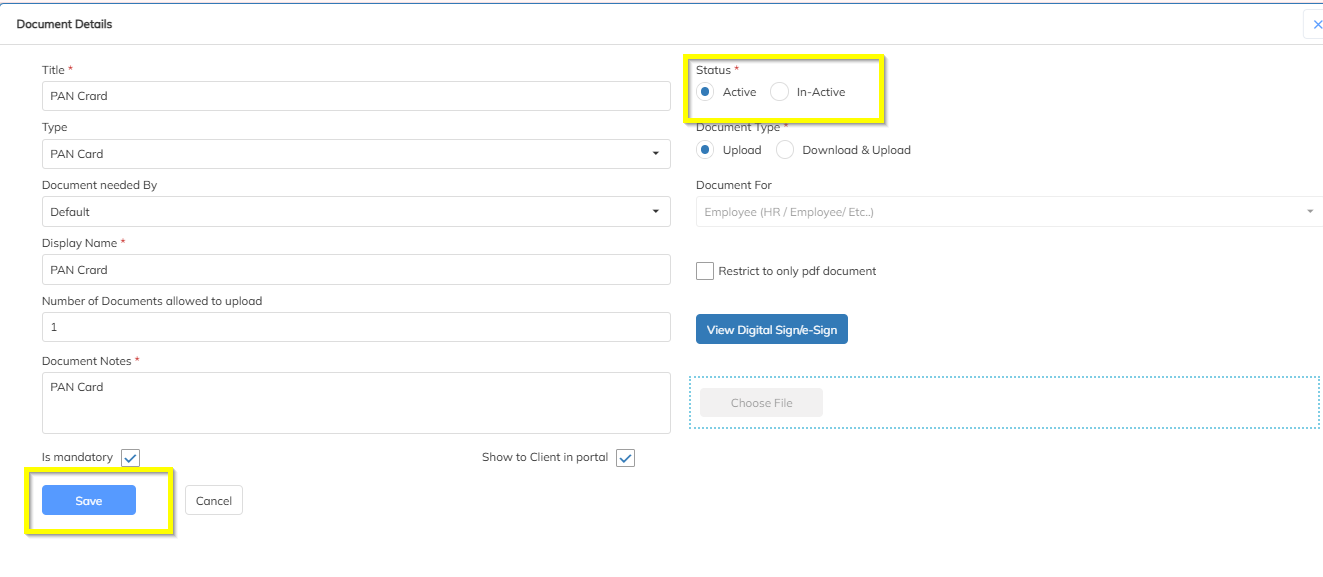
Step 3: Activate the Document
- Identify the document you want to activate
- Click on the Edit button against the respective document
- Enable/Activate the document (toggle or checkbox as applicable)
- Save the changes

Was this article helpful?
That’s Great!
Thank you for your feedback
Sorry! We couldn't be helpful
Thank you for your feedback
Feedback sent
We appreciate your effort and will try to fix the article