Overview :User Defined Master (UDM) / User Defined Fields (UDF) is a functionality that allows users to create customised fields that are not available in the application and same will used to manage the data in the application.
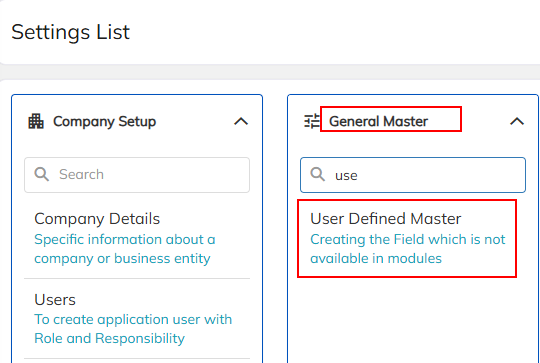
1.To access User Defined Master, Navigate through Settings → General Master → User Defined Master.
2. Create the required fields in Defined Master modules by clicking on "+" icon .
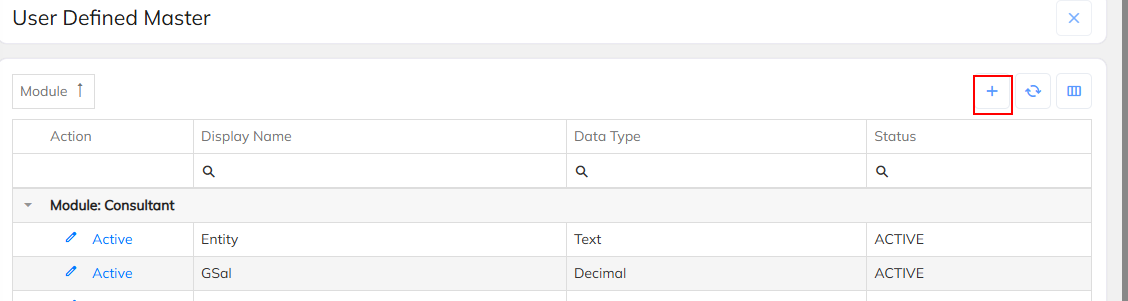
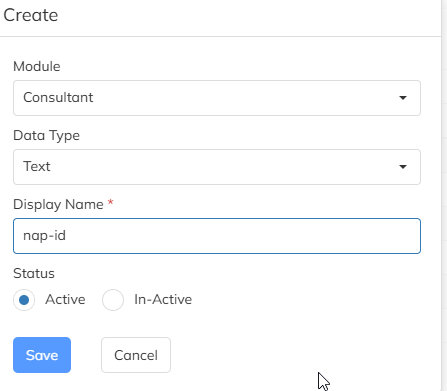
Once we click on "+" icon page will reflect which is attached snap below.
Module : Need to choose the which module under required the additional filed
Data Type : Defined filed interms of date, Text etc.. can defined using the Data type
Display Name : Create the Filed Name under Display Name.
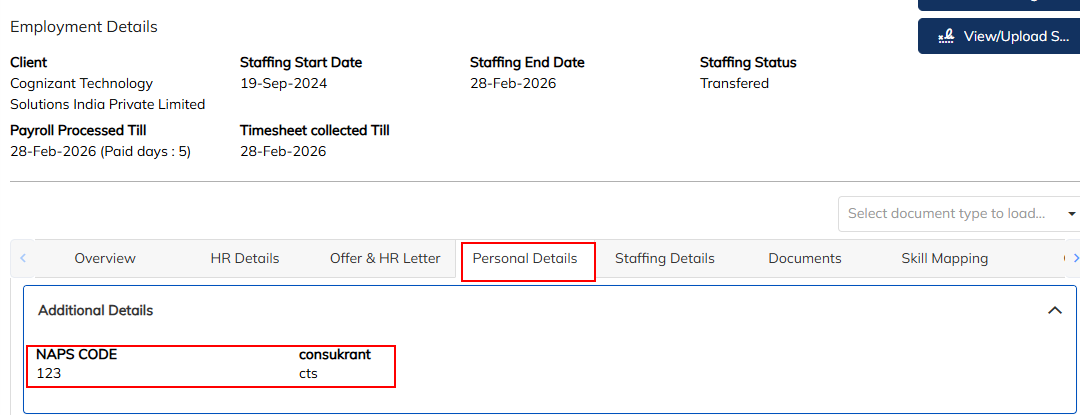
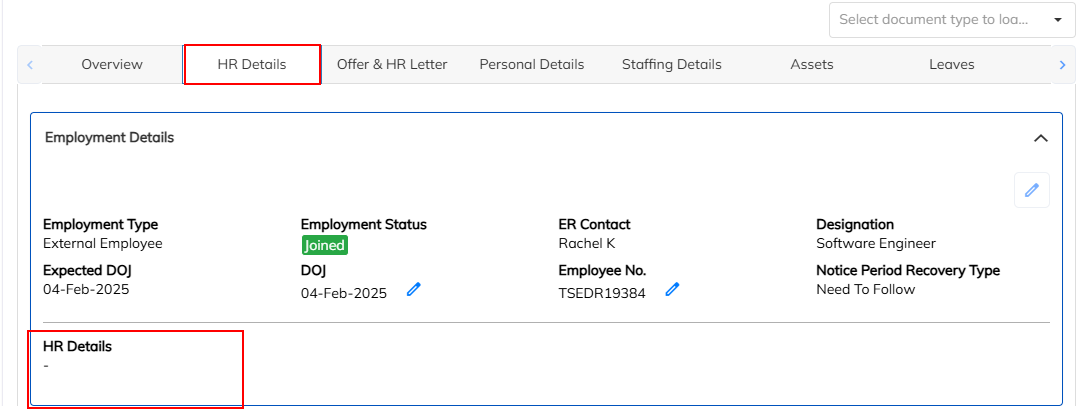
Once we created at Master level, on specific module Fields will display in application.(Attached the snap Below)
CONSULTANT DETAILS :
HR DETAILS :
CLIENT DETAILS :

CONTRACT DETAILS :

Was this article helpful?
That’s Great!
Thank you for your feedback
Sorry! We couldn't be helpful
Thank you for your feedback
Feedback sent
We appreciate your effort and will try to fix the article