How to create/add the New Business Type from master details
Step-by-Step Instruction
Step 1: Navigate to the Locations Section
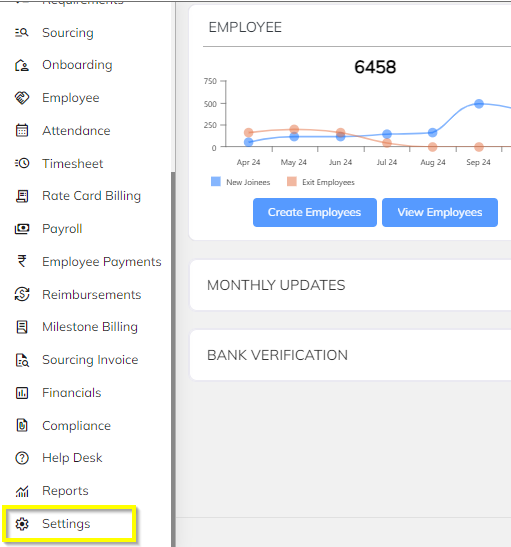
- Once logged in, go to the Settings, in Settings General Master; Click on the Master
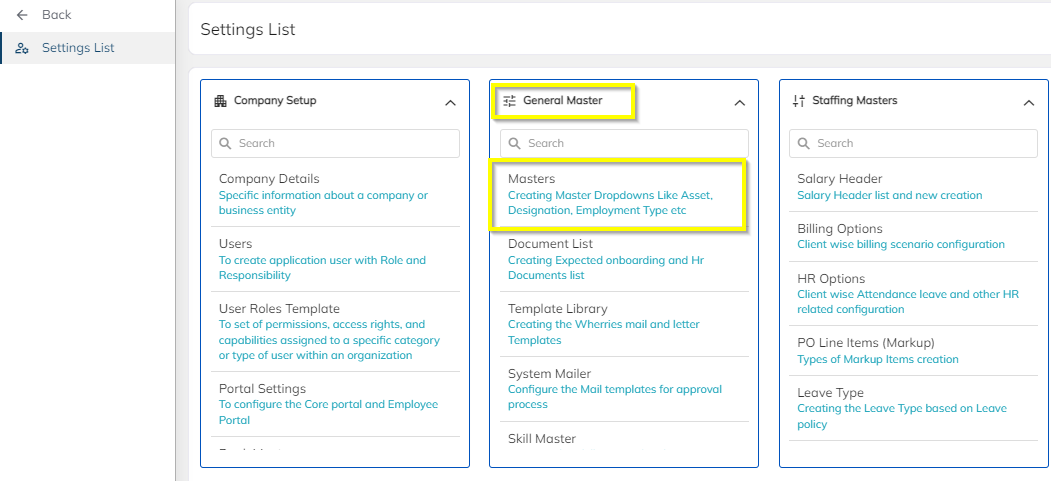
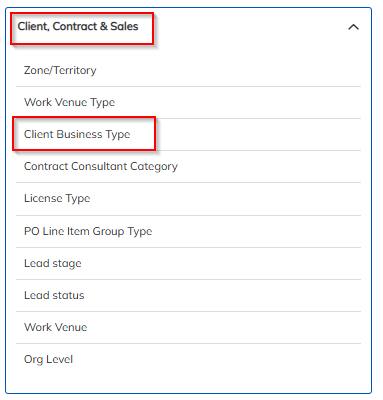
- Locate and select the Client, Contract & Sales tab In the Master Page.
Step 2: Add a New Business Type
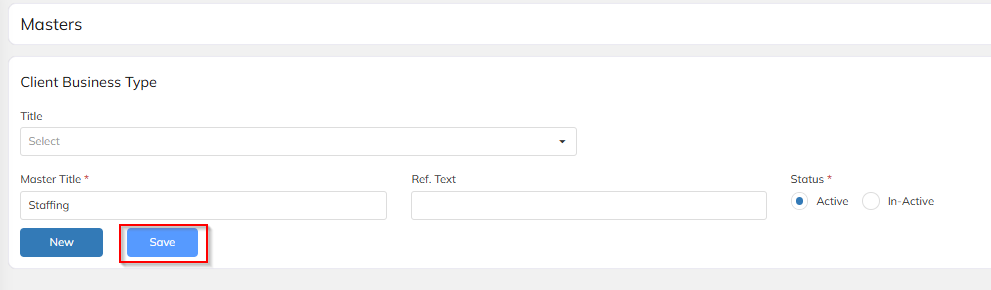
- Enter New Business Type name in Master Title
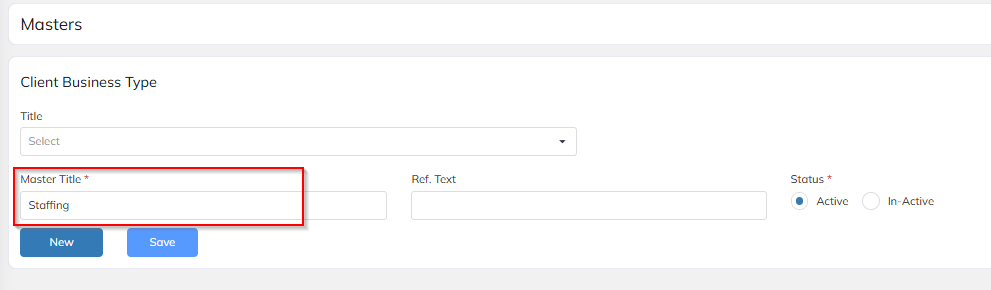
- Once New Business Type name is entered and then click on save button
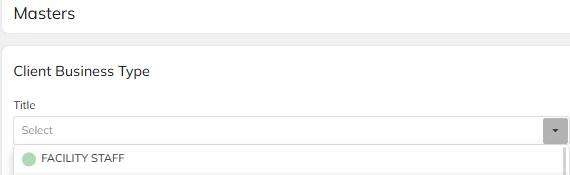
Step 3: Existing will be visible from Title dropdown
- Existing business type details view from Title dropdown.
Need More Help?
For more assistance, contact the support team at support@staffinggo.in
Was this article helpful?
That’s Great!
Thank you for your feedback
Sorry! We couldn't be helpful
Thank you for your feedback
Feedback sent
We appreciate your effort and will try to fix the article