In order to generate employee TDS computation by the user in the core application as well as in ESS portal by the employee TDS computation sheet is mandatory for every financial year.
Follow the below mentioned steps to configure the financial year wise TDS computation sheet:
1. Navigate to Settings >> General Master >> Template Library >> Choose the TDS computation sheet template under the Letter type template configuration option.
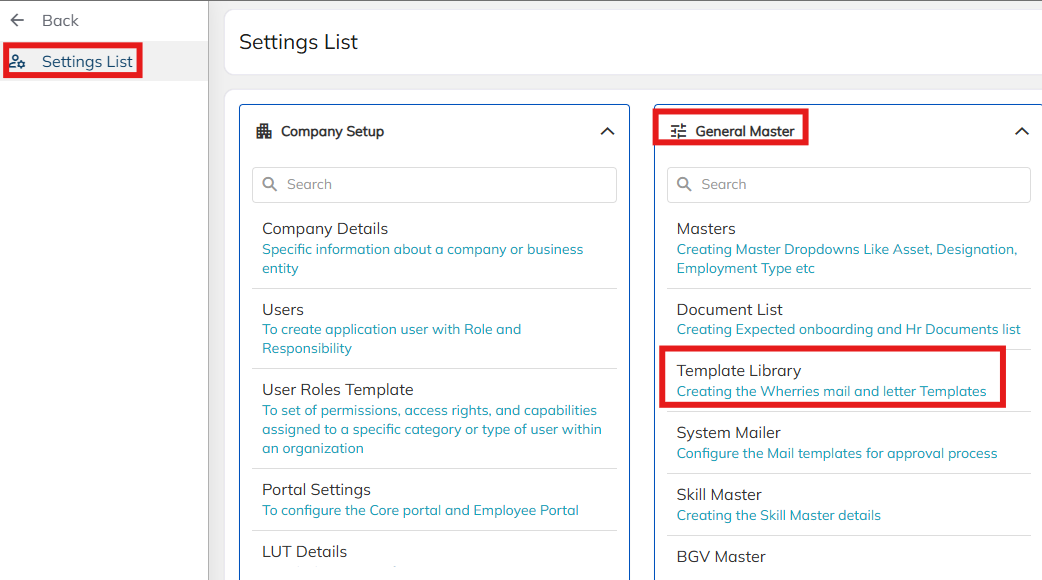
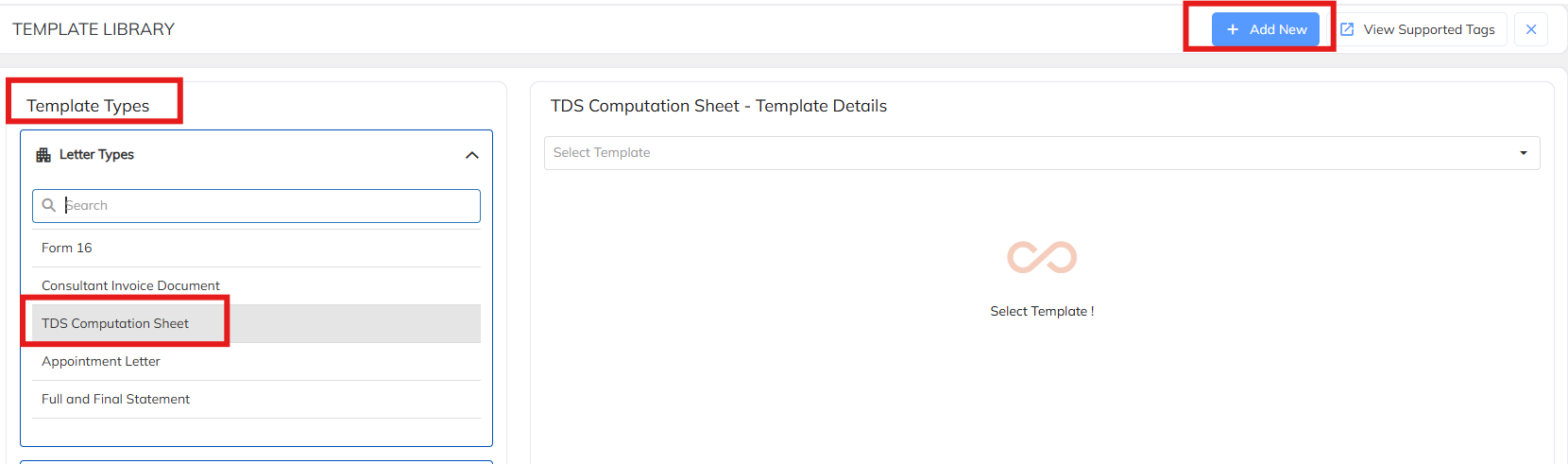
2. To create new TDS computation sheet Click on + Add New option .
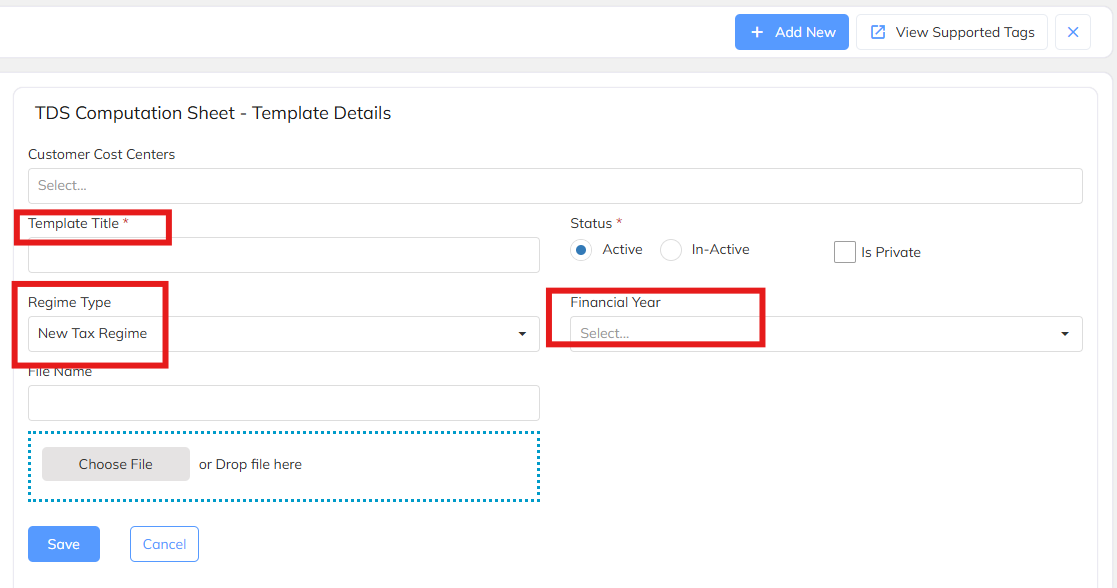
A. Create the Template Title as per the year & Tax type name -Ex: New Regime-26-27
B. Choose the respective Regime Type - For New regime template choose New Tax Regime & Old Tax Regime for the Old regime template.
C. Choose the respective financial year - Ex: 2026-27 available under drop-down.
Upload the standard TDS formulated documents under the choose file option and save. Template configuration mandatory for the both Old and New Regime.
Refer the below mentioned link to download the standard New and Old Tax Computation sheet.
Was this article helpful?
That’s Great!
Thank you for your feedback
Sorry! We couldn't be helpful
Thank you for your feedback
Feedback sent
We appreciate your effort and will try to fix the article