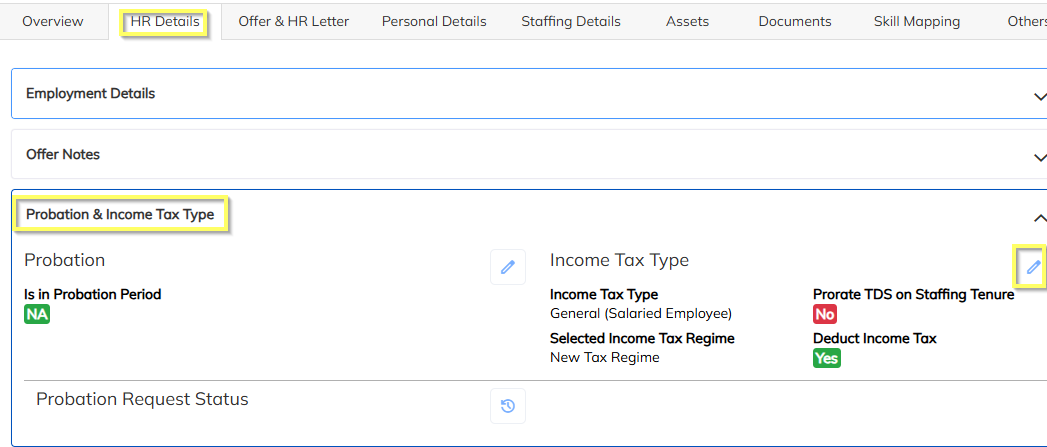
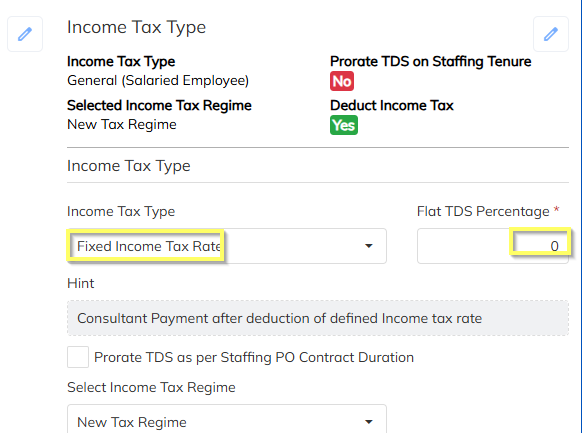
- Configure the Flate TDS configuration through navigate to employee HR details >> choose Probation& Income Tax type and map the Flat percentage If an employee is applicable.
- In income tax type choose the Fixed income tax rate with Flate TDS percentage configuration and save the configuration
Note: Use the Consultant Bulk import sheet to update the income tax details in bulk.
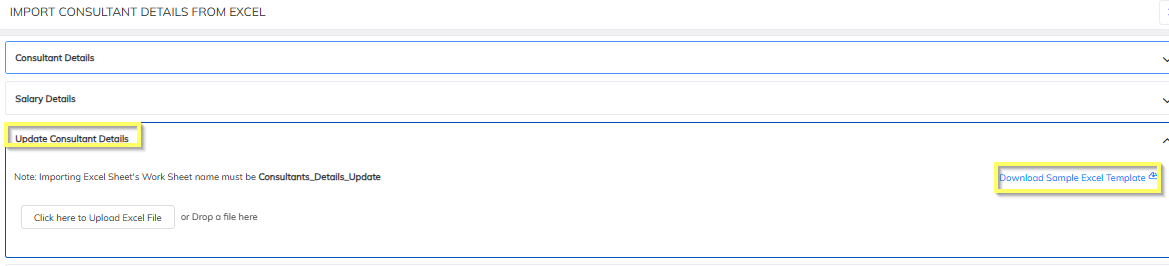
Navigate to Consultant Module >> Import Option >> Chose the Employee import details >>Select Update consulatnt details & dowload the sample sheet >> Perpare the bulk details and import.
Was this article helpful?
That’s Great!
Thank you for your feedback
Sorry! We couldn't be helpful
Thank you for your feedback
Feedback sent
We appreciate your effort and will try to fix the article