In the application follow the below mentioned steps to map the ER contact/Employee Resource Manager manually and bulk.
Step :1 Manual Method :
- Navigate to the employees Modules with filter of the selected employee , and click on the name of the Employee with profile.
- Click on the HR details under the employee profile and click on edit icon.
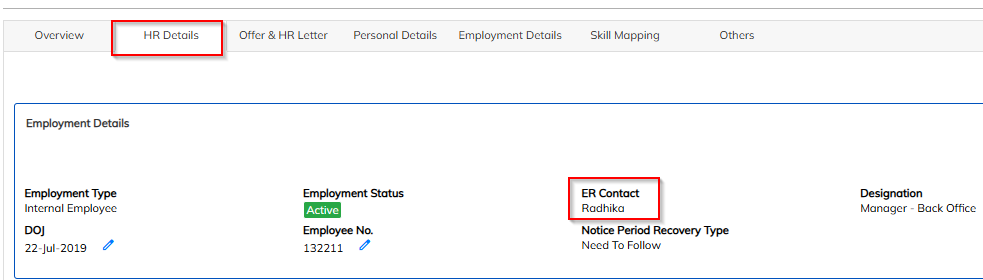
- Click on the edit option update ER contact/Employee Resource Manager.
- Choose the ER contact/Employee Resource Manager w.r.to employee and save the details.
Step Method :2 Use bulk import to update ER contact/Employee Resource Manager
- Navigate to Employee module import option >> Choose the employee details import

- Select the update consultant import option and download the sample sheet .
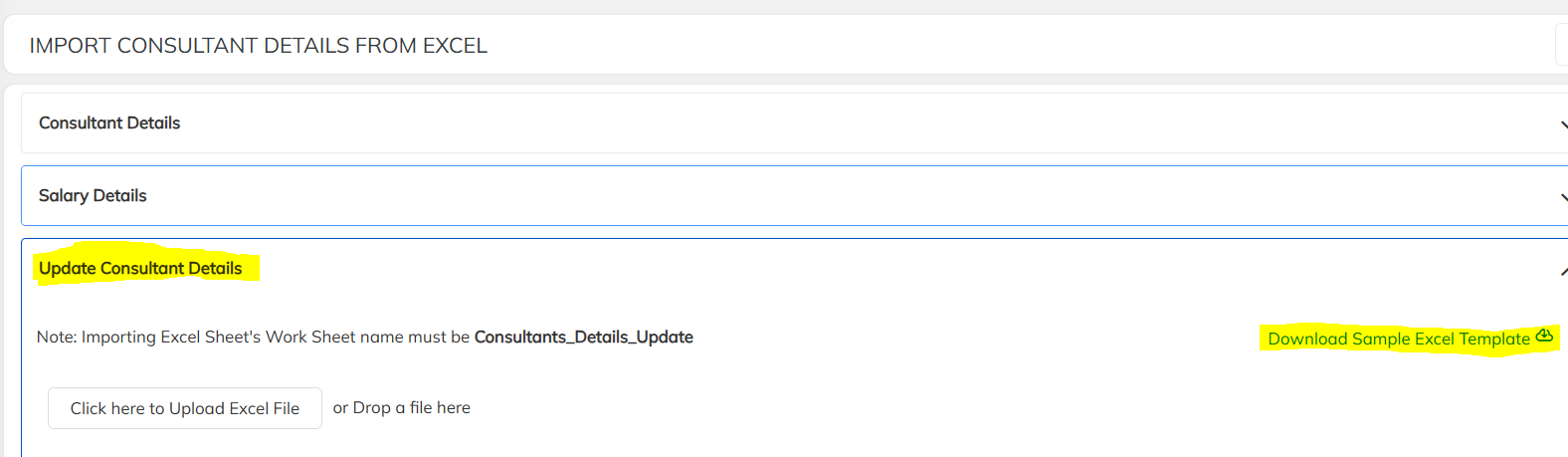
- Prepare the downloaded format with employee details and ER contact/Employee Resource Manager and import the same.
Was this article helpful?
That’s Great!
Thank you for your feedback
Sorry! We couldn't be helpful
Thank you for your feedback
Feedback sent
We appreciate your effort and will try to fix the article