Payroll Manager: “Validate” and “Precheck” Options Not Available
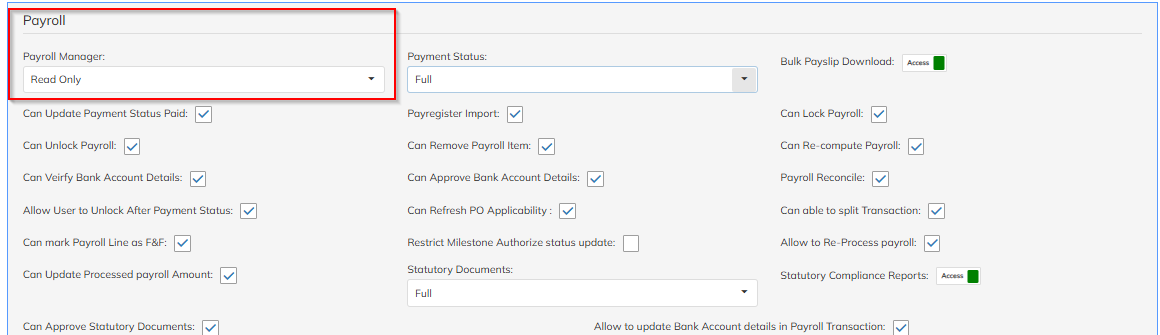
This is an access rights issue. The user does not currently have full Payroll Manager access.
To enable full access, follow the steps below:
Navigate to Settings → Company Setup → User List
Check the Access Rights Template assigned to the user
Open the same Access Rights Template
Go to the Payroll section
Modify Payroll Manager permissions and set them to Full Access
Once updated, User need to Relogin - the Validate and Precheck options will be available.
Was this article helpful?
That’s Great!
Thank you for your feedback
Sorry! We couldn't be helpful
Thank you for your feedback
Feedback sent
We appreciate your effort and will try to fix the article