Declarations Section in StaffingGo collects employee responses through the ESS Portal. This section can be configured at two levels:
- Master Level –configuration applicable For all clients.
- Client Level – Client-specific configuration under client.
1. Master Level Configuration
To configure a declaration at the master level:
Navigation Path:
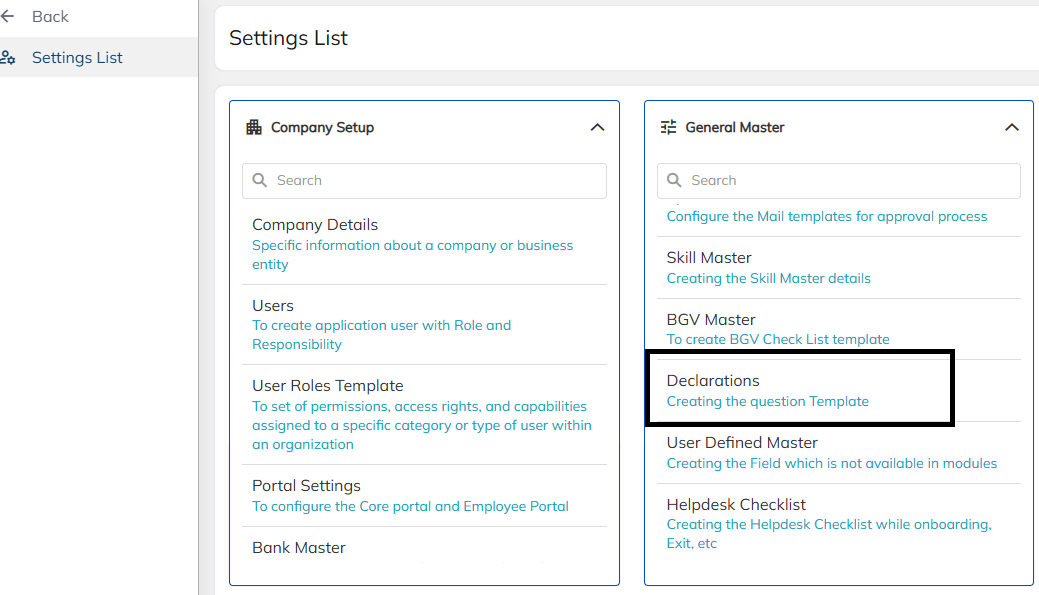
Settings >> General Masters >> Declarations
Declaration Categories Available:
- General Declaration:
This category can be used at any time, regardless of the employee’s activity.
It enables HR or administrators to gather specific information from employees by initiating a declaration request through the ESS Portal.
Once the employee submits the required details, the responses can be reviewed under the General Declaration section.
Steps to Create a General Declaration
- Navigate to:
Settings >> General Masters >> Declarations >> General Declaration >> Create
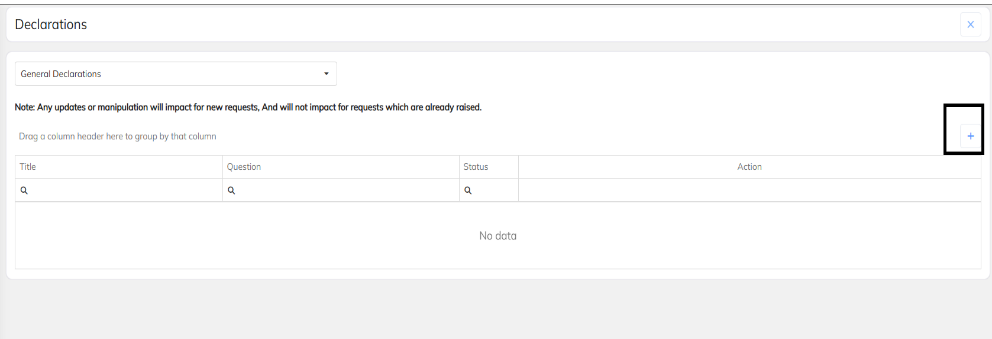
- Select Declaration Type:
Choose the appropriate declaration type from the drop-down list.
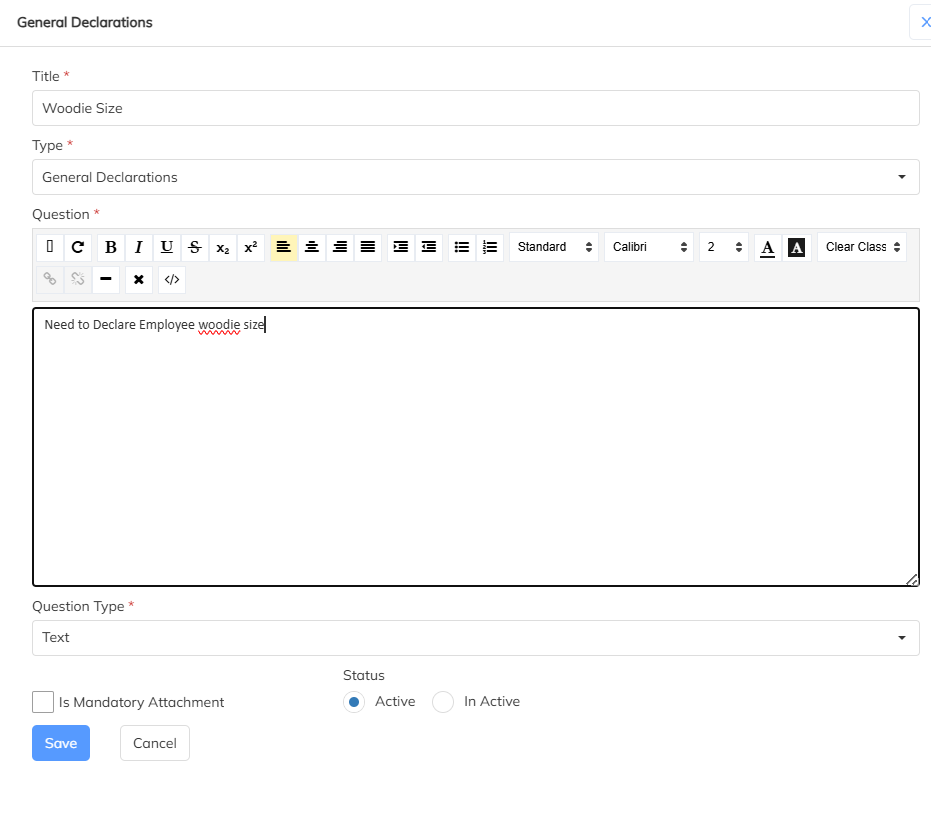
Create Declaration Q&A Details:
- Click the “+” icon to add a new declaration question or statement.
- Enter a Title and the corresponding Question/Statement in the Body section.
- Set Question Type:
Choose the appropriate Question Type, such as:- Yes/No
- Text
- Date
- Multiple Choice
- Mark Mandatory:
Enable the Mandatory option if a response is required from the employee. - Save the Declaration:
Click Save to finalize the setup.
- Steps to Create a General Declaration under the Client Module
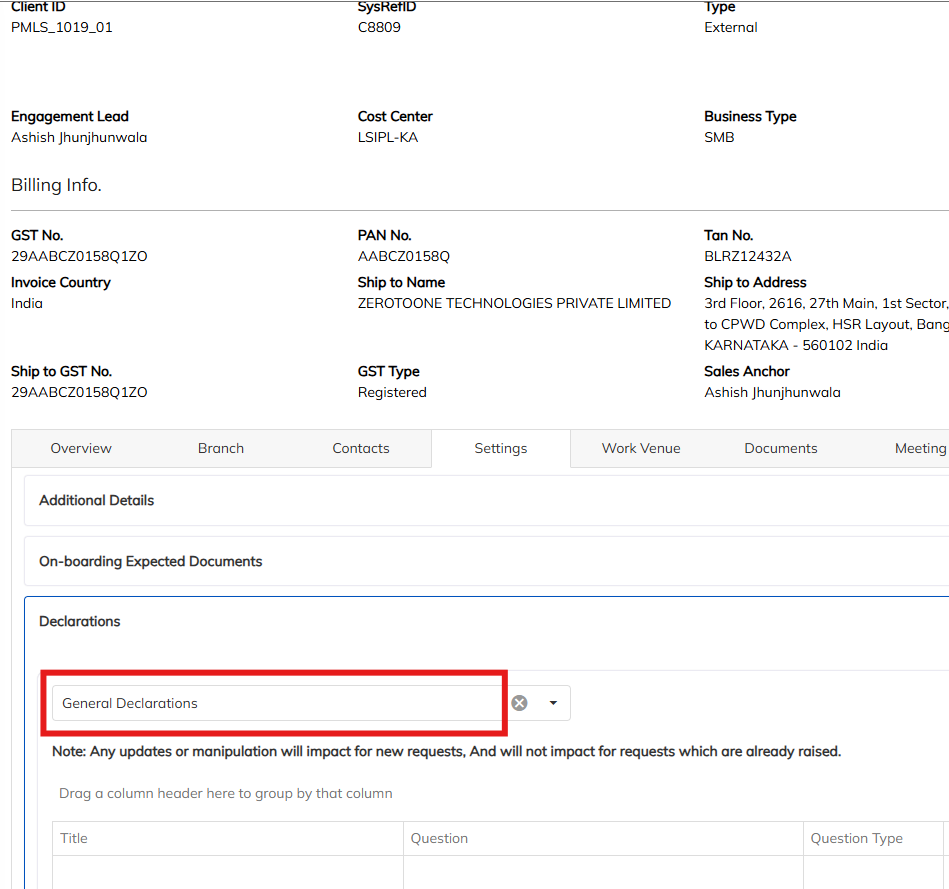
Follow the steps below to configure a General Declaration for a specific client:
- Navigate to filter option to select the specific client for which you want to configure the declaration.
- Navigate to Settings >> Declarations
- filter and select “General Declaration.” To Create a New Declaration:
Click on the “+” (Add) button to create a new declaration. - Enter Details:
- Provide a Title for the declaration.
- Enter the Body/Description or question content.
Click Save to finalize and activate the declaration for the selected client
Was this article helpful?
That’s Great!
Thank you for your feedback
Sorry! We couldn't be helpful
Thank you for your feedback
Feedback sent
We appreciate your effort and will try to fix the article