
User Guide for Creating e-Invoice API Login Details and Configuring in GSTZen for StaffingGo - EInvoice integration

Created by Srikanth U S, Modified on Wed, 10 Sep, 2025 at 1:51 PM by Srikanth U S

This guide explains the procedure for creating e-Invoice API login details on the NIC e-Invoice portal (https://einvoice1.gst.gov.in) and configuring them in GSTZen.

⚠️ Note: At times, the portal may display an error message stating “credentials are already created” even if you are attempting this for the first time. This is a known issue on the portal.


Contents

  1. Section 1: Registration in Production e-Invoice Portal

  2. Section 2: Logging into the API Portal through GSTZen


Step 1: Registration in Production e-Invoice Portal

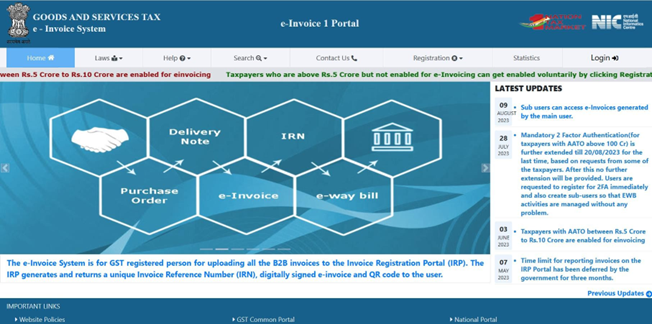
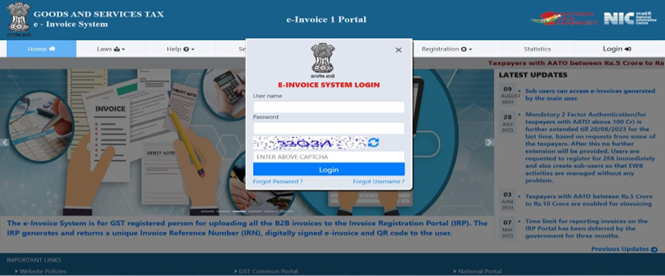
  1. Login to NIC e-Invoice Web Portal

  2. If you are already registered on the E-Way Bill production portal, you may use the same credentials here.


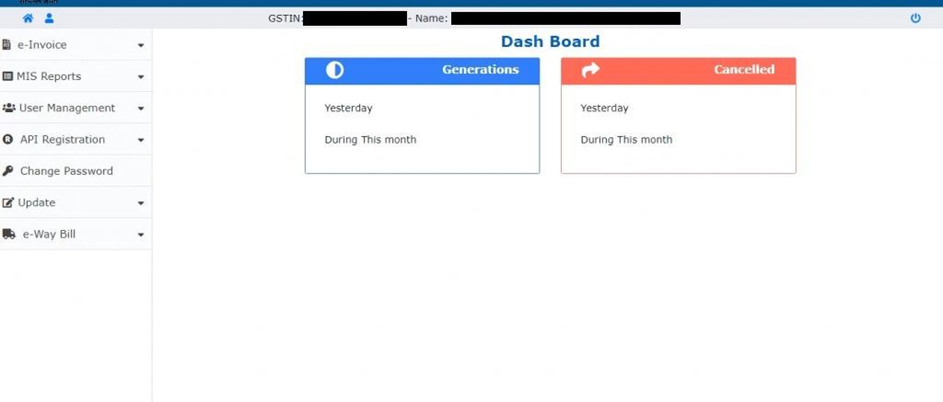
  1. Navigate to API Registration

    • Click on API Registration in the menu.


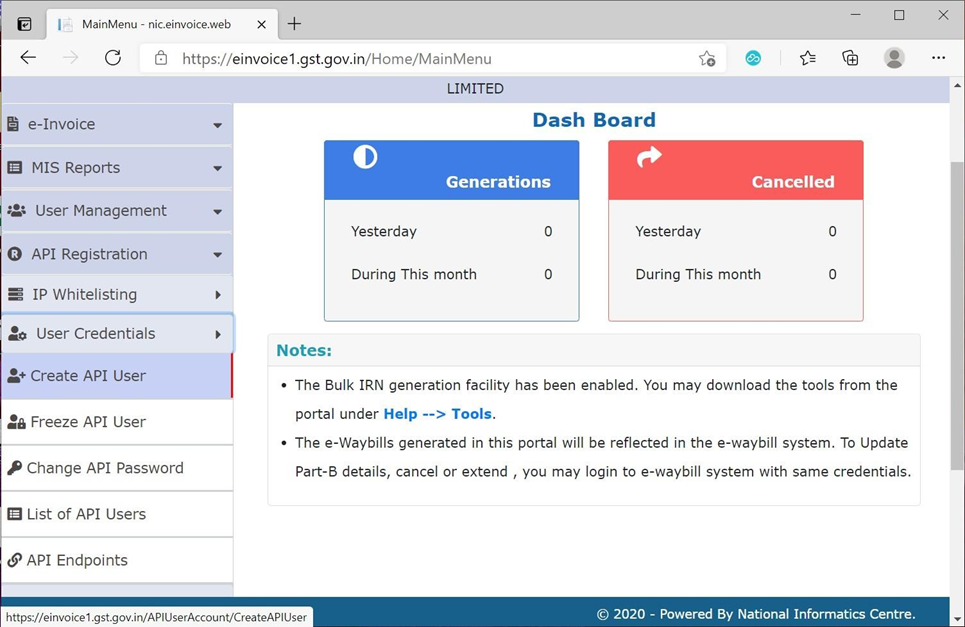
  1. Create API User

    • Click on User CredentialsCreate API User.


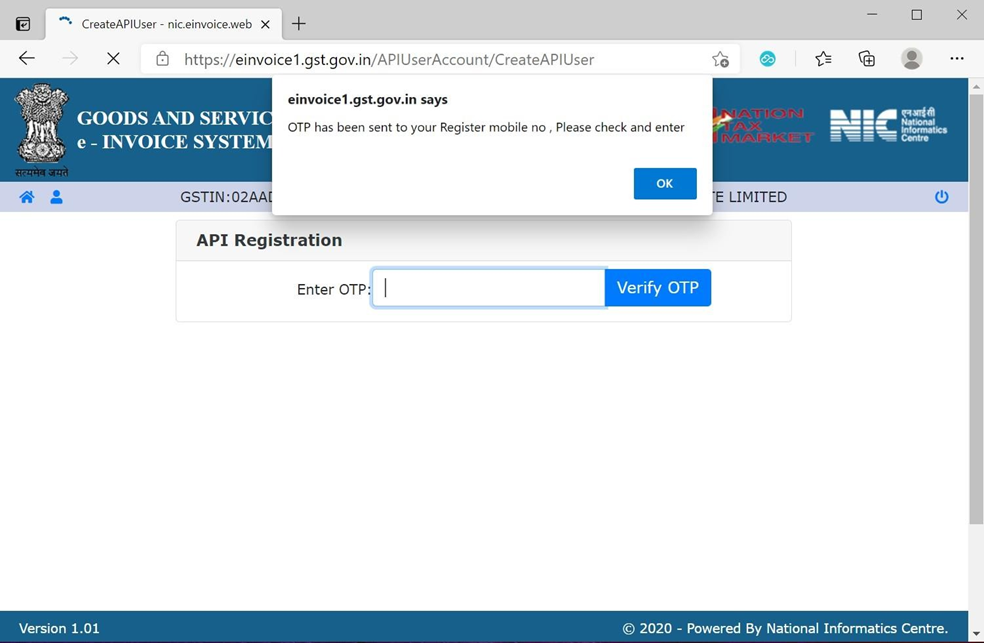
  1. Verify OTP

    • An OTP will be sent to your registered mobile number.

    • Enter the OTP and click Verify OTP.


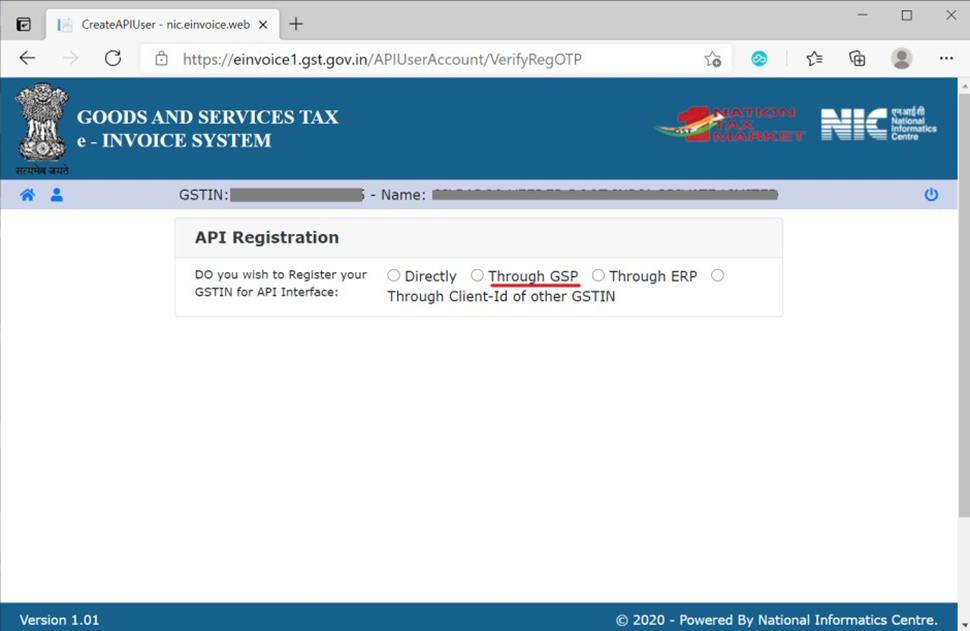
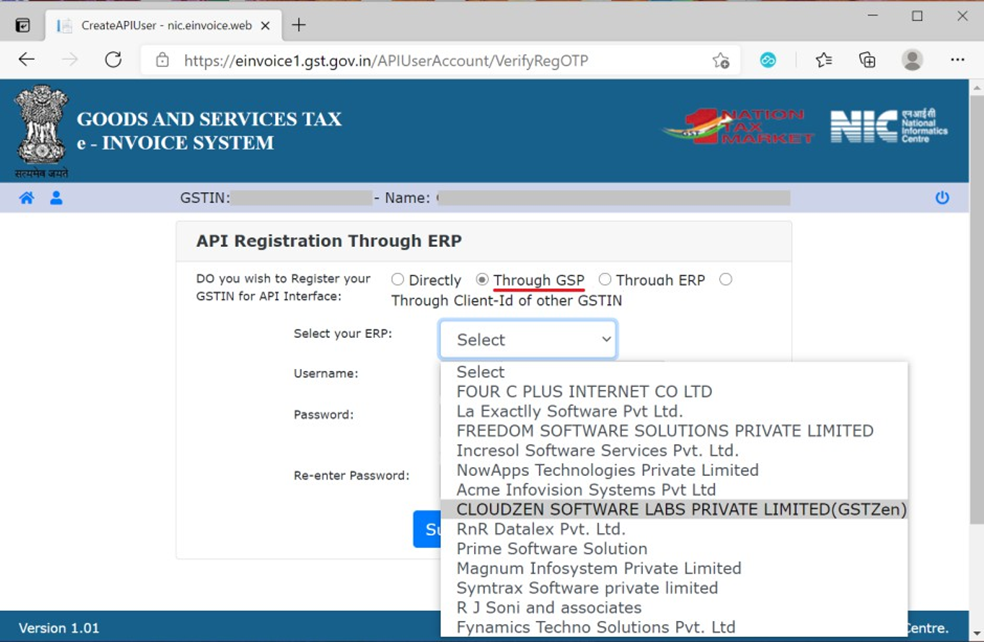
  1. Select GSP (GST Suvidha Provider)

    • Choose Through GSP option.

    • From the dropdown, select CLOUDZEN SOFTWARE LABS PRIVATE LIMITED (GSTZen).


  1. Create API Credentials

    • Create a unique API-specific Username and Password.

    • Click on Submit.

    • Please remember/Note the username and Password enter while registering 


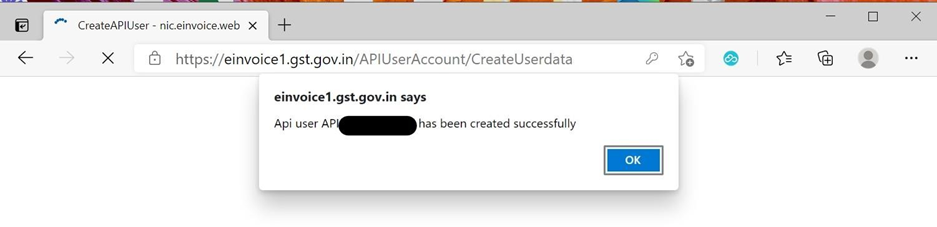
  1. Confirmation

    • A success message will be displayed: “User creation successful.”


Step 2: Logging into the API Portal through GSTZen

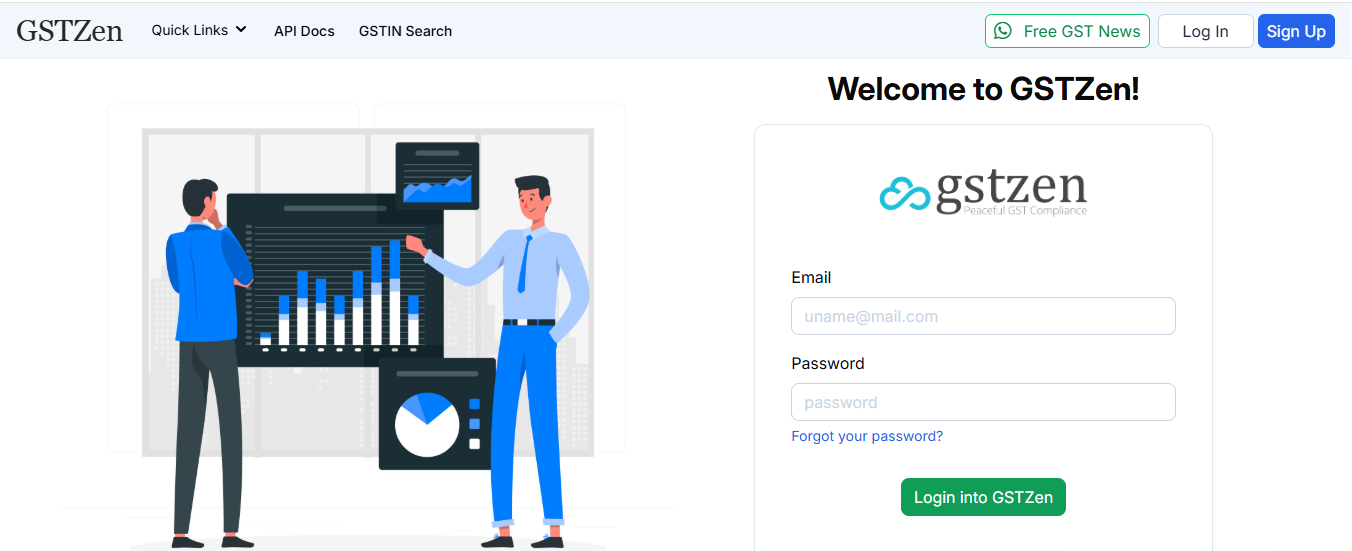
  1. Login to GSTZen portal

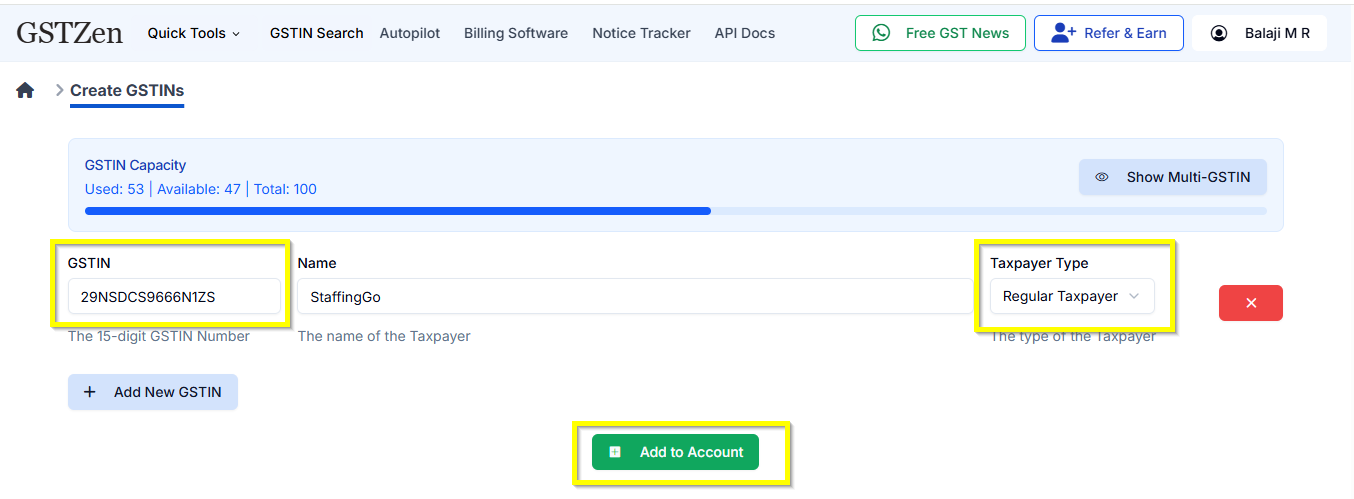
  2. Add New GSTIN

    • Click on Add New GSTINEnter GSTIN details of customer. 

    • Select Tax payer Type as Regular.

    • Click on Add account.

  3. Access E-Invoicing in GSTZen

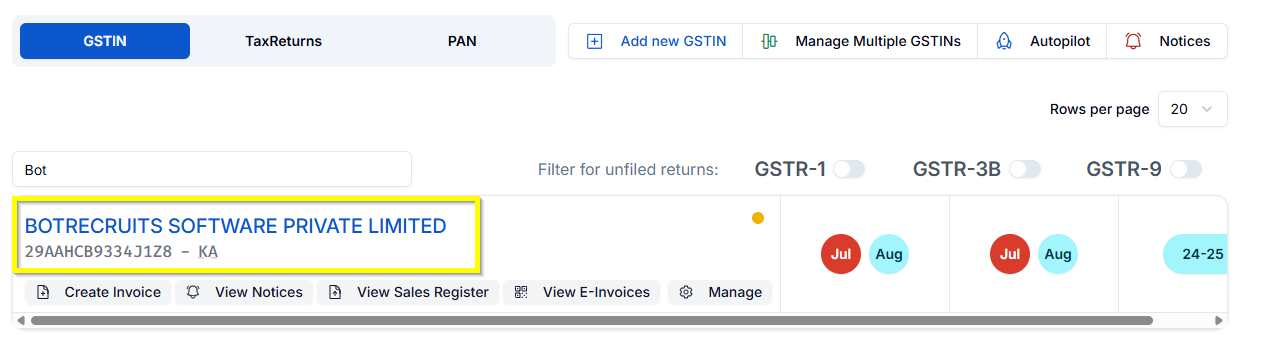
    • Click on Customer name

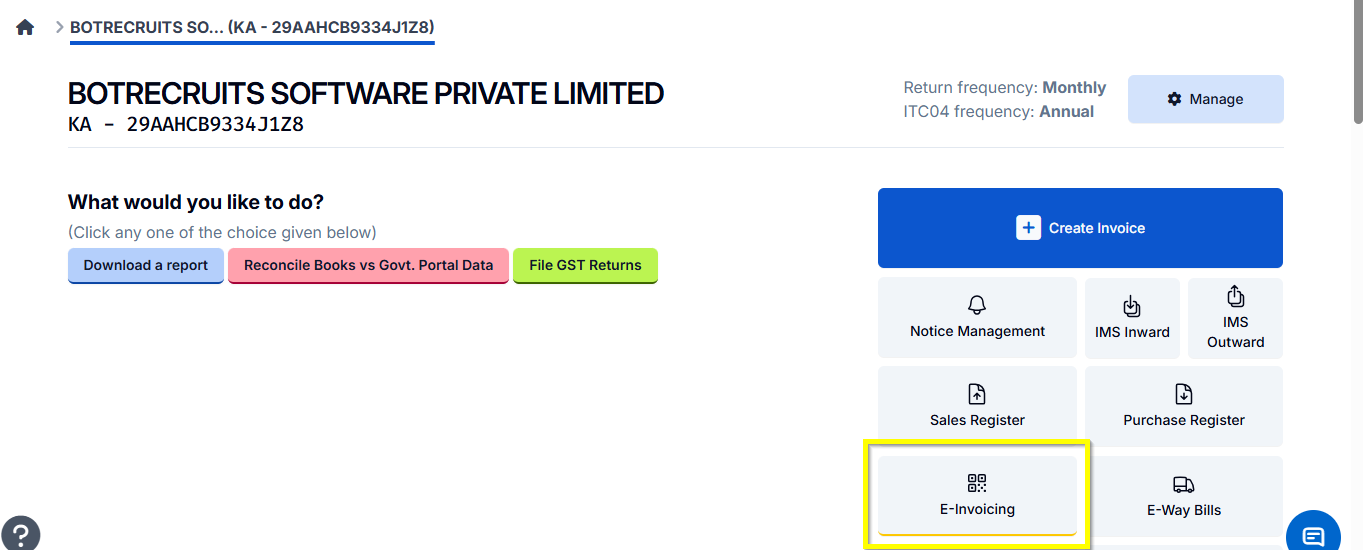
    • Navigate to your GSTIN detail page in GSTZen.

    • Click on E-Invoicing.


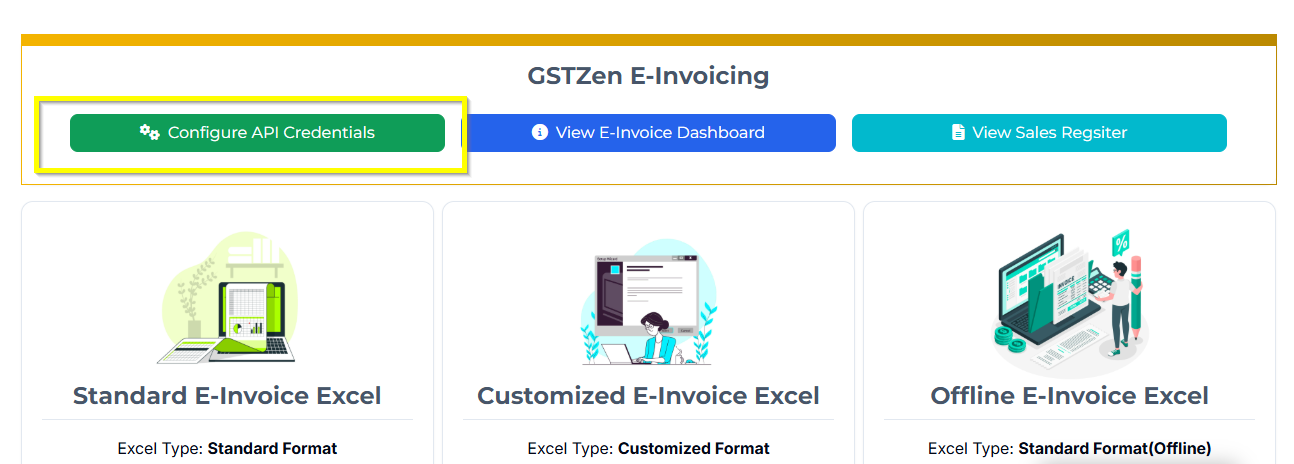
4. Configure API Credentials

  • Click on Configure API Credentials.


5. Change Login Details

  • Select Change E-Invoice Portal Login details.


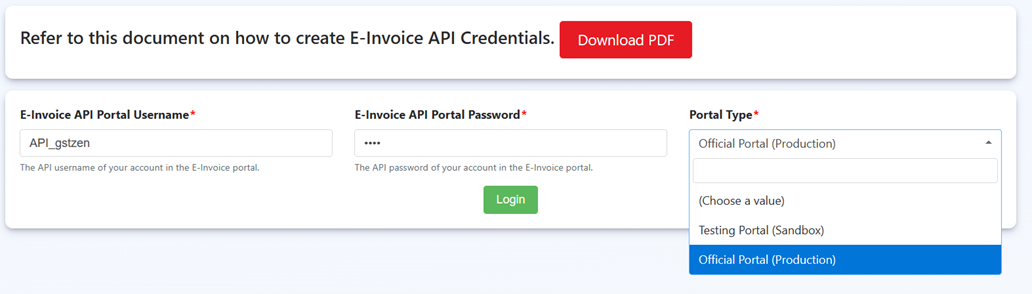
  1. Enter Portal Credentials

    • Provide the following details:

      • Portal Username (starts with API_)

      • Portal Password

      • Select Portal TypeOfficial Portal (Production)


  1. Save Configuration

    • Click Login to complete setup.


Your GSTZen account is now successfully configured with e-Invoice API credentials.


Was this article helpful?

That’s Great!

Thank you for your feedback

Sorry! We couldn't be helpful

Thank you for your feedback

Let us know how can we improve this article!

Select at least one of the reasons
CAPTCHA verification is required.

Feedback sent

We appreciate your effort and will try to fix the article