Objective/Purpose:
When multiple work venues are mapped under a client, employees can log in from any of the mapped work venues by following the steps below.
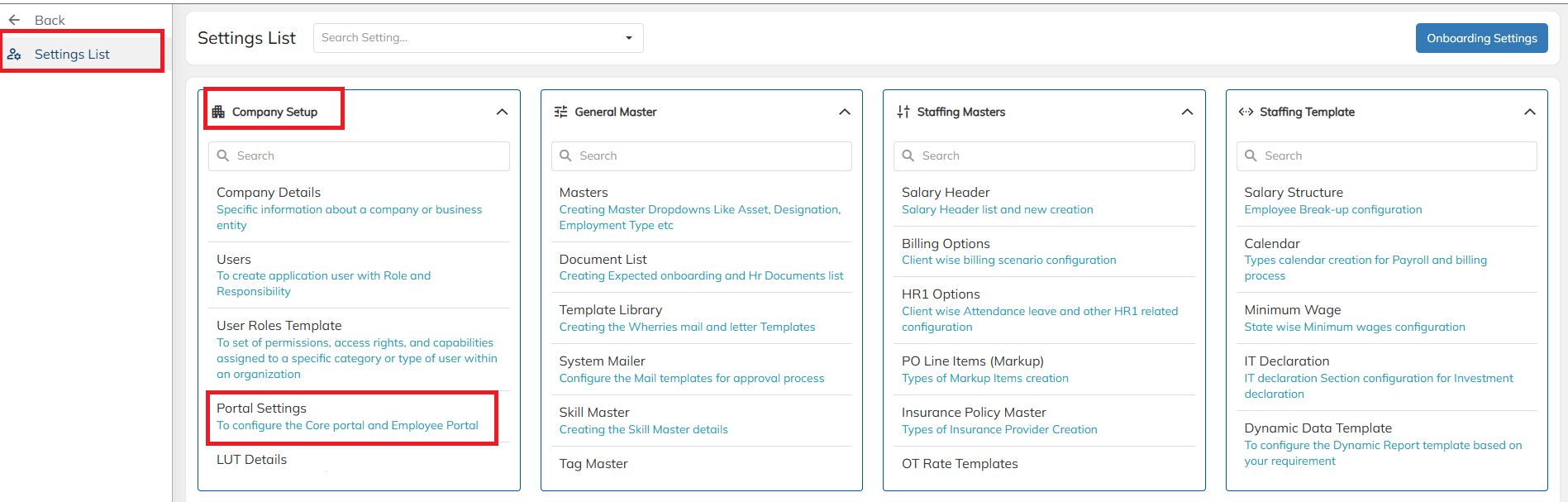
- Navigate to settings listà Company setupà Portal settings.
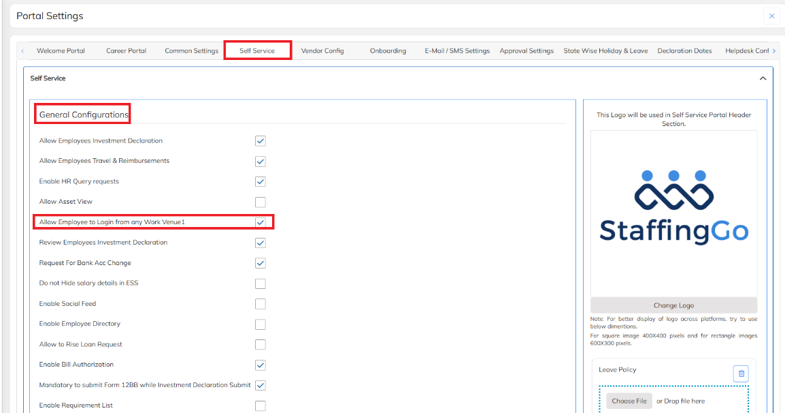
- Navigate to Portal Settings → Self Service and enable the Allow Employees to Login from Any Work Venue option.
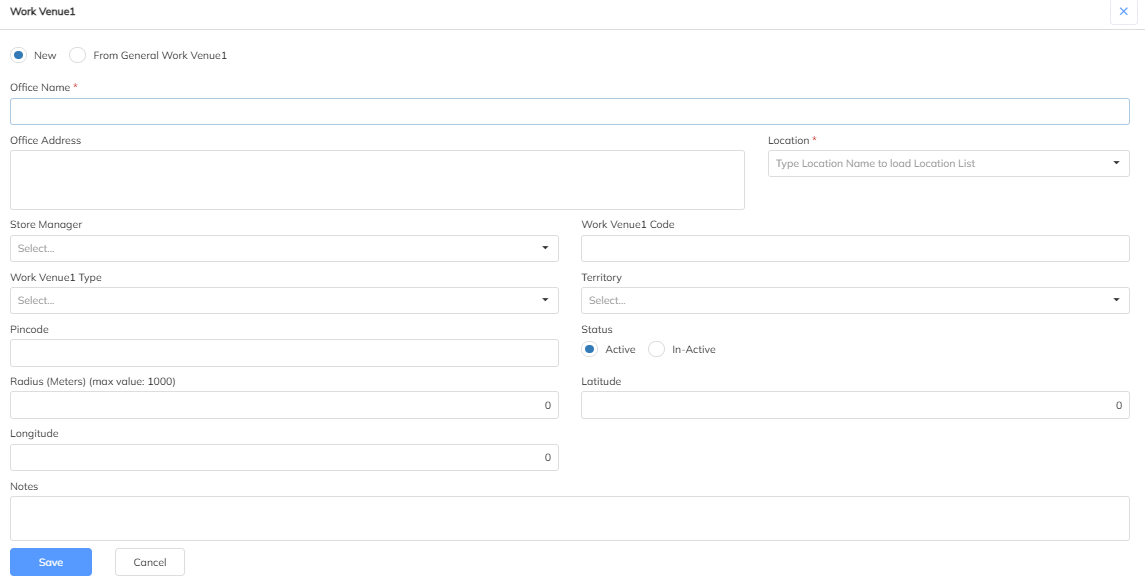
- Navigate to client ---> Click on work venue1 and then click on create the first one.
Was this article helpful?
That’s Great!
Thank you for your feedback
Sorry! We couldn't be helpful
Thank you for your feedback
Feedback sent
We appreciate your effort and will try to fix the article