Overview
Once all the approvers complete the resignation approval process, the resignation request will automatically move to HR Approval Pending status.
The HR user must complete the final approval or rejection process from the Resignation HR Approval screen.
Prerequisite – Required Access
Before processing resignation requests, ensure the HR user has the required access permission enabled.
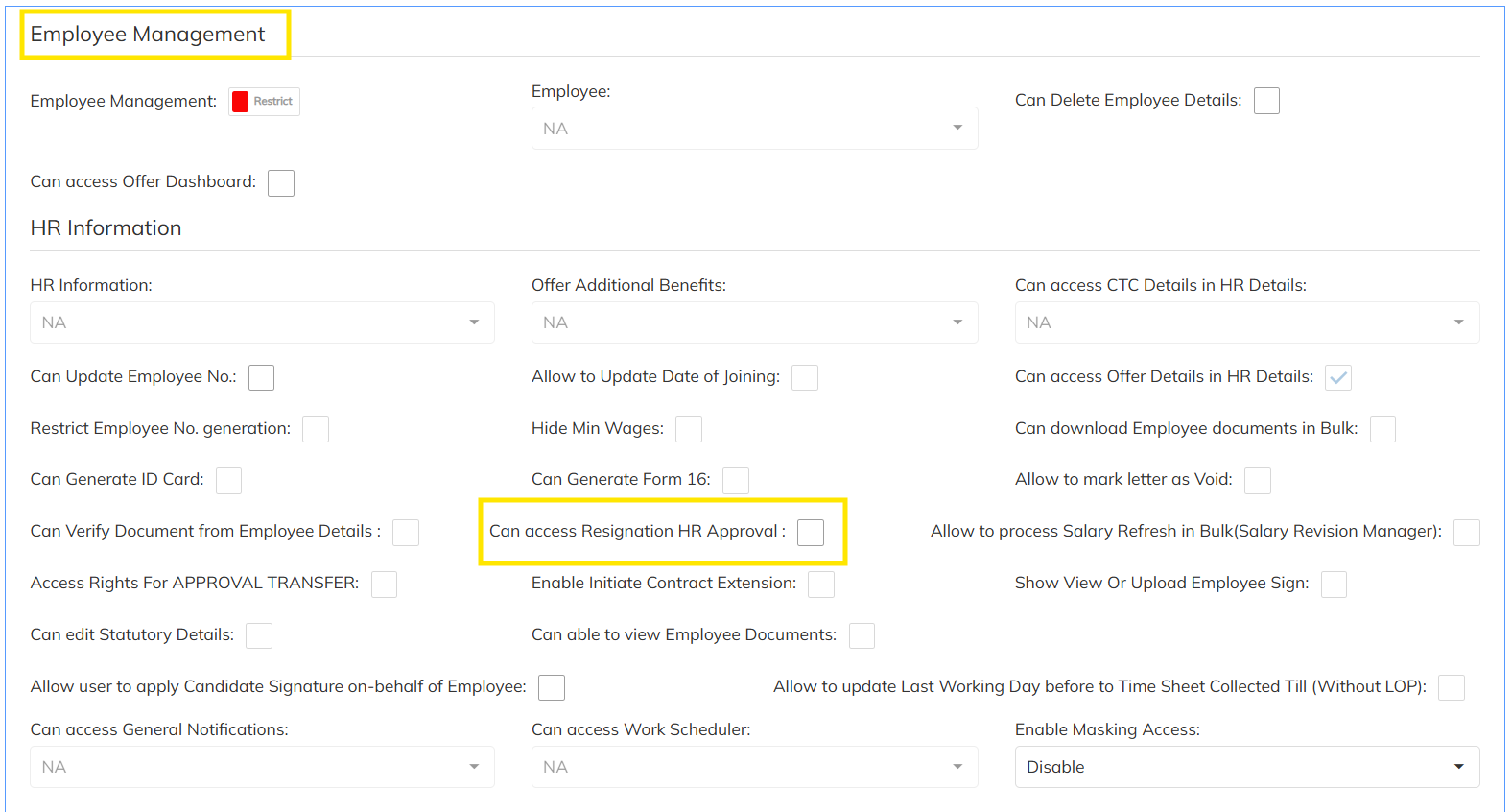
Step 1: Enable HR Approval Access
Navigate to:
User Role Template → Permissions
Enable the below option:
- Can Access Resignation HR Approval
Steps to Approve Resignation Request
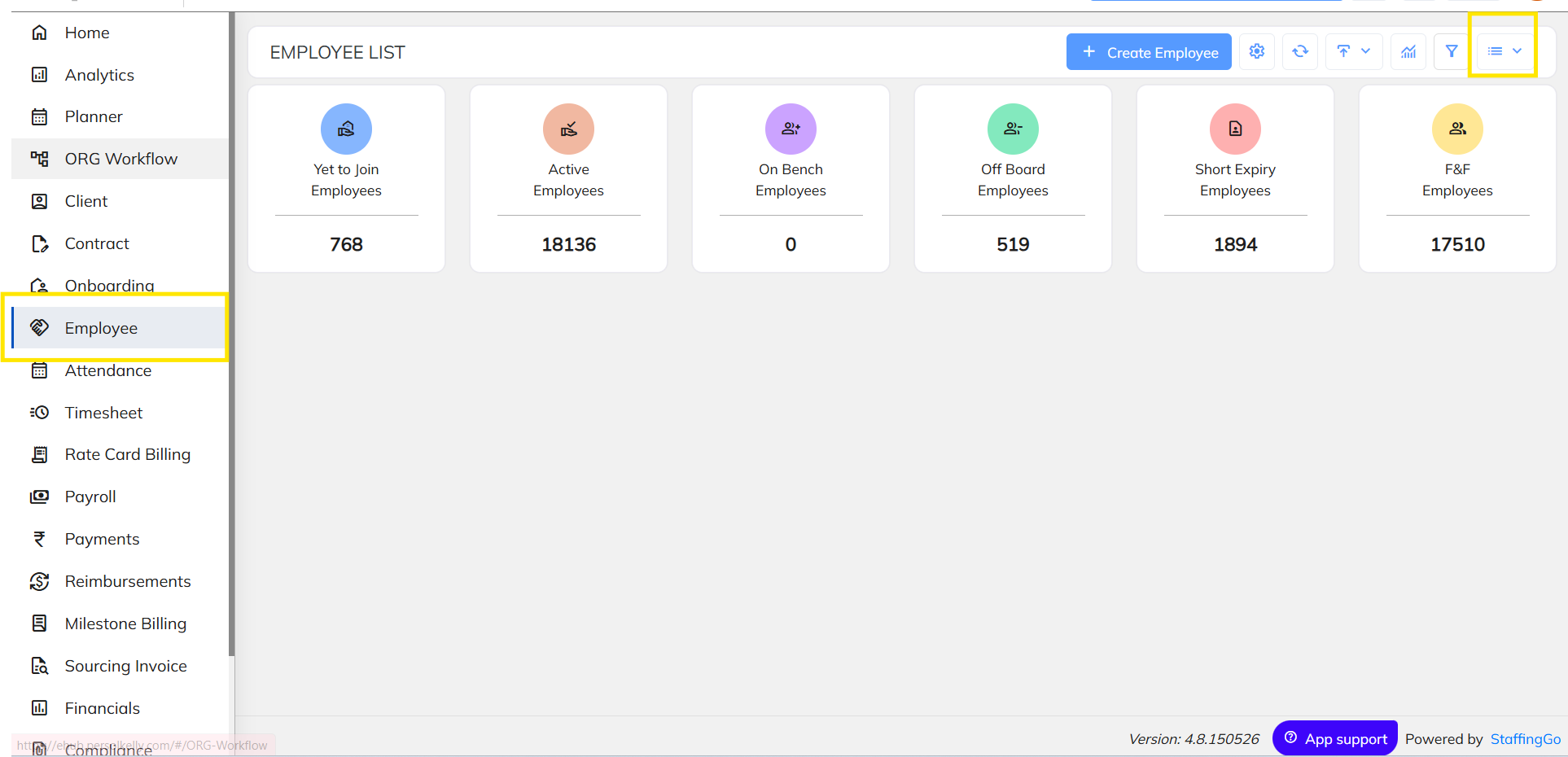
Step 2: Navigate to Consultant / Employee Module
Login using the HR user credentials.
Navigate to:
Employee / Consultant Module
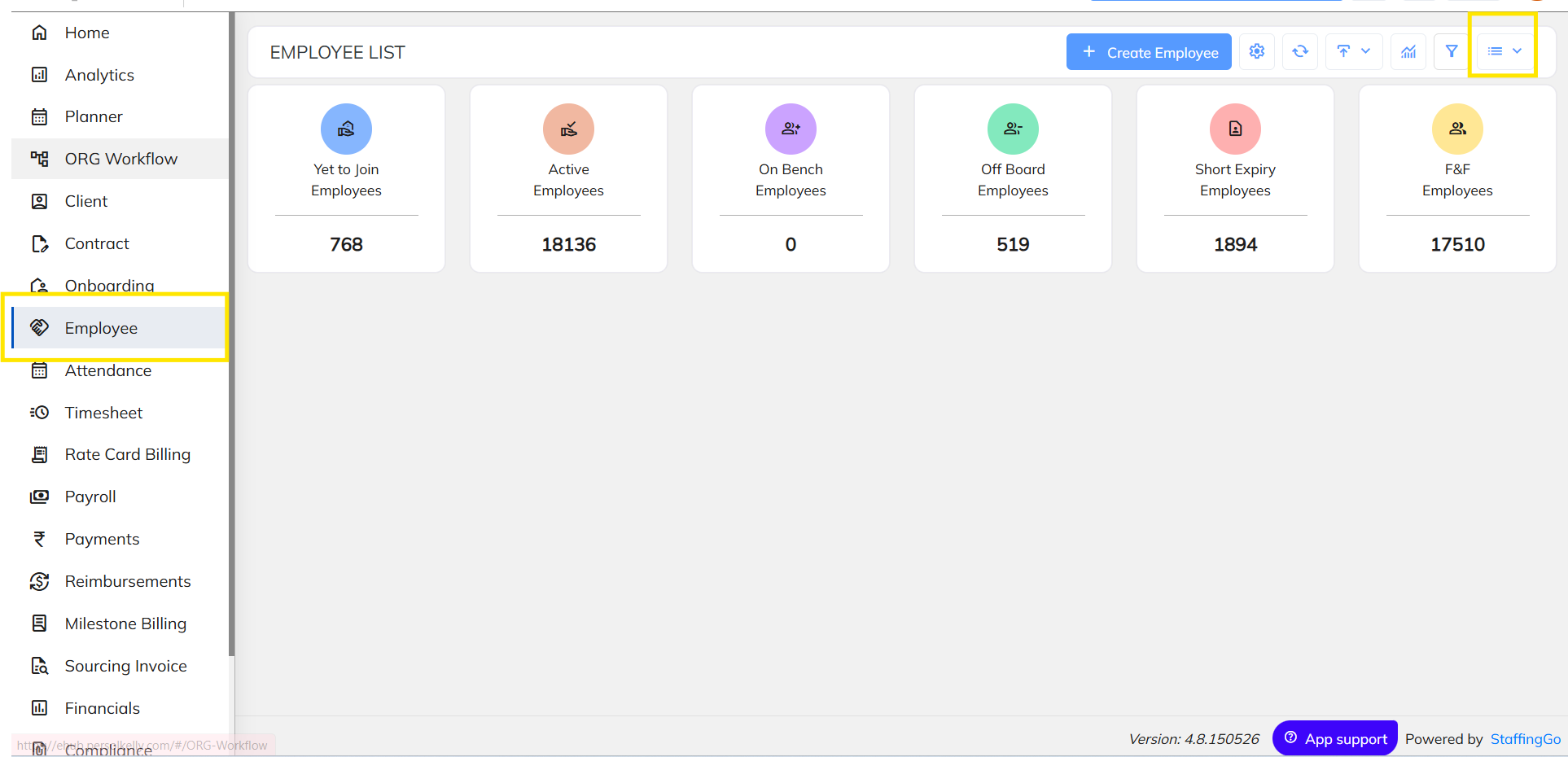
Step 3: Open the Menu Option
In the Consultant module, click on the three-line menu icon available at the top-right side of the screen.
Screenshot Placeholder
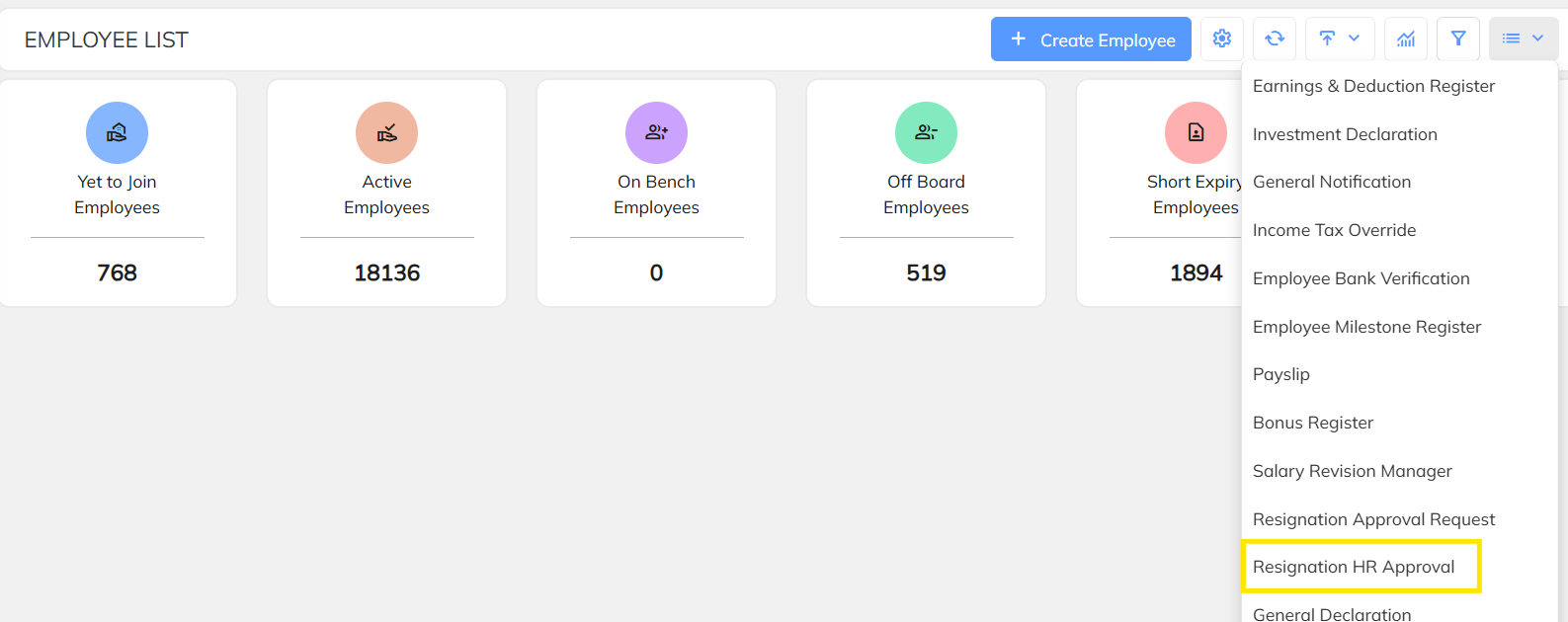
Step 4: Click on “Resignation HR Approval”
From the dropdown menu, select:
- Resignation HR Approval
Step 5: View Pending HR Approvals
After clicking the option, the system will display the list of resignation requests that are pending for HR approval.
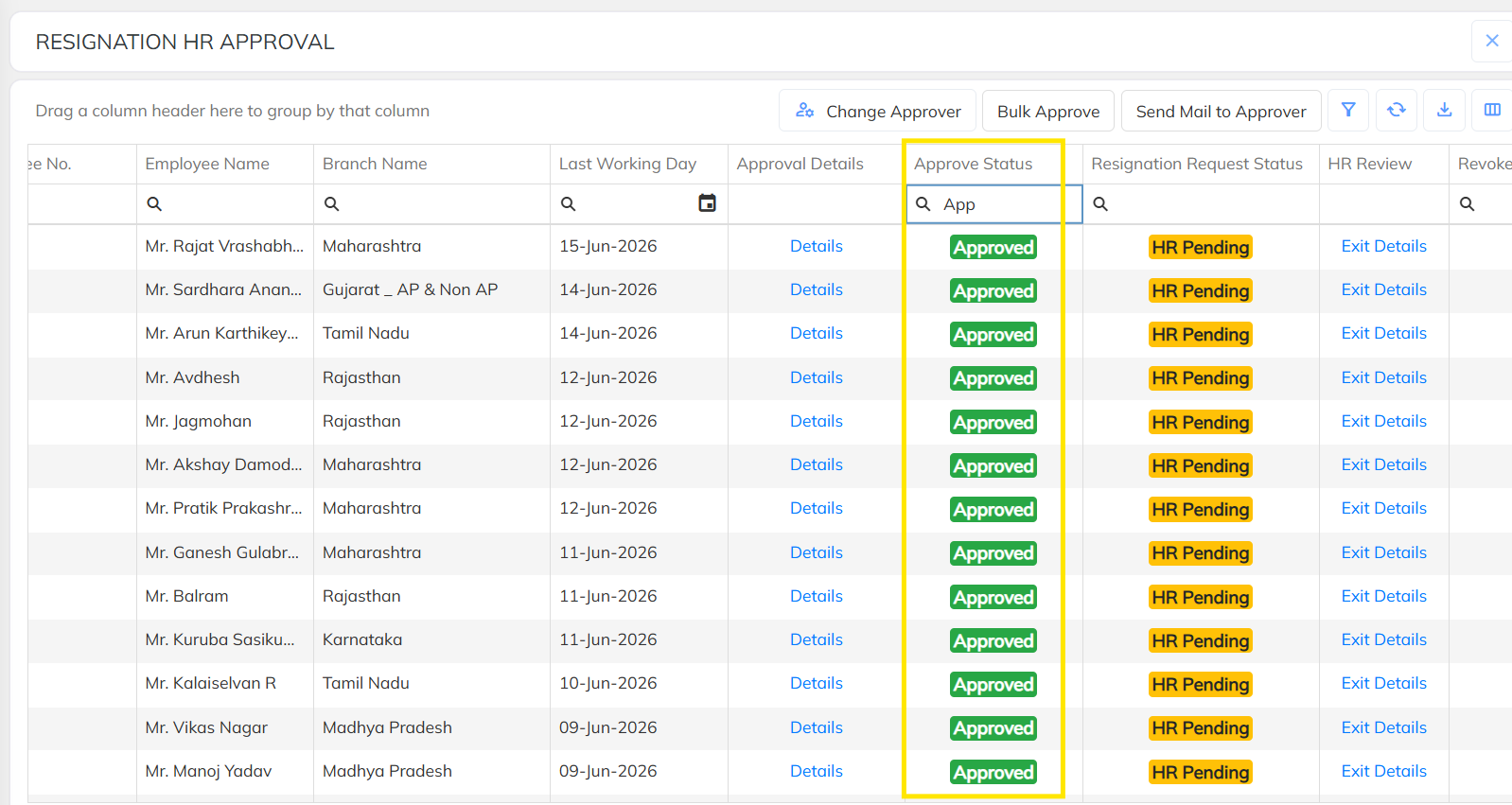
Step 6: Click on “Exit Details”
Against each employee record, click on:
- Exit Details
This will open the resignation details page.
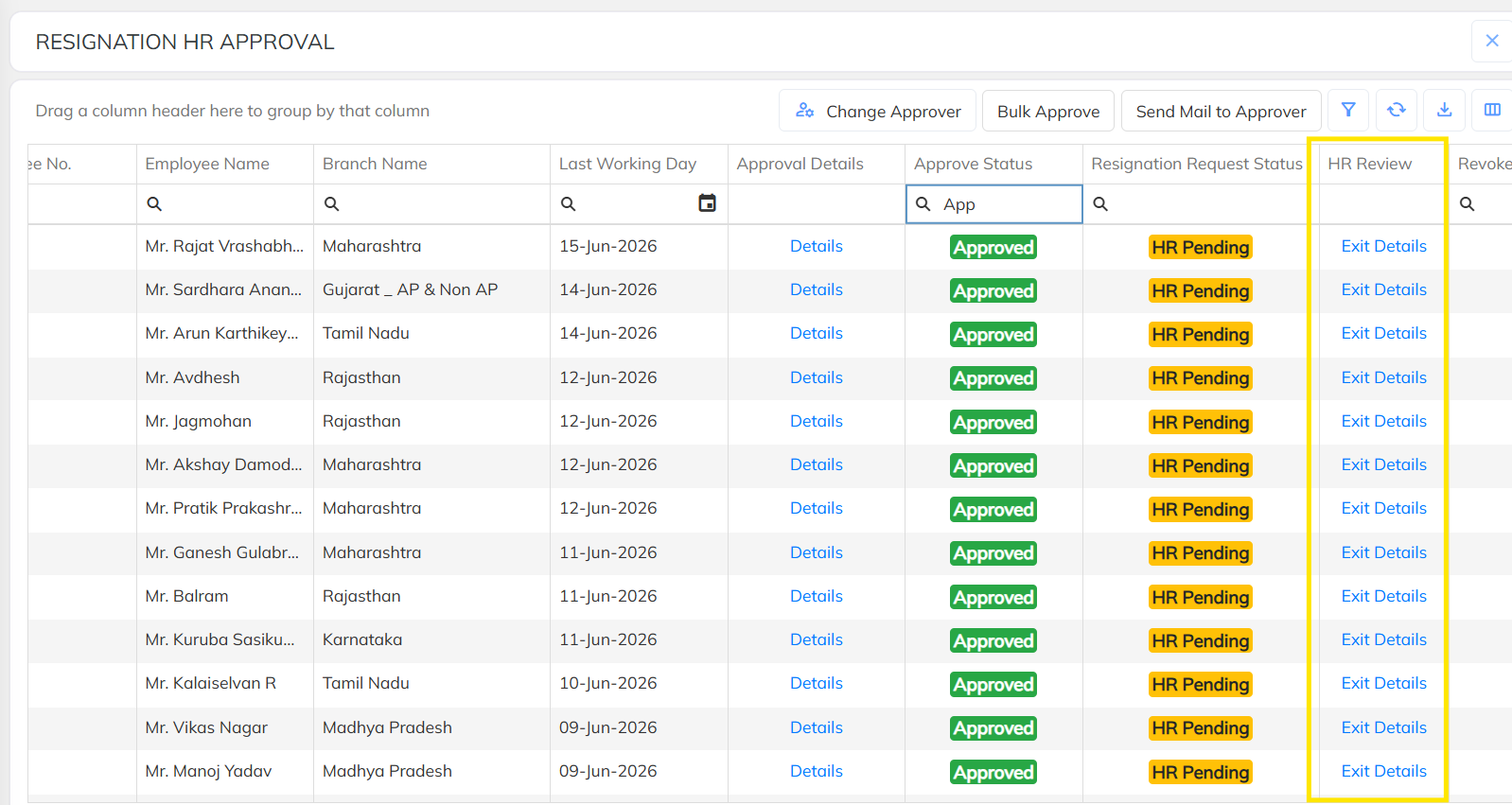
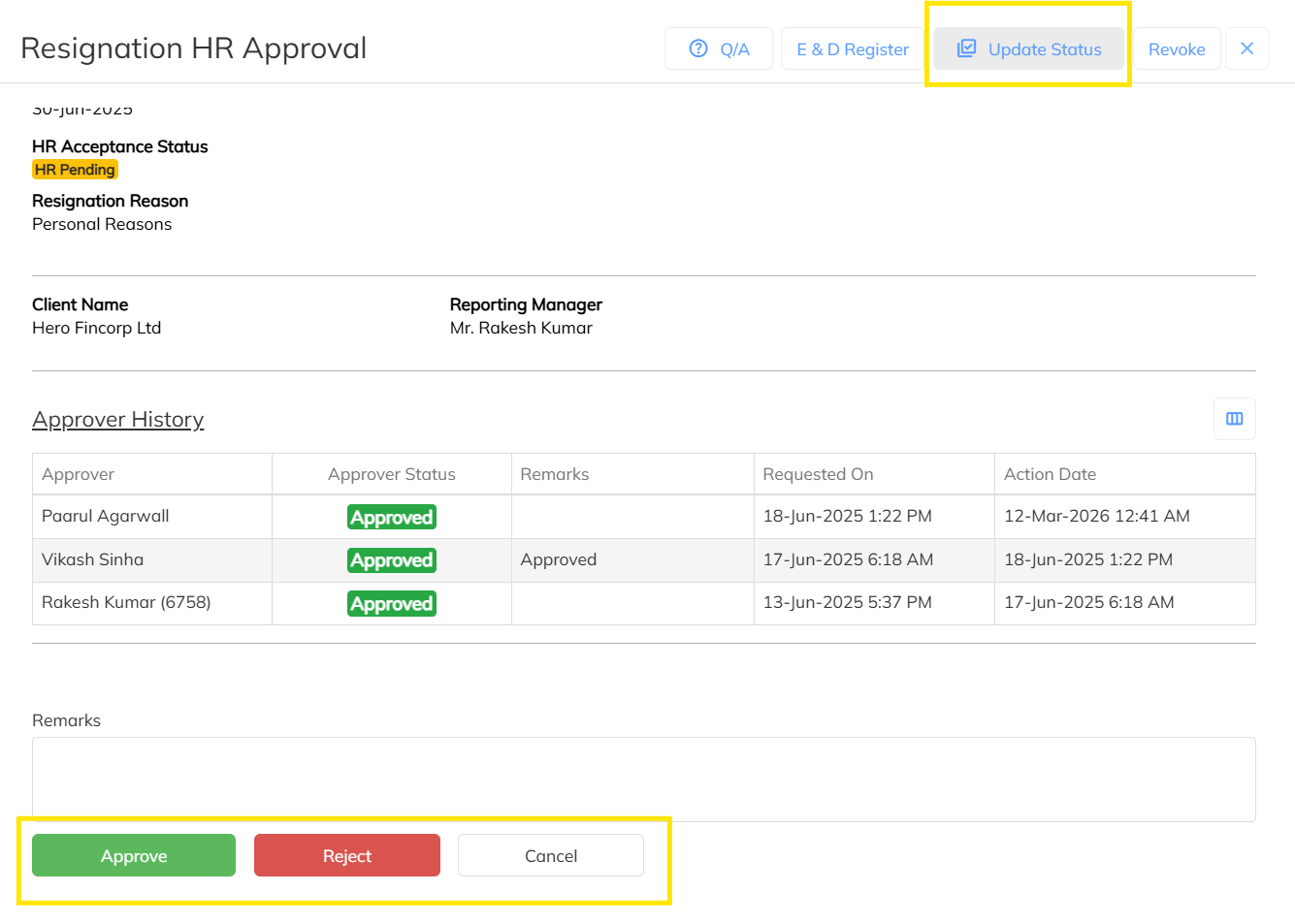
Step 7: Update the Status
On the resignation details page:
- Click on Update Status
- Select either:
- Approve
- Reject
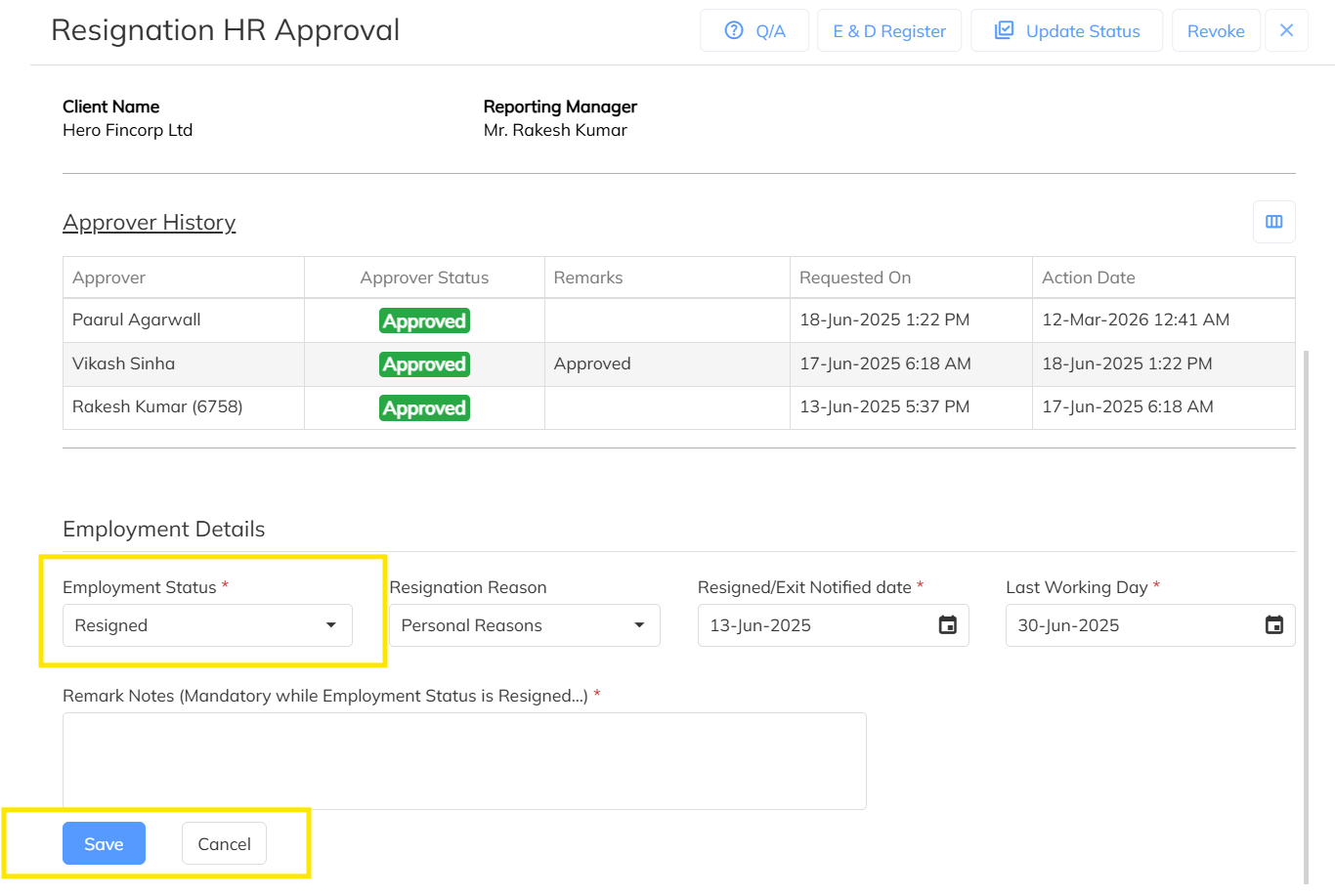
Step 8: Approve Employee Status Update
If the HR user selects Approve, the system will prompt to update the employee status.
Click on:
- Save
The resignation request will be successfully approved and the employee status will be updated accordingly.
Important Notes
- Only users with the required HR approval access can process resignation approvals.
- Resignation requests will appear in HR approval only after all approvers complete their approvals.
- HR users can either approve or reject the resignation request from the Exit Details screen.
Was this article helpful?
That’s Great!
Thank you for your feedback
Sorry! We couldn't be helpful
Thank you for your feedback
Feedback sent
We appreciate your effort and will try to fix the article