Purpose
This SOP explains the process to push invoices from StaffingGo to Tally using the Tally Status tab.
Pre-Requisites
✔ Tally integration must be configured
✔ Invoice should be generated and approved
✔ Before generating invoice the ledgers should be mapped.
✔ Invoice status should be available under “Yet to Initiate Tally Invoice”
✔ User should have Financials access
Navigation Steps
Step 1: Login to Portal
Login to StaffingGo with valid credentials
Step 2: Go to Financials Module
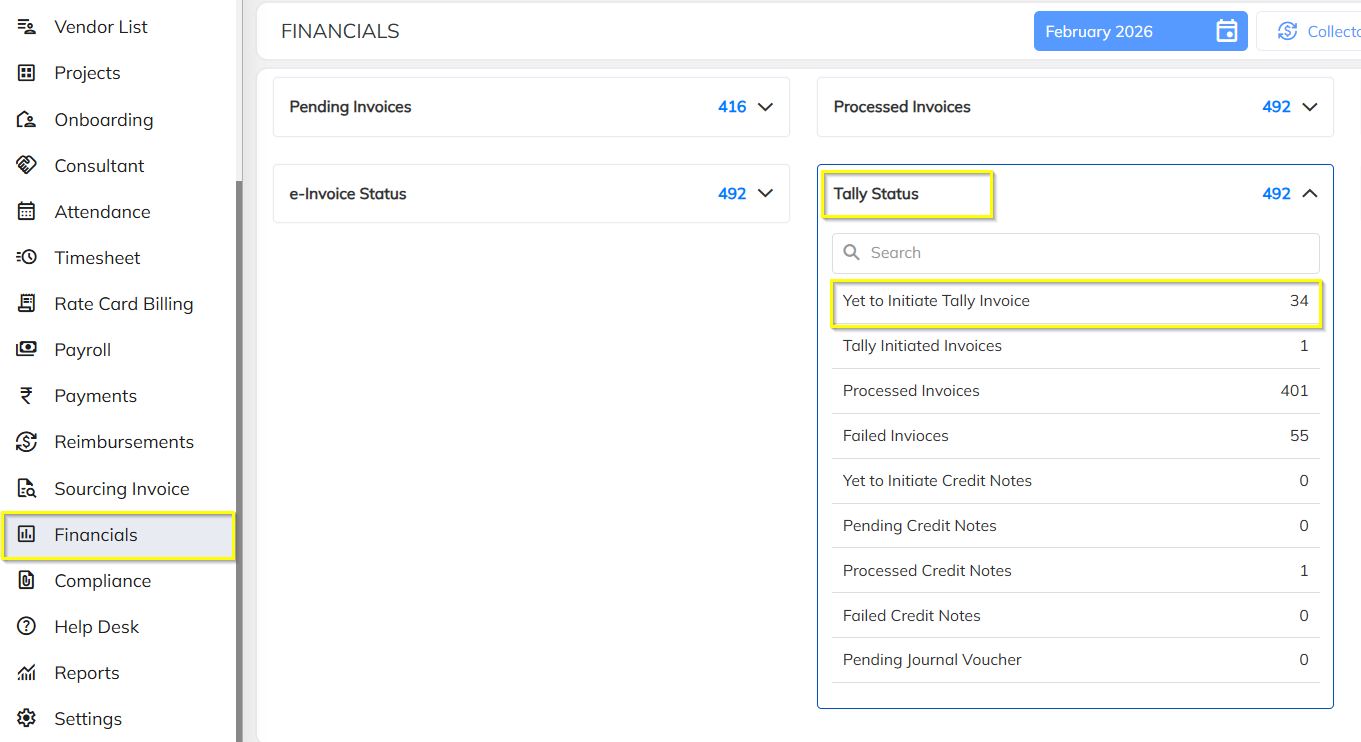
From the main menu, click on Financials
Click on Tally Status tab
Click on Yet to Initiate Tally Invoice
Step 3: Select the Invoice
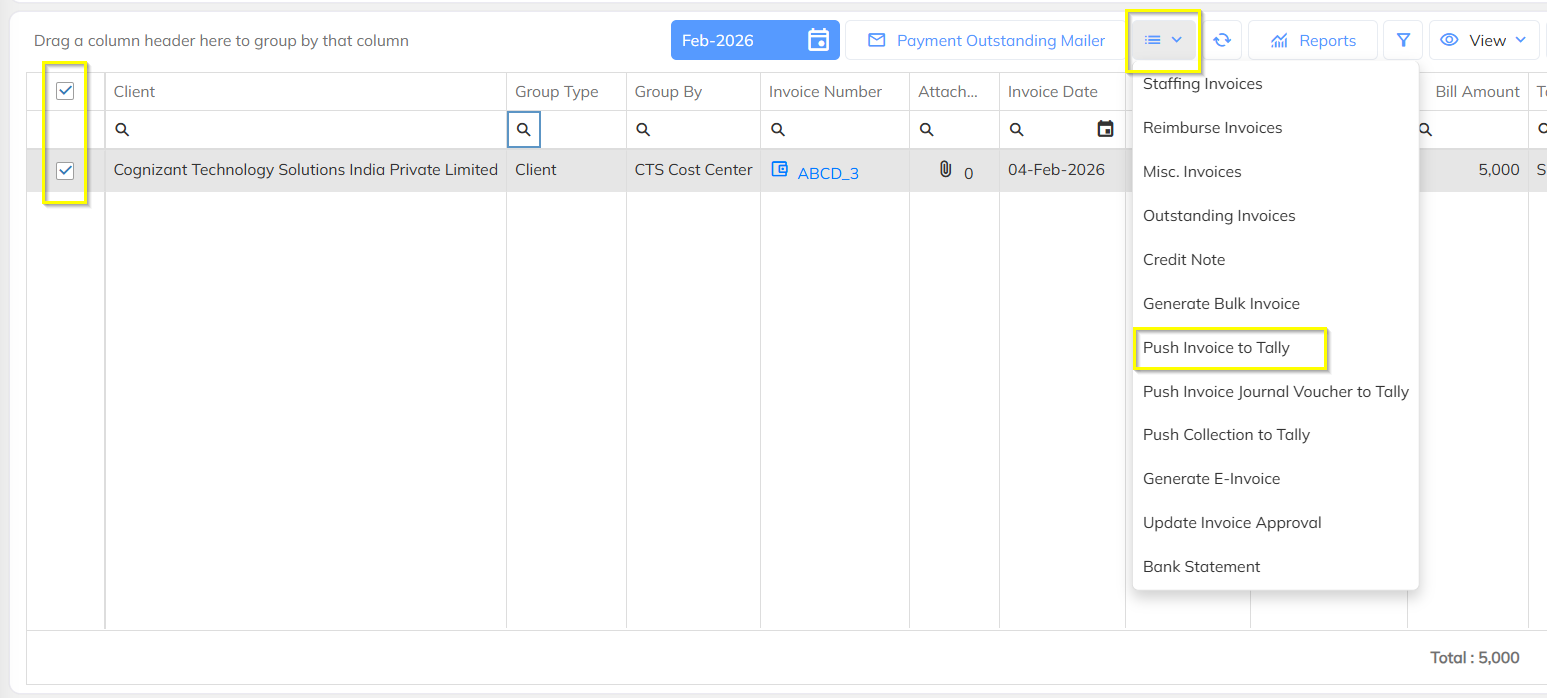
The list of invoices pending for Tally push will be displayed
Identify and select the required invoice
Click on the 3 dots (⋮) next to the selected invoice
Click on Push to Tally
Was this article helpful?
That’s Great!
Thank you for your feedback
Sorry! We couldn't be helpful
Thank you for your feedback
Feedback sent
We appreciate your effort and will try to fix the article