Updating Employee Bank Details in StaffingGo Application
1. Purpose
This help manual explains the process to update employee bank details in the StaffingGo application. Bank details can be updated either manually for an individual employee or in bulk using the Consultant Update Excel Import sheet.
2. Prerequisites
Before proceeding, ensure the following:
You have valid access to the StaffingGo application
Required role permissions for HR / Consultant module
Correct and verified bank information (Account Number, IFSC, Bank Name, etc.)
3. Methods to Update Bank Details
Employee bank details can be updated using either of the following methods:
Manual Update (Individual Employee)
Bulk Update (Excel Import)
4. Manual Process – Individual Employee Bank Update
Use this process when updating bank details for a single employee.
Step-by-Step Procedure
Log in to the StaffingGo application.
Use the Filter option to search and select the required employee.
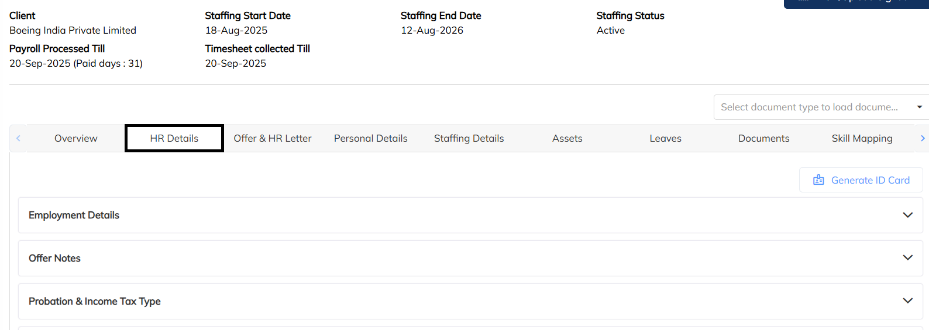
Navigate to:
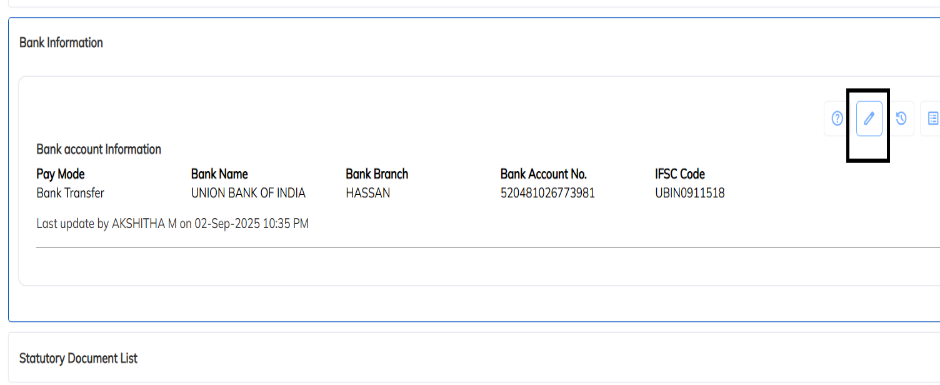
HR Details → Bank InformationClick on the Edit option.
Update the required bank details (Account Number, IFSC, Bank Name, etc.).
Save the changes to apply the updated bank information.
Key Notes
Ensure bank details are entered correctly to avoid payroll or reimbursement failures.
Changes take effect immediately after saving, subject to payroll cut-off rules.
5. Bulk Process – Consultant Update via Excel Import
Use this process to update bank details for multiple employees at once.
Step-by-Step Procedure
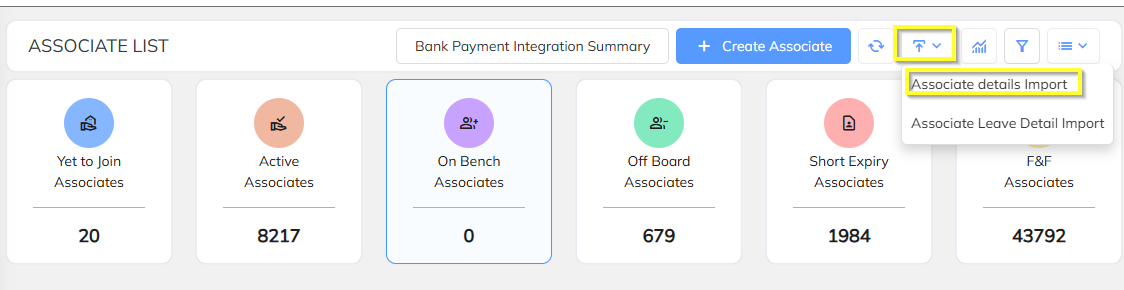
Navigate to the Consultant Module.
Click on the Import option.
Select Associate Details Import.
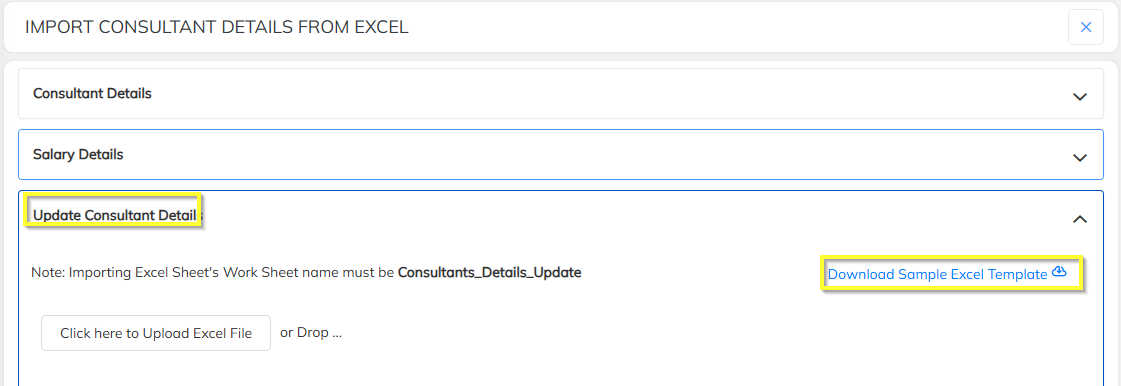
Choose Update Consultant Details.
Download the Sample Import Sheet.
Refer to the Instruction Sheet and update bank details for the required employees.
Upload the completed Excel file into the application.
Validate and confirm the import to complete the bulk update.
Key Notes
Do not modify column headers in the sample sheet.
Ensure employee identifiers (Employee Code / Consultant ID) are accurate.
Any validation errors will be displayed during the upload process.
6. Common Validation Checks
Mandatory fields must not be left blank
IFSC code format should be valid
Duplicate or incorrect employee identifiers may cause import failure
Was this article helpful?
That’s Great!
Thank you for your feedback
Sorry! We couldn't be helpful
Thank you for your feedback
Feedback sent
We appreciate your effort and will try to fix the article