Calculation of Service Charge Using a Flat Amount for Non-OT
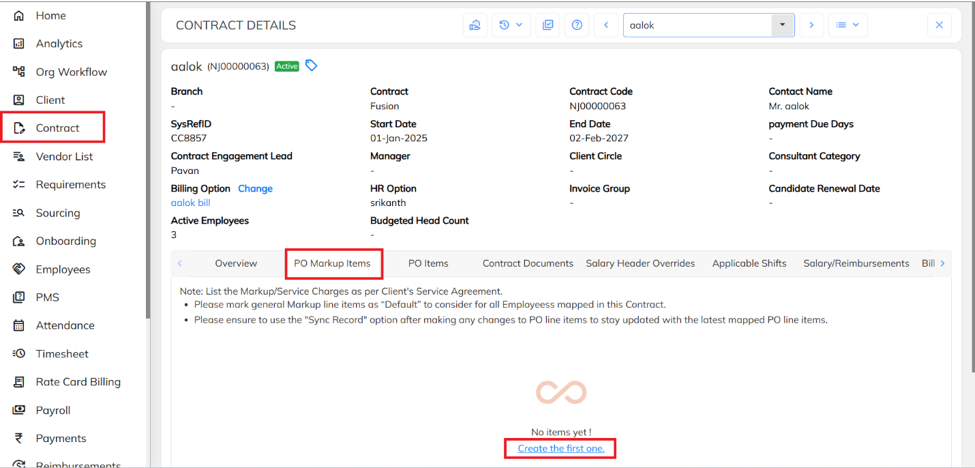
- Navigate to the Contract section, select the required Contract, click on PO Mark Up Items, and then click on Create to configure the markup item.
- Click on create PO Markup Master.
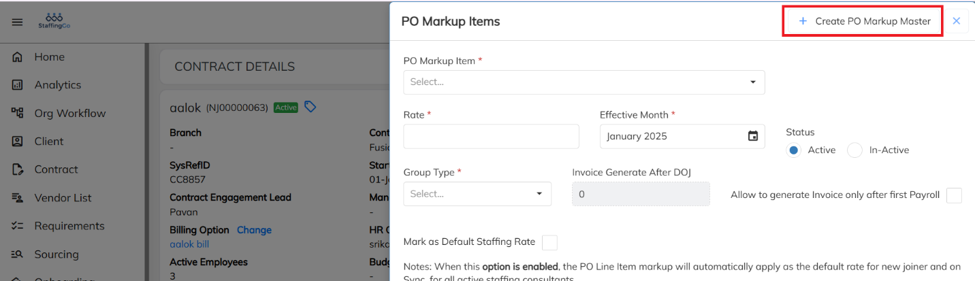
- Fill in the required details & Click on save.
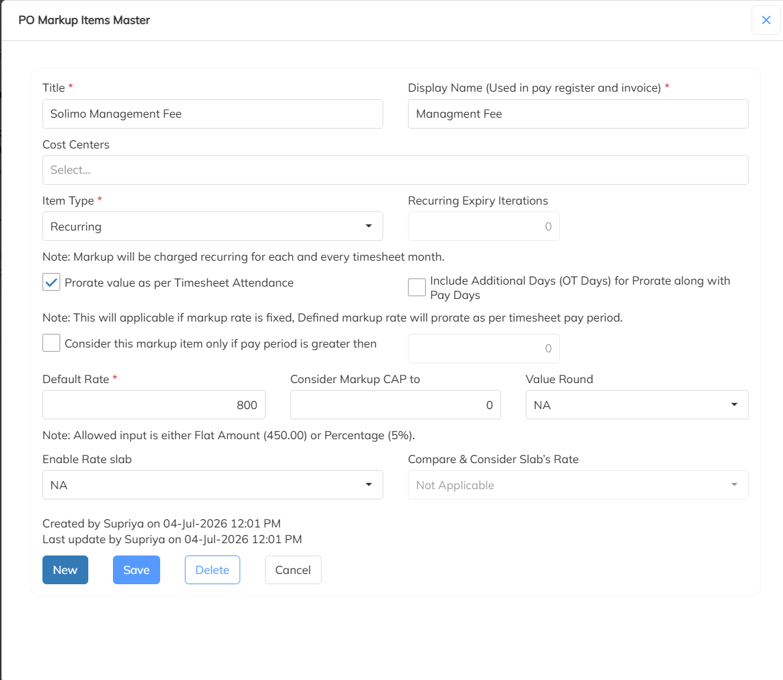
- Title: Enter the title for the PO markup item.
- Display Name: Enter the display name that should appear in the Pay Register and Invoice.
- Cost Centers: Map the required Cost Center if the PO markup item should apply only to that specific cost center. If no cost center is mapped, the PO markup item will be applicable to the entire contract.
- Item Type: Select the required Item Type.
- Default Rate: Enter the default rate to be applied.
- Once the PO Markup Item is created, it will be displayed under the PO Mark Up Items section. Click on Add icon.
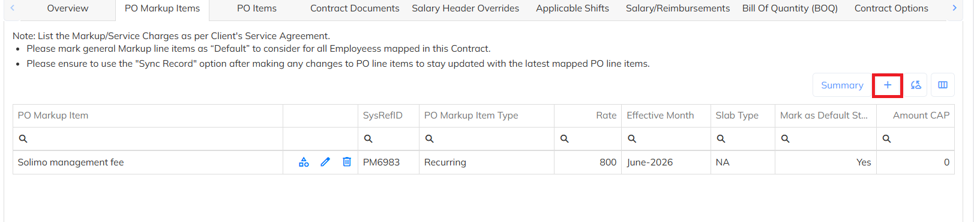
- Select the required PO Markup Item from the dropdown list, then specify the Effective Month for the configuration to take effect.
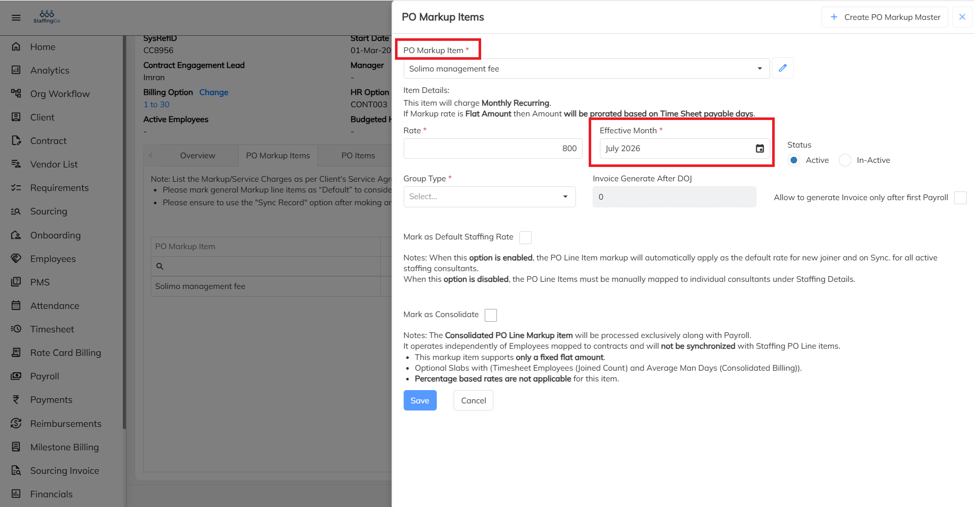
- Calculation of Service Charge for OT on a Percentage Basis:
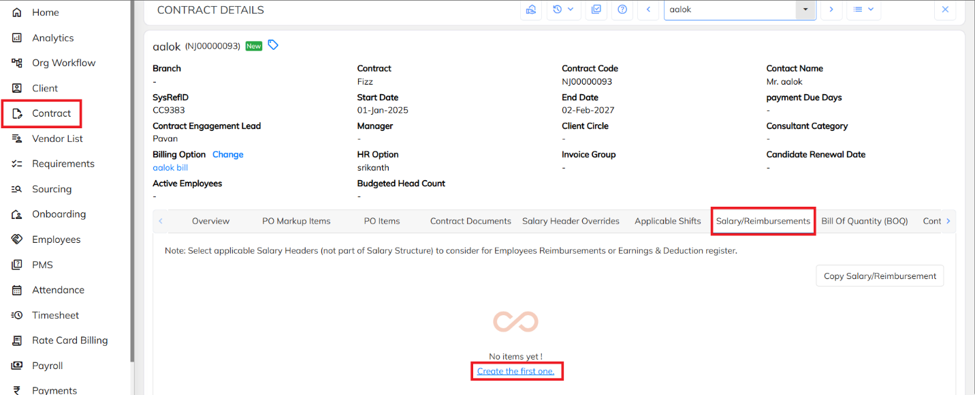
- Navigate to Contract section, select the required contract, click on salary reimbursements.
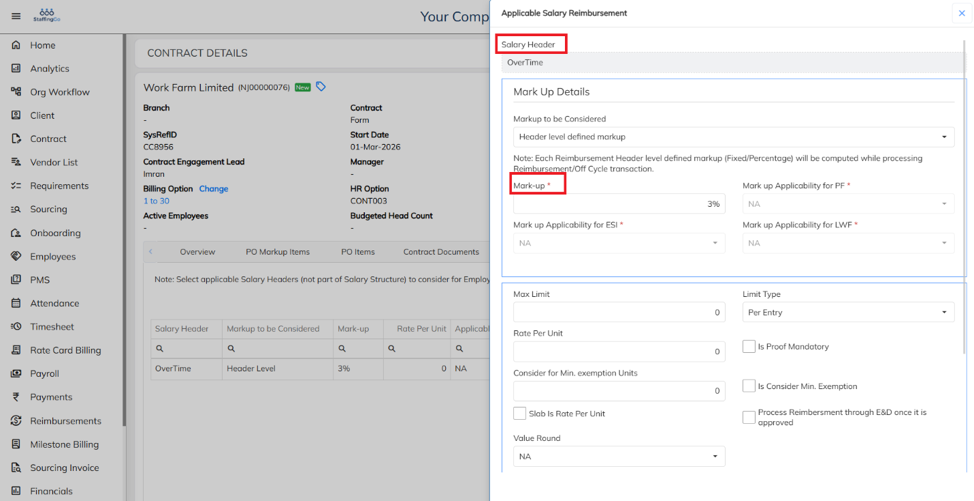
- Select the required Salary Header, then specify the Markup Percentage to calculate the service charge for OT.
Was this article helpful?
That’s Great!
Thank you for your feedback
Sorry! We couldn't be helpful
Thank you for your feedback
Feedback sent
We appreciate your effort and will try to fix the article