In the StaffingGo application for Attendance, Payroll , Time sheet & Billing prospective need to extend the calendar period on yearly basis. Follow the below mentioned steps to extended calendar
Step -1 : Calendar Extension :
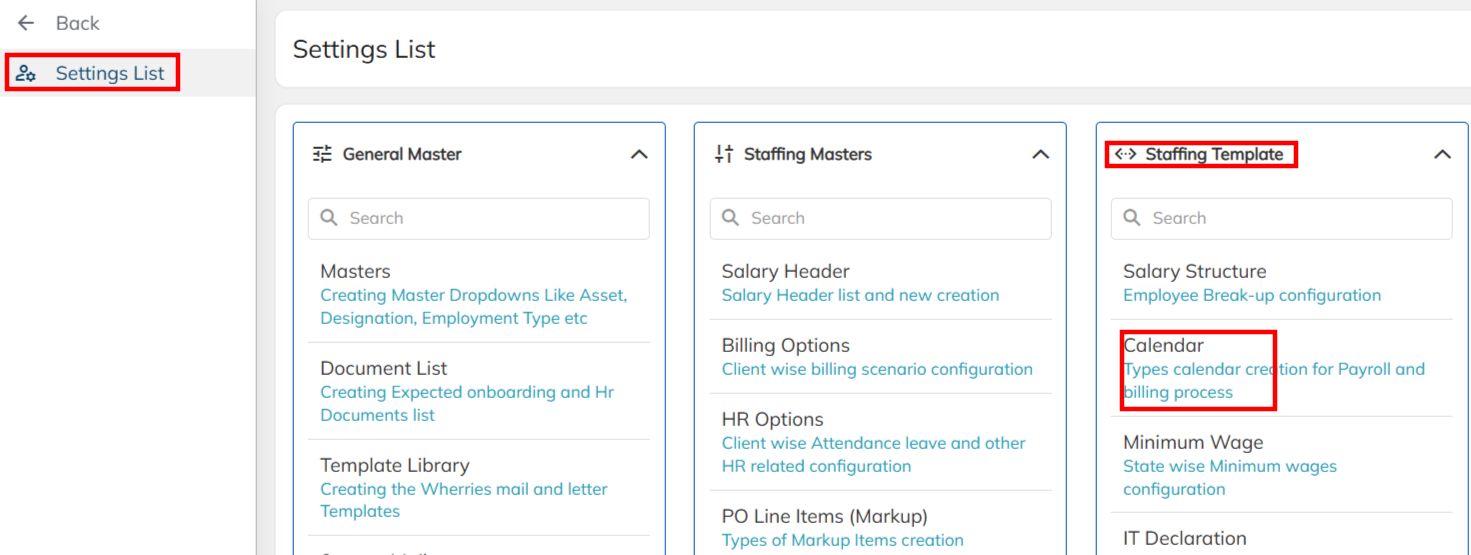
- Navigate to Setting >> Staffing Template >>Choose the Calendar.
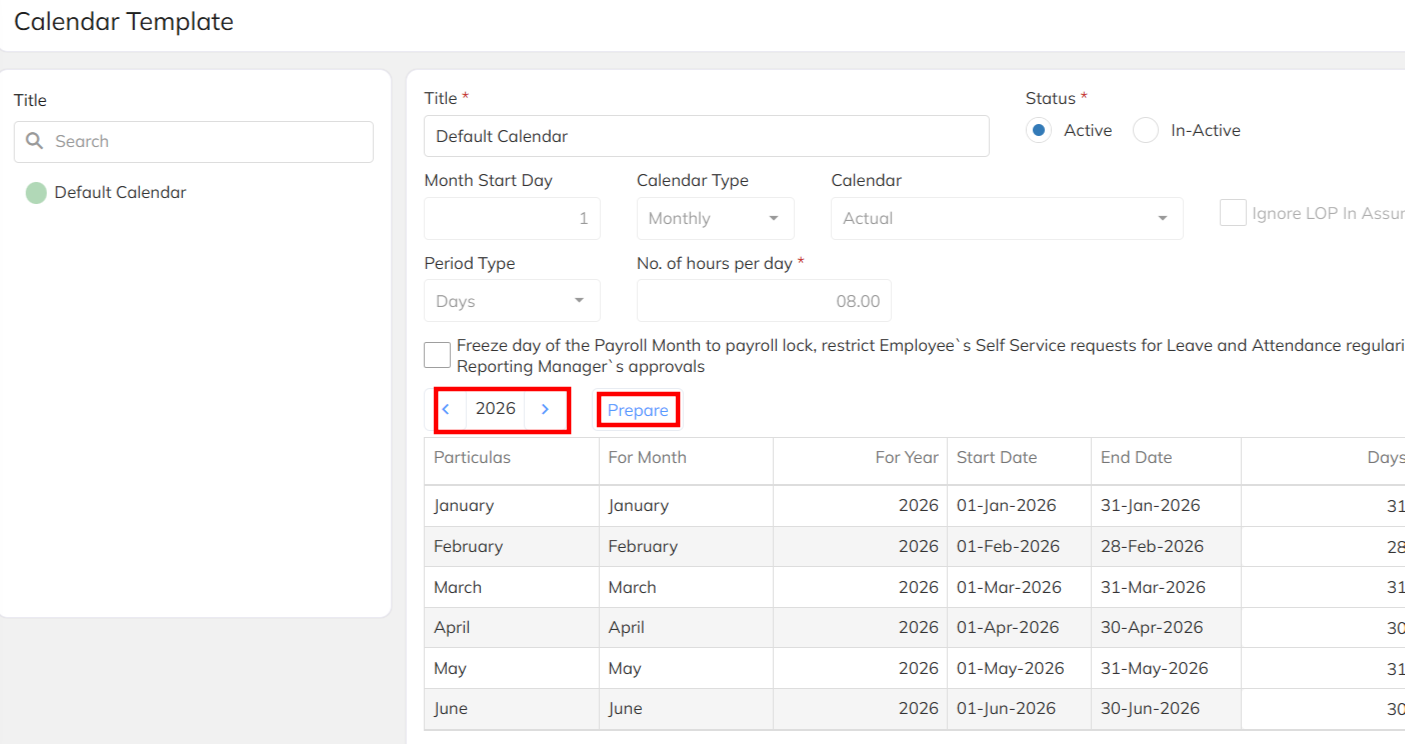
- Select the specific calendar which has been mapped to client-contract mapped billing option.
- Choose the 2026 year using arrow symbol and click on the prepare option to generate the 2026 calendar & save.
Note :
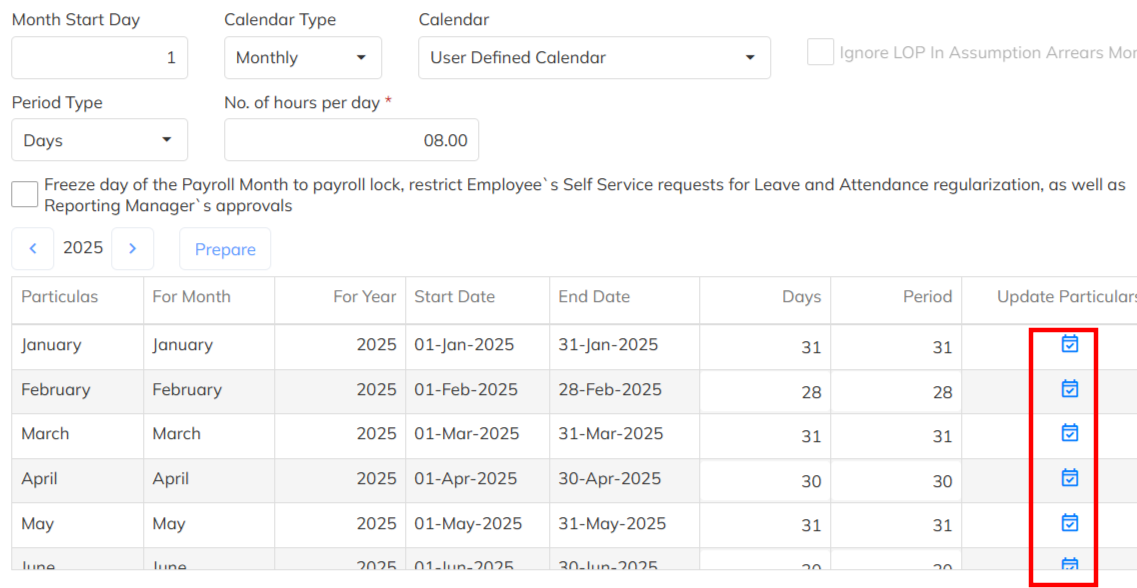
- If the Calendar is user is user defined , Once the calendar has been prepared using the update days option set up the expected days calendar days details.
- Employee already mapped calendar will get extend with with 2026 . No changes in the days. & configuration.
- If payroll & billing calendar is different , Both should be configured & allocate in the billing option and Same billing option is specified under the contract level.
Was this article helpful?
That’s Great!
Thank you for your feedback
Sorry! We couldn't be helpful
Thank you for your feedback
Feedback sent
We appreciate your effort and will try to fix the article