This feature activates an additional verification step for employee bank account details. When enabled, any bank account added or updated by the user will go through a verification workflow before being accepted for payroll or reimbursement processing.
Below are the steps to enable the Enable Extended (User)Bank Account Verification in the Staffinggo portal:
Enable Extended (User)Bank Account Verification at master level
- Login as an Administrator
- Click on Settings as shown below

- Click on Portal Settings

- Click on Common Settings

- Scroll down under General Configurations you will be able to find the Enable Extended (User)Bank Account Verification as shown below
- Once you enable this checkbox, then there is a Bank verification workflow button.
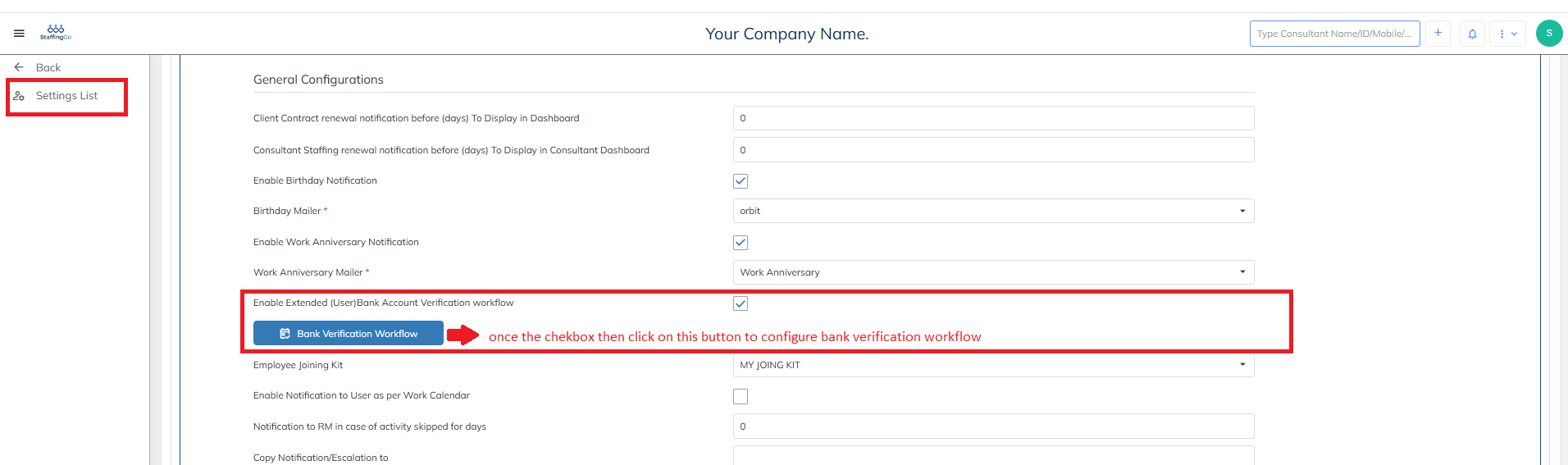
- In this section you can enter all the various designation whether they should verify or approve as shown below
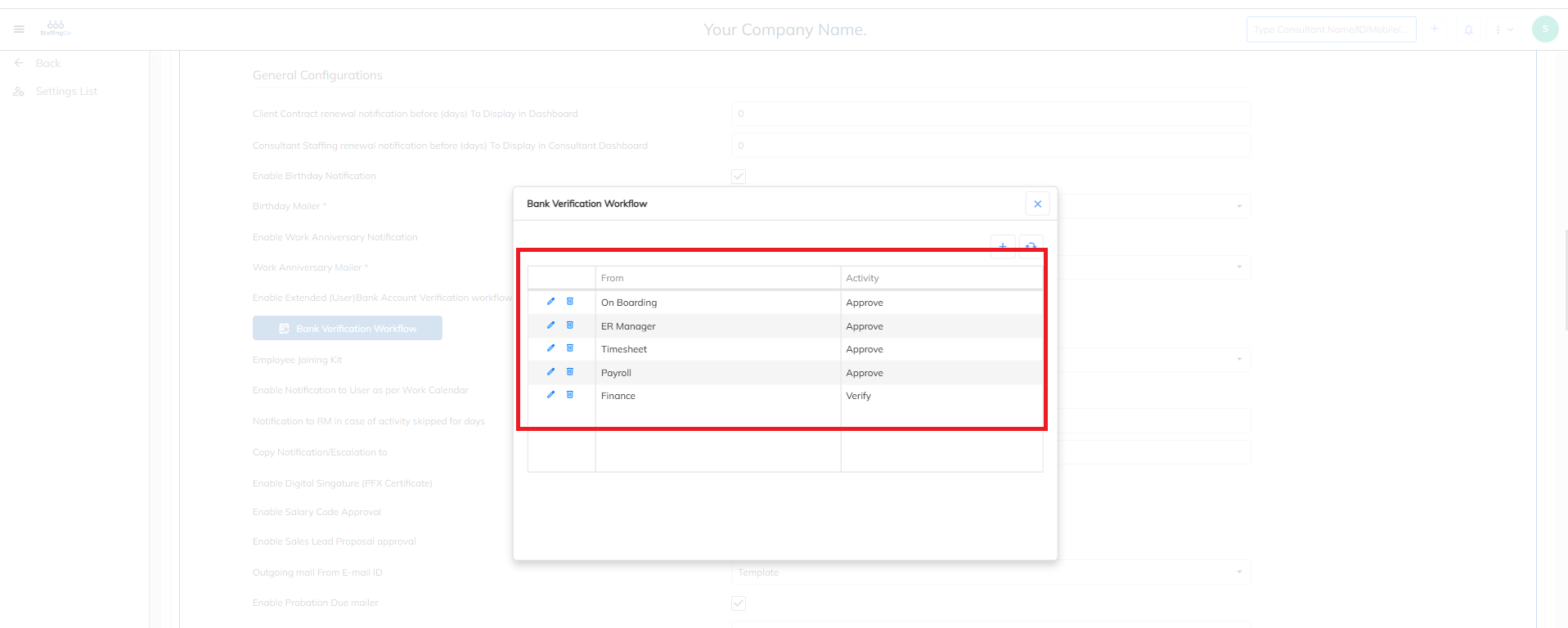
- One this workflow is configured then based on this workflow the bank verification will be carried out and only after the verification or approval will the bank verification will be completed.
- Then Scroll down and Save
Impact of Enable Extended (User)Bank Account Verification at master level
- Once the Enable (User) Bank Account verification checkbox is enabled at the master level enabling the bank verification workflow ensures the accuracy and security of employee bank details, preventing incorrect or fraudulent account entries that could impact salary disbursements.
If you disable the Bank Verification Workflow checkbox, any employee can directly add or update their bank account details without going through an approval or verification process.
Need Help?
If you have any doubts or need further assistance regarding client creation or any other feature, feel free to reach out to our support team at support@staffinggo.in. We’re here to help you!
Was this article helpful?
That’s Great!
Thank you for your feedback
Sorry! We couldn't be helpful
Thank you for your feedback
Feedback sent
We appreciate your effort and will try to fix the article