Key Highlights
- New Consultant Bill Details Financial Report
- Employment Type filters in Income Tax and TDS reports
- Enhanced Salary Structure Excel import options
- Improved Bank Approval Dashboard
- Enhanced Attendance Penalty configuration
- New BGV and KYC reporting capabilities
- Enhanced Client Portal approval access
- Currency-based Invoice Amount in Words
- OT Minutes Round-off configuration
- Bank Statement Dynamic Template configuration
- Payroll Month/Year visibility in Invoice Listing
1. Financial Report – Consultant Bill Details
A new Consultant Bill Details Report has been introduced under the Financial Reports section.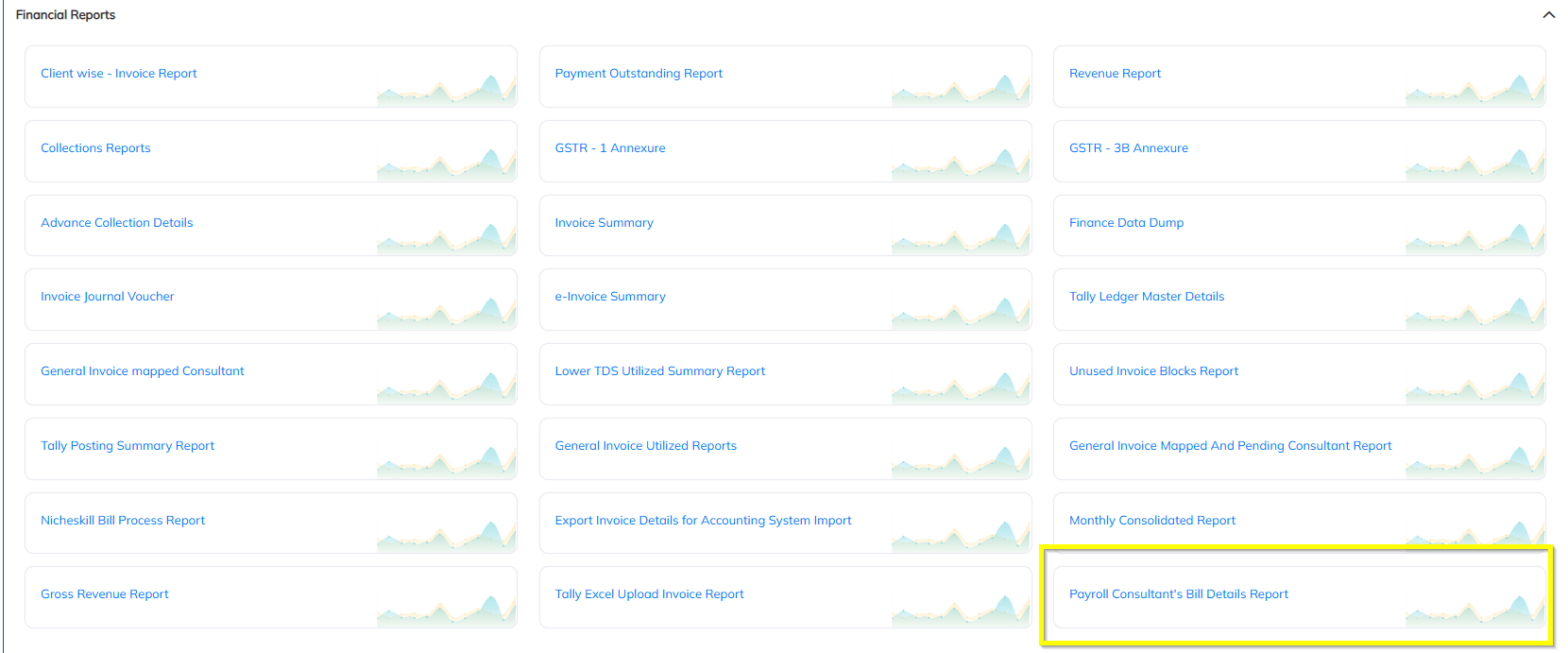
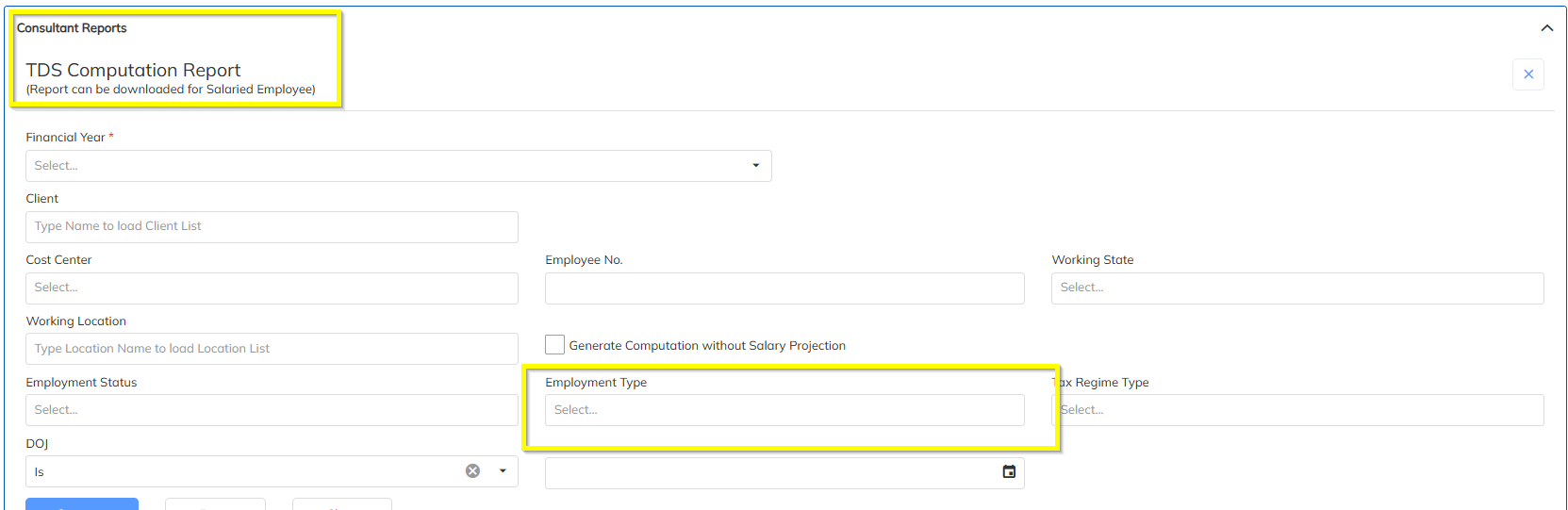
2. Employment Type Filter – Income Tax & TDS Computation Reports
An Employment Type filter has been added while generating:
- Income Tax Report
- TDS Computation Report
Users can now generate reports based on the required employment type.
3. ESI Sub Code – Salary Details History Dynamic Template
The ESI Sub Code field is now available in the Salary Details History Dynamic Template.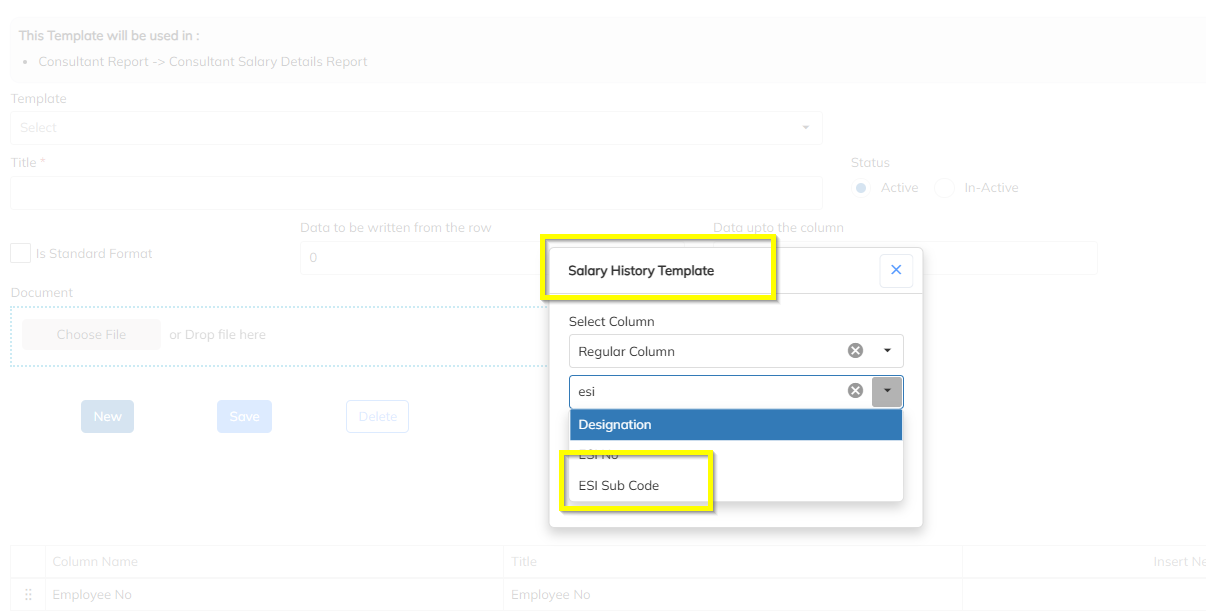
4. Bank Approval Dashboard – Approver Type-wise Status Counts
The Bank Approval Dashboard has been enhanced to provide Pending and Verified counts based on Approver Type.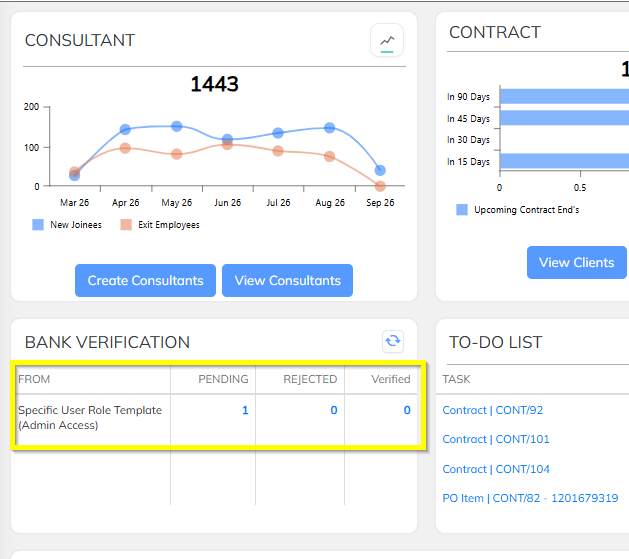
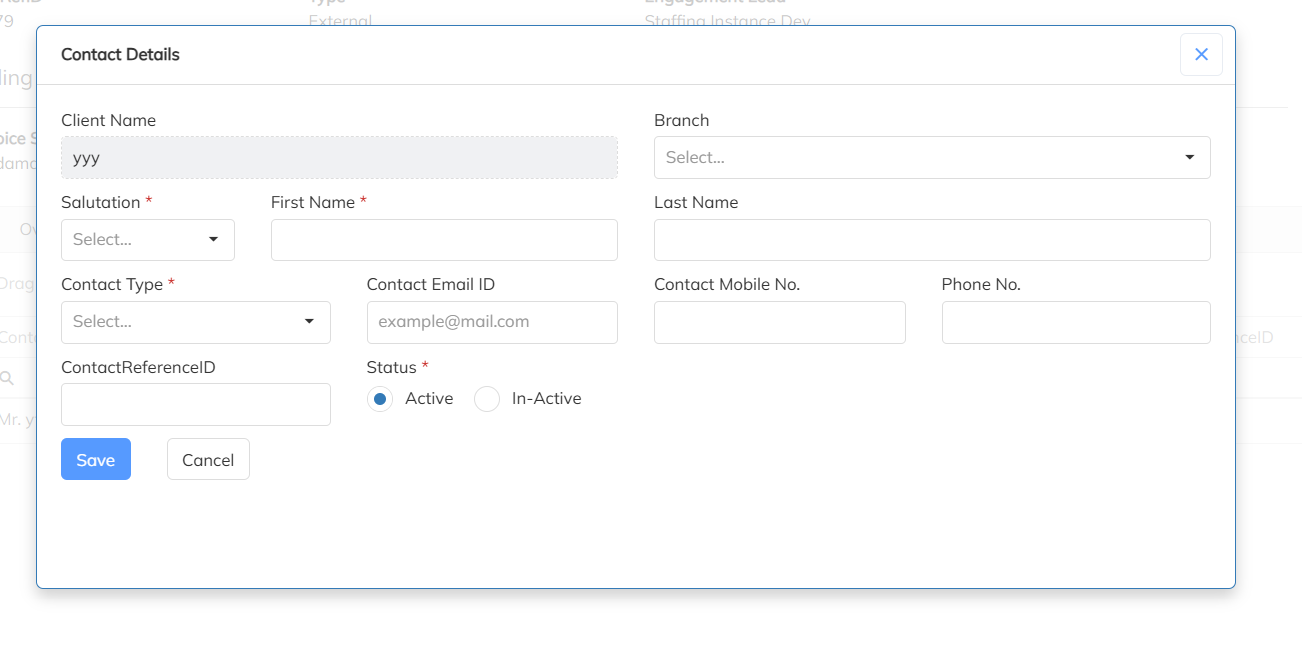
5. BU Contact – Ref ID supported and introduced in the approval matrix
BU Contact is now supported a Ref ID and Approval matrix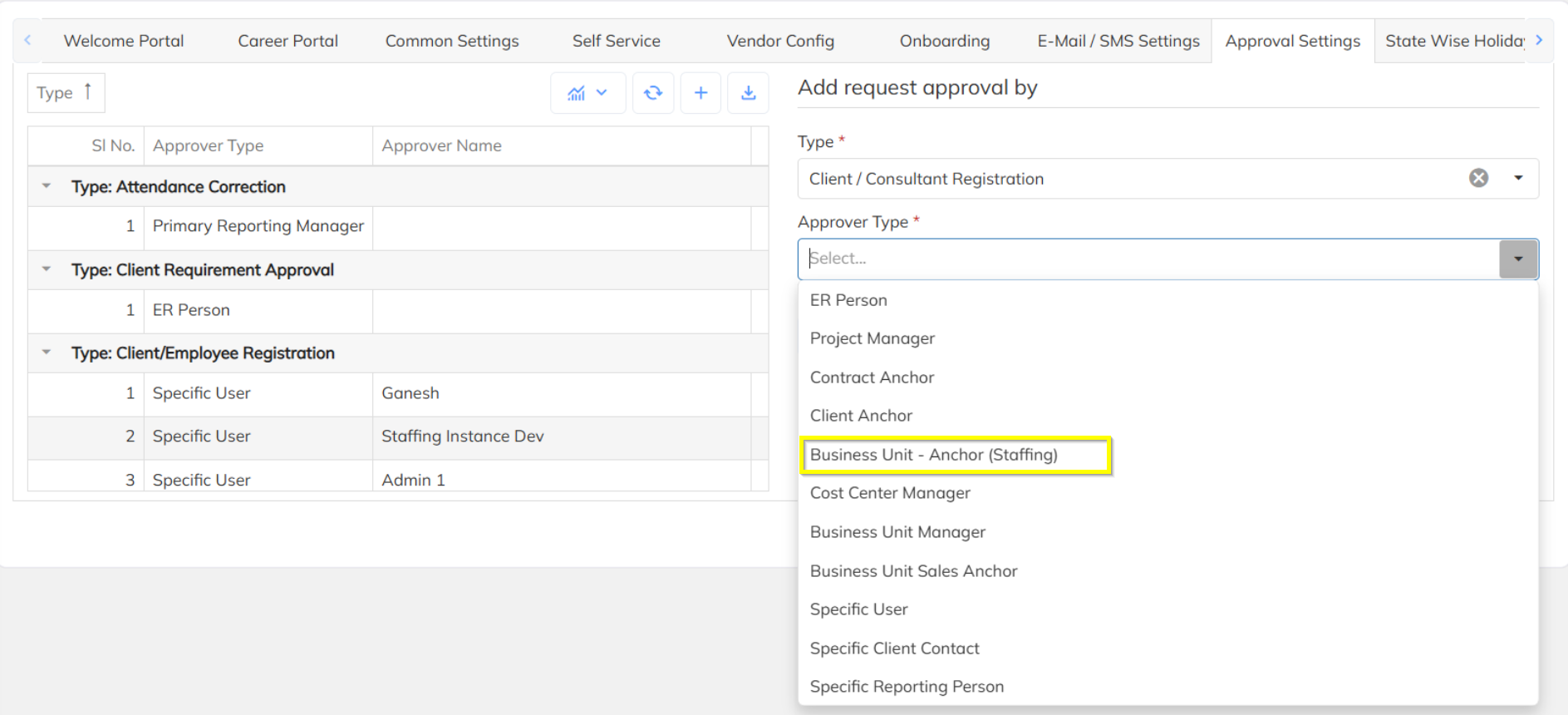
6. Consultant – Excel – Salary Structure Import Enhancements
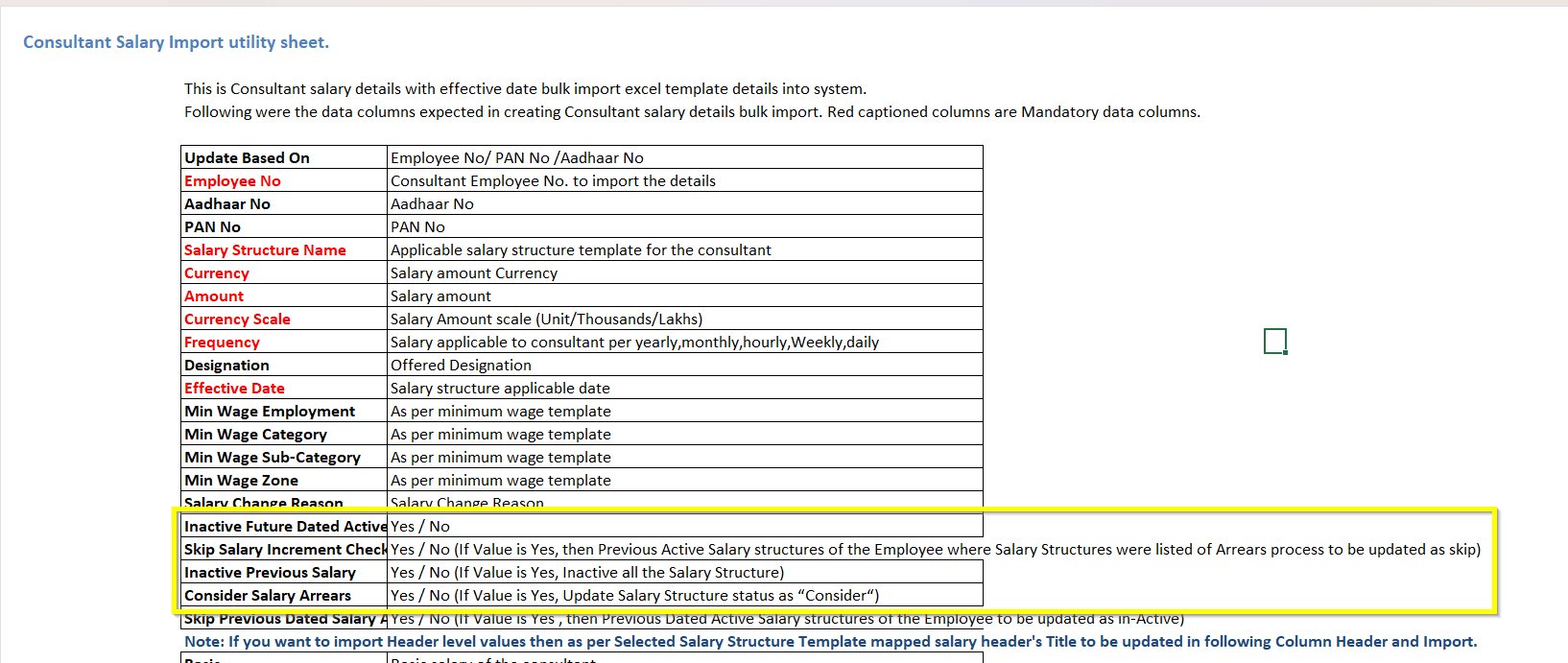
The Consultant Salary Structure Excel Import has been enhanced with additional control columns. Users can now manage salary structure status and arrears-related behavior directly through the import file.
New Column | Accepted Value | System Behavior |
Inactive Future Dated Active Structure | Yes / No | If Yes, the applicable future-dated active salary structure is marked inactive as part of the import. |
Skip Salary Increment Check | Yes / No | If Yes, previous active salary structures of the employee associated with arrears processing are updated to Skip. |
Inactive Previous Salary | Yes / No | If Yes, previous salary structures are marked Inactive. |
Consider Salary Arrears | Yes / No | If Yes, the relevant salary structure status is updated to “Consider”. |
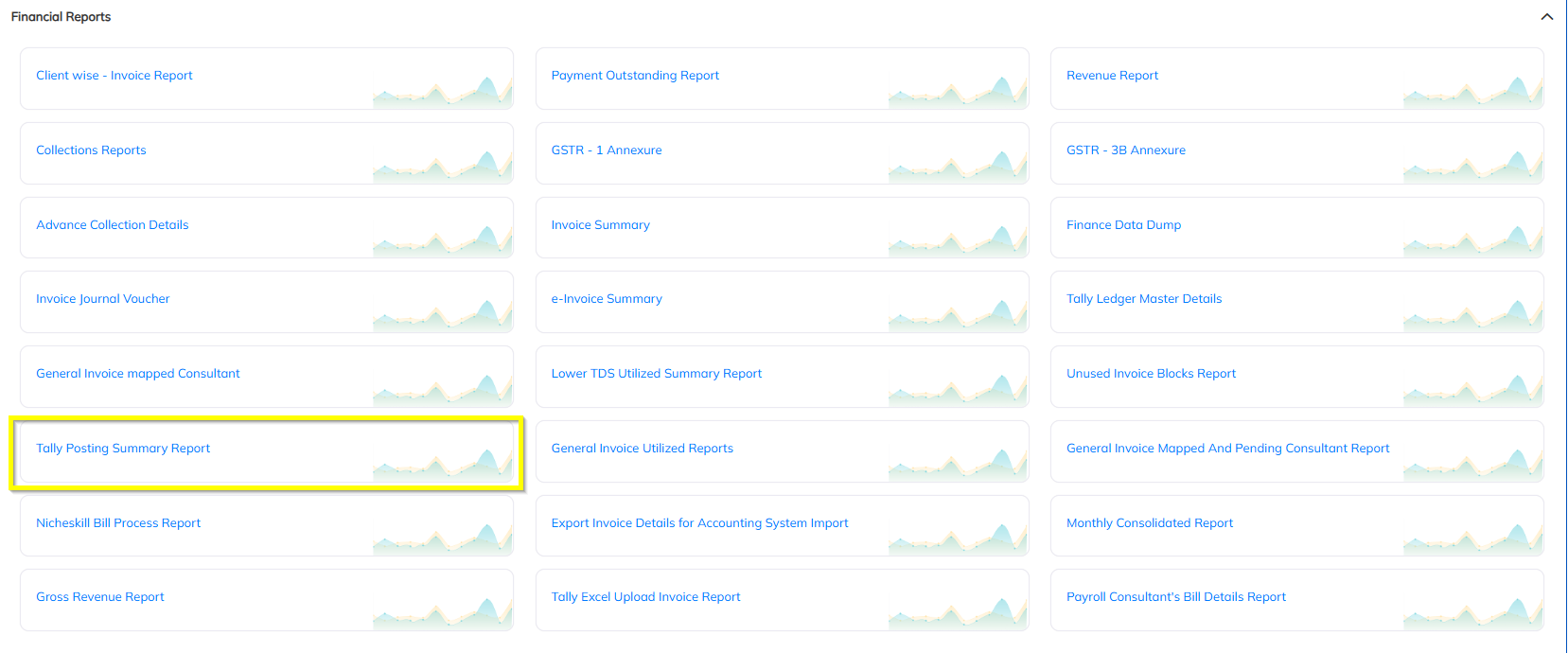
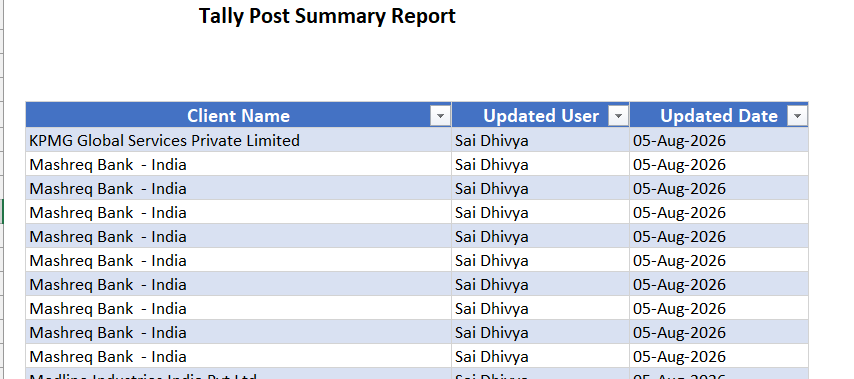
7. Tally Posting Summary Report – Client Name & Update User
The Tally Posting Summary Report has been enhanced to display:
- Client Name
- Updated User
8. Attendance Penalisation – Cycle or Month Basis
StaffingGo now supports attendance penalty calculation based on either:
- Attendance Cycle
- Month Cycle
Users can configure the applicable calculation basis according to their organization's attendance processing requirements.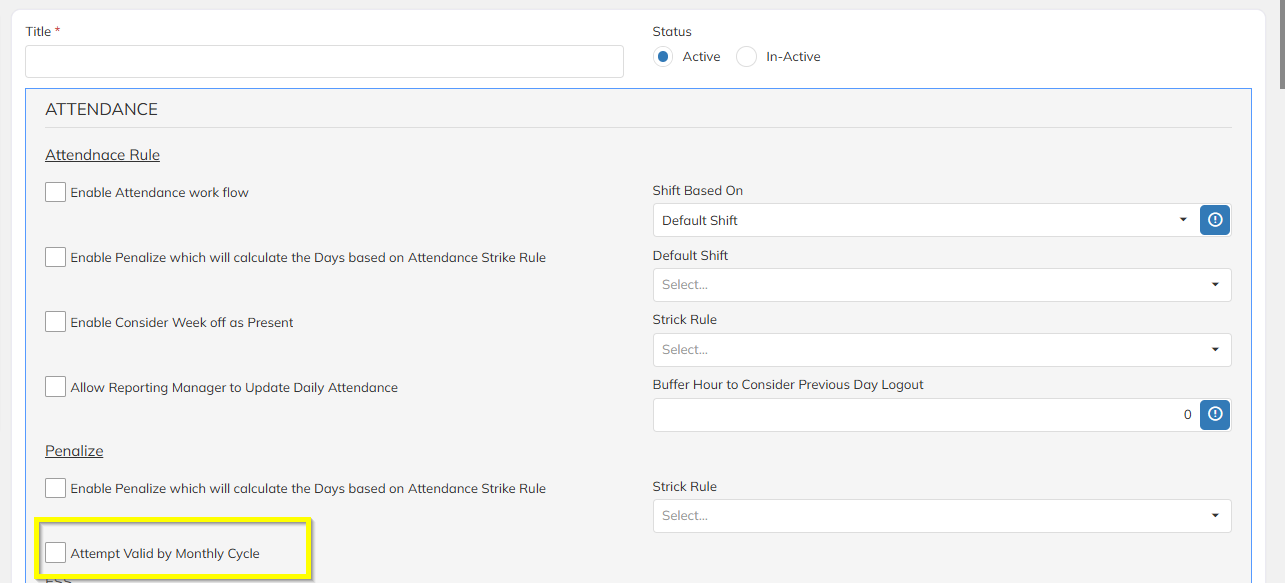
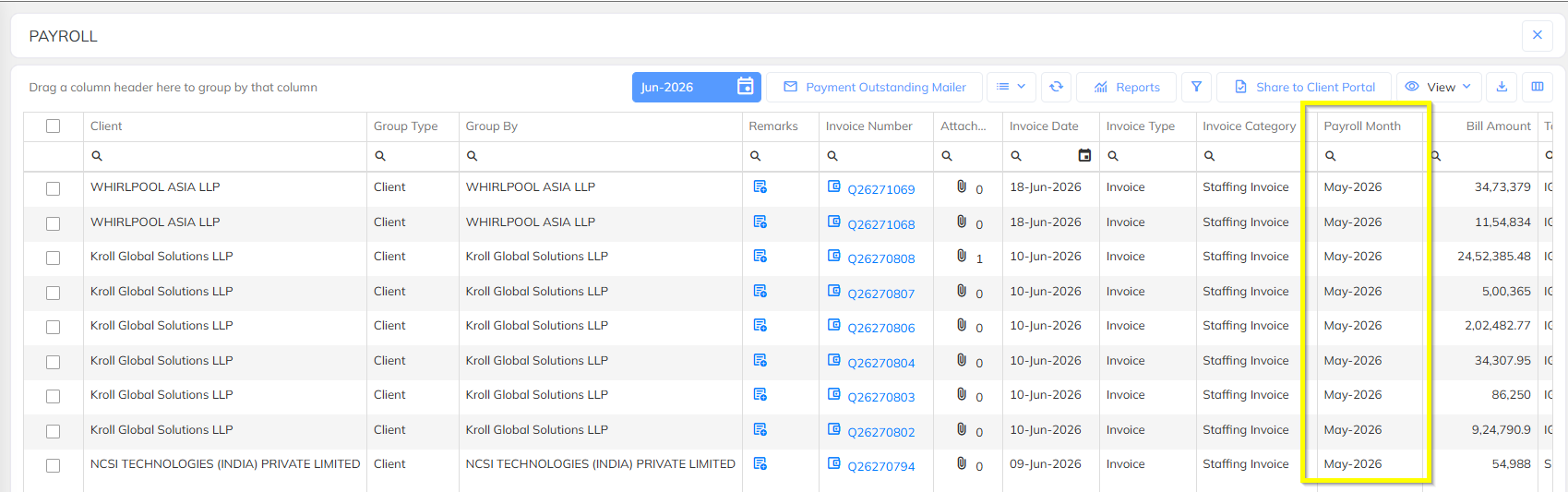
9. Payroll Month & Year – Invoice List
The Invoice List has been enhanced to display the corresponding:
- Payroll Month
- Payroll Year
10. BGV Summary Report
A new BGV Summary Report has been introduced to provide consolidated visibility into employee Background Verification information.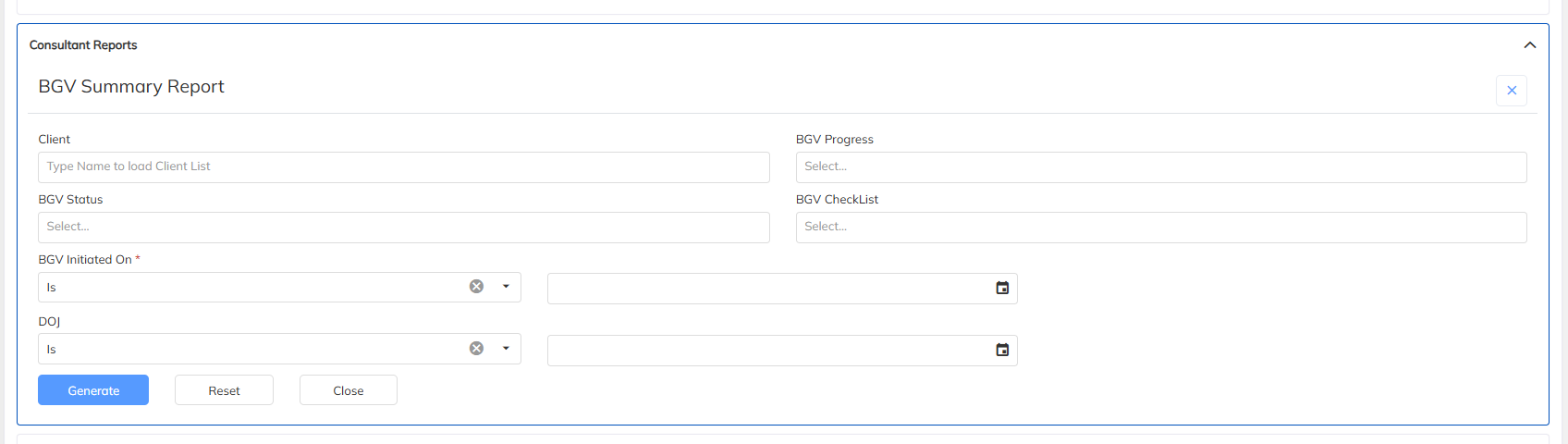
11. All KYC Type Filter – KYC Summary Report
The KYC Summary Report has been enhanced with an All KYC Type filter option.
Users can now view consolidated KYC information across all configured KYC types.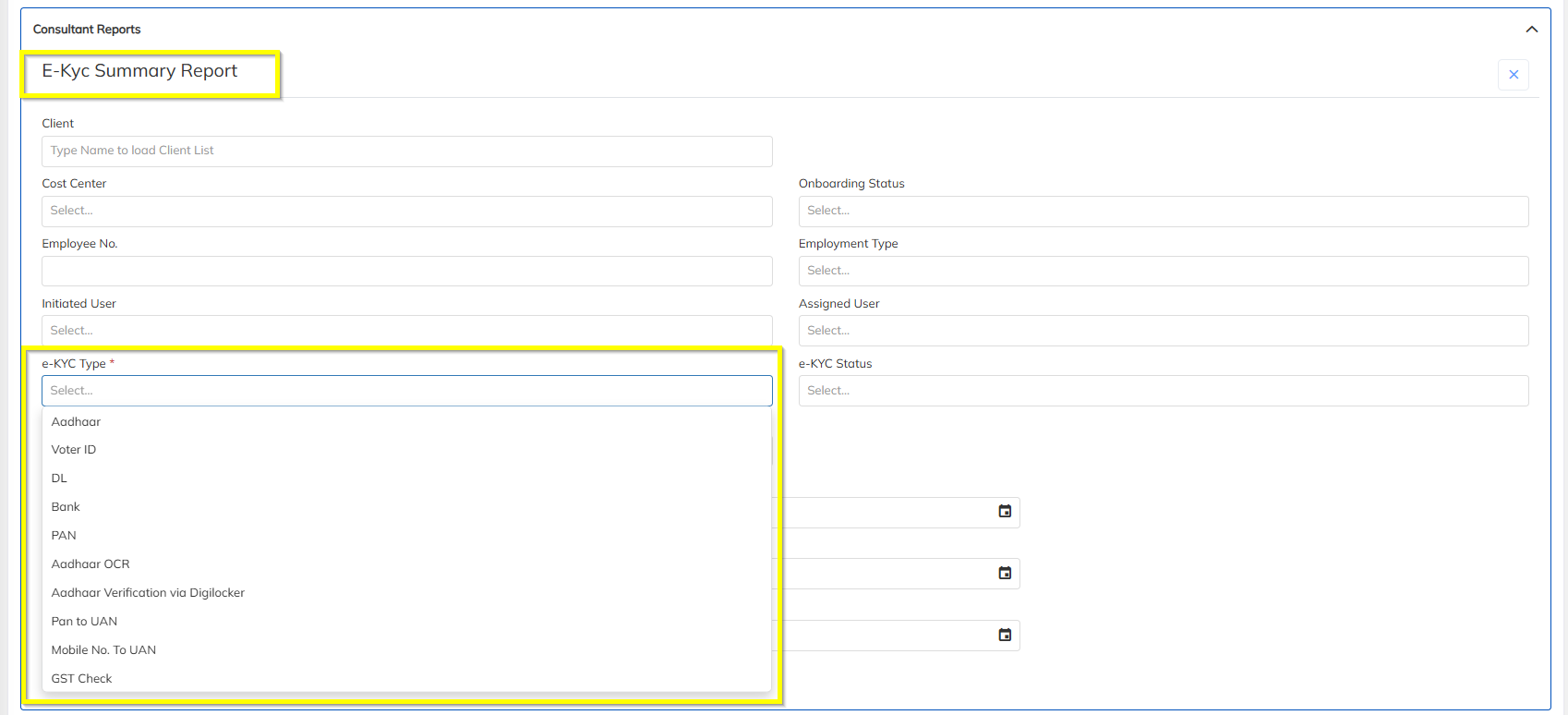
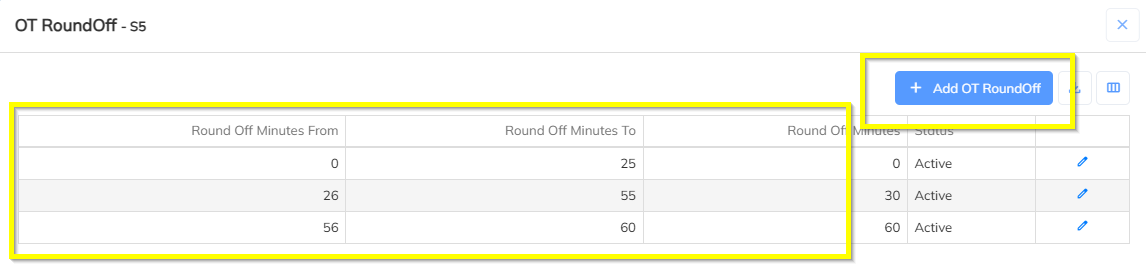
12. OT Minutes Round-off Slab – Shift Configuration
An option is now available to configure OT Minutes Round-Off based on Slab under Shift Items.
Organizations can configure the required rounding logic for overtime minutes based on their business requirements.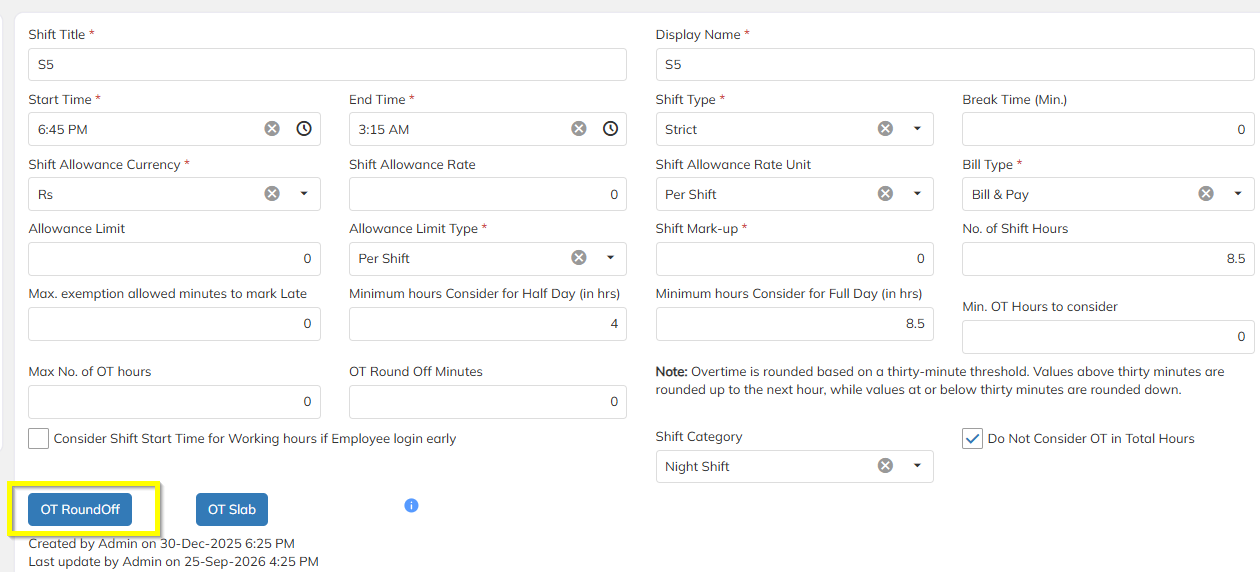
13. Client Portal – Approval Access Based on Contact Configuration
The Client Portal has been enhanced to provide approval access based on the configuration defined at the Contact Level.
Users can now configure the required approval access for individual client contacts.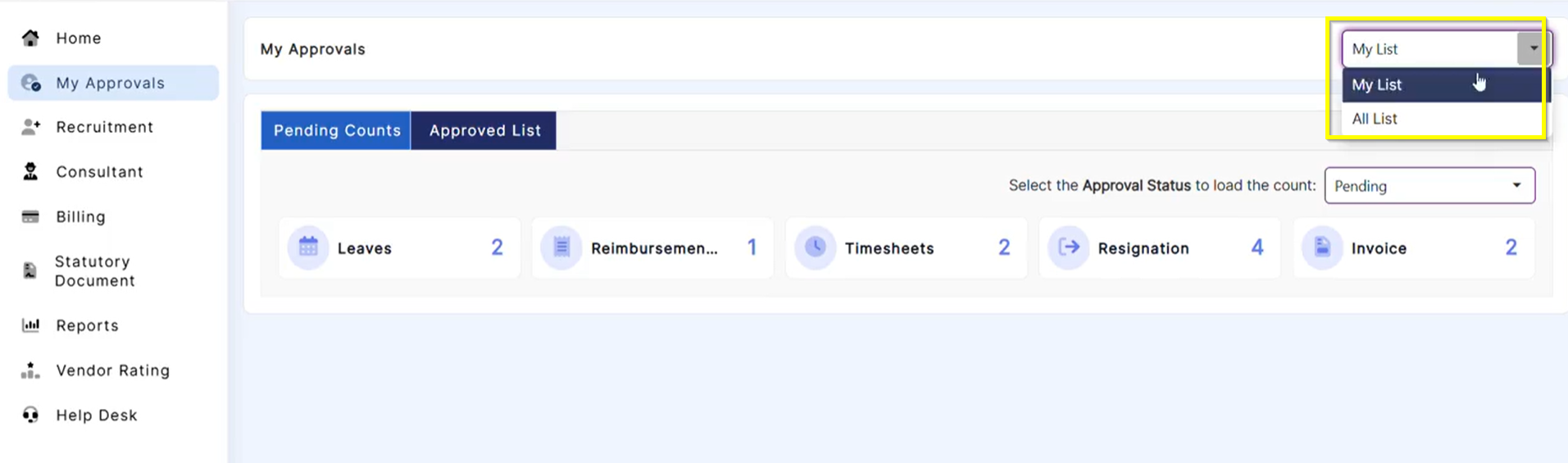
14. Attendance Access Blocking Based on Employee No-Punch Days
A new HR optionconfiguration is available to block attendance access based on the number of days an employee has not punched attendance.
This allows organizations to control attendance access when employees have exceeded the configured no-punch threshold.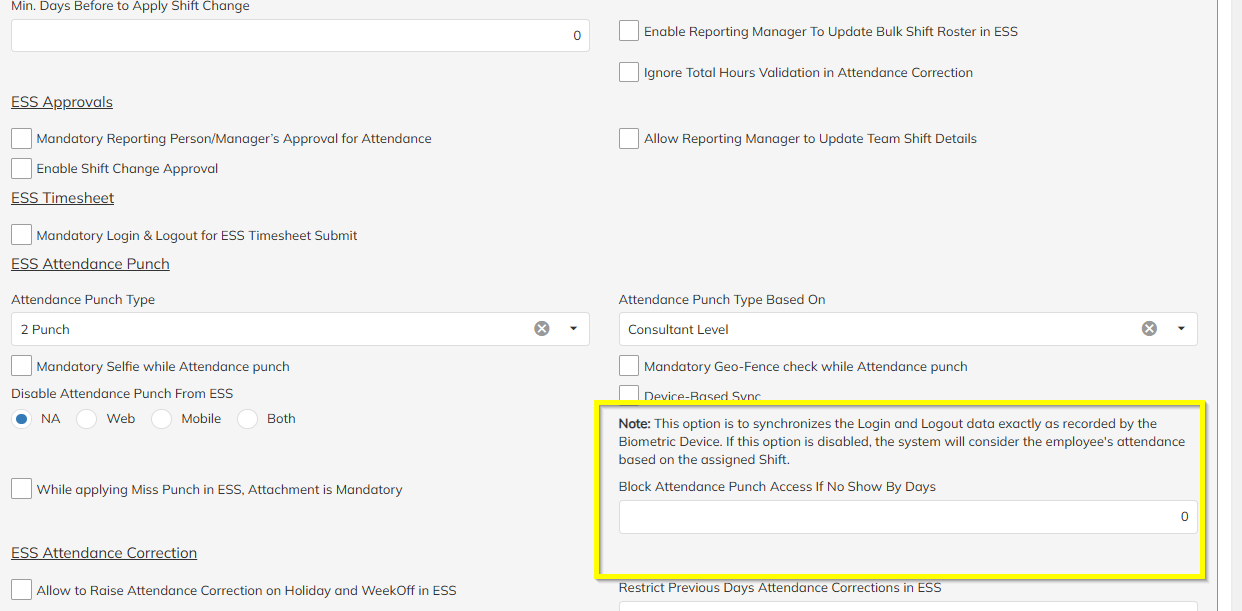
15. Invoice Amount in Words – Currency-specific Terminology
StaffingGo now supports currency-specific formatting for the Invoice Amount in Words tag.
The system automatically changes the fractional currency terminology based on the selected currency.
Example
INR: One Lakh Rupees and Fifty Paise
USD: One Thousand Dollars and Fifty Cents
GBP: One Thousand Pounds and Fifty Pence
Supported Tags:
{{InvoiceTotalAmountInWords}}
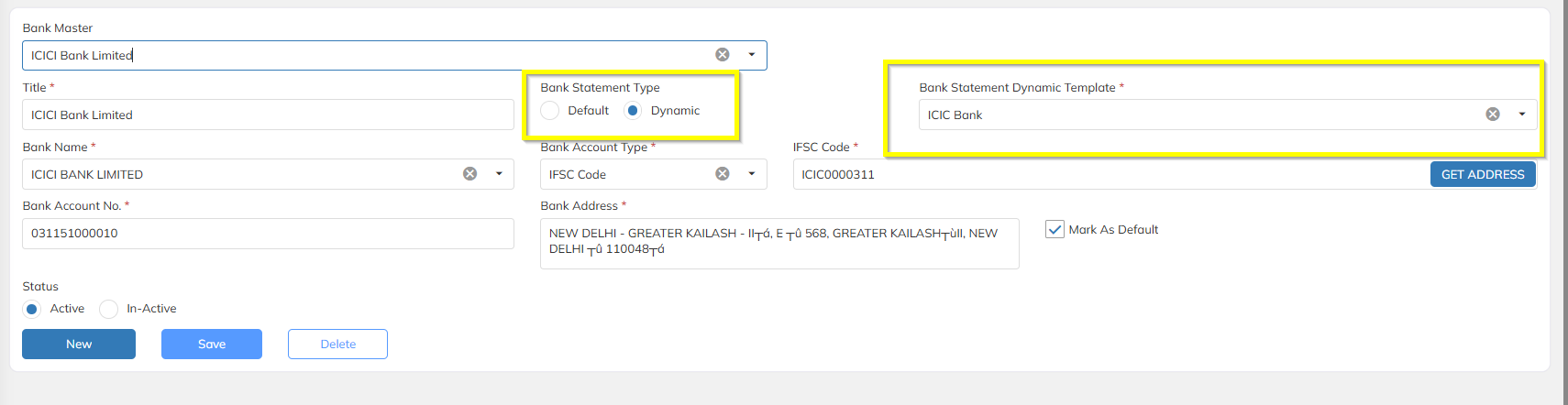
16. Bank Statement – Dynamic Template Configuration
StaffingGo now supports configuration of Bank Statement Dynamic Templates.
Users can configure the required fields and reporting format through the dynamic template configuration.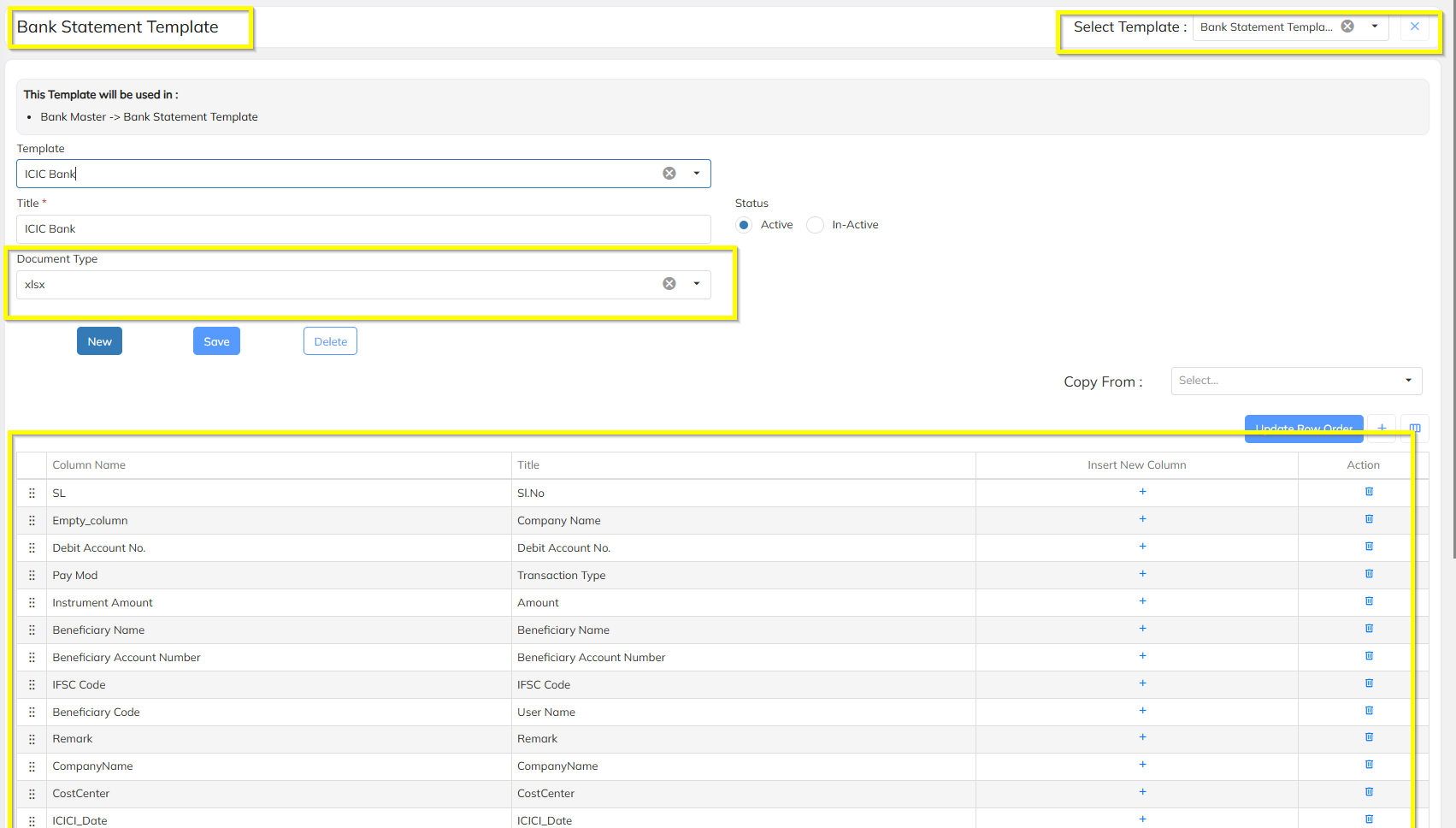
Was this article helpful?
That’s Great!
Thank you for your feedback
Sorry! We couldn't be helpful
Thank you for your feedback
Feedback sent
We appreciate your effort and will try to fix the article