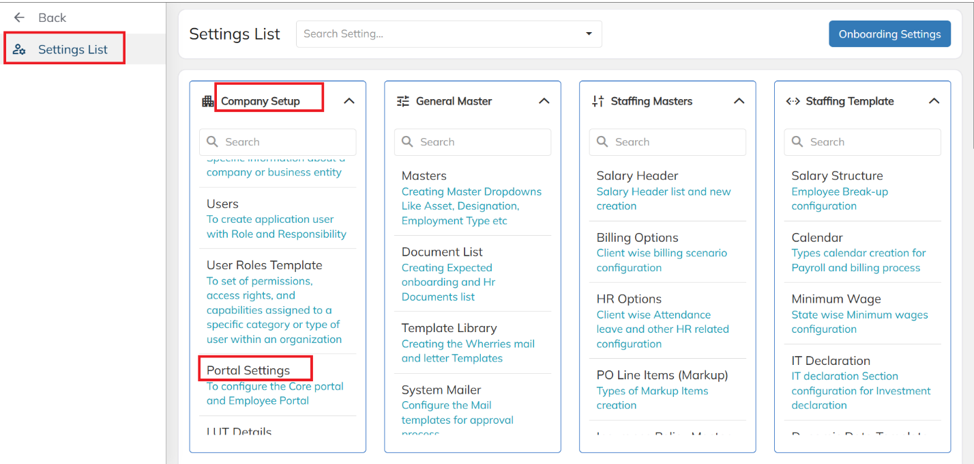
Navigate to the Settings menu, then go to Company Setup → Portal Settings.
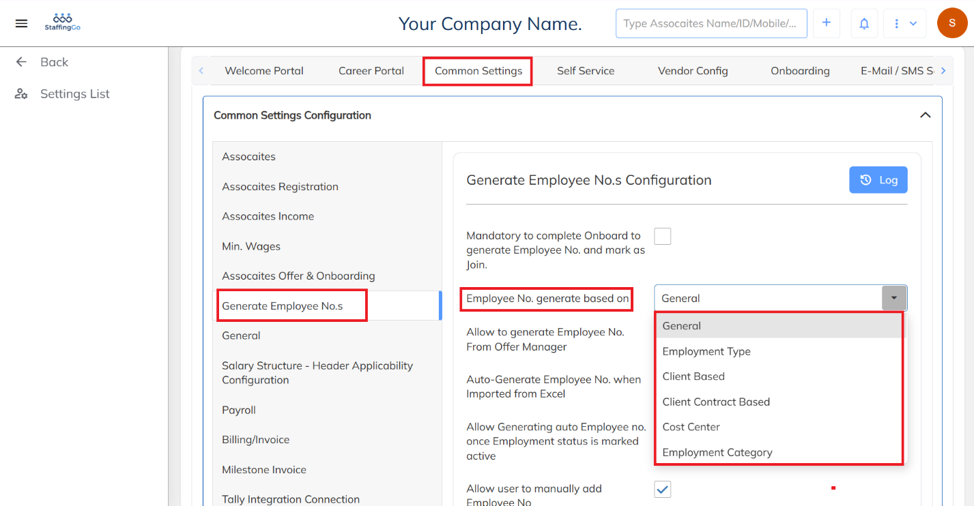
Under Common Settings, navigate to Generate Employee Numbers. Select the required option from the dropdown, and Employee IDs will be generated based on the selected numbering method.
Was this article helpful?
That’s Great!
Thank you for your feedback
Sorry! We couldn't be helpful
Thank you for your feedback
Feedback sent
We appreciate your effort and will try to fix the article